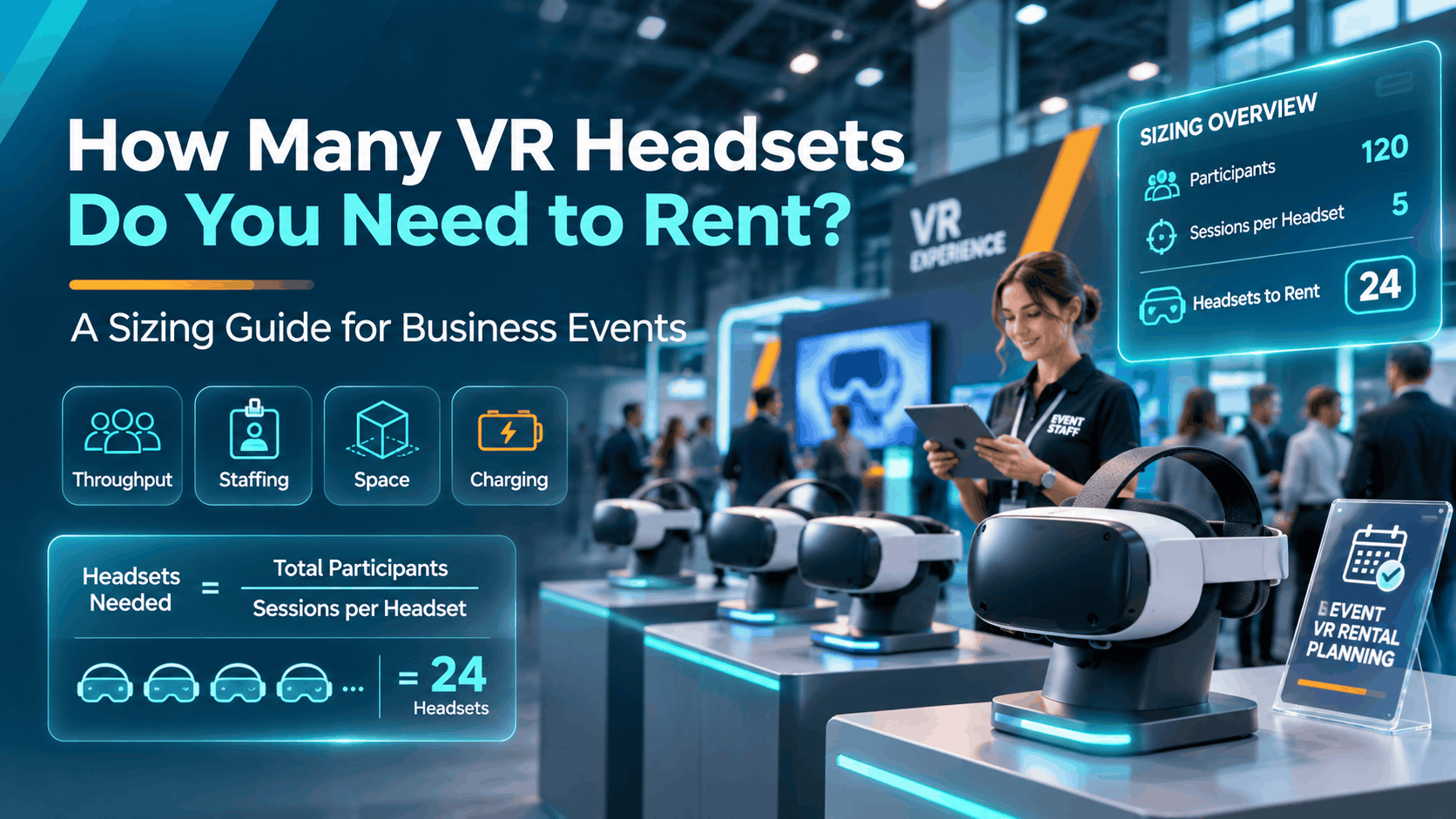
Before you finalize a VR rental budget or brief a vendor, headset count is the variable that determines everything else: staffing, space, power, cost, and whether your event actually delivers the experience you planned. Most buyers underestimate or overestimate by a wide margin — not because they’re careless, but because they’re guessing rather than calculating.
This guide gives you the inputs and the math to arrive at a defensible number before you request a quote. No VR 101 background. No generic advice. Just the variables, the formulas, and four worked examples you can apply directly to your event.
Why “How Many Headsets?” Is the Right Question to Ask First
Headset count is the load-bearing number in any VR event deployment. Get it right and everything downstream — staffing ratios, floor space, power draw, charging rotation, and per-unit cost — falls into place. Get it wrong and you’re either watching a queue of frustrated attendees stretch across your booth, or you’re paying for six headsets while three sit idle on a table.
The buyers who walk into vendor conversations with a calculated headset count get better quotes, better deployment plans, and better outcomes. The ones who say “we have 500 attendees, how many do we need?” are leaving the answer entirely to the vendor — who will quote what you ask for, not necessarily what you need.
The Two Mistakes Buyers Make When Estimating Headset Count
Mistake 1: Ordering by gut feel based on total attendee count rather than throughput.
Total attendance is almost irrelevant to headset count. What matters is how many people you need to move through the experience per hour, during your peak window, given your session length. A 500-person conference where VR runs across two days in an open-flow lounge has completely different headset requirements than a 500-person training program where every employee must complete a 20-minute module by end of day.
Mistake 2: Treating all VR experiences as equal in session length.
A 3-minute product demo and a 20-minute safety training module are not the same deployment problem. The 3-minute demo yields roughly 10 users per headset per hour. The 20-minute training yields 3. For the same audience size, that’s a 3x difference in headset count. Buyers who don’t account for this end up either wildly over-ordering for short demos or catastrophically under-ordering for training programs.
Why vendors often don’t correct this upfront: Most rental vendors quote what you ask for. If you say “I need 4 headsets for 200 people,” they’ll confirm the order. The vendor’s job is to fulfill the rental — the event planning math is yours to own unless you’re working with a vendor who specializes in deployment consulting.
The fix: Start with session length and throughput goals. Work backward to headset count. The rest of this guide shows you exactly how.
The Four Variables That Determine Your Headset Count
Every VR rental sizing calculation comes down to four inputs. Get these right and the number of headsets you need becomes straightforward arithmetic rather than guesswork. Miss one and you’ll either run out of capacity or overspend on units you don’t use.
Variable 1: Session Length (Minutes Per User)
Session length is not the same as content runtime. It’s the full time a single user occupies one headset: the pre-experience briefing, the VR content itself, headset removal, and the sanitization and reset between users. Every minute of that cycle counts against your throughput.
Typical session length ranges by use case:
| Use Case | Total Session Length (Including Reset) |
|---|---|
| Trade show product demo | 3–7 minutes |
| Product visualization or configurator | 5–10 minutes |
| Employee onboarding module | 10–15 minutes |
| Safety or compliance training | 15–25 minutes |
| Immersive brand storytelling | 8–12 minutes |
Why sanitization and reset time matters at scale: A 2-minute reset between users sounds minor. At scale, it isn’t. If your content runtime is 4 minutes but your reset takes 2 minutes, your effective session length is 6 minutes — and your throughput drops by 33%. Across a 6-hour event with 6 headsets, that’s roughly 120 fewer experiences than your content runtime alone would suggest.
Practical tip: Time your experience end-to-end in a rehearsal, not just the content runtime. Walk through the full cycle: operator greeting, headset fitting, content, removal, wipe-down, and relaunch. That number is your real session length.
Variable 2: Throughput Goal (Users Per Hour)
Throughput is how many unique users you want to complete the experience per hour of event time. It’s the bridge between your audience size and your headset count.
The core formula:
Throughput per headset per hour = 60 ÷ session length in minutes
Example: A 6-minute session yields 10 users per headset per hour. To reach 100 users per hour, you need 10 headsets running simultaneously.
Factor in peak vs. off-peak traffic. Trade show floors have rush periods — typically the first two hours after opening and the hour before lunch. Training programs often run in scheduled cohorts where everyone arrives at once. Your headset count should be sized for peak-hour demand, not average hourly demand across the full event.
Distinguish between “nice to have” and “must reach” throughput. If your goal is to give every attendee at a 300-person sales kickoff the VR experience, that’s a must-reach number that drives your minimum headset count. If you’re hoping to reach “as many people as possible” at a trade show, you have more flexibility — but you still need a target to calculate from.
Variable 3: Event Duration and Scheduling Model
Total event hours are not the same as productive VR hours. A 8-hour trade show day might yield 5–6 hours of realistic VR operation once you subtract setup, teardown, slow periods, and staff breaks. Build your throughput math around productive hours, not total hours.
Two scheduling models drive very different headset counts:
Scheduled cohort model (training, workshops): All users must complete the experience within a fixed window. This compresses throughput requirements and raises headset count because you can’t spread the load across the day — everyone needs a headset within the same 2–4 hour block.
Open-flow model (trade shows, activations, parties): Users arrive organically throughout the event. This allows you to size for peak-hour demand rather than total attendance, which typically reduces the headset count required.
Multi-day events: Headsets can be reused across days, which changes the per-day throughput math but does not change the simultaneous-unit requirement. If you need 8 headsets running at once on Day 1, you need 8 headsets on Day 2 as well — even if the total audience across both days is the same.
Rule of thumb: For a single-day open-flow event, size for your expected peak-hour attendance, not total daily attendance. For a cohort-based training, size for your largest single cohort.
Variable 4: Buffer Units for Technical Failures and Charging
No matter how well you calculate the first three variables, you need buffer units. Hardware fails. Batteries drain. Software crashes mid-session. A deployment with zero buffer is a deployment that will underperform.
Industry standard buffer: Add 15–20% above your calculated minimum to account for headsets that need charging, software resets, or hardware issues mid-event.
For events under 10 headsets: Round up to at least 1–2 buffer units regardless of percentage. A 15% buffer on 4 headsets is 0.6 units — which rounds to zero. That’s not a buffer.
Charging logistics for standalone headsets: The Meta Quest 3 delivers roughly 2–3 hours of active use per charge under continuous event conditions. For any event longer than 3 hours, you need a charging rotation plan — which means ordering more units than you’ll run simultaneously so that some are always charging while others are in use. A 6-hour event with 6 simultaneous headsets may require 8–10 total units to maintain uninterrupted operation.
Staffing affects buffer needs: More trained staff means faster resets and fewer idle headsets between users. A well-staffed deployment can operate with a smaller buffer because problems get resolved faster. An understaffed deployment needs a larger buffer to absorb the delays.
Ask your vendor explicitly: Are buffer units included in the rental package, or are they a separate line item? Some vendors quote active units only. Others include spares as part of the deployment kit. The answer significantly affects your total cost.
Headset Count by Use Case: Four Scenarios with Real Numbers
The variables above play out differently depending on your event format. Here are four common business scenarios with worked examples so you can see how the math applies in practice — and where the numbers tend to surprise buyers.
Scenario 1: Trade Show Booth (10×10 or 10×20 Footprint)
The key constraint at a trade show booth is often space, not throughput math. A 10×10 booth can physically accommodate 2–4 simultaneous VR users safely, which caps your headset count regardless of what the throughput formula says. Calculate both, then take the lower number.
Typical parameters:
- Session length: 4–6 minutes including reset
- Realistic engaged booth traffic: 30–60 visitors per hour at a busy show, but only a fraction will stop for VR — plan for 15–30 VR-interested visitors per hour at a well-positioned booth
Worked example — 10×10 booth:
- Session length: 5 minutes
- Target: 40 VR experiences per day across 6 productive hours
- That’s roughly 7 experiences per hour
- Throughput per headset: 60 ÷ 5 = 12 users per hour
- Headsets needed for 7/hour: 1 headset at capacity
That math says 1 headset. But 1 headset is not a professional booth deployment. With buffer, staff rotation, and the reality that a single headset failure kills your entire VR presence, 3 headsets is the practical minimum for a 10×10 booth — even if throughput math suggests you could get by with fewer.
For a 10×20 booth targeting 100+ experiences per day: 4–6 headsets running simultaneously is a common configuration. Space allows it, and the higher traffic volume at a larger booth justifies it.
Venue rules matter: Some convention centers restrict wireless device usage or require specific power setups. Confirm these requirements before finalizing your headset count and model selection — a PC-tethered headset that requires a dedicated power drop per unit changes your logistics entirely.
Scenario 2: Employee Safety or Compliance Training (Cohort Model)
Safety and compliance training is the use case where buyers most consistently under-order headsets. The cohort model compresses throughput requirements in a way that open-flow events don’t, and the session lengths are long.
Typical parameters:
- Session length: 15–25 minutes for a substantive safety or OSHA-related module
- Throughput per headset: 60 ÷ 20 minutes = 3 users per headset per hour
Worked example — 50-employee safety training:
- 50 employees must complete a 20-minute VR safety module in a 4-hour window
- Users needed per hour: 50 ÷ 4 = 12.5 users per hour
- Headsets needed: 12.5 ÷ 3 = 4.2 → round up to 5 headsets
- Add 1–2 buffer units: 6–7 headsets total
For larger cohorts (200+ employees across multiple shifts): Headsets can be reused across sessions, but the simultaneous count is still driven by the per-session cohort size. If each shift runs 50 employees through a 4-hour window, you still need 6–7 headsets per session — you’re just running those sessions back-to-back rather than ordering more units.
OSHA-related training note: Some compliance modules require a facilitator debrief after the VR experience, which adds 5–10 minutes to the per-user cycle. If your module is 20 minutes of content plus a 10-minute debrief, your effective session length is 30 minutes — and your headset count increases accordingly.
Standalone headsets (Meta Quest 3) are strongly preferred for training deployments because they don’t require a PC tether, which simplifies multi-station setups and allows flexible room configurations. Six tethered headsets require six PCs, six power drops, and significant cable management. Six standalone headsets require a charging hub and a WiFi connection.
Scenario 3: Sales Kickoff or Internal Corporate Event
Sales kickoffs and internal corporate events are the most planning-friendly VR format because the audience size is known in advance. You’re not guessing at trade show foot traffic — you have a confirmed headcount and a schedule.
Typical parameters:
- Session length: 5–8 minutes for a product or brand experience (attention is split across the event agenda, so shorter is better)
- Format: hybrid — part scheduled (keynote-adjacent demos) and part open-flow (breakout or networking period)
Worked example — 300-person sales kickoff:
- Target: 200 of 300 attendees complete the VR experience
- Open-flow window: 3 hours
- Session length: 6 minutes
- Users needed per hour: 200 ÷ 3 = 67 per hour
- Throughput per headset: 60 ÷ 6 = 10 users per hour
- Headsets needed: 67 ÷ 10 = 6.7 → round up to 7 headsets
- Add 20% buffer: 9 headsets
Staffing ratio for this format: 1 trained operator per 2–3 headsets to manage briefings, resets, and queue flow. For 9 headsets, plan for 3–4 operators.
Consider a dedicated VR zone with clear signage and queue management infrastructure. At a sales kickoff, VR competes with food, networking, and other activations for attention. A well-designed zone with visible branding and a managed queue drives higher completion rates — which means your throughput math actually holds.
Scenario 4: Holiday Party or Brand Activation (Entertainment Focus)
Entertainment-first activations are the most forgiving format for headset count errors because the stakes are lower — a long queue is annoying, not a compliance failure. But they have one unique challenge: demand spikes unpredictably in the first 90 minutes when novelty is highest.
Typical parameters:
- Session length: 3–5 minutes (designed for novelty and shareability, not depth)
- Traffic pattern: front-loaded — the first 90 minutes see the highest demand
Worked example — 150-person holiday party:
- Target: 100 experiences
- Peak window: 2 hours (first two hours of the event)
- Session length: 4 minutes
- Users needed per hour during peak: 100 ÷ 2 = 50 per hour
- Throughput per headset: 60 ÷ 4 = 15 users per hour
- Headsets needed: 50 ÷ 15 = 3.3 → round up to 4 headsets
- Add buffer: 5–6 headsets
Social sharing consideration: If attendees are encouraged to photograph or video their experience — which is common at brand activations — add 1–2 minutes to your session length estimate. A 4-minute experience that generates a 2-minute social media moment is a 6-minute session from a throughput perspective.
Venue rules for private events: Fewer restrictions than convention centers, but confirm ceiling height (minimum 8 feet for most standing experiences), floor space, and power access before finalizing your setup. A venue that looks spacious on a floor plan can become constrained once furniture, catering, and your VR zone are all competing for the same square footage.
How Headset Count Affects Staffing and Space Requirements
Headset count doesn’t exist in isolation. Every additional headset you add to a deployment changes your staffing needs, your space footprint, and your power and charging logistics. Understanding these dependencies helps you avoid the common mistake of ordering the right number of headsets but under-resourcing everything else.
Staffing Ratios by Headset Count
| Headset Count | Recommended Operators | Notes |
|---|---|---|
| 1–3 headsets | 1 trained operator | Can manage briefings, resets, and troubleshooting solo |
| 4–8 headsets | 2 operators minimum | One on queue/briefings, one on resets/tech |
| 9+ headsets | 1 operator per 3–4 headsets | Practical maximum for maintaining experience quality |
Untrained event staff can assist with queue management — directing people, answering basic questions, managing wait times — but should not be responsible for headset resets or troubleshooting. A brand ambassador who doesn’t know how to restart a crashed application is a liability, not a resource.
Ask your rental vendor whether operator staffing is included or a separate line item. This is one of the most significant variables in total event cost and one of the most commonly overlooked in initial budget conversations.
Space Requirements Per Headset
For standing, room-scale experiences: Minimum 6×6 feet (approximately 36 square feet) per active headset. This is the safe minimum — more space is always better, especially in public environments where bystanders may enter the play area.
For seated experiences (product demos, training modules): 4×4 feet per station is workable, which makes seated configurations significantly more space-efficient for high-density deployments.
Queue space: Plan for 2–3 people waiting per active headset. For 6 headsets, that’s 12–18 people in queue at peak, which requires meaningful linear space adjacent to the VR zone.
Physical barriers are required for any deployment in a public or semi-public space. Soft barriers, floor tape, or stanchions define the safe zone and protect both users and bystanders. Factor this into your footprint calculation — barriers add 1–2 feet around the perimeter of each station.
For trade show booths: Space is the binding constraint, not throughput math. Calculate how many headsets fit safely in your footprint first, then determine what throughput that headset count delivers. If the throughput is insufficient for your goals, you need a larger booth footprint, not just more headsets.
Power and Charging Logistics
Standalone headsets (Meta Quest 3, Quest Pro): 2–3 hours of active use per charge under continuous event conditions. For events longer than 3 hours, a charging rotation plan is not optional — it’s a deployment requirement.
Charging rotation math: For a 6-hour event running 6 simultaneous headsets, you need approximately 8–10 total units so that 2 are always on the charger while 6 are in use. The exact number depends on your charge time (typically 2–2.5 hours for a full charge) and how aggressively you manage the rotation.
PC-tethered headsets (Valve Index, Varjo): Require a dedicated PC per headset plus power for both. This significantly increases power draw, cable management complexity, and setup time. For most corporate event deployments, standalone headsets are the operationally superior choice unless your content specifically requires PC-level rendering.
Venue power access: Confirm the number of available outlets and their amperage before finalizing headset count and model selection. A 10-headset deployment with charging rotation may require 15–20 outlets. Convention centers often charge for additional power drops — factor this into your budget.
Charging hubs and cable management are part of a professional vendor’s deployment kit. Confirm what’s included in the rental package before assuming it’s covered.
Quick-Reference Headset Count Table by Event Type
Use this table as a starting point for your planning conversation with a vendor. These ranges are based on typical session lengths, audience sizes, and event durations for each format. Your actual number may be higher or lower depending on the four variables covered above.
| Event Format | Typical Headset Range | Primary Driver |
|---|---|---|
| Trade show booth (10×10) | 2–4 headsets | Space constraint; 3 is practical minimum |
| Trade show booth (10×20 or larger) | 4–8 headsets | Space + traffic volume |
| Employee training (50–100, cohort model) | 5–10 headsets | Cohort size + session length |
| Employee training (200+, multi-shift) | 8–15 headsets | Largest single cohort + session length |
| Sales kickoff / internal event (100–300 attendees) | 6–12 headsets | Target completion rate + open-flow window |
| Holiday party / brand activation (100–200 guests) | 4–8 headsets | Peak-hour demand, not total guest count |
All ranges include a 15–20% buffer for charging rotation and technical issues.
These are simultaneous-use counts, not total units shipped. A rental package for “8 headsets” may mean 8 active units with no spares, or 6 active units plus 2 buffer units. Confirm with your vendor how they define the headset count in the rental package before signing off on a quote.
What drives the number higher:
- Longer session lengths
- Higher target completion rates
- Cohort scheduling (vs. open flow)
- High-traffic shows or events
- Shorter event windows
What drives the number lower:
- Short demo content (under 5 minutes)
- Open-flow scheduling across a full day
- Lower target completion rates
- Seated experiences (more space-efficient)
- Multi-day events where headsets are reused
What to Ask Your VR Rental Vendor Before You Confirm a Count
Once you have a working headset count estimate, the conversation with your vendor should validate it — not start from scratch. These questions separate vendors who understand operational deployment from those who just ship hardware.
Vendor Questions That Reveal Operational Depth
On headset count and buffer:
- Does the quoted headset count include buffer units, or is that a separate line item?
- How do you handle a headset failure mid-event — do you have on-site spares or a replacement protocol?
On battery life and charging:
- What is the expected battery life per headset under continuous use at this event?
- What is your charging rotation plan for an event longer than 3 hours?
On staffing:
- What staffing ratio do you recommend for this headset count?
- Is operator staffing included in the package, or is it a separate cost?
On space and setup:
- What is the minimum space requirement per headset for this specific experience?
- Can you provide a floor plan recommendation based on my venue footprint?
On throughput and experience:
- What is your reset time between users, and how does that factor into the throughput estimate you’re providing?
- Have you deployed this headset count at a venue or event format similar to mine? Can you share throughput data from a comparable deployment?
A vendor who can answer these questions specifically not generically is a vendor who has actually run deployments at scale. A vendor who deflects or gives vague answers is a vendor who ships boxes and hopes for the best. The difference matters significantly when something goes wrong at 2:00 PM on the day of your event.
Frequently Asked Questions
How many VR headsets do I need for a trade show booth?
For a standard 10×10 booth, 3 headsets is the practical minimum for a professional deployment — even if throughput math suggests you could manage with 1 or 2. Space constraints cap most 10×10 booths at 2–4 simultaneous users. For a 10×20 booth with higher traffic goals, 4–6 headsets is a common configuration. Start with your booth footprint, calculate how many users can safely use VR simultaneously, then verify that headset count meets your throughput goal.
What is the minimum number of VR headsets for a corporate training program?
For a cohort-based training program, the minimum is determined by your cohort size and session length. A group of 50 employees completing a 20-minute module in a 4-hour window requires at least 5 simultaneous headsets plus 1–2 buffer units. Smaller cohorts with shorter sessions may work with 3–4 headsets, but anything fewer than 3 creates a single point of failure with no operational resilience.
How do I calculate VR headset throughput for an event?
Use this formula: Throughput per headset per hour = 60 ÷ session length in minutes. Multiply by your headset count to get total throughput per hour. Then divide your target number of experiences by your available productive hours to get the throughput you need per hour. Divide that by per-headset throughput to get your minimum headset count. Add 15–20% for buffer.
Do VR rental packages include buffer or spare headsets?
It depends on the vendor. Some include buffer units as part of the deployment kit; others quote active units only and charge separately for spares. Always ask explicitly: “Does this quote include buffer units for charging rotation and technical failures, or is this the count of active headsets only?” The answer affects both your operational plan and your total cost.
How many staff do I need per VR headset at an event?
The practical ratio is 1 trained operator per 3–4 headsets for deployments of 4 or more. For 1–3 headsets, a single operator can manage the full deployment. For 9+ headsets, plan for 1 operator per 3–4 units. Untrained event staff can manage queues but should not handle headset resets or technical troubleshooting.
Can I reuse rented VR headsets across multiple days of an event?
Yes. Multi-day events allow headsets to be reused across days, which changes the per-day throughput math but not the simultaneous-unit requirement. If you need 8 headsets running at once on Day 1, you need 8 headsets on Day 2 as well. The rental cost is typically structured per day or per event, so confirm with your vendor how multi-day pricing works.
What happens if a rented VR headset fails during my event?
A professional vendor will have a replacement protocol — either on-site spare units included in the deployment kit or a rapid-response plan for hardware swap. This is exactly why buffer units matter. Ask your vendor specifically: “What is your protocol if a headset fails mid-event?” If the answer is “we’ll ship a replacement,” that’s not a protocol for a live event. You need on-site spares or a vendor with local support capacity.
How much space does each VR headset require at a live event?
For standing, room-scale experiences: minimum 6×6 feet (36 square feet) per active headset. For seated experiences: 4×4 feet per station is workable. Add queue space for 2–3 people waiting per active headset, plus perimeter space for safety barriers. For trade show booths, space is typically the binding constraint — calculate how many headsets fit safely in your footprint before running throughput math.
How long does a Meta Quest 3 battery last during continuous event use?
Approximately 2–3 hours of active use under continuous event conditions. Battery life varies based on content complexity, display brightness, and processing load. For any event longer than 3 hours, plan a charging rotation that requires more total units than you’ll run simultaneously. A 6-hour event running 6 headsets typically requires 8–10 total units to maintain uninterrupted operation.
How do I get a headset count recommendation for my specific event?
Gather your key event parameters — event type, total audience size, target number of VR experiences, event duration, session length (if known), venue footprint, and budget range — and request a quote from a vendor who offers deployment consulting alongside hardware rental. A vendor with operational experience should be able to provide a recommended headset count within 24 hours of receiving those inputs.
Get a Headset Count Recommendation for Your Specific Event
The variables above give you a framework, but the right headset count for your event depends on details that a generic guide can’t fully account for — your venue layout, your content runtime, your audience flow, and your budget ceiling.
IgivU provides quote-ready headset count recommendations within 24 hours based on your specific event parameters. No generic sizing estimates. No quoting what you ask for without validating whether it’s what you need.
What to Have Ready When You Request a Quote
Gather these details before you reach out — the more specific you are, the faster and more accurate the recommendation:
- Event type and format: trade show, employee training, sales kickoff, brand activation, or other
- Total expected audience size and your target number of VR experiences
- Event duration and whether traffic is scheduled (cohort model) or open-flow
- Approximate session length if you already have content, or the type of experience you’re planning
- Venue footprint available for the VR zone (dimensions in feet)
- Any known venue restrictions: wireless device policies, power access limitations, ceiling height
- Budget range, if known — this helps match the right headset model to your count recommendation
If you’ve worked through the math in this guide and arrived at a preliminary headset count, bring that number to the conversation. A vendor worth working with will either validate it or explain specifically why it should be higher or lower — and show you the math either way.
Headset count is the first number that needs to be right. Everything else in your VR event deployment follows from it.