The Branding Question Every VR Buyer Asks Too Late
Most businesses start asking about custom branding after they’ve already chosen a VR solution — and that’s exactly where problems begin. A trade show team locks in a headset rental, then discovers the vendor’s software doesn’t support custom menus. A real estate firm deploys a virtual tour portfolio and realizes the platform watermark is visible on every client-facing link. A training department commissions a VR module and finds out branded audio narration wasn’t in the base scope.
The branding options available to you depend entirely on two things: which solution type you chose and how far in advance you planned. Whether you’re renting headsets for a trade show activation, deploying a virtual tour for a real estate portfolio, or commissioning a custom VR training environment, the rules are different — and the constraints are real.
This guide breaks down exactly what can be branded, at what tier, and what it costs — so you can make the branding decision before it becomes a constraint.
Why Branding Scope Varies by Solution Type
Not all VR solutions give you the same access to the brand surface. Here’s why:
- Rental VR solutions run on pre-configured hardware and often pre-built software. The vendor controls the platform stack, which means branding is limited to what they’ve opened up — typically logo overlays, color themes, and physical headset wraps.
- Virtual tour platforms (Matterport-style or custom-hosted) offer more UI flexibility, but branding depth depends on whether you’re on a shared plan, a white-label tier, or a self-hosted instance. The platform you’re on determines how much of the interface you actually control.
- Custom VR builds give you full brand control — every screen, environment, audio cue, and interaction can be designed to spec. But this comes with cost and timeline implications that shared platforms and rentals don’t.
Understanding which category you’re working in is the first decision. Everything else flows from there.
What “Custom Branding” Actually Means in a VR Context
The phrase “custom branding” gets used loosely. In a VR context, it refers to three distinct tiers — and conflating them leads to mismatched expectations and budget surprises.
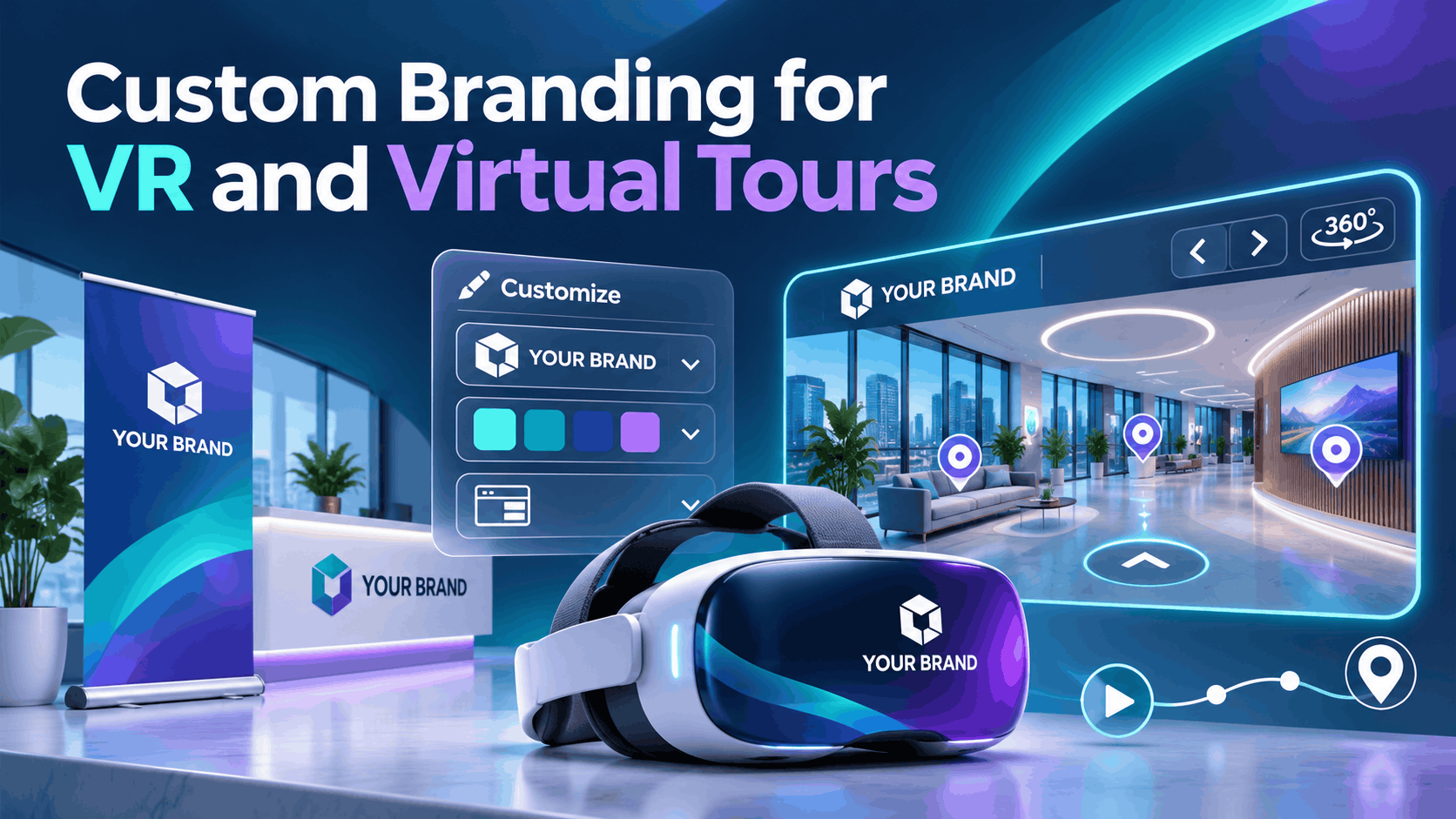
Surface branding covers the outermost layer: logo placement on loading screens, splash screens, and physical headset wraps (vinyl applied to the headset body). This is the fastest and cheapest tier to execute and the most common option in rental scenarios.
UI-level branding goes deeper: custom color palettes, branded menus, navigation icons, font choices, and button styles within the VR interface itself. This requires access to the software layer — either through a white-label platform or a custom build.
Environment-level branding is the deepest tier: 3D spaces built to reflect your brand architecture, in-world signage, product placements, branded ambient audio, and custom avatar design. This is only possible in a fully commissioned VR build.
One important distinction that confuses many buyers: physical headset wraps are a separate vendor category from software branding. A vinyl wrap on the headset exterior is a print production job — it has nothing to do with what appears on the screen inside the headset. Both matter for a branded event activation, but they require different vendors, different timelines, and different budget lines.
Custom Branding for VR Rentals: What’s Possible and What Isn’t
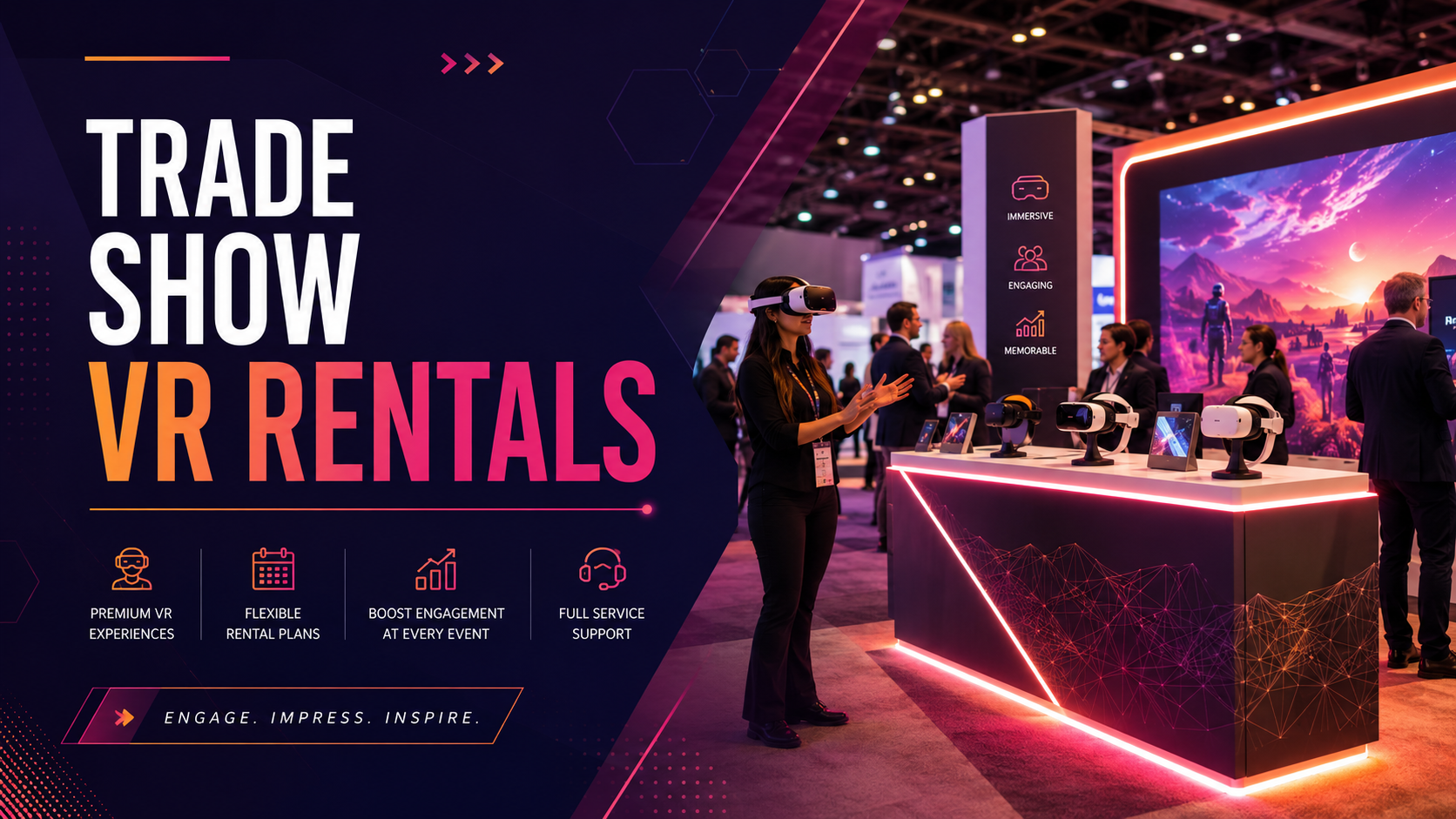
If you’re renting VR headsets for an event a trade show booth, a sales kickoff, a product launch activation your branding options are real but bounded. Rental solutions run on pre-configured software stacks, and the vendor controls how much of that stack is open to customization. Here’s what you can realistically expect.
What Most Rental Vendors Can Brand
The following are standard or low-cost add-ons with most reputable VR rental vendors:
- Splash screens and launch screens with your logo and brand colors typically included in premium rental packages or available as a low-cost add-on ($0–$500 depending on vendor).
- Physical headset wraps: vinyl wraps with brand graphics applied to the headset body. Expect to pay $50–$150 per headset depending on design complexity and order quantity. This is a print production cost, not a software cost.
- Branded controller skins or carrying cases for high-visibility booth setups available from specialty vendors and useful for photo and video moments at events.
- Branded landing page or menu screen within the VR environment some vendors support this, some don’t. Confirm this capability explicitly before booking, because it’s not universal.
What Rental Solutions Typically Cannot Brand
This is where buyers are most frequently surprised:
- The core VR content itself. If you’re running a vendor’s pre-built experience — a demo environment, a product showcase template, a 360-degree video — the 3D environment reflects their design, not yours. You’re a guest in their content.
- In-experience UI elements like menus, tooltips, and navigation prompts are usually locked in rental software. You can’t swap out button colors or replace navigation icons.
- Audio branding — branded music, voice-over narration, or ambient sound design — is rarely available in off-the-shelf rental content. The audio track is part of the pre-built experience.
If full environment branding is a requirement, a rental is the wrong solution. You need a custom content build. That’s not a criticism of rental solutions — they serve a real purpose — but it’s a trade-off that needs to be named before you sign a rental agreement.
Lead Time for Rental Branding
Timeline is where rental branding most often breaks down:
- Physical headset wraps: allow 5–10 business days for design approval and production. Rush orders are possible but cost more and introduce quality risk.
- Software splash screen customization: typically 3–7 business days if the vendor supports it — they need your logo files, color specs, and approval before they can configure the headsets.
- Last-minute requests (under 5 business days before the event) frequently result in unbranded hardware. Vendors can’t manufacture vinyl wraps overnight, and software configuration requires testing time.
The fastest way to avoid this problem is to confirm branding scope at the quote stage. IgivU provides quotes in under 24 hours, which means you can get branding scope confirmed before you commit to a rental package — not after.
Custom Branding for Virtual Tours: Platforms, White-Label Options, and Hosting
Virtual tours present a different branding landscape than live VR activations. The experience lives in a browser or app, which means the branding surface includes the tour interface, the hosting domain, the sharing link, and the embedded player. How much of that you control depends on which tier of platform access you’re on.
Shared Platform vs. White-Label vs. Custom Hosted
These three options are not interchangeable, and the differences matter significantly for client-facing deployments:
- Shared platforms (standard Matterport plans and similar): the platform’s branding appears alongside yours. Your logo may appear in the corner, but the platform watermark, the platform domain in the sharing URL, and the platform’s UI chrome remain visible. You’re co-branded with the vendor whether you want to be or not.
- White-label plans: your logo replaces the platform brand, the player UI reflects your colors, and the sharing link can use your domain (e.g.,
tours.yourbrand.com). The platform is invisible to the end user. These plans cost more — typically a higher monthly tier or a per-tour fee — but they deliver a clean brand presentation. - Custom-hosted virtual tours: fully branded player, custom domain, no third-party watermarks, and full control over UI design and functionality. This is the highest-cost option but the cleanest brand experience, and it’s the right call for enterprise deployments, premium real estate portfolios, and hospitality brands where presentation is part of the product.
For client-facing tours in real estate, hospitality, or showroom contexts, white-label or custom hosting is almost always the right call. A platform watermark on a luxury property tour or a high-end showroom experience undermines the premium positioning you’re trying to establish.
What Can Be Branded in a Virtual Tour
Within the white-label or custom-hosted tier, the following elements are brandable:
- The tour player interface: logo, color scheme, navigation icons, button styles, and loading screen design.
- The sharing URL: a branded subdomain (
tours.yourbrand.com) instead of a platform URL (matterport.com/show/?m=...). This matters for email campaigns, social sharing, and QR codes on print materials. - Embedded hotspots and info panels: branded typography, colors, and imagery within the tour itself — product callouts, room descriptions, and interactive information panels.
- The tour thumbnail and social share preview image — often overlooked, but this is what appears when someone shares the tour link on LinkedIn, in email, or on social media. An unbranded or auto-generated thumbnail is a missed brand moment.
- Privacy and data collection notices within the tour — relevant for enterprise deployments with GDPR or CCPA compliance requirements. These notices should carry your brand identity, not the platform’s.
Virtual Tour Branding Costs
Use these as planning benchmarks:
| Branding Element | Typical Cost |
|---|---|
| White-label platform upgrade | $50–$200/month or $500–$1,500 one-time |
| Custom-hosted branded tour (setup) | $500–$2,500 one-time |
| Branded hotspot and panel design | $300–$800 per tour |
| Annual hosting on a custom domain | $100–$500/year |
Pricing varies significantly by provider, tour volume, and complexity. Platform pricing pages rarely reflect the full cost of branding a base subscription may not include white-label features, and custom hosting requires separate infrastructure. Get a scoped quote before assuming your current platform plan covers your branding requirements.
Custom Branding in a Fully Built VR Experience: What Full Control Looks Like
When you commission a custom VR build for training, sales enablement, onboarding, or event activations — branding is no longer a layer applied on top of someone else’s product. It’s baked into the design from day one. This is where the most impactful brand experiences are possible, and also where the cost and timeline conversation gets serious.
What Environment-Level Branding Includes
A fully branded custom VR build can incorporate:
- 3D environments designed to reflect your brand architecture: office layouts that match your actual spaces, showroom aesthetics that mirror your physical retail environment, branded signage at scale, and product placements that match your current catalog.
- Custom UI design: every menu, button, tooltip, progress indicator, and notification built to your brand guidelines — not adapted from a template, but designed from scratch.
- Audio branding: branded background music, voice-over narration recorded with your preferred talent, and ambient sound design that reinforces the environment’s identity.
- Branded onboarding flows: how users enter the experience, what they see first, and how your brand is introduced — the first 30 seconds of a VR experience are the highest-impact brand moment.
- Custom avatar or character design aligned with brand identity — relevant for training and onboarding scenarios where a guide character represents the company.
Cost Range for Custom Branded VR Builds
| Build Tier | Typical Cost Range |
|---|---|
| Entry-level (single environment, basic UI branding) | $15,000–$40,000 |
| Mid-tier (multiple environments, custom UI, branded audio) | $40,000–$100,000 |
| Enterprise-grade (multi-module, LMS integration, custom analytics) | $100,000+ |
Branding design work — translating your brand guidelines into 3D assets, custom UI components, and audio production — typically adds 15–25% to the base development cost. This is not a line item to cut: under-resourced branding work is the most common reason a custom VR build looks generic despite a significant investment.
Timeline Implications of Deep Branding
Deep branding adds time to a development timeline in predictable ways:
- Brand asset preparation — style guides, vector logo files, approved color palettes, 3D asset libraries — must be complete before development begins. Delays in asset delivery cascade through the entire project.
- UI design and approval cycles add 2–4 weeks to a standard development timeline. Every revision round that requires stakeholder sign-off extends this.
- Audio production — voice-over recording, music licensing, sound design — runs in parallel with development but requires approved scripts first. Script approval is often the bottleneck, not the recording itself.
- Total timeline for a fully branded custom build: 10–24 weeks depending on scope, revision cycles, and asset readiness.
Branding Across Deployment Contexts: Trade Shows, Training, and Virtual Tours Side by Side
The right branding approach depends not just on your budget but on where and how the experience will be used. A trade show activation has different branding priorities than an employee training module or a client-facing virtual tour.
Trade Show and Event Activations
- First impression is the primary brand moment. Attendees spend 3–8 minutes in a VR experience at a trade show. Physical headset wraps and branded splash screens are high-ROI for these short interactions because they’re visible before, during, and after the headset goes on.
- Deep environment branding is worth the investment if the content travels. If you’re deploying the same branded VR experience across multiple events over a year, the per-event cost of a custom build drops significantly. Amortize accordingly.
- Lead capture screens within the VR experience should be branded and connected to your CRM workflow. An unbranded lead capture form inside a branded experience is a jarring disconnect.
- The brand surface extends beyond the headset. Staffing uniforms, booth signage, branded charging stations, and printed materials around the VR station all extend the brand environment. VR is one element of a larger activation.
Employee Training and Onboarding
- Branding in training VR signals organizational investment. Generic-looking training environments — default textures, placeholder UI, stock audio — reduce learner engagement and signal that the content wasn’t built for them. Branded environments increase perceived credibility.
- LMS integration points carry brand identity too. Login screens, completion certificates, progress dashboards, and notification emails should all reflect your brand, not the platform’s default styling.
- For safety and compliance training, branded environments must not compromise the clarity of safety messaging. Brand supports the experience — it doesn’t compete with it. Color choices, typography, and visual hierarchy should prioritize legibility.
- Reuse justifies investment. A branded training module deployed across 50 locations or used for 3 years has a very different cost-per-use calculation than a one-time event activation.
Client-Facing Virtual Tours
- The tour is often the first digital touchpoint for a prospect. An unbranded or platform-watermarked tour tells the viewer that you’re using a third-party tool — not that you’ve built a premium experience for them. For real estate, hospitality, and showroom contexts, that distinction matters.
- White-label or custom-hosted branding is the baseline expectation for client-facing tours in premium categories. Shared platform watermarks undermine the brand positioning you’re trying to establish.
- Branded sharing links matter for distribution. A
tours.yourbrand.comlink in an email campaign or on a property listing looks intentional. Amatterport.com/show/?m=...link looks like a vendor tool. - Analytics should live under your brand dashboard, not the platform’s. Heatmaps, dwell time data, and engagement metrics are business intelligence — they should be accessible in an environment that reflects your brand, not the platform’s.
How to Brief a Vendor on Custom Branding: What to Prepare Before You Request a Quote
The fastest way to get an accurate branding quote is to arrive with the right inputs. Vendors who specialize in VR and virtual tour branding need specific information to scope the work — and missing inputs are the most common cause of quote delays and scope creep after a project starts.
What to Have Ready
Before contacting a vendor, prepare the following:
- Brand guidelines document: logo files in vector format (AI, EPS, or SVG — not JPG), approved color palette with hex codes, typography specifications (font names and weights), and any existing 3D asset libraries or CAD files you own.
- Deployment context: event date and location, number of headsets required, venue type (trade show floor, conference room, outdoor activation), or tour distribution method (website embed, email, QR code).
- Branding tier decision: surface only, UI-level, or full environment — or ask the vendor to recommend based on your stated budget. Coming in with a budget range is more useful than asking for a price without one.
- Approval chain: who signs off on design? How many stakeholders are in the review process? How many revision rounds are budgeted? This affects timeline directly and is one of the most underestimated factors in project delays.
- Existing content assets: product photography, 360-degree photography, video footage, or architectural CAD files that can be incorporated into the branded environment — these reduce development cost and improve accuracy.
Questions to Ask Any VR or Virtual Tour Vendor About Branding
Don’t assume ask explicitly:
- What branding is included in the base price, and what is a paid add-on?
- Can I see examples of branded experiences you’ve delivered for clients in my industry?
- What file formats do you need for brand assets, and what is your design revision policy?
- Will my brand appear on the sharing URL, or will your platform domain be visible to end users?
- What happens to the branded content after the event or contract ends — do I own the assets, or are they licensed?
That last question matters more than most buyers realize. Asset ownership determines whether you can reuse branded VR content across future events, modify it internally, or migrate it to a different platform. Clarify this before signing.
Custom Branding Pricing Summary: What to Budget by Solution Type
Branding costs vary by solution type, depth, and vendor. The ranges below reflect realistic market pricing for business buyers — not entry-level consumer tools or enterprise contracts with custom negotiation. Use these as planning benchmarks, not fixed quotes.
Pricing by Branding Tier
| Branding Element | Typical Cost |
|---|---|
| Physical headset wrap (vinyl, per unit) | $50–$150 per headset |
| Software splash screen and logo customization (rental) | $0–$500 (often included in premium rental packages) |
| Virtual tour white-label platform upgrade | $50–$200/month or $500–$1,500 one-time |
| Custom-hosted branded virtual tour (setup) | $500–$3,000 setup + $100–$500/year hosting |
| UI-level branding added to a custom VR build | $5,000–$20,000 added to base development cost |
| Full environment-level branded VR experience | $15,000–$100,000+ depending on scope and reuse |
A few notes on these ranges:
- Minimum order quantities often apply to physical headset wraps — vendors may require a minimum of 5–10 units for custom vinyl production.
- White-label pricing varies significantly by platform. Some charge per tour, some charge per month, and some require an annual contract. Read the fine print before assuming a monthly fee covers all branding features.
- The $15,000–$40,000 entry point for custom builds assumes a single environment with basic UI branding and no audio production. Each additional environment, audio element, or integration point adds cost.
- Scope creep in branding is more common than in other development areas because stakeholders often don’t see the brand until late in the process. Budget for revision rounds explicitly.
For a scoped quote based on your specific deployment context, IgivU provides quotes in under 24 hours — with branding scope confirmed before you commit to a solution type.
Frequently Asked Questions
Can I brand a rented VR headset with my company logo?
Yes, but in two separate ways. Physical headset wraps (vinyl graphics applied to the headset body) can be produced by a print vendor and applied before your event — budget $50–$150 per headset and allow 5–10 business days. Software branding (your logo on the launch screen or splash screen inside the headset) depends on whether your rental vendor’s platform supports it. Confirm this before booking — not all rental software is open to customization.
What is the difference between a white-label virtual tour and a custom-hosted one?
A white-label virtual tour runs on a third-party platform (like Matterport) but with the platform’s branding removed and yours substituted. The infrastructure is still the vendor’s. A custom-hosted tour runs on infrastructure you control — your domain, your server, your player code — with no third-party platform involvement. Custom hosting gives you more control and cleaner branding, but it costs more to set up and maintain. For most client-facing deployments, white-label is sufficient. For enterprise or high-volume deployments, custom hosting is worth the investment.
How much does it cost to add custom branding to a VR experience?
It depends on the tier. Surface branding (logo on splash screen, headset wrap) costs $0–$500 for software plus $50–$150 per headset for vinyl. UI-level branding on a custom VR build adds $5,000–$20,000 to base development cost. Full environment-level branding in a custom build ranges from $15,000 to $100,000+ depending on scope. Get a scoped quote — ranges this wide exist because scope varies enormously.
How long does it take to produce branded VR content for a trade show?
For physical headset wraps: 5–10 business days from design approval to delivery. For software splash screen customization on a rental: 3–7 business days. For a fully branded custom VR experience built for a trade show: 10–24 weeks depending on scope. If your event is in 4 weeks, surface branding is achievable. A custom build is not.
Can I use my existing brand guidelines for a VR build, or do I need new 3D assets?
Your existing brand guidelines are the starting point logo files, color palette, typography, and photography. However, most 2D brand assets need to be adapted or rebuilt for 3D environments. A flat logo becomes a dimensional sign. A brand color becomes a material with lighting properties. A photography library may need to be supplemented with 3D models. Your development vendor will identify which assets can be used as-is and which need to be rebuilt. Having vector files and a complete brand guide ready significantly reduces this work.
Will my virtual tour show the platform’s branding or mine?
It depends on your plan tier. On a standard shared platform plan, the platform’s watermark and domain will appear alongside your logo. On a white-label plan, the platform brand is replaced with yours. On a custom-hosted tour, there is no platform branding at all. Check your current plan before assuming your tours are fully branded — many businesses discover the platform watermark only after sharing a tour with a client.
What branding is possible on a VR rental vs. a custom VR build?
VR rentals support surface branding: headset wraps, splash screens, and in some cases a branded menu screen. The core content and in-experience UI are typically locked. Custom VR builds support all three tiers: surface, UI-level, and environment-level branding. If your branding requirements extend beyond logo placement, a rental is the wrong solution type.
Do I own the branded VR assets after the project ends?
This depends entirely on your contract. Some vendors retain ownership of the 3D assets, environments, and UI components they build — you license the experience, you don’t own the files. Others transfer full ownership upon final payment. Ask this question explicitly before signing, and get the answer in writing. Asset ownership determines whether you can reuse, modify, or migrate your branded content in the future.
Planning Checklist: Custom Branding for VR and Virtual Tours
Use this checklist before contacting a vendor or requesting a quote:
Brand Assets
- Vector logo files (AI, EPS, or SVG) — not JPG or PNG
- Approved color palette with hex codes
- Typography specifications (font names, weights, licensing)
- Brand guidelines document (if one exists)
- Existing 3D assets, CAD files, or product photography
Deployment Context
- Event date or deployment deadline confirmed
- Number of headsets or tour instances required
- Venue type or distribution method identified
- Audience type (trade show attendees, employees, clients)
Branding Scope Decision
- Surface branding only, or UI-level, or full environment?
- Physical headset wraps required? (Confirm lead time)
- White-label or custom-hosted virtual tour required?
- Audio branding (music, voice-over) required?
Approval and Timeline
- Stakeholder sign-off process identified
- Number of revision rounds budgeted
- Hard deadline confirmed with vendor before project start
Ownership and Rights
- Asset ownership terms confirmed in contract
- Platform domain vs. branded domain confirmed for virtual tours
- Post-event or post-contract content access confirmed
Get a Branding Scope Confirmed Before You Commit
The most expensive branding mistake in VR isn’t overspending it’s choosing a solution type that can’t support your branding requirements and discovering that after the contract is signed. A rental that can’t support custom menus. A virtual tour platform that won’t remove its watermark on your plan tier. A custom build that started without brand assets and had to pause for six weeks waiting for logo files.
The fix is straightforward: make the branding decision before the solution decision, not after.
If you’re evaluating VR rentals, virtual tour platforms, or a custom VR build and want to understand exactly what branding is possible at your budget and timeline, request a quote from IgivU. We scope branding requirements as part of every quote — and we turn quotes around in under 24 hours, so you have the information you need before you commit to anything.
Ready to get your branding scope confirmed? Contact IgivU for a quote — we’ll tell you exactly what’s possible, what it costs, and how long it takes.