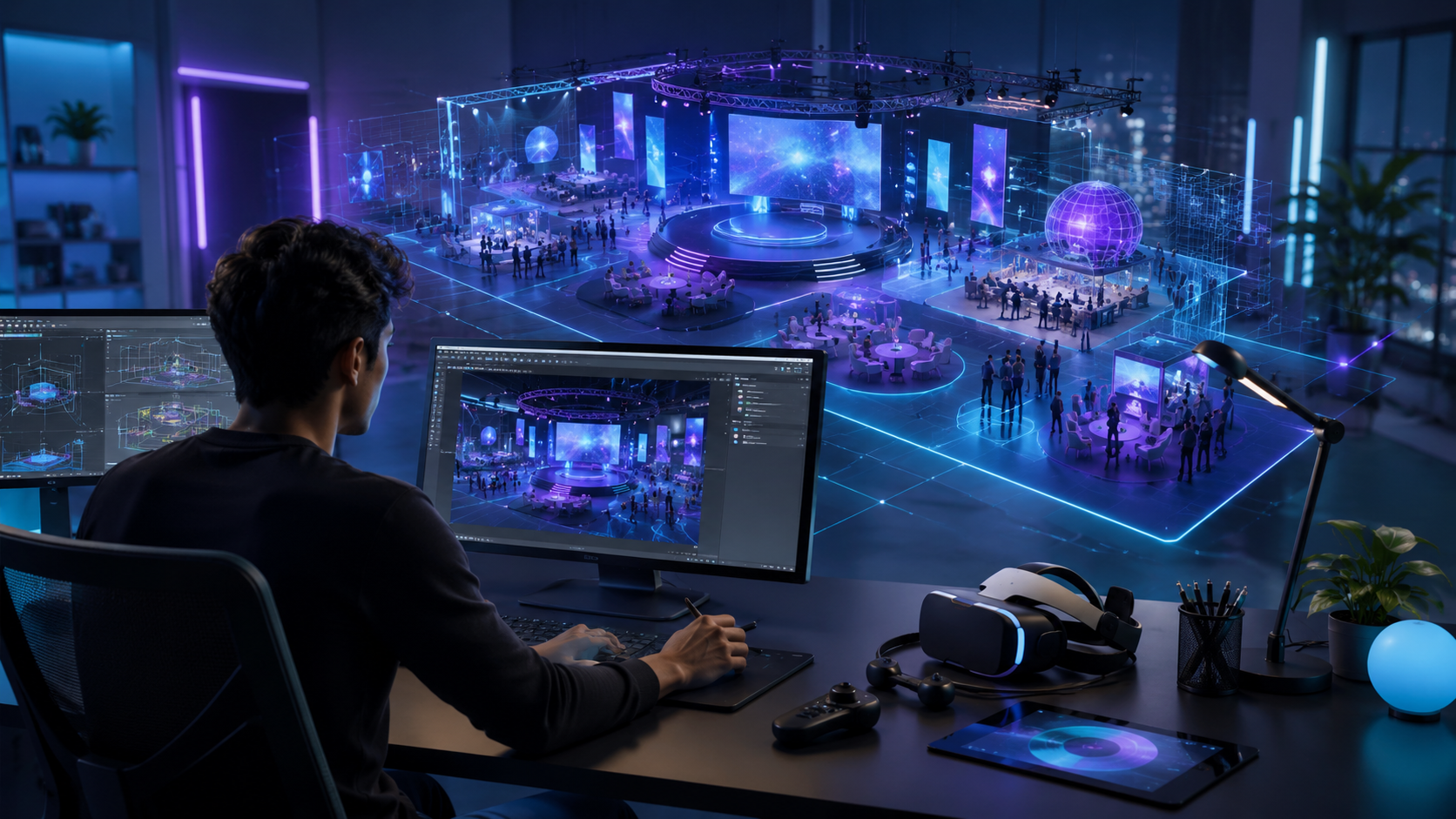
The virtual spaces where your attendees explore, learn, and engage can make or break your VR event activation. Whether you’re planning a product launch, trade show booth, or training session, understanding 3D environment design for VR helps you make informed decisions about custom development versus rental options and ensures your investment delivers measurable results.
What Is 3D Environment Design for VR Experiences
3D environment design creates the virtual spaces where your event attendees, trade show visitors, or training participants will spend their time in VR. Unlike traditional 3D modeling for games or films, VR environment design must account for user movement, interaction points, and the physical constraints of your event space.
The discipline combines artistic vision with technical precision, balancing visual appeal against the performance limitations of portable VR systems. Every texture, polygon, and lighting effect impacts both the user experience and the practical logistics of running VR at a live event.
Core Components of VR Environment Design
Spatial layout and scale considerations define how users navigate your virtual space. Standing experiences require 2×2 meter minimum play areas with boundary warnings, while seated experiences can function in standard booth footprints. Scale accuracy matters—a virtual showroom with incorrect proportions breaks immersion and confuses product demonstrations.
Interactive elements versus static backgrounds determine development complexity and costs. A clickable product hotspot requires programming and testing, while a decorative background element simply needs proper modeling. Most event environments blend both: interactive zones for key messaging surrounded by atmospheric details that establish mood without demanding attention.
Performance optimization for rental-grade headsets constrains creative ambitions. Meta Quest 2 units the industry standard for event rentals handle approximately 750,000 triangles per scene with 2048×2048 textures. Exceeding these limits causes frame drops, motion sickness, and negative brand associations. Professional designers build multiple detail levels, automatically adjusting quality based on hardware detection.
Lighting and atmosphere transform functional spaces into memorable experiences. Real-time lighting calculations tax mobile processors, so designers pre-calculate (or “bake”) shadows and reflections into textures. Dynamic elements like flickering flames or moving spotlights require careful optimization to maintain the 72fps minimum for comfortable viewing.
How 3D Environments Differ from 360 Video
Real-time rendering versus pre-recorded content represents the fundamental distinction. 3D environments generate images 72-90 times per second based on head position, creating genuine presence. 360 videos play predetermined footage regardless of user movement, limiting interaction to looking around from a fixed point.
User agency and exploration capabilities separate passive viewing from active participation. In 3D environments, attendees walk through virtual showrooms, pick up products, and trigger demonstrations. They control pacing and focus, spending more time on interesting elements. This self-directed exploration increases retention and engagement metrics compared to linear video presentations.
Hardware requirements and setup complexity vary significantly between formats. 360 video streams from basic smartphones in cardboard viewers, requiring minimal technical support. 3D environments demand dedicated VR headsets, tracking sensors, and trained staff. A 360 video station costs $50-100 per day; a full VR station runs $500-1,500 daily including equipment and support.
Cost implications for event budgets extend beyond equipment rental. Custom 360 video production ranges from $5,000-25,000 for professional quality. Custom 3D environment development starts at $15,000 for basic spaces, reaching $100,000+ for complex interactive experiences. However, 3D environments offer unlimited reuse across events, while 360 videos become dated as products and branding evolve.
3D Environment Design Process for Event VR
Creating a custom 3D environment for your brand activation or corporate event follows a structured workflow that balances creative vision with technical constraints and timeline realities.
The process typically spans 8-16 weeks from concept to deployment, though rush development can compress timelines to 3-4 weeks at premium rates. Each phase builds on the previous, with client approval gates preventing costly late-stage revisions.
Discovery and Concept Development
Defining experience goals tied to event objectives starts every successful project. A product launch might prioritize visual spectacle and social sharing moments. A B2B trade show demo emphasizes technical accuracy and data capture. Training simulations focus on scenario realism and assessment integration. Clear objectives guide every subsequent decision from color palettes to interaction mechanisms.
Audience analysis and comfort level assessment shapes design complexity. Tech-savvy gaming audiences handle complex controls and abstract environments. General business audiences need intuitive interactions and familiar visual metaphors. First-time VR users require extensive onboarding zones and comfort options. Demographic data from registration systems helps calibrate difficulty and pacing.
Brand guideline integration into virtual spaces maintains consistency across touchpoints. Corporate colors translate into environment lighting. Logo placement follows clearspace rules even in 3D. Typography choices reflect brand personality while maintaining VR legibility standards. Some brands create VR-specific style guides addressing unique considerations like stereoscopic depth and peripheral vision zones.
Reference gathering from existing VR experiences accelerates creative development. Designers compile mood boards showing successful implementations of similar concepts. Competitive analysis reveals differentiation opportunities. Platform showcases like the Meta Store demonstrate technical possibilities within hardware constraints. Client stakeholders often benefit from experiencing reference applications firsthand before approving concepts.
Technical Planning and Asset Creation
Polygon budgets for Quest 2 versus high-end headsets determine modeling approaches. Quest 2 environments stay under 750,000 triangles total, with individual objects rarely exceeding 10,000. PC-based systems like HTC Vive Pro handle 2-3 million triangles, enabling photorealistic product renders. Designers create high-resolution master assets, then generate optimized versions for each target platform.
Texture resolution and file size management balances visual quality against loading times. A single 4096×4096 texture consumes 67MB of memory uncompressed. Quest 2 applications should stay under 2GB total to ensure smooth operation. Texture atlasing combines multiple small textures into single files, reducing draw calls. Compression formats like ASTC provide 4:1 size reduction with minimal quality loss.
Sound design and spatial audio placement enhances immersion without overwhelming users. Ambient soundscapes establish atmosphere—office chatter for corporate environments, machinery hums for factory simulations. Triggered sound effects confirm interactions and guide attention. Spatial audio processing places sounds in 3D space, helping users locate interactive elements through audio cues alone.
User interface elements for non-gamers require special consideration in VR. Text must be larger than traditional screens—minimum 20mm character height at 1-meter distance. Buttons need generous hit zones accommodating hand tracking inaccuracy. Color contrast ratios exceed standard accessibility guidelines to account for lens distortion. Gaze-based selection offers fallback options when hand controllers prove challenging.
Testing and Optimization
Frame rate targets for motion comfort drive optimization priorities. Consistent 72fps prevents motion sickness in sensitive users. 90fps provides premium comfort for extended sessions. Frame timing matters more than average rates—a single dropped frame causes noticeable judder. Performance profilers identify bottlenecks: excessive draw calls, unoptimized shaders, or memory allocation spikes.
User testing with event staff before launch reveals operational issues. Booth attendants need to guide visitors efficiently, reset experiences quickly, and troubleshoot common problems. Testing sessions identify confusion points in the user journey. Staff feedback shapes quick-reference guides and training materials. Some teams run dress rehearsals in actual event spaces, testing everything from headset hygiene procedures to network reliability.
Fallback options for technical issues prevent complete failures. Simplified rendering modes maintain functionality when performance degrades. Offline modes handle network outages. Traditional screen displays show the VR view for queued attendees. Some experiences include 2D tablet versions for users who experience motion sickness or refuse headsets entirely.
Quick-start guides for booth attendants ensure consistent delivery across shifts. Visual instruction cards show proper headset adjustment. Troubleshooting flowcharts address common issues: tracking loss, controller pairing, application crashes. Scripts provide consistent messaging about experience duration and content. QR codes link to video tutorials for complex procedures.
Types of 3D Environments for Business VR Applications
Different event types and business objectives call for distinct approaches to 3D environment design, from photorealistic product showcases to abstract brand experiences.
Trade Show and Exhibition Environments
Virtual showrooms that extend physical booth space multiply display capacity without shipping costs. A 10×10 foot booth transforms into limitless virtual galleries. Attendees explore product lines too large or expensive for physical display. Automotive brands showcase entire vehicle lineups. Furniture manufacturers present complete room sets. Industrial equipment suppliers demonstrate machinery in realistic factory contexts.
Product visualization at impossible scales differentiates VR from traditional displays. Attendees shrink to explore product internals—walking through engine components or examining circuit boards from inside. They expand to view architectural projects at city scale. Time manipulation shows assembly processes or wear patterns. These perspective shifts create memorable moments that drive booth traffic through word-of-mouth.
Competitive differentiation through immersive demos justifies premium booth positions and higher registration fees. While competitors show static displays, VR exhibitors offer test drives, virtual facility tours, or hands-on troubleshooting scenarios. The experiential advantage generates longer engagement times, higher lead quality scores, and improved brand recall in post-event surveys.
Data capture and lead qualification integration transforms VR from novelty to sales tool. Heat mapping reveals which products attract attention. Interaction logs indicate interest levels. Quiz elements qualify leads during the experience. CRM integration populates contact records with behavioral data. Some systems generate personalized follow-up content based on VR session activities.
Training and Simulation Spaces
Realistic workplace recreations for safety training reduce accident rates and insurance premiums. Construction sites include accurate hazard placement. Manufacturing floors replicate actual equipment layouts. Healthcare environments match specific facility protocols. Photogrammetry scanning captures real locations, ensuring training transfers to actual work environments.
Controlled scenarios for soft skills practice provide safe spaces for challenging conversations. Sales teams rehearse objection handling with AI-driven avatars. Managers practice termination discussions. Customer service representatives encounter difficult personalities. The virtual environment removes real-world consequences while maintaining emotional engagement through presence.
Multi-user environments for team exercises enable collaborative training regardless of geographic distribution. Emergency response teams coordinate disaster scenarios. Surgical teams practice complex procedures. Design teams review prototypes at full scale. Network architecture supports 8-12 simultaneous users in Quest 2 environments, 20+ in PC-based systems.
Progress tracking and assessment tools quantify training effectiveness. Built-in analytics measure completion times, error rates, and decision patterns. Replay systems allow trainer review of student sessions. Competency frameworks map VR activities to learning objectives. Integration with learning management systems maintains training records for compliance reporting.
Brand Experience Worlds
Abstract environments that embody brand values transcend physical limitations. Sustainability brands create living ecosystems responding to user choices. Innovation brands build impossible architectures defying physics. Luxury brands craft exclusive spaces accessible only through VR. These conceptual environments communicate positioning more effectively than traditional marketing materials.
Narrative-driven spaces for product launches build anticipation through storytelling. Attendees uncover product features by exploring themed environments. Pharmaceutical launches might journey through stylized body systems. Technology releases could involve solving puzzles that demonstrate capabilities. The narrative structure ensures complete message delivery while maintaining engagement.
Gamified experiences for engagement metrics motivate extended interaction. Point systems reward thorough exploration. Leaderboards drive repeat visits. Achievement badges encourage social sharing. Hidden easter eggs create viral moments. Gamification mechanics must align with brand tone—playful for consumer products, sophisticated for B2B services.
Social sharing moments and takeaways extend reach beyond direct participants. Photo-realistic avatar captures create shareable selfies. Virtual product configurators generate personalized designs. Experience recordings produce social media content. Digital swag bags contain 3D models for AR viewing at home. These extensions multiply event ROI through organic amplification.
Tools and Software for VR Environment Creation
The software landscape for 3D environment design spans from accessible no-code platforms to professional game engines, with rental implications for each approach.
Professional Development Platforms
Unity versus Unreal Engine for VR development represents the primary platform decision. Unity dominates VR development with 60% market share, offering extensive VR-specific tools and asset store content. The engine handles all major headsets through unified APIs. Unreal Engine provides superior visual quality through advanced rendering features but requires more powerful hardware. Unity’s $399/year Pro license suits most event applications; Unreal’s 5% revenue share only applies to published products, not event experiences.
Blender and Maya for asset creation serve different workflow preferences and budgets. Blender’s free, open-source model eliminates licensing concerns for distributed teams. The software handles modeling, texturing, and animation in a unified interface. Maya’s $1,875 annual subscription provides industry-standard tools preferred by professional studios. Both export to standard formats (FBX, OBJ, glTF) compatible with VR engines.
Substance Painter for texture work streamlines the technical art pipeline. The software’s procedural texturing system generates multiple map types (diffuse, normal, roughness) from single brush strokes. Smart materials automatically adapt to model geometry. The $19.90 monthly subscription includes extensive material libraries. Export presets optimize textures for specific platforms, automatically adjusting resolution and compression.
Version control and collaboration tools prevent devastating data loss and enable distributed development. Perforce handles large binary assets efficiently but requires server infrastructure. Git with Large File Storage works for smaller teams comfortable with command-line interfaces. PlasticSCM offers visual branching suited to artists. Cloud services like Unity Collaborate simplify setup but limit storage capacity.
Rapid Prototyping Solutions
Gravity Sketch for VR-native design enables creation directly in virtual space. Designers sketch concepts using natural hand movements, immediately experiencing scale and proportion. The tool exports to professional 3D applications for refinement. At $25 monthly, it accelerates concept development and client approval cycles.
Mozilla Hubs for web-based experiences eliminates headset requirements through browser compatibility. Attendees join virtual spaces from laptops, phones, or VR devices. The platform handles up to 25 concurrent users with basic avatars and spatial audio. Custom environments upload directly without coding. The open-source foundation ensures long-term availability.
Spatial.io for quick event spaces provides templates and no-code customization. The platform specializes in business meetings and presentations, offering screen sharing and document collaboration. Custom branding applies through uploaded logos and color schemes. The free tier supports small gatherings; paid plans starting at $20/user monthly enable larger events.
Template libraries and asset stores accelerate development while controlling costs. Unity Asset Store offers thousands of VR-ready environments from $20-200. Sketchfab provides 3D models with clear licensing terms. Quixel Megascans supplies photorealistic textures and objects. TurboSquid specializes in professional-grade assets with extended licenses. Careful asset selection and modification creates unique experiences without starting from scratch.
Cost Factors in Custom 3D Environment Design
Understanding the investment required for custom 3D environments helps event planners decide between fully custom builds, modified templates, or curated existing experiences from rental packages.
Development Cost Breakdown
Designer and developer hourly rates vary by experience and location. Junior 3D artists charge $35-50 hourly for basic modeling tasks. Senior environment artists command $75-125 for complex scenes. VR developers range from $85-150 for interaction programming. Technical artists bridging design and development bill $100-175. Project managers coordinating teams add $65-95 hourly.
Timeline impact on rush charges significantly affects budgets. Standard 12-week development follows normal rates. 8-week timelines add 25% rush premiums. 4-week sprints double base costs through overtime and resource reallocation. Last-minute changes during production trigger additional charges—simple text updates cost $500-1,000, while structural modifications reach $5,000-10,000.
Licensing fees for assets and tools accumulate quickly. Professional 3D software suites total $5,000-8,000 annually per seat. Stock asset licenses range from $20 for simple objects to $2,000 for complete environment packs. Music and sound effects add $500-3,000 depending on usage rights. Extended licenses for commercial use often triple base prices.
Testing and revision cycles consume 20-30% of project budgets. Each testing round requires 2-3 days of QA effort at $500-800 daily. User testing sessions cost $2,000-4,000 including recruitment and facilities. Revision implementation varies wildly—color adjustments take hours while restructuring spaces requires weeks. Most contracts include 2-3 revision rounds; additional changes bill hourly.
Custom Build vs Rental Package Comparison
When custom environments justify the investment depends on usage frequency and differentiation requirements. Single-use experiences rarely recoup development costs unless budgets exceed $250,000. Multi-event campaigns amortize expenses across touchpoints. Unique brand positions demanding distinctive aesthetics warrant custom development. Technical demonstrations requiring specific functionality have no rental alternatives.
Hybrid approaches using branded overlays balance customization with cost control. Rental providers offer white-label environments accepting logo placement and color modifications. These semi-custom solutions cost $5,000-15,000 versus $50,000+ for ground-up development. Limitations include fixed layouts, generic interactions, and competitor overlap risk.
Reusability across multiple events multiplies value from initial investment. Modular environment design enables seasonal updates without complete rebuilds. Cloud deployment allows simultaneous use at multiple venues. Archive systems preserve experiences for future reactivation. Some brands create VR environment libraries, mixing and matching components for different event types.
Maintenance and update considerations extend beyond initial development. Software updates break compatibility every 6-12 months, requiring technical patches. Content updates for new products or messaging cost $2,000-5,000 per change. Annual maintenance contracts typically run 15-20% of original development costs. Self-contained experiences reduce ongoing expenses but limit flexibility.
Implementing 3D Environments at Live Events
The best-designed 3D environment still needs proper deployment strategy to deliver value at your event, from hardware selection to staff training.
Hardware and Setup Requirements
Matching headset capabilities to environment complexity prevents performance issues and disappointed attendees. Quest 2 handles stylized environments with simplified lighting. Quest Pro adds color passthrough for mixed reality elements. PICO 4 offers similar specifications at lower rental rates. HTC Vive Focus 3 provides enterprise features like device management. PC-tethered systems (Valve Index, HTC Vive Pro 2) enable maximum visual fidelity but require gaming laptops and cable management.
Network requirements for cloud rendering determine infrastructure needs. Local rendering requires no connectivity but limits updates. Cloud streaming demands 50Mbps per headset with sub-20ms latency. 5G networks enable untethered high-end graphics but lack venue availability. Hybrid approaches download core assets while streaming dynamic content. Always test venue networks during site visits—conference WiFi rarely supports VR requirements.
Physical space design for safety prevents injuries and equipment damage. Minimum 2×2 meter play areas need padding or barriers. Overhead clearance accommodates raised arms. Cable runs require covers preventing trips. Guardian boundaries display 1 meter before physical walls. Spectator areas separate observers from active users. Insurance riders specifically covering VR activities cost $500-2,000 per event.
Backup systems and redundancy planning ensure continuous operation despite failures. Spare headsets cover hardware malfunctions—plan 20% excess capacity. Backup batteries prevent mid-session shutdowns. Redundant computers handle software crashes. Offline modes maintain basic functionality during network outages. Manual override controls allow staff intervention. Document recovery procedures for common failure scenarios.
Staff Training and Guest Onboarding
Briefing materials for booth staff standardize experience delivery across shifts. Operation manuals detail startup, shutdown, and reset procedures. Experience guides explain narrative flow and interaction points. Troubleshooting matrices link symptoms to solutions. FAQ sheets address common visitor questions. Video tutorials demonstrate proper headset fitting and controller usage. Laminated quick-reference cards attach to stations for immediate access.
Comfort settings and adjustment protocols accommodate diverse users. IPD (interpupillary distance) adjustment ranges from 58-72mm covering 95% of adults. Prescription lens adapters support vision correction. Standing, seated, and stationary modes accommodate mobility limitations. Comfort options reduce motion intensity for sensitive users. Session timers prevent extended use causing fatigue. Clear signage warns about motion sickness risks.
Troubleshooting common issues requires systematic approaches. Tracking loss usually indicates obstruction or reflective surfaces—reposition base stations or cover mirrors. Controller drift suggests low batteries or interference—replace batteries and re-pair devices. Application crashes need force-quit and restart procedures. Black screens indicate cable disconnection or software conflicts. Network errors require router resets or failover to offline modes.
Hygiene and turnover procedures maintain health standards while maximizing throughput. Disposable face covers cost $0.50 each but slow changeover. Silicone facial interfaces allow rapid sanitization with alcohol wipes. UV-C sanitization boxes clean headsets in 60 seconds. Scheduled cleaning breaks every 2 hours prevent buildup. Hand sanitizer stations reduce controller contamination. Posted hygiene protocols reassure health-conscious attendees.
Measuring Success and ROI
Quantifying the impact of custom 3D environments justifies investment and guides future development. Key performance indicators vary by event type but generally include engagement duration, completion rates, and lead quality scores.
Engagement metrics from VR experiences typically exceed traditional booth activities by 300-400%. Average session times range from 4-7 minutes for simple demonstrations to 15-20 minutes for complex narratives. Heat mapping reveals which environment areas attract attention, informing future design decisions.
Lead qualification improves through behavioral data unavailable from passive displays. VR interactions indicate genuine interest versus casual browsing. Integration with marketing automation platforms triggers personalized follow-up based on virtual behavior patterns.
Future Considerations
The 3D environment design landscape evolves rapidly as hardware capabilities expand and development tools democratize. Hand tracking eliminates controller complexity. Photorealistic avatars enable natural meetings. AI-generated environments reduce creation costs. Staying informed about emerging technologies ensures competitive advantage while avoiding premature adoption of unstable platforms.
Frequently Asked Questions
How long does it take to design a custom 3D environment for VR?
Basic environments with limited interactivity require 6-8 weeks from concept to deployment. Complex experiences with multiple scenes, branching narratives, or multiplayer functionality need 12-16 weeks. Rush development can compress timelines to 3-4 weeks but doubles costs and limits testing.
Can existing CAD models be converted into VR environments?
CAD models provide accurate geometry but require extensive optimization for VR. The conversion process involves polygon reduction, texture creation, and lighting setup. Professional conversion services cost $5,000-15,000 depending on model complexity. The resulting environment maintains dimensional accuracy while achieving performance targets.
What’s the minimum budget for a custom VR environment?
Basic custom environments start at $15,000 for single-room experiences with minimal interaction. Professional productions typically range $30,000-60,000. Complex multi-scene experiences exceed $100,000. Modified templates offer alternatives from $5,000-10,000.
Do 3D environments work across all VR headset types?
Cross-platform development is possible but requires compromise. Experiences designed for high-end PC headsets need significant optimization for mobile devices. Most developers create platform-specific builds optimizing for each headset’s capabilities. Universal WebXR experiences work everywhere but sacrifice performance and visual quality.
How much technical expertise do event staff need to run custom environments?
Basic operation requires 2-3 hours of training covering headset adjustment, application launching, and simple troubleshooting. Advanced support managing multiple stations needs 8-12 hours including network configuration and error recovery. Most rental companies provide on-site technicians for complex deployments.
Can 3D environments be updated after an event starts?
Cloud-connected experiences support real-time updates for bug fixes and content adjustments. Offline deployments require manual updates during downtime. Major structural changes need testing before deployment. Hot-swapping content during live events risks stability—plan updates for overnight windows.
What happens if the custom environment has technical issues during the event?
Professional deployments include fallback options: simplified rendering modes, offline operation, and traditional screen displays. Support contracts guarantee response times for critical issues. Remote monitoring enables off-site troubleshooting. Backup hardware covers equipment failures. Document contingency plans for every failure scenario.
Conclusion
3D environment design for VR events represents a significant investment in both resources and planning, but the engagement metrics and brand differentiation justify the effort for the right applications. Success requires balancing creative ambition with technical constraints, user comfort with business objectives, and custom development with practical deployment.
Whether you choose fully custom development, modified templates, or curated rental packages, understanding the design process, cost factors, and implementation requirements ensures your VR environment delivers memorable experiences that achieve measurable event goals.
Ready to explore 3D environment design for your next event? Start by defining clear experience objectives, auditing your target audience’s VR readiness, and establishing realistic budgets that account for both development and deployment. Contact specialized VR event providers for portfolio reviews and platform demonstrations that inform your strategy.
The virtual worlds you create today become the memorable experiences your attendees share tomorrow—invest accordingly.