Augmented reality glasses transform how businesses engage audiences at events, conduct training, and pilot new technologies. Unlike purchasing equipment that costs thousands per unit, AR glasses rental provides flexible access to enterprise-grade hardware with professional support. This guide examines rental options, pricing structures, and implementation strategies for organizations considering AR technology for temporary deployments.
AR Glasses vs VR Headsets: When to Rent Augmented Reality Equipment
While VR creates fully immersive environments, AR glasses overlay digital content onto the real world, letting participants maintain awareness and mobility. This fundamental difference determines which technology serves your objectives better. AR excels when users need to interact with physical objects, collaborate face-to-face, or move freely through spaces while accessing digital information.
Key Differences for Event and Training Applications
AR glasses enable participants to walk naturally through environments, handle tools and equipment, and maintain eye contact during conversations. This mobility advantage makes AR ideal for trade show demonstrations where attendees browse multiple stations, industrial training requiring equipment operation, and collaborative design sessions where teams gather around physical prototypes.
Safety considerations strongly favor AR in industrial settings. Workers wearing AR glasses maintain peripheral vision and spatial awareness, reducing accident risks compared to fully immersive VR headsets. Supervisors can observe trainee reactions and intervene immediately if needed. Emergency exits remain visible, and participants can respond to real-world hazards without removing equipment.
Multi-user collaboration happens naturally with AR since participants share the same physical space. Teams can point at real objects, use gestures, and read body language while interacting with digital overlays. This shared context improves communication compared to VR where each user occupies an isolated virtual environment.
Setup complexity favors AR for many business applications. AR glasses require minimal physical space—just enough room for participants to move comfortably. No external sensors or boundary markers are needed for most applications. VR demands dedicated spaces with safety boundaries, tracking sensors, and clearance from obstacles, making AR more practical for conference rooms, trade show floors, and actual work environments.
Cost Comparison: AR Glasses Rental vs Purchase
Microsoft HoloLens 2 units cost approximately $3,500 each, while Magic Leap 2 devices range from $3,299 to $4,999 depending on configuration. These purchase prices exclude software licenses, accessories, support contracts, and the inevitable obsolescence as newer models emerge. For organizations running quarterly training sessions or annual events, rental economics prove compelling.
Software licensing adds complexity to ownership calculations. Enterprise AR applications often require annual subscriptions ranging from $500 to $2,000 per device. Rental packages typically include software licenses for the rental period, eliminating separate procurement and reducing total costs for short-term deployments.
Pilot programs benefit significantly from rental options. Organizations can test AR solutions with actual users, measure outcomes, and refine requirements before committing capital. A three-month pilot rental for ten HoloLens 2 units costs approximately $30,000 including support, compared to $35,000 just for hardware purchase without any software or services.
Event-specific rentals offer the clearest economic advantage. A five-day trade show rental for four AR glasses costs $6,000-$8,000 including setup support and insurance. Purchasing the same equipment would require $14,000-$20,000 investment for devices used perhaps twice annually. Rental also eliminates storage, maintenance, and upgrade concerns between events.
Available AR Glasses for Rental: Hardware Options and Capabilities
The AR rental market offers fewer options than VR, but each device serves distinct business needs. Understanding hardware capabilities helps match the right AR glasses to your event objectives or training requirements. Enterprise-focused devices like HoloLens 2 and Magic Leap 2 dominate the rental market, with consumer options available for simpler applications.
Microsoft HoloLens 2 Rentals
HoloLens 2 remains the most requested AR device for business rentals, offering robust hand tracking, voice commands, and enterprise-grade reliability. The device excels at training simulations where users manipulate virtual objects naturally without controllers. Field service applications benefit from the hands-free operation, letting technicians work on equipment while viewing instructions.
Battery life extends 2-3 hours of active use, with hot-swappable batteries available for all-day events. The flip-up visor design allows quick transitions between AR and normal vision. Comfort improvements over the original HoloLens include better weight distribution and adjustable fit systems accommodating different head sizes and safety equipment.
Typical HoloLens 2 rental pricing ranges from $500-$750 per day for individual units, with volume discounts starting at five devices. Weekly rentals average $1,500-$2,000 per unit, while monthly rates drop to $3,000-$4,000. Most providers require minimum two-unit rentals and include carrying cases, chargers, and basic technical support.
Magic Leap 2 for Events and Demonstrations
Magic Leap 2 offers a lighter form factor weighing 260 grams compared to HoloLens 2’s 566 grams, improving comfort for extended wear during trade shows or demonstrations. The device provides a larger field of view and dimming capabilities that enhance visibility in bright environments. Controller-based interaction suits applications where precise selection matters more than hand gestures.
The segmented dimmer creates optimal contrast in varying lighting conditions, from dim conference rooms to bright exhibition halls. Dynamic dimming adjusts automatically based on content and environment, maintaining visibility without manual adjustment. This flexibility makes Magic Leap 2 particularly suitable for events with changing lighting conditions.
Content ecosystem limitations affect Magic Leap 2 rentals. Fewer off-the-shelf applications exist compared to HoloLens, often requiring custom development. Rental providers typically offer basic demonstration apps, but specialized content needs additional development time and budget. Geographic availability remains limited, with most rental inventory concentrated in major metropolitan areas.
Rental pricing for Magic Leap 2 typically runs $600-$800 per day, $1,800-$2,500 weekly, and $3,500-$5,000 monthly. The higher pricing reflects limited inventory and included controller accessories. Some providers bundle content development services with hardware rental, offering complete packages for specific use cases.
Nreal and Consumer AR Options
Lower-tier AR glasses like Nreal Light and Air provide cost-effective alternatives for simple overlay applications. These devices tether to smartphones or computers, limiting mobility but reducing complexity and cost. Marketing activations, virtual try-on experiences, and information overlays work well with these consumer-grade options.
Tethered operation means users remain near processing devices, suitable for booth demonstrations but impractical for facility tours or hands-on training. Display quality and tracking precision fall below enterprise standards, though adequate for entertainment and marketing applications. Battery life extends longer than standalone devices since processing happens externally.
Limited enterprise features restrict business applications. No hand tracking, basic head tracking only, and minimal environment understanding capabilities constrain interactive possibilities. However, for displaying video content, 3D models, or simple annotations, these devices provide sufficient functionality at lower cost.
Bulk rental pricing for consumer AR glasses starts around $150-$250 per day per unit, with significant discounts for quantities exceeding 20 units. Weekly rates range from $500-$750, making large-scale deployments economically feasible for marketing campaigns or entertainment venues.
AR Rental Packages and Pricing Structure
AR glasses rental pricing varies significantly based on hardware tier, rental duration, quantity, and included support services. Most providers structure packages around specific use cases rather than hardware alone, bundling equipment with software, support, and logistics services tailored to business needs.
Standard Rental Package Components
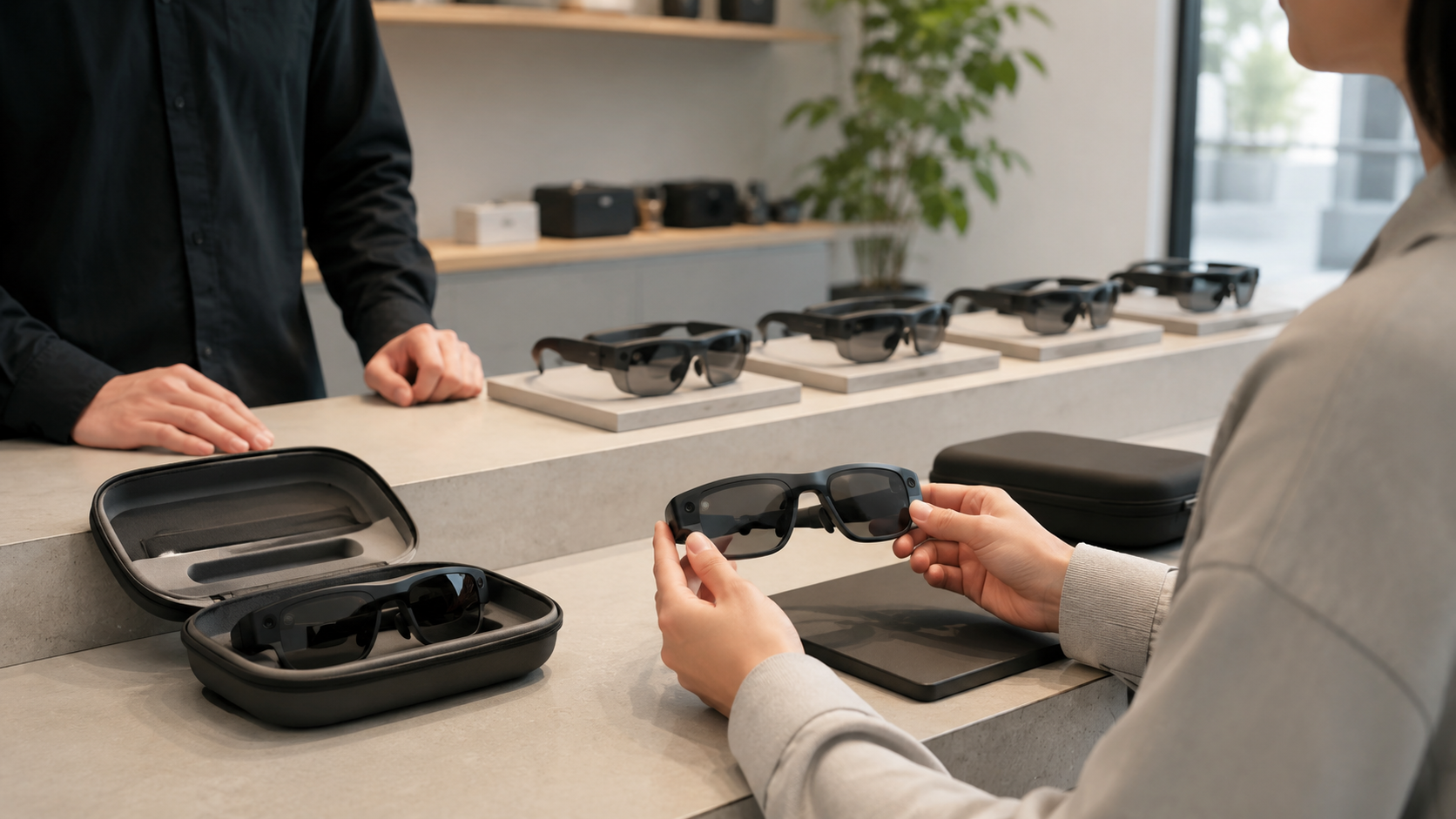
Base rental packages include AR glasses hardware, protective carrying cases, and charging equipment sufficient for the rental period. Multi-unit rentals add charging stations capable of simultaneously powering multiple devices, essential for events requiring quick turnaround between sessions. Cleaning supplies and hygiene accessories ensure safe sharing between users.
Pre-loaded applications distinguish basic from premium packages. Standard rentals include device operating systems and basic demonstration apps. Premium packages add specialized training modules, custom-branded experiences, or industry-specific applications. Custom content requirements trigger additional development fees ranging from $5,000 for simple modifications to $50,000+ for complex applications.
On-site technician support pricing typically runs $1,500-$2,500 per day, covering setup, troubleshooting, and user assistance. Remote support options cost less at $500-$750 per day but require designated on-site staff comfortable with basic technical tasks. Multi-day events often combine on-site support for setup/breakdown with remote assistance during operation.
Insurance and damage waiver options protect against expensive replacement costs. Standard coverage adds 10-15% to rental fees and covers accidental damage with deductibles ranging from $500-$1,000 per device. Comprehensive coverage without deductibles increases costs by 20-25% but eliminates financial risk from equipment damage.
Pricing by Use Case and Duration
Single-day event rentals command premium pricing due to logistics overhead. HoloLens 2 rentals for one-day events typically cost $500-$750 per unit, with Magic Leap 2 running $600-$900. These rates include basic setup support but exclude on-site technicians or custom content. Minimum order quantities usually apply, starting at 2-4 units depending on provider.
Weekly training program rentals offer better per-day value at $1,500-$2,500 per unit for HoloLens 2 and $1,800-$3,000 for Magic Leap 2. These packages often include remote support, additional batteries, and basic customization options. Volume discounts typically begin at 5 units with 10-15% reductions, and 10+ units qualifying for 20-25% discounts.
Monthly pilot programs provide the most economical rates for extended evaluations. HoloLens 2 monthly rentals range from $3,000-$4,000 per unit, while Magic Leap 2 costs $3,500-$5,000. These longer-term rentals often include premium support, regular equipment refresh, and flexible quantity adjustments during the rental period.
Setup, delivery, and technical support fees vary by location and complexity. Local delivery typically costs $150-$300, while cross-country shipping adds $500-$1,000 including insurance. Setup fees range from $500 for basic configuration to $5,000+ for complex multi-device deployments with custom networking requirements.
Setup Requirements and Technical Considerations
AR glasses require different setup considerations than VR headsets, particularly around lighting, tracking space, and network connectivity. Planning these technical requirements prevents day-of complications and ensures smooth operation during events or training sessions.
Space and Environment Requirements
Lighting conditions critically impact AR glasses performance since most devices use optical tracking to understand environments. Uniform lighting between 300-1000 lux works best, avoiding harsh shadows or bright spots that confuse tracking systems. Direct sunlight creates tracking problems and display visibility issues, making indoor venues preferable for most applications.
Wi-Fi bandwidth requirements depend on content delivery methods and simultaneous users. Cloud-connected experiences need 25-50 Mbps per device for smooth operation, while locally-stored content requires minimal bandwidth for telemetry and updates. Enterprise networks often require IT coordination for device authorization and security compliance.
Physical space mapping occurs automatically with most AR glasses, but optimal results require preparation. Clear floors without reflective surfaces, walls with visual texture rather than blank white, and consistent ceiling heights improve tracking accuracy. Marking anchor points with QR codes or physical markers helps maintain alignment across multiple devices and sessions.
Indoor environments provide ideal conditions for AR glasses, with controlled lighting, stable temperatures, and Wi-Fi coverage. Outdoor use faces challenges including bright sunlight washing out displays, wind affecting stability, and limited network connectivity. Some devices like Magic Leap 2 handle outdoor conditions better through adjustable dimming, but indoor venues remain preferable for most business applications.
Content Deployment and Management
Pre-loading content onto devices before events eliminates network dependencies and ensures consistent performance. This approach requires advance access to hardware, typically 24-48 hours before events. Providers handle content installation for standard applications, while custom apps need testing and validation before deployment.
Streaming content strategies work for demos with reliable networks but risk interruptions from connectivity issues. Hybrid approaches pre-load core content while streaming supplementary materials, balancing performance with flexibility. Edge computing solutions place servers on-site, providing streaming performance without internet dependencies.
Multi-device synchronization enables group experiences where all participants see the same content simultaneously. Master-slave configurations designate one device as controller, while mesh networks allow peer-to-peer synchronization. Cloud-based synchronization provides the most flexibility but requires robust internet connectivity.
Remote management tools streamline multi-device deployments through centralized control interfaces. Microsoft Endpoint Manager handles HoloLens 2 fleets, while custom MDM solutions work with other platforms. These tools enable remote content updates, device monitoring, and troubleshooting without physical access to hardware.
Backup equipment planning prevents single points of failure from disrupting events. Industry standard suggests 10-20% spare inventory for critical deployments. Hot-swap procedures minimize downtime when devices fail, with pre-configured backups ready for immediate deployment.
Business Use Cases for AR Glasses Rental
AR glasses excel in scenarios where participants need to interact with both digital content and the physical environment. These use cases demonstrate where AR rental delivers better outcomes than VR alternatives, justifying the investment in specialized hardware and support services.
Trade Show and Product Demonstrations
Overlaying product information on physical displays creates engaging booth experiences without isolating visitors behind VR headsets. Attendees wearing AR glasses can examine physical products while viewing specifications, animations, and comparison data floating beside actual items. This approach maintains natural conversation flow between booth staff and prospects.
Interactive booth experiences using AR generate longer engagement times than traditional displays. Visitors actively explore products rather than passively viewing screens, creating memorable interactions that improve brand recall. Gamification elements like scavenger hunts or assembly challenges add entertainment value while educating about product features.
Lead capture through AR interactions happens naturally as users provide information to access experiences or save configurations. Registration screens within AR applications collect contact details, while interaction analytics reveal interest levels and preferences. This behavioral data proves more valuable than traditional badge scans for qualifying leads.
Competitive differentiation at industry events comes from offering unique experiences competitors cannot match. While multiple booths might have similar physical displays, AR overlays create distinctive presentations. Early adopters of AR at trade shows report 40-60% increases in booth traffic and 25-35% improvements in qualified lead generation.
Training and Skills Development
Hands-on equipment training with digital guidance reduces errors and accelerates learning curves. Trainees wearing AR glasses see step-by-step instructions overlaid on actual equipment, eliminating confusion between documentation and reality. Animated arrows, highlights, and warnings appear exactly where needed, improving comprehension and retention.
Remote expert assistance capabilities transform training efficiency by connecting field technicians with specialists anywhere globally. Experts see what trainees see through AR glasses cameras, providing real-time guidance through voice and annotations. This approach reduces travel costs while improving training consistency and availability.
Safety training in actual work environments provides superior preparation compared to classroom instruction. AR glasses overlay hazard indicators, safety zones, and emergency procedures onto real facilities. Trainees practice responses in authentic settings while digital overlays ensure consistent, complete information delivery.
Performance tracking and assessment tools built into AR applications measure completion times, error rates, and technique quality. Instructors review session recordings to identify improvement areas, while analytics dashboards track progress across training cohorts. This data-driven approach optimizes training programs based on actual performance metrics.
Field Service and Maintenance Support
Step-by-step repair instructions overlaid directly onto equipment eliminate confusion between documentation and reality. Technicians see exactly which components to access, tools to use, and sequences to follow. Digital torque specifications, clearance requirements, and safety warnings appear at relevant moments, reducing errors and improving repair quality.
Remote collaboration with specialists accelerates problem resolution without travel delays. Field technicians share live video feeds with experts who provide guidance through voice and AR annotations. This immediate access to expertise reduces equipment downtime and improves first-time fix rates.
Documentation and compliance recording happens automatically through AR glasses cameras and sensors. Work sessions capture video evidence of procedures followed, measurements taken, and components replaced. This digital trail simplifies regulatory compliance and provides valuable data for continuous improvement.
Pilot programs before full deployment let organizations test AR benefits with minimal risk. Three-month rentals covering specific maintenance teams or facility locations provide real-world validation of ROI projections. Successful pilots build organizational support for broader rollouts while identifying necessary adjustments.
Selecting an AR Glasses Rental Provider
Fewer companies offer AR glasses rental compared to VR, making provider selection critical. Evaluate potential partners based on hardware availability, support capabilities, and experience with your specific use case. The right provider becomes a strategic partner in successful AR deployment rather than simply a equipment supplier.
Provider Evaluation Criteria
Hardware inventory and availability guarantees determine whether providers can meet your needs reliably. Verify actual inventory levels rather than catalog listings, as AR glasses remain scarce compared to VR headsets. Request confirmation of specific models and quantities for your dates, with written guarantees against last-minute substitutions.
Technical support expertise with AR platforms separates professional providers from general rental companies. Experienced technicians should demonstrate familiarity with device setup, troubleshooting, and optimization for your specific use case. Request references from similar deployments and speak directly with previous clients about support quality.
Custom content development capabilities expand possibilities beyond off-the-shelf applications. Providers with in-house or partner development teams can create tailored experiences that align with your objectives. Evaluate portfolios of previous work, development timelines, and post-event modification options.
Geographic coverage and logistics networks affect delivery reliability and support availability. National providers offer consistency across multiple locations but might lack local presence. Regional specialists provide better on-site support but may struggle with multi-city deployments. Balance coverage needs with support requirements when selecting providers.
Contract Terms and Service Agreements
Cancellation policies and date change flexibility protect against unexpected changes while ensuring provider commitment. Standard terms require 30-day notice for cancellations with graduated penalties for shorter notice. Negotiate force majeure clauses covering pandemic restrictions, natural disasters, and other uncontrollable events.
Equipment replacement guarantees ensure technical failures don’t derail events. Service level agreements should specify maximum replacement times, typically 2-4 hours for local events and next-business-day for remote locations. Verify whether replacements include data transfer and configuration matching failed devices.
Data security and privacy compliance becomes critical when AR glasses capture video or process sensitive information. Providers should demonstrate GDPR compliance, offer data processing agreements, and clarify data retention policies. Ensure devices undergo factory resets between clients and that no customer data remains on returned equipment.
Post-event data and analytics access provides valuable insights for measuring success and planning future deployments. Clarify what metrics providers collect, how long data remains available, and what formats exports support. Some providers charge additional fees for detailed analytics, while others include basic reporting in standard packages.
Conclusion
AR glasses rental provides practical access to enterprise augmented reality technology without massive capital investments. The combination of flexible pricing, professional support, and risk mitigation makes rental ideal for events, training programs, and pilot deployments. As AR hardware continues evolving rapidly, rental options let organizations leverage latest technologies while avoiding obsolescence concerns.
Success with AR glasses rental requires careful planning around hardware selection, content requirements, and technical setup. Partner with experienced providers who understand your specific use case and can deliver comprehensive support beyond simple equipment delivery. Start with smaller deployments to build internal expertise before scaling to larger implementations.
Ready to explore AR glasses rental for your next event or training program? Contact specialized AR rental providers at least 60 days before your deployment date to ensure equipment availability and allow time for content customization. Request detailed proposals comparing different hardware options, support levels, and pricing structures to identify the optimal solution for your objectives.
Frequently Asked Questions
How much does it cost to rent AR glasses for a corporate event?
Daily rental rates for enterprise AR glasses range from $500-$900 per unit depending on the model, with HoloLens 2 typically costing $500-$750 and Magic Leap 2 running $600-$900. Multi-day events qualify for discounted weekly rates of $1,500-$3,000 per unit. Volume discounts apply for orders exceeding five units, with 10-25% reductions common for large deployments.
What’s included in an AR glasses rental package?
Standard packages include AR glasses hardware, protective cases, charging equipment, and basic technical support. Premium packages add on-site technicians, custom content loading, backup devices, and comprehensive insurance. Most rentals include standard demonstration applications, while custom software incurs additional development or licensing fees.
Can AR glasses be used outdoors?
Most AR glasses struggle in direct sunlight due to display visibility and optical tracking issues. Devices like Magic Leap 2 with adjustable dimming perform better outdoors but still face limitations. Covered outdoor venues or evening events provide better conditions than full daylight exposure. Indoor venues remain optimal for most business applications.
How many AR glasses should I rent for a trade show booth?
Calculate one device per simultaneous user plus 20-30% spare inventory. A typical 10×20 booth accommodating 2-3 concurrent demonstrations needs 3-4 devices minimum. High-traffic booths benefit from 6-8 units enabling continuous demonstrations while devices charge between sessions. Consider visitor flow patterns and demonstration duration when determining quantities.
Do AR glasses require special software licenses?
Enterprise applications often require separate licensing beyond hardware rental. Some rental packages include basic software licenses, while specialized applications need additional procurement. Microsoft HoloLens uses standard Windows licensing, while other platforms have proprietary requirements. Clarify software licensing with providers during quote requests.
What’s the learning curve for first-time AR users?
Most users achieve basic proficiency within 5-10 minutes of guided instruction. Hand gesture controls require more practice than controller-based interaction. Plan for 15-minute onboarding sessions including device fitting, calibration, and navigation training. On-site support staff significantly reduce learning curves through hands-on assistance.
Can rental AR glasses run custom applications?
Yes, rental devices can run custom applications with advance coordination. Providers need applications 48-72 hours before events for testing and deployment. Some custom apps require specific hardware configurations or enterprise certificates. Development timelines for new applications range from 2-8 weeks depending on complexity.
How far in advance should I book AR equipment rental?
Book AR glasses at least 30-60 days in advance for standard quantities and 90 days for large deployments or peak seasons. Limited inventory compared to VR means popular devices book quickly. Custom content development requires additional lead time, potentially extending booking windows to 3-4 months for complex applications.