Industrial safety training VR is not a novelty purchase. It is a workforce tool built to solve a specific operational problem: how do you train workers on high-risk scenarios repeatedly, consistently, and without exposing them to live hazards? This guide is written for operations managers, L&D directors, and EHS professionals who are evaluating VR for real deployment not for a proof-of-concept that never leaves the conference room.
The pages that follow cover what industrial safety training VR actually does, where it fits in your existing training stack, which use cases justify the investment, what hardware and logistics look like in practice, and how to move from pilot to full rollout. If you are looking for a conceptual overview of VR technology, this is not that guide. If you are trying to make a deployment decision, keep reading.
What Industrial Safety Training VR Is and Why Teams Use It
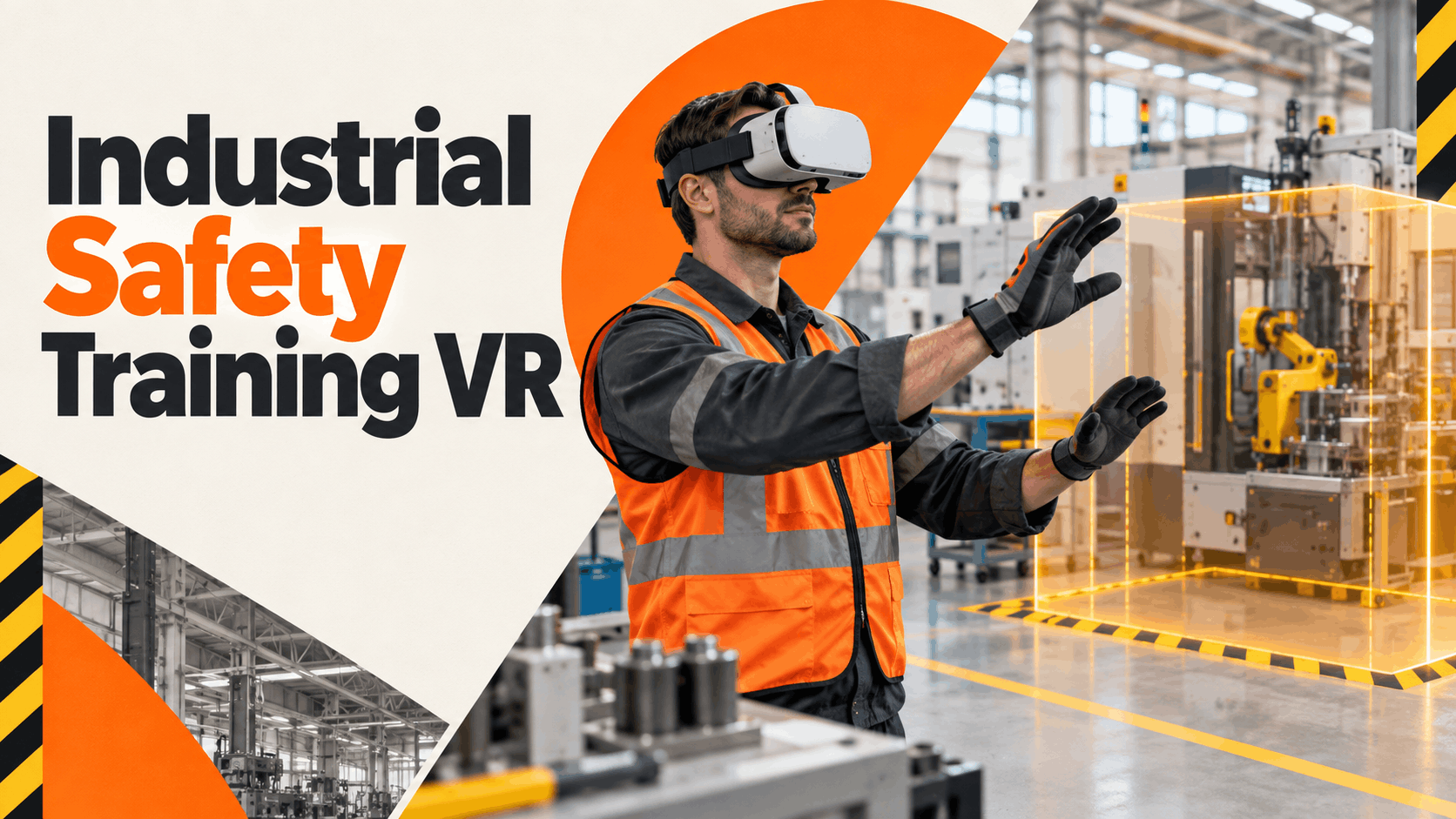
Industrial safety training VR uses head-mounted displays to place workers inside simulated hazard environments. A trainee can walk a virtual production floor, identify machine guarding failures, practice a lockout/tagout sequence, or respond to a simulated chemical spill all without touching live equipment or entering a restricted area. The simulation responds to their decisions, which means the training is interactive rather than passive.
The business case is straightforward. Hazard exposure during training creates liability. Inconsistent instruction across shifts and sites creates compliance gaps. Passive video training produces low retention. VR addresses all three problems when it is deployed correctly.
How VR Changes Safety Training Outcomes
Repetition without live hazard exposure. Workers can repeat a confined space entry scenario or a forklift near-miss sequence as many times as the training design requires. There is no equipment wear, no production interruption, and no risk of an actual incident during the learning process. Repetition is how procedural memory forms, and VR makes repetition operationally feasible.
Consistent instruction across locations and cohorts. A scenario deployed in a facility in Ohio runs identically in a facility in Texas. The hazard cues are the same. The decision points are the same. The debrief prompts are the same. This is difficult to achieve with live instructor-led training, where delivery quality varies by trainer, shift, and facility.
Interactive decision-making instead of passive viewing. A worker watching a safety video is a passive observer. A worker inside a VR simulation is an active participant who must identify hazards, make choices, and experience the consequences of those choices within the scenario. Research consistently shows that active learning improves retention compared to passive formats.
Practice for rare and high-consequence events. Evacuation drills, spill responses, and equipment failure scenarios are difficult to practice in realistic conditions without disrupting operations. VR makes it possible to rehearse these events at full fidelity without stopping a production line or staging a live emergency.
Where VR Fits in the Industrial Training Stack
VR is not a replacement for your entire training program. It is a high-value component that works best when it is integrated with classroom instruction, written SOPs, and supervisor coaching.
Use VR for hazard recognition, emergency response practice, and procedural walkthroughs where realistic simulation adds clear value. Keep hands-on equipment certification and site-specific sign-off in formats that require physical interaction with actual machinery. A worker who completes a VR lockout/tagout scenario still needs supervised practice on the actual equipment before they are cleared to perform the procedure independently.
The training stack that works looks like this: classroom instruction establishes the rule, VR simulation builds recognition and decision-making, and supervisor coaching confirms application on the job. Each layer does what it does best.
Best Industrial Safety Training Use Cases for VR
The use cases below represent the strongest fit between VR capability and industrial training need. These are scenarios where simulation adds measurable value over video, slide decks, or written instruction and where a rental-based deployment model makes practical sense for teams that need flexibility without a large capital commitment.
Manufacturing Safety and Hazard Recognition
Manufacturing environments contain a high density of hazards that are difficult to train on without either exposing workers to risk or building expensive physical mock-ups. VR solves both problems.
Machine guarding awareness. Workers can observe machinery in operation, identify missing or damaged guards, and understand the consequences of bypassing safety mechanisms—all within a simulation that does not require stopping a production line.
PPE decision-making. Scenarios can present workers with a task and require them to select the correct personal protective equipment before proceeding. Wrong selections trigger feedback that explains the hazard and the correct choice, reinforcing the reasoning behind PPE requirements rather than just the rule.
Forklift and pedestrian awareness. Pedestrian-forklift interaction is one of the leading causes of serious injury in warehouse and manufacturing settings. VR can simulate blind corners, high-traffic intersections, and distracted operator scenarios from both the pedestrian and operator perspective, building awareness that is difficult to create through any other training format.
Lockout/tagout awareness scenarios. LOTO procedures are procedurally complex and high-stakes. VR can walk workers through the sequence, highlight common errors, and require correct execution before the scenario advances. This is awareness and recognition training—physical LOTO certification still requires hands-on practice with actual equipment.
OSHA-Related Training Scenarios
VR supports OSHA-aligned training delivery in several meaningful ways, but it is important to be precise about what that means.
VR can reinforce the concepts behind OSHA standards—hazard recognition, control hierarchy, reporting obligations, emergency procedures—through immersive simulation that improves retention compared to lecture or video formats. Simulated hazard environments help workers connect regulatory requirements to real-world conditions, which is the gap that most compliance training fails to close.
What VR does not do is satisfy OSHA certification requirements by itself. Certain certifications require documented hands-on demonstration, competency verification by a qualified person, or specific training formats defined by the standard. VR is a delivery mechanism that supports training objectives; it does not replace the compliance documentation or the hands-on verification that some standards require.
Use VR to strengthen the knowledge and recognition components of OSHA-related training. Use your existing certification and documentation processes to satisfy the legal requirements.
Emergency Response and Incident Prevention
Emergency scenarios are among the highest-value VR use cases in industrial settings because they are nearly impossible to practice realistically under normal operating conditions.
Spill response and evacuation practice. Workers can rehearse the steps of a chemical spill response or a facility evacuation without triggering an actual emergency. The simulation can include time pressure, partial information, and decision points that reflect real conditions, building the kind of practiced response that reduces hesitation during an actual event.
Near-miss recognition. Near-miss events are the leading indicator of serious incidents, and most workers are not trained to recognize them. VR scenarios can present near-miss conditions and require workers to identify, report, and respond appropriately—building the recognition skills that prevent incidents before they occur.
Escalation and reporting workflows. Workers can practice the full reporting sequence for a safety observation or incident, including who to notify, what information to document, and how to preserve the scene. This procedural practice reduces the likelihood that reporting steps are skipped or delayed during an actual event.
What You Need to Deploy Industrial Safety Training VR
Translating a VR pilot from concept to execution requires clarity on three things: hardware, logistics, and content. Each one creates friction if it is underestimated. The sections below give you a realistic picture of what deployment actually involves.
Hardware and Setup Requirements
The most practical hardware choice for industrial safety training VR is a standalone wireless headset. Standalone headsets do not require a connected PC, a sensor array, or cable management, which eliminates a significant amount of setup complexity in industrial environments where space, power access, and surface conditions are variable.
Beyond the headset itself, deployment requires:
- Charging infrastructure. Headsets need to be charged between sessions. For multi-session training days, you need either enough headsets to rotate or a charging plan that fits your session schedule.
- Hygiene management. Shared headsets require disposable face gaskets or sanitizing protocols between users. This is a logistics requirement, not an afterthought, and it affects session timing.
- Storage and transport. Headsets need protective cases for transport between facilities and secure storage when not in use.
- User onboarding. Most workers have not used a VR headset before. Budget five to ten minutes per session for orientation, or build it into the scenario design.
Space planning matters more than most buyers expect. A standing VR experience requires a clear area of approximately six feet by six feet per headset. Seated experiences require less space but still need enough room for the facilitator to assist users. Training rooms work well; break rooms and open floor areas can work with planning.
Rental-Based Deployment Model
Purchasing a VR hardware fleet is the right decision for organizations with continuous, high-volume training needs. For most industrial teams evaluating VR for the first time, or running seasonal training cycles, or deploying across multiple sites with variable schedules, a rental model is more practical.
Pilots. A rental lets you test the format, measure learner response, and validate the ROI case before committing capital. You get real data from a real deployment without a long-term hardware commitment.
Seasonal training. Many manufacturing and logistics operations have seasonal workforce surges that require rapid onboarding. Renting headsets for the training window and returning them when the cohort is complete is operationally cleaner than managing an owned fleet that sits idle for months.
Multi-site rollouts. Nationwide delivery from a rental provider means you can deploy consistent hardware to multiple facilities without managing inter-facility shipping, storage, or maintenance across your own logistics network.
Curated rental packages simplify the procurement decision. Instead of evaluating individual headset models, software platforms, and accessory lists separately, a curated package gives you a tested configuration that is ready to deploy. This reduces the time between decision and first training session.
Content and Scenario Design
Hardware without relevant content is not a training program. The content layer is where most VR deployments succeed or fail.
Preloaded scenarios accelerate launch. If a vendor offers industry-specific safety scenarios that are ready to deploy on arrival, you can run your first training session within hours of receiving the headsets. Custom content development adds lead time and cost that may not be justified for a pilot.
Industry-specific content must match actual hazards. A generic manufacturing safety scenario that does not reflect your equipment, your layout, or your actual risk profile will feel disconnected to your workers and will not build the recognition skills you need. Evaluate content for specificity, not just production quality.
Training design should include instructions, prompts, and debriefs. The scenario itself is one component. Workers also need clear instructions before they put the headset on, in-scenario prompts that guide them through the experience without making it trivial, and a structured debrief afterward that connects the simulation to their actual job. A VR scenario without a debrief is a missed learning opportunity.
How to Evaluate VR Safety Training Vendors
The vendor evaluation process for industrial safety training VR should be anchored in deployment reality, not feature lists. The questions below are designed to surface the information that actually determines whether a solution will work in your environment.
Questions to Ask Before You Buy or Rent
Is the headset standalone or tethered? Tethered headsets require a connected PC, which adds setup complexity, cable management requirements, and potential failure points. For industrial training environments, standalone is almost always the better choice.
Are scenarios preloaded or custom-built? Preloaded scenarios reduce lead time and cost. Custom scenarios offer specificity but require development time and a clear content brief. Ask to see the preloaded library before assuming custom development is necessary.
What support is included for setup and event-day execution? Some vendors ship hardware and leave the rest to you. Others provide setup guides, remote support, or on-site facilitation. Know what you are getting before you sign.
Can the solution scale across sites or training cohorts? A solution that works for one facility needs to be replicable. Ask how the vendor handles multi-site deployments, how content is updated across a fleet, and what the logistics look like for returning and redeploying hardware.
Common Mistakes to Avoid
Choosing hardware before defining the training objective. The headset is a delivery mechanism. The training objective determines everything else: what scenarios you need, how long sessions should run, how many headsets you need, and how you measure success. Start with the objective.
Using generic content that does not match industrial risks. A scenario built for a generic warehouse environment will not resonate with workers in a chemical processing facility or a metal fabrication shop. Specificity is what makes VR training feel credible and what makes the hazard recognition transfer to the actual job.
Underestimating logistics, sanitation, and user onboarding. The training session is the visible part of the deployment. The invisible parts—charging schedules, hygiene protocols, headset orientation, facilitator preparation determine whether the session actually runs smoothly. Build these into your planning from the start.
Implementation Plan: From Pilot to Rollout
The plan below gives you a structured path from evaluation to full deployment. It is designed to be adapted to your organization’s scale and timeline, not followed rigidly.
Pilot Phase
Define the training objective and success metrics before you select hardware or content. What hazard are you targeting? What does good look like after training? How will you measure it? Completion rate, knowledge check scores, supervisor observation, and incident trend data are all valid metrics depending on your objective.
Select one facility, one cohort, or one hazard scenario. The pilot is not the rollout. Its purpose is to validate the format, identify friction points, and generate data. Keep the scope narrow enough that you can control variables and draw clear conclusions.
Test headset flow, timing, and learner feedback. Run the session as you plan to run it at scale. Time the orientation, the scenario, and the debrief. Collect feedback from participants about clarity, comfort, and relevance. Note every friction point, because each one will be multiplied when you scale.
Rollout Phase
Standardize the session format. Document the session structure—orientation length, scenario sequence, debrief questions, hygiene protocol—so that any trained facilitator can run it consistently. Consistency is the point.
Train facilitators or supervisors. The person running the session does not need to be a VR expert, but they do need to know how to help a first-time user get oriented, how to manage the session flow, and how to lead the debrief. A one-hour facilitator briefing is usually sufficient for a well-designed program.
Document logistics for delivery, setup, and storage. If you are using a rental model, document the delivery timeline, the setup checklist, the return process, and the point of contact for support. If you are managing owned hardware, document the charging schedule, the storage location, and the maintenance protocol.
Measurement and Optimization
Track completion, engagement, and knowledge checks. Completion rate tells you whether the program is running. Knowledge check scores tell you whether the content is landing. Engagement data from the headset—where workers look, which decision points they get wrong—tells you where the training design needs refinement.
Collect supervisor feedback on readiness and retention. The ultimate measure of safety training is behavior on the job. Supervisor observation data—whether workers are applying what they learned, whether they are identifying hazards correctly—is the most meaningful feedback you can collect.
Refine scenarios based on incident trends or training gaps. Safety training programs should be living documents. If your incident data shows a pattern, your training should respond to it. If knowledge check scores show a consistent gap, the scenario design needs adjustment. Build a review cycle into the program from the start.
When Industrial Safety Training VR Is the Right Choice
VR is a strong tool. It is not the right tool for every situation. This section is designed to help you make an honest assessment of fit rather than oversell the technology.
Best-Fit Scenarios
High-risk environments where live practice creates unacceptable exposure. Confined space entry, chemical handling, high-voltage proximity, and heavy equipment operation are all environments where simulated practice is safer than live practice for initial training. VR is purpose-built for this category.
Distributed teams that need consistent training across locations. If you are running the same training program across five facilities with different trainers and different schedules, consistency is your biggest challenge. VR solves it by delivering the same scenario with the same decision points and the same feedback every time, regardless of location.
Programs that benefit from repeatable simulation. Emergency response, hazard recognition, and procedural compliance all improve with repetition. VR makes repetition operationally feasible in ways that live training and video cannot match.
When to Use Another Format
Hands-on certification that requires physical equipment. If the certification standard requires demonstrated competency on actual machinery, VR is a preparation tool, not a substitute. Use VR to build recognition and procedural familiarity, then complete the certification through the required hands-on format.
Topics better taught through live demonstration or supervisor coaching. Some skills are best learned by watching an expert perform them in context and then doing them under supervision. VR adds a layer of complexity to this process without improving the outcome.
Situations where VR would add complexity without improving outcomes. If the training objective is simple, the content is low-risk, and the audience is small and co-located, a well-designed instructor-led session may be faster, cheaper, and equally effective. VR should be chosen because it improves the outcome, not because it is available.
Frequently Asked Questions
What is industrial safety training VR?
Industrial safety training VR uses head-mounted displays to simulate hazardous work environments, allowing workers to practice hazard recognition, emergency response, and procedural compliance without exposure to live risk. Workers interact with the simulation in real time, making decisions and receiving feedback within the scenario.
Can VR be used for OSHA-related training?
Yes, with an important qualification. VR can reinforce the knowledge and recognition components of OSHA-aligned training—hazard identification, control hierarchy, reporting procedures—through immersive simulation that improves retention. However, VR does not satisfy OSHA certification requirements that mandate hands-on demonstration or competency verification by a qualified person. Use VR to strengthen training delivery; use your existing compliance processes to satisfy documentation and certification requirements.
Is VR effective for manufacturing safety training?
Yes. Manufacturing environments are among the strongest use cases for VR safety training because they contain a high density of hazards that are difficult to train on without either exposing workers to risk or building expensive physical mock-ups. Machine guarding, forklift awareness, LOTO procedures, and PPE decision-making are all well-suited to VR simulation.
Do you need tethered headsets for industrial safety training VR?
No. Standalone wireless headsets are the practical choice for most industrial training deployments. They eliminate the need for a connected PC, reduce setup complexity, and work in environments where cable management is difficult. Tethered headsets offer higher graphical fidelity in some configurations, but the operational trade-offs rarely justify the added complexity for safety training applications.
Is a rental model better than buying for safety training pilots?
For most organizations running their first VR safety training deployment, yes. A rental model lets you validate the format, measure learner response, and build an ROI case without a capital commitment. It also handles logistics—delivery, support, return—that add operational burden when you are managing an owned fleet for an occasional use case. Purchasing makes more sense when training volume is continuous and high enough to justify fleet management.
What kinds of hazards can be simulated in VR training?
VR can simulate a wide range of industrial hazards, including machine guarding failures, forklift and pedestrian interactions, chemical spills, confined space entry conditions, electrical hazards, fall risks, fire and evacuation scenarios, and near-miss events. The quality of the simulation depends on the content design, not the hardware category. Industry-specific scenarios that reflect your actual equipment and workflows produce better training outcomes than generic content.
How do you measure the success of VR safety training?
Measure success at multiple levels. Completion rate confirms the program is running. Knowledge check scores embedded in or following the scenario measure immediate retention. Supervisor observation data measures whether trained behaviors transfer to the job. Incident and near-miss trend data over time measures whether the program is moving the safety outcomes that matter. Build measurement into the program design from the start rather than adding it after deployment.
Conclusion
Industrial safety training VR works when it is deployed with clear objectives, relevant content, practical hardware, and a structured rollout plan. It is not a technology demonstration. It is a training delivery format that solves specific problems—hazard exposure during training, inconsistent instruction across sites, low retention from passive formats—better than most alternatives when the fit is right.
The organizations that get the most value from VR safety training are the ones that start with a defined training objective, run a real pilot with real workers, measure what happens, and build from there. The technology is ready. The question is whether your deployment plan is.
Ready to deploy industrial safety training VR at your facility? Whether you are running a pilot at a single site or rolling out across a distributed operation, a rental-based model gives you the hardware, content, and logistics support to move from evaluation to execution without a capital commitment. Contact our team to discuss your training objectives and get a deployment recommendation tailored to your operation.