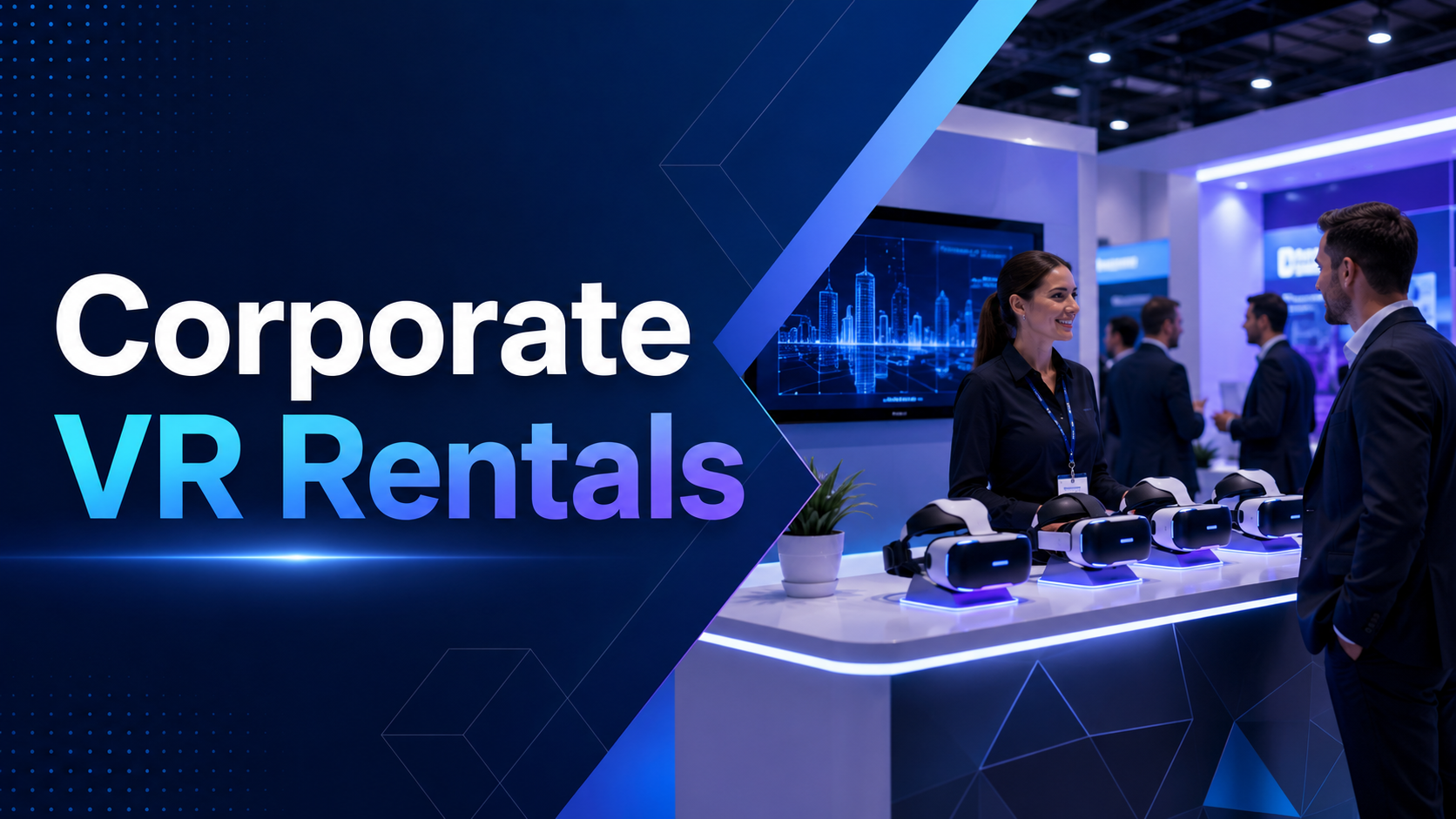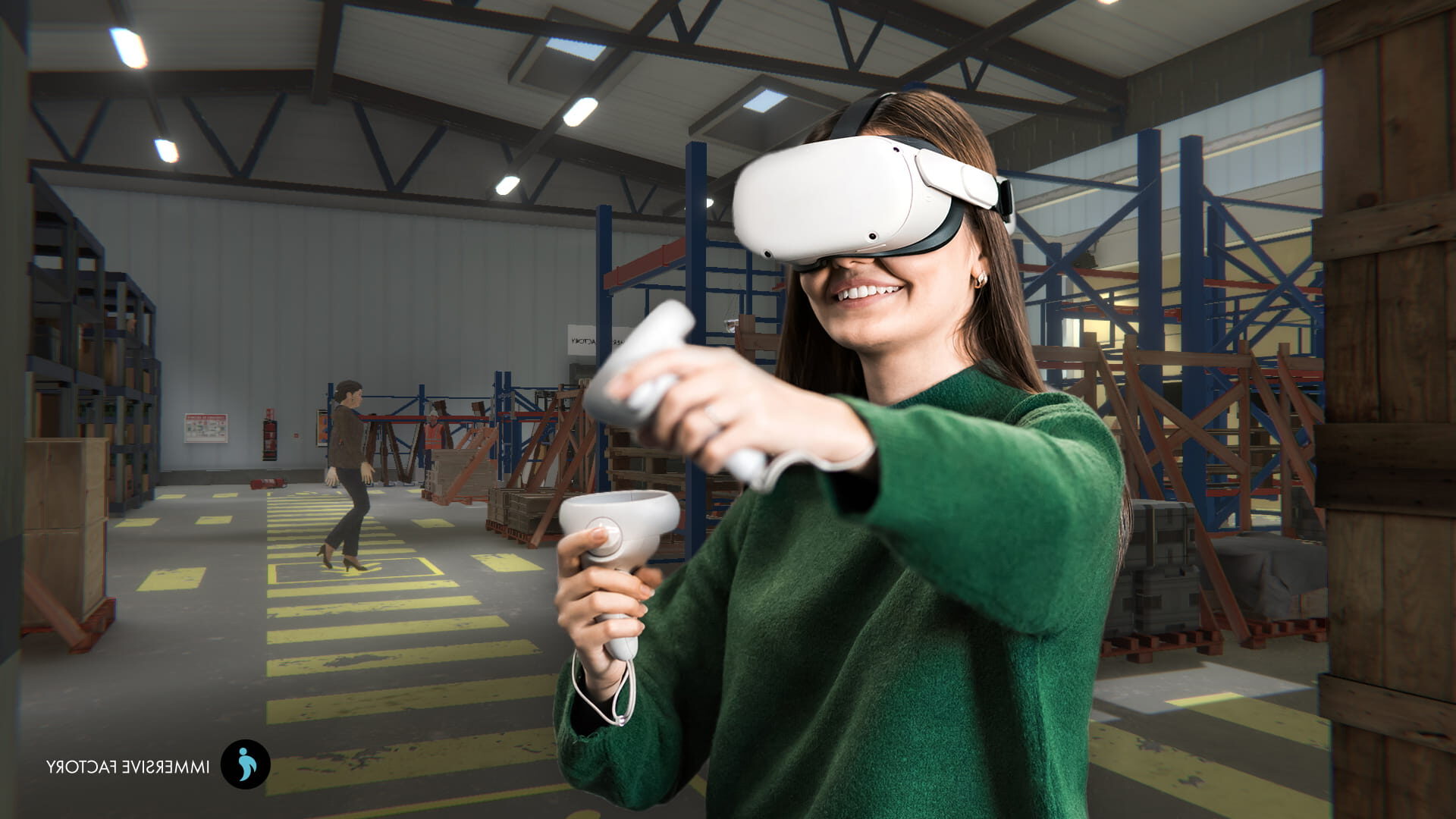
Trade shows are built around attention. Every exhibitor is competing for the same thing: a few meaningful minutes with the right attendees. But in a crowded exhibition hall filled with screens, banners, product displays, and sales pitches, standing out is becoming harder every year.
That is where VR for trade shows creates a strategic advantage.
A well-designed VR booth experience does more than attract curiosity. It gives attendees a reason to stop, participate, remember your brand, and continue the conversation after the event. Instead of relying only on brochures, screens, or static product displays, virtual reality lets visitors step inside your product, process, facility, story, or vision.
For B2B marketers and event teams, trade show VR is especially powerful because it solves real business problems: limited booth space, expensive product shipping, complex demonstrations, low dwell time, and inconsistent lead capture.
This guide explains how VR can transform a trade show booth into an immersive brand experience, which use cases drive measurable ROI, what technical logistics to plan for, and how to choose the right VR trade show partner.
Why Trade Shows Need VR: The Attention Economy Crisis
Modern trade shows are high-investment environments. Brands spend heavily on booth space, booth design, travel, staffing, printed materials, sponsorships, and post-show follow-up. Yet many booths still struggle with the same problem: attendees walk by without stopping.
Visitors are busy. They have packed schedules, meetings to attend, competitors to compare, and phones constantly pulling their attention away. A standard booth display may only get a few seconds to make an impression.
VR changes the dynamic.
Instead of asking attendees to look at your brand, VR invites them to experience it. That shift from passive viewing to active participation is what makes immersive trade show marketing so valuable.
The 8-Second Challenge: Breaking Through Trade Show Noise
At a busy event, your booth has only a short window to capture interest. Traditional booth elements such as banners, monitors, product samples, and brochures can be useful, but they are easy to ignore when every exhibitor is using similar tactics.
A VR booth experience creates a stronger visual and psychological hook because it is participatory. Attendees see someone wearing a headset, reacting to the experience, and engaging with your team. That alone can create curiosity and encourage others to stop.
The real advantage comes from dwell time.
A visitor who might have spent less than a minute scanning a booth can spend several minutes inside a guided VR experience. That extended time gives your team more opportunity to qualify the lead, explain the product, answer questions, and create a memorable brand interaction.
Key engagement challenges VR can help solve include:
- Low booth traffic.
- Short attendee attention spans.
- Difficulty explaining complex products.
- Limited physical space.
- High shipping costs for large products.
- Inconsistent sales demonstrations.
- Weak post-show recall.
- Poor differentiation from competitors.
When planned correctly, VR is not just a crowd attractor. It is a structured engagement tool.
Beyond the Gimmick: VR as Strategic Differentiator
Some companies hesitate to use VR because they worry it will feel like a gimmick. That concern is valid when VR is added without a clear purpose.
The most effective trade show VR demos are not built around novelty. They are built around a business objective.
For example, VR can help a brand:
- Demonstrate industrial machinery that is too large to bring to the show.
- Let buyers walk through a facility, factory, or property remotely.
- Show how a medical device works inside the body.
- Present a future product that is not yet physically available.
- Explain a software platform through a visual, guided environment.
- Recreate a customer success story in an immersive format.
- Show the environmental impact of a sustainability initiative.
This is where VR becomes a strategic differentiator. It allows brands to demonstrate value in ways that traditional booth formats cannot.
A company cannot always bring a factory, warehouse, airplane cabin, smart city, hospital room, or construction site into an exhibition hall. With VR, it can.
Creating Shareable Moments Beyond the Booth
A strong VR activation also extends reach beyond the headset user. Spectator screens, branded environments, photo moments, and social sharing prompts can turn one person’s VR session into a larger booth attraction.
When attendees see others interacting with the experience, the booth becomes more dynamic. People stop, watch, ask questions, take photos, and share the moment. This creates a form of social proof that traditional demos often lack.
For event marketers, that matters because the value of a trade show booth is not limited to the number of people who complete the demo. The booth can also generate:
- Organic social media mentions.
- Press interest.
- Influencer engagement.
- Conversations with passersby.
- Better brand recall.
- More qualified post-show follow-up.
The best VR booth experiences are designed for both the participant and the audience watching from outside the headset.
VR Trade Show Applications That Drive Real ROI
Not every VR implementation delivers business value. A generic VR game may attract attention, but it may not help the sales team generate qualified leads. A beautiful immersive environment may impress attendees, but it may not explain the product clearly.
To create ROI, the VR experience must align with a measurable marketing objective.
Common objectives include:
- Increasing booth dwell time.
- Improving product understanding.
- Generating qualified leads.
- Capturing visitor preferences.
- Accelerating sales conversations.
- Reducing physical demo costs.
- Supporting post-show nurturing.
- Differentiating the brand from competitors.
Below are the VR trade show applications most likely to drive business impact.
Product Demonstrations at Impossible Scale
One of the strongest use cases for trade show VR is demonstrating products or environments that are too large, expensive, sensitive, complex, or incomplete to show physically.
Industrial Equipment and Machinery Walkthroughs
Industrial companies often face a major trade show challenge: their products are too large to transport easily. Heavy machinery, manufacturing lines, energy systems, robotics, and infrastructure equipment can be expensive or impractical to ship and install.
VR allows attendees to explore these products at full scale without physical transport.
A VR machinery demo can show:
- Product size and layout.
- Internal components.
- Maintenance access points.
- Safety features.
- Workflow processes.
- Operating environments.
- Before-and-after performance improvements.
- Different configurations or models.
This helps sales teams move beyond static images and technical documents. Buyers can understand the product faster because they can experience it spatially.
Architecture and Real Estate Virtual Tours
Trade shows for real estate, architecture, construction, hospitality, and commercial development often involve selling spaces that are not yet built. VR makes these spaces feel tangible.
Potential buyers, investors, or partners can walk through:
- Residential developments.
- Hotels and resorts.
- Commercial buildings.
- Retail spaces.
- Event venues.
- Office layouts.
- Urban planning projects.
- Interior design concepts.
Instead of asking visitors to interpret floor plans or renders, VR lets them experience scale, movement, lighting, and atmosphere. This can increase emotional connection and confidence in the project.
Medical Device and Healthcare Simulations
Medical technology often requires explanation in context. A device may need to be shown inside a clinical environment, operating room, training scenario, or anatomical visualization.
VR can help healthcare and medtech brands demonstrate:
- Device operation.
- Procedure workflows.
- Training simulations.
- Patient impact.
- Internal anatomy.
- Clinical use cases.
- Safety benefits.
- Product differentiation.
For regulated or sensitive products, VR can also provide a controlled and consistent demo environment.
Software Platform Immersive Demos
Software companies often rely on screen-based demos at trade shows. These can be effective, but they may not always communicate the full value of a platform, especially when the software supports complex workflows or large-scale operations.
VR can turn a software demo into an immersive story.
For example, a logistics software company could show a virtual supply chain control center. A cybersecurity company could let attendees move through a simulated threat environment. A data platform could visualize real-time insights in a 3D dashboard.
The goal is not to replace the actual product demo. The goal is to make the value easier to understand and remember.
Interactive Brand Storytelling
VR is not limited to product demonstrations. It can also communicate brand stories, values, transformation journeys, and future visions.
This is especially useful when the brand message is difficult to communicate through conventional booth materials.
Factory Tours and Behind-the-Scenes Experiences
Many B2B companies have impressive facilities, processes, or quality standards that customers rarely see. VR can bring those behind-the-scenes moments into the booth.
A virtual factory tour can show:
- Manufacturing precision.
- Quality control processes.
- Safety standards.
- Innovation labs.
- Supply chain transparency.
- Sustainability practices.
- Employee expertise.
- Product testing environments.
This type of experience builds trust. It helps visitors see the depth behind the brand’s claims.
Customer Success Story Recreations
Case studies are often presented as PDFs, videos, or sales conversations. VR can make them more engaging by recreating the customer’s challenge and showing how the solution created impact.
For example, an attendee could move through a before-and-after scenario:
- A warehouse before automation and after implementation.
- A hospital workflow before and after a new device.
- A construction project before and after digital coordination.
- A retail environment before and after customer experience improvements.
This approach turns proof points into an experience rather than a static claim.
Future Vision Presentations
Trade shows are often used to introduce new product roadmaps, innovation themes, and long-term brand visions. VR is well suited for future-focused storytelling because it can visualize what does not yet physically exist.
Brands can use VR to present:
- Future mobility concepts.
- Smart city environments.
- Next-generation retail experiences.
- Sustainable infrastructure.
- New product ecosystems.
- Digital transformation scenarios.
- Innovation roadmaps.
This gives audiences a more tangible understanding of where the brand is going.
Sustainability and Impact Visualizations
Sustainability claims can sometimes feel abstract. VR can make environmental and social impact easier to understand.
An immersive sustainability experience might show:
- Reduced emissions over time.
- Circular supply chain processes.
- Renewable energy systems.
- Waste reduction workflows.
- Community impact.
- Conservation efforts.
- Product lifecycle improvements.
For brands with strong ESG or sustainability initiatives, VR can help translate data into emotional understanding.
Gamified Lead Capture Systems
Trade show lead capture is often transactional. A visitor scans a badge, receives a brochure, and moves on. VR creates an opportunity to make lead capture more engaging and more informative.
A gamified VR booth can collect data while giving visitors a reason to participate.
VR Competitions With Leaderboards
Competitive VR experiences work well when the goal is to attract repeat attention and create energy around the booth.
Examples include:
- Timed product assembly challenges.
- Safety training simulations.
- Knowledge quizzes inside VR.
- Virtual driving or navigation challenges.
- Skill-based games tied to product features.
- Industry-themed missions.
Leaderboards can encourage attendees to return, bring colleagues, and share results. For B2B brands, the game should still connect clearly to the product or message.
Educational Quests With Contact Form Gates
A VR quest can guide users through product education while capturing lead information at the right moment.
For example:
- The visitor registers or scans a badge.
- They select their role or industry.
- The VR experience adapts to their needs.
- They complete a short product journey.
- Their choices and interests are saved.
- The sales team receives a more detailed lead profile.
This creates a better lead than a simple badge scan because it captures behavioral signals.
Personalized Experience Paths
Not every trade show visitor has the same priorities. A CEO, engineer, procurement manager, distributor, and end user may all care about different aspects of the same product.
VR can personalize the demo based on visitor profile.
Experience paths may vary by:
- Industry.
- Job role.
- Product interest.
- Company size.
- Region.
- Use case.
- Purchase stage.
- Pain point.
This makes the demo more relevant and gives the sales team stronger follow-up context.
Social Sharing Mechanics
VR experiences can also include built-in sharing opportunities.
Examples include:
- Branded photo moments after the VR session.
- Shareable scorecards.
- Personalized product configuration screenshots.
- QR codes linking to a post-demo landing page.
- Short recap videos.
- Social media prompts.
- Event hashtag integration.
These mechanics help extend the value of the VR activation beyond the booth.
Technical Requirements and Logistics Planning
A successful VR trade show deployment requires more than good content. The experience must work reliably in a demanding event environment.
Trade shows create specific challenges:
- Limited setup time.
- Shared venue internet.
- Crowded aisles.
- Variable lighting.
- High user volume.
- Device charging needs.
- Staff rotation.
- Hygiene requirements.
- Tight teardown schedules.
- Limited storage space.
Planning for these details prevents event-day problems.
Hardware Selection: Tethered vs Standalone Systems
The first major decision is whether to use standalone VR headsets or PC-powered tethered systems.
Standalone VR Systems
Standalone headsets such as Meta Quest 3 or PICO 4 are often well suited for trade shows because they are portable, cable-free, and easier to deploy at scale.
Standalone systems are useful for:
- Short branded experiences.
- Product walkthroughs.
- Interactive demos.
- Multi-station activations.
- Retail-style booth setups.
- High-throughput environments.
- Events with limited space.
Advantages include:
- No external PC required.
- Smaller booth footprint.
- Faster setup.
- Lower cable risk.
- Easier hardware rotation.
- Cleaner visual presentation.
Limitations include:
- Less graphics power than high-end PC systems.
- Battery management requirements.
- Need for careful optimization.
- Potential storage and device management constraints.
PC-Powered VR Systems
PC-powered VR systems are better for high-fidelity experiences that require advanced graphics, complex simulations, or specialized tracking.
They may be appropriate for:
- Premium product launches.
- High-end architectural visualization.
- Advanced industrial simulations.
- Multi-sensory installations.
- Detailed engineering demos.
- Complex training scenarios.
Advantages include:
- Higher visual fidelity.
- More processing power.
- Greater simulation complexity.
- More advanced peripheral support.
Limitations include:
- More setup complexity.
- More cables.
- Higher power needs.
- Larger footprint.
- More technical support required.
- Increased failure points.
For most trade show environments, standalone systems are often the more practical choice unless the experience specifically requires high-end rendering.
Hygiene Protocols and Equipment Rotation
Shared headsets require a reliable hygiene workflow. This should be designed into the booth operation, not improvised on-site.
Recommended hygiene practices include:
- Wipeable face interfaces.
- Disposable face liners.
- Cleaning between users.
- Hand sanitizer nearby.
- Separate clean and used headset areas.
- Staff assigned to cleaning and reset.
- Extra face cushions or interfaces.
- Clear signage explaining hygiene steps.
Equipment rotation is also important. If devices are used continuously, batteries, heat, cleaning time, and reset time must be managed carefully.
Backup Hardware Requirements
Trade shows leave little room for downtime. If a headset fails during peak traffic, the booth can lose valuable engagement opportunities.
Plan backup equipment for:
- Headsets.
- Controllers.
- Charging cables.
- Batteries.
- Routers.
- Laptops or PCs.
- Display cables.
- Cleaning supplies.
- Audio devices.
- Printed fallback materials.
A practical rule is to have at least one backup headset for every few active units, depending on the scale and importance of the activation.
Booth Design for VR Integration
A VR booth experience must be designed around both the user inside the headset and the audience outside it.
Space Requirements and Safety Zones
VR requires physical space for movement, even if the experience is mostly stationary. Users may turn, reach, lean, or step without realizing where they are in the real world.
Your booth should include:
- Clear user zones.
- Safe boundaries.
- Staff access points.
- Queue space.
- Spectator viewing areas.
- Cleaning stations.
- Storage for equipment.
- Lead capture area.
- Display screens.
For a simple standing VR station, a compact but clear activation zone may be enough. For room-scale movement, more space is required.
Safety considerations include:
- Avoid placing users near booth edges.
- Keep cables away from walkways.
- Use floor markings or soft barriers.
- Have staff supervise each session.
- Provide seated options where appropriate.
- Avoid fast or disorienting movement inside the experience.
Queue Management and Throughput Optimization
Throughput determines how many attendees can complete the experience during show hours.
To estimate throughput, consider:
- Experience length.
- Onboarding time.
- Cleaning time.
- Reset time.
- Lead capture time.
- Number of headset stations.
- Staff efficiency.
- Technical interruptions.
For example, if one full cycle takes six minutes including onboarding and cleaning, one headset can support about 10 users per hour. Three headsets can support about 30 users per hour under ideal conditions.
For high-traffic shows, keep the experience short and focused. A 3-minute VR experience often performs better than a 12-minute experience if the goal is lead generation at scale.
Spectator Displays and Social Proof Screens
Only one user may be inside a headset, but many people can watch. Spectator displays show the user’s view on an external screen so passersby understand what is happening.
This creates several benefits:
- Attracts more booth traffic.
- Helps explain the experience.
- Makes the booth feel active.
- Gives staff a conversation starter.
- Reduces hesitation from first-time users.
- Creates social proof.
A good spectator screen should be visible from the aisle and paired with clear messaging. Visitors should immediately understand what the VR experience does and why it matters.
Power and Connectivity Infrastructure
Power and connectivity should be confirmed with the venue before the event.
Plan for:
- Charging stations.
- Extension cables.
- Power strips.
- Cable covers.
- Dedicated power access.
- Secure router placement.
- Offline content copies.
- Backup internet if required.
- Device management tools.
- Locked storage.
Do not rely on public venue Wi-Fi for critical functionality. If lead capture, analytics, synchronization, or cloud rendering depends on the internet, arrange dedicated connectivity or prepare an offline fallback.
Staff Training and Experience Management
The staff running the VR activation are just as important as the technology. A great VR experience can fail if staff do not know how to guide users, reset devices, troubleshoot problems, and capture leads.
VR Coordinator Roles and Responsibilities
Every VR trade show booth should have clear staff roles.
Common roles include:
Greeter
Attracts attendees, explains the experience, qualifies interest, and manages the queue.
VR guide
Helps users put on the headset, explains controls, monitors safety, and supports first-time users.
Technical coordinator
Manages hardware, troubleshooting, batteries, software resets, and device rotation.
Sales representative
Continues the conversation after the VR experience and connects it to the visitor’s business needs.
Data capture owner
Ensures leads are recorded correctly and synced to CRM or follow-up systems.
At smaller booths, one person may handle multiple roles. At larger activations, separating responsibilities improves flow and reduces mistakes.
Troubleshooting Common Technical Issues
Staff should be trained to resolve common problems quickly.
These may include:
- Headset not launching the app.
- Controller not tracking.
- Battery running low.
- User view not appearing on display.
- Audio not working.
- Experience not resetting.
- Wi-Fi not connecting.
- User feels uncomfortable.
- Tracking boundary needs recalibration.
- CRM form not syncing.
A simple troubleshooting guide should be available on-site. Staff should also know when to escalate issues to technical support.
Guiding First-Time VR Users
Many trade show attendees may be using VR for the first time. The onboarding experience should be calm, simple, and confidence-building.
Staff should:
- Explain what will happen before the headset goes on.
- Ask if the user has used VR before.
- Adjust the headset comfortably.
- Explain basic controls.
- Let the user know they can stop anytime.
- Watch for discomfort.
- Keep instructions brief.
- Provide guidance without overwhelming the user.
The goal is to make VR feel easy, not intimidating.
Data Capture and CRM Integration Workflows
Lead capture should be integrated into the VR experience and booth workflow.
Possible methods include:
- Badge scanning before the session.
- QR code registration.
- Tablet-based lead forms.
- In-experience selections tied to user profiles.
- Product configuration exports.
- Post-session survey questions.
- Automatic CRM sync.
- Sales alerts for high-intent visitors.
The most valuable VR trade show data often comes from behavior, not just contact details. For example, knowing which product a visitor explored, what configuration they selected, or which use case they chose can make follow-up much more relevant.
Measuring VR Trade Show ROI
VR investments should be measured against business outcomes. The goal is not simply to prove that the booth looked innovative. The goal is to show that the VR activation improved engagement, lead quality, sales conversations, or event efficiency.
Engagement Metrics That Matter
Important engagement metrics include:
- Number of VR sessions completed.
- Average session duration.
- Experience completion rate.
- Booth dwell time.
- Queue volume.
- Repeat visits.
- Spectator engagement.
- Social media mentions.
- Content shares.
- Post-show landing page visits.
These metrics help show whether the VR experience attracted and held attention.
Visitor-to-Lead Conversion Rates
A VR booth should not only generate traffic. It should convert the right visitors into qualified leads.
Track:
- Total booth visitors.
- VR participants.
- Leads captured.
- Qualified leads.
- Meetings booked.
- Sales conversations started.
- Follow-up response rate.
- Opportunities created.
- Pipeline influenced.
The key is to compare VR-assisted leads with other booth leads. If VR participants show higher follow-up engagement or stronger qualification scores, that becomes a powerful ROI signal.
Social Media Mention Amplification
VR activations often create more shareable moments than standard booths. Track whether the experience increases social reach.
Useful indicators include:
- Branded hashtag usage.
- Attendee posts.
- Influencer mentions.
- Event organizer mentions.
- Press coverage.
- Video shares.
- Photo booth interactions.
- LinkedIn engagement.
- Website traffic from social posts.
This helps measure the awareness impact of the activation beyond direct booth visitors.
Cost-Benefit Analysis Framework
To justify trade show VR investment, compare the cost of VR against the value it creates and the costs it can reduce.
Hardware Rental vs Purchase
Brands can either rent VR hardware for specific events or purchase equipment for repeated use.
Rental may make sense when:
- You are testing VR for the first time.
- You only attend a few events per year.
- You need on-site technical support.
- You want the vendor to manage logistics.
- Hardware requirements may change.
Purchase may make sense when:
- You attend many events annually.
- You have internal event teams.
- You want long-term control.
- The experience will be reused.
- You can manage storage and maintenance.
The best choice depends on event frequency, internal capabilities, and the expected lifespan of the VR content.
Shipping and Logistics Cost Reductions
For some industries, VR can reduce the need to ship large physical products or build expensive demo environments.
Potential savings include:
- Lower freight costs.
- Reduced booth construction complexity.
- Less product handling.
- Smaller booth footprint.
- Faster setup and teardown.
- Fewer physical samples.
- Lower risk of damage during transport.
For companies with large or complex products, these savings can be significant.
Lead Quality Score Improvements
VR can improve lead quality because it captures richer engagement signals.
A standard lead scan may tell you who visited. A VR-enhanced lead record can tell you:
- What the visitor experienced.
- Which product they explored.
- Which features they selected.
- How long they engaged.
- Whether they completed the experience.
- What questions they asked afterward.
- Which follow-up content is most relevant.
This helps sales teams prioritize and personalize outreach.
Post-Show Engagement and Pipeline Acceleration
The value of trade show VR continues after the event. The experience can support follow-up campaigns, sales meetings, product education, and internal enablement.
Post-show workflows may include:
- Personalized recap emails.
- Product configuration summaries.
- Sales outreach based on VR behavior.
- Retargeting campaigns.
- Follow-up landing pages.
- Meeting invitations.
- Case study recommendations.
- Demo extensions for remote stakeholders.
If VR helps prospects understand the product faster, it can support pipeline acceleration.
Selecting a VR Trade Show Partner
Choosing the right partner is critical. A trade show VR vendor needs more than technical development skills. They need to understand event environments, booth flow, hardware logistics, audience behavior, and marketing ROI.
Critical Evaluation Criteria
When evaluating a VR trade show partner, look for the following capabilities.
Trade Show Portfolio and Case Studies
Ask whether the vendor has experience with live trade show environments. Building a VR demo for a controlled office setting is different from deploying one in a crowded exhibition hall.
Look for evidence of:
- Previous trade show activations.
- B2B event experience.
- High-traffic booth deployments.
- Multi-headset setups.
- On-site support.
- Lead capture integration.
- Analytics reporting.
- Industry-specific demos.
On-Site Support and Troubleshooting
Live events require fast problem-solving. Your partner should offer support before, during, and after the show.
Support may include:
- Pre-event testing.
- Hardware setup.
- Staff training.
- On-site technical support.
- Device monitoring.
- Troubleshooting.
- Backup equipment.
- Post-show analytics.
For high-value events, on-site support is often worth the investment.
Content Customization and Branding Flexibility
The VR experience should feel like your brand, not a generic template.
Evaluate whether the partner can customize:
- Visual identity.
- Product models.
- Messaging.
- Environments.
- Interaction design.
- Data capture.
- User paths.
- Language localization.
- Analytics dashboards.
- Post-experience content.
Strong branding helps the VR activation support your larger event strategy.
Hardware Logistics and Management
A good VR partner should be able to recommend, source, configure, ship, install, maintain, and recover equipment.
Ask about:
- Hardware rental options.
- Device configuration.
- Charging logistics.
- Cleaning protocols.
- Backup devices.
- Travel cases.
- Setup and teardown.
- Insurance.
- Storage.
- Remote device management.
This is especially important for multi-city event roadshows.
Analytics and Lead Capture Integration
The partner should help connect VR engagement to business outcomes.
Look for support with:
- Session tracking.
- Completion rates.
- Interaction analytics.
- Product interest data.
- Badge scanning.
- CRM integration.
- Marketing automation.
- Post-show reporting.
- Lead scoring.
- Dashboard creation.
Without analytics, it becomes harder to prove ROI.
Red Flags to Avoid
Not every VR vendor is prepared for trade show environments. Watch for these warning signs.
Vendors Without Trade Show Experience
A technically impressive VR studio may still struggle with event logistics. Trade shows require operational discipline, fast troubleshooting, and a strong understanding of booth flow.
Overly Complex Experiences
If the experience requires lengthy instruction, complicated controls, or a long session time, it may not work well in a busy booth. Trade show VR should be intuitive and efficient.
Single Points of Failure
Avoid setups where one device, one laptop, one internet connection, or one specialist controls the entire activation. Redundancy matters.
No Offline or Backup Mode
Venue internet can fail. Software can crash. Hardware can malfunction. A strong partner should plan for fallback scenarios.
Weak Measurement Strategy
If the vendor cannot explain how success will be tracked, the activation may become a novelty rather than a measurable marketing investment.
Best Practices for a High-Performing VR Booth Experience
To maximize trade show ROI, follow these best practices.
Keep the Experience Focused
A trade show is not the place for a 30-minute VR journey. Keep the experience concise, clear, and aligned with one primary objective.
Design for First-Time Users
Assume many attendees have limited VR experience. Use simple controls, clear guidance, comfortable movement, and short onboarding.
Make the Outside of the Experience Engaging
Use spectator screens, signage, staff narration, and visible reactions to attract people who are not wearing the headset.
Connect VR to Sales Conversations
The VR experience should create a natural transition into a conversation with your sales team. Staff should know how to ask relevant follow-up questions based on what the visitor experienced.
Capture Actionable Data
Do not stop at badge scans. Capture product interests, use cases, preferences, and behavioral signals that improve follow-up.
Test Before the Show
Test the full experience with hardware, staff, internet assumptions, lead capture, cleaning workflow, and booth layout before event day.
Plan for Reuse
The best VR investments can be reused across multiple trade shows, sales meetings, customer visits, training sessions, and digital campaigns.
FAQs About VR for Trade Shows
How much does VR rental cost for a 3-day trade show?
The cost of VR rental for a 3-day trade show depends on the number of headsets, type of hardware, content requirements, booth setup, staffing, and support level.
A simple rental setup with prebuilt content will cost less than a fully customized VR booth experience with branded environments, analytics, CRM integration, and on-site technical support.
Main cost factors include:
- Number of VR headsets.
- Standalone vs PC-powered systems.
- Custom content development.
- Hardware shipping.
- On-site setup and teardown.
- Technical support.
- Staff training.
- Hygiene supplies.
- Spectator displays.
- Lead capture integration.
- Post-show analytics.
For accurate pricing, define the event size, booth layout, expected traffic, and experience goals before requesting a quote.
What is the minimum booth size needed for VR experiences?
The minimum booth size depends on the type of VR experience.
A simple seated or standing standalone VR station can fit into a relatively compact area, while room-scale VR requires more open space for safe movement. In most cases, you should plan for a dedicated user zone, staff access, queue space, cleaning area, and spectator viewing.
Even when the headset experience requires limited movement, the booth still needs enough space for safe onboarding and supervision.
How many attendees can experience VR per hour?
Throughput depends on the length of the experience and the number of headsets.
For example, if the total cycle time is five minutes per visitor, including onboarding and cleaning, one headset can support about 12 users per hour. If the total cycle time is six minutes, one headset can support about 10 users per hour.
To increase throughput, you can:
- Shorten the experience.
- Add more headsets.
- Improve staff onboarding.
- Use clear instructions.
- Separate lead capture from headset time.
- Prepare devices in rotation.
- Streamline cleaning and reset.
Do we need dedicated internet for VR at trade shows?
Not always. Many VR demos can run locally on the headset or computer without constant internet access. However, dedicated internet may be needed for cloud rendering, CRM syncing, live analytics, multiplayer experiences, remote dashboards, or content updates.
Because venue Wi-Fi can be unreliable, important activations should have an offline mode or dedicated connectivity.
What happens if the VR equipment fails during the show?
A reliable VR trade show plan includes backup equipment and troubleshooting procedures.
You should prepare:
- Backup headsets.
- Backup controllers.
- Extra cables.
- Charging equipment.
- Spare batteries.
- Offline copies of the experience.
- Restart instructions.
- Technical support contacts.
- Printed or screen-based fallback content.
With proper planning, most issues can be resolved quickly without stopping the activation.
Can VR experiences work for outdoor trade shows?
Yes, but outdoor VR requires additional planning. Bright sunlight, heat, dust, wind, power access, and internet reliability can affect performance and comfort.
For outdoor events, consider:
- Shaded booth areas.
- Weather protection.
- Secure equipment storage.
- Cooling and ventilation.
- Stable flooring.
- Battery planning.
- Screen visibility.
- Dust protection.
- Safety supervision.
Outdoor VR can work well when the environment is controlled and equipment is protected.
How do we capture leads during VR experiences?
Leads can be captured before, during, or after the VR session.
Common methods include:
- Badge scanning.
- QR code registration.
- Tablet forms.
- Business card scanning.
- In-experience selections.
- Post-experience surveys.
- Product configuration exports.
- CRM integration.
- Marketing automation triggers.
The most effective workflow connects lead information with VR behavior, such as product interests, selected use cases, and completed interactions.
What is the typical ROI timeline for trade show VR investment?
The ROI timeline depends on whether the VR experience is used once or reused across multiple events. A one-time custom activation may need to justify ROI through high-value leads, major product launches, press attention, or enterprise sales impact.
Reusable VR content can generate ROI over a longer period by supporting:
- Multiple trade shows.
- Sales meetings.
- Roadshows.
- Customer demos.
- Training sessions.
- Investor presentations.
- Digital campaigns.
For many B2B companies, the strongest ROI comes when VR becomes a reusable sales and marketing asset rather than a one-off event feature.
Final Thoughts
VR for trade shows is not just about creating a futuristic booth. It is about solving practical event marketing challenges: capturing attention, explaining complex products, increasing dwell time, improving lead quality, and creating memorable brand experiences.
The most successful VR trade show activations are strategic, measurable, and operationally reliable. They combine immersive storytelling with clear business goals, strong booth design, trained staff, lead capture workflows, and post-show analytics.
For brands competing in crowded exhibition halls, VR offers a powerful way to transform a booth from a static display into an interactive brand experience.
When executed correctly, trade show VR does more than attract visitors. It helps turn attention into engagement, engagement into qualified leads, and qualified leads into measurable business opportunities.