When PC-Powered VR Systems Make Sense for Business Events
PC-powered VR systems deliver higher fidelity experiences than standalone headsets but require dedicated computers, more setup time, and cable management. For corporate training simulations, product visualizations, and high-end brand activations, the performance gains often justify the added complexity.
While standalone headsets like Meta Quest 3 have revolutionized VR accessibility, tethered systems remain the gold standard for business applications demanding photorealistic graphics, complex physics simulations, or real-time collaborative environments. The decision to deploy PC-powered VR hinges on whether your content requirements exceed the processing capabilities of mobile chipsets.
Performance Requirements That Demand PC Power
Several business VR applications simply cannot run effectively on standalone hardware due to computational demands:
Complex training simulations with multiple users in shared environments require dedicated GPUs to render detailed industrial equipment, medical procedures, or hazardous scenarios while maintaining stable frame rates. A surgical training simulation displaying accurate tissue deformation and tool interactions needs 10-20x the processing power of mobile VR chips.
Photorealistic product visualizations and CAD model walkthroughs enable engineers and designers to examine products at full scale with accurate materials, lighting, and physics. Automotive manufacturers use PC VR to review vehicle designs with millions of polygons, real-time ray tracing, and accurate material properties—impossible on standalone systems.
Unreal Engine experiences with real-time rendering leverage advanced lighting, particle effects, and environmental interactions. Architectural walkthroughs with dynamic time-of-day lighting, realistic shadows, and high-resolution textures require discrete graphics cards to maintain the 90 FPS necessary for comfortable viewing.
Multi-user collaborative sessions with high polygon counts support teams working together in detailed virtual environments. Engineering teams examining turbine assemblies or construction crews reviewing BIM models need synchronized, high-fidelity rendering across all participants.
Event Types Where Tethered Systems Excel
PC-powered VR systems prove most valuable in controlled environments where setup complexity becomes manageable:
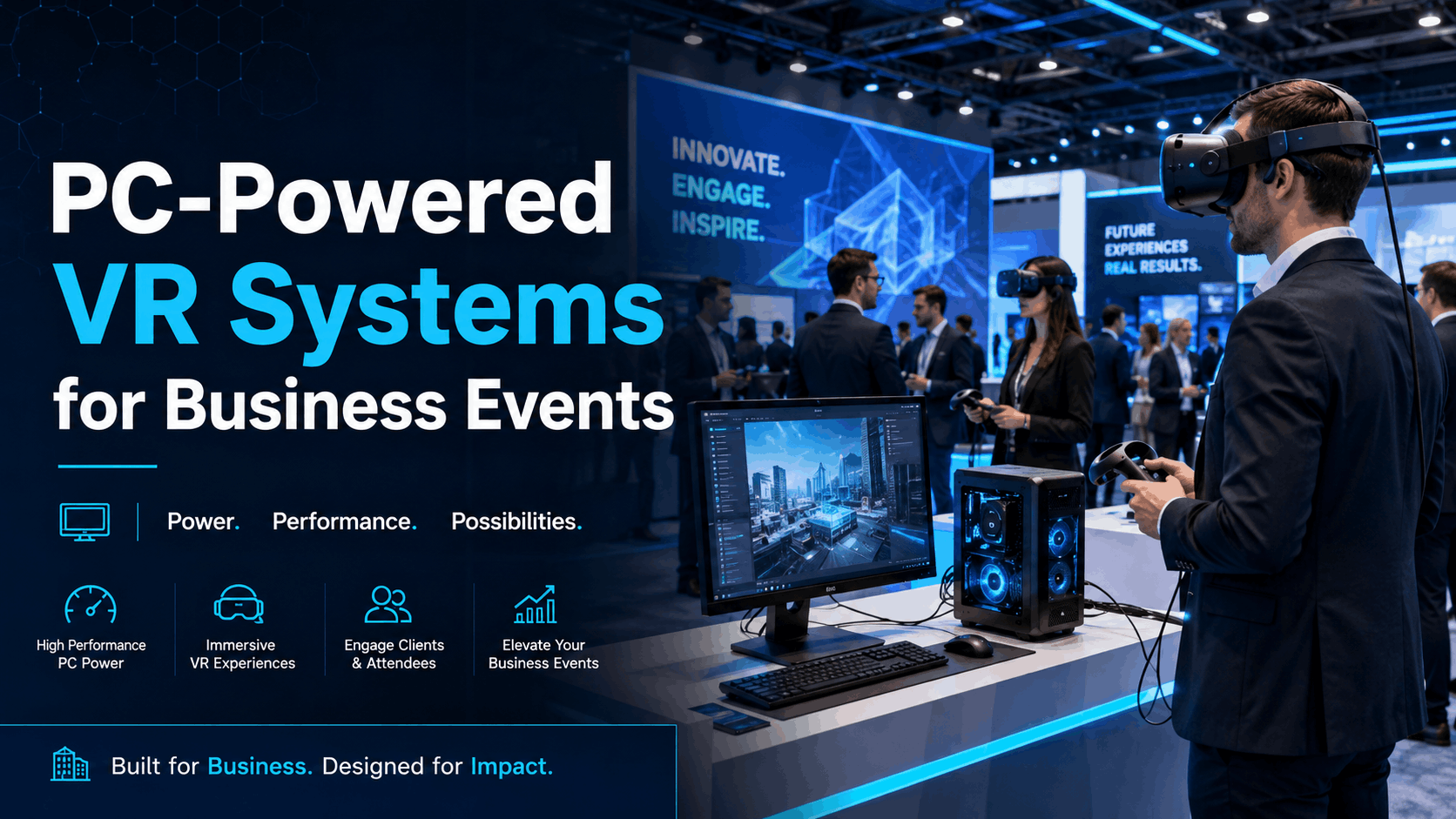
Trade show booths with dedicated stations benefit from tethered systems’ superior visual quality when competing for attention. The consistent power supply and fixed location eliminate battery concerns during multi-day events. Brands showcasing luxury products, complex machinery, or detailed environments see measurably higher engagement with PC-powered experiences.
Training centers with permanent VR labs justify the infrastructure investment through repeated use. Medical schools, aviation academies, and industrial training facilities install PC VR systems for their ability to run specialized simulation software requiring Windows compatibility and high-end graphics processing.
Executive briefing centers with fixed installations use PC VR to demonstrate capabilities to high-value clients. The controlled environment allows for optimized room-scale tracking, professional cable management, and consistent performance without the variability of battery-powered devices.
Product launch events with controlled environments leverage PC power for maximum impact. Automotive reveals, real estate showcases, and technology demonstrations benefit from the ability to render products with film-quality visuals, creating memorable experiences that justify premium pricing or investment decisions.
Hardware Requirements for Business-Grade PC VR
Running PC-powered VR for business events requires specific GPU, CPU, and connectivity standards. These specifications determine whether you can run multiple headsets simultaneously and what content complexity you can support.
Understanding hardware requirements prevents costly mistakes like underpowered systems that cause motion sickness or incompatible components that won’t work together. Business deployments demand higher specifications than consumer setups due to extended operation periods and the need for consistent performance across multiple stations.
Minimum vs. Recommended PC Specifications
GPU requirements form the foundation of PC VR performance. An RTX 3070 represents the practical minimum for business applications, delivering stable 90 FPS at 2K per eye resolution for moderately complex scenes. For multi-headset setups or demanding applications, RTX 4080 or 4090 cards provide the overhead necessary for consistent performance. Professional cards like RTX A5000 offer certified drivers and extended warranties but cost 2-3x consumer equivalents.
CPU needs vary by application type. Intel i7-12700K or AMD Ryzen 7 5800X processors handle single-station deployments effectively. Multi-user networked experiences or physics-heavy simulations benefit from i9 or Ryzen 9 processors. CPU bottlenecks manifest as stuttering during scene transitions or when multiple dynamic objects interact simultaneously.
RAM requirements start at 16GB for basic applications but 32GB proves necessary for development, testing, or running multiple applications simultaneously. VR development workstations running Unity or Unreal Engine alongside VR preview windows require 64GB for smooth operation.
USB ports and bandwidth often create unexpected bottlenecks. Each VR headset requires USB 3.0 or higher connections, with some tracking systems needing multiple ports. A typical PC VR station needs 4-6 available USB 3.0 ports: headset connection, tracking sensors, hand controllers, and peripherals. PCIe USB expansion cards solve port shortage issues but require available expansion slots.
Headset Compatibility and Connection Types
DisplayPort vs. USB-C connections affect headset selection and GPU compatibility. Valve Index and HTC Vive Pro 2 use DisplayPort, requiring dedicated outputs on graphics cards. Newer headsets like Pico 4 Enterprise use USB-C with DisplayPort Alt Mode, offering more flexibility but requiring compatible ports or adapters.
Wireless adapter options provide semi-tethered experiences for specific headsets. HTC’s wireless adapter for Vive Pro 2 adds $350 per headset but eliminates trip hazards and increases movement freedom. The adapter requires a PCIe slot and line-of-sight to the headset, limiting deployment to single-room setups.
Link cable requirements for hybrid headsets like Quest Pro or Pico 4 Enterprise need high-quality USB 3.0 cables. Official Link cables cost $80-100 but guarantee compatibility. Third-party cables work but may limit resolution or introduce compression artifacts. Cable length affects signal quality—5 meters represents the practical maximum without active repeaters.
Tracking system compatibility divides into lighthouse-based (SteamVR) and inside-out systems. Lighthouse tracking offers superior precision for room-scale experiences but requires mounting base stations and running sync cables. Inside-out tracking simplifies setup but may struggle in environments with limited visual features or bright sunlight.
Multi-Station Setup Requirements
Power distribution for events with 5+ stations requires careful planning. Each PC VR station draws 400-800 watts under load. Ten stations require dedicated 30-amp circuits to avoid tripping breakers. Uninterruptible power supplies (UPS) prevent data loss during power fluctuations but add $200-400 per station.
Network requirements for cloud-rendered content or multi-user experiences demand gigabit ethernet connections. Wi-Fi introduces latency and packet loss unacceptable for VR streaming. Managed switches with Quality of Service (QoS) prioritization ensure consistent performance across all stations.
Cooling and ventilation become critical for dense PC deployments. Gaming PCs generate 300-500 BTU per hour. Ten stations in a small room can raise temperatures 10-15 degrees without adequate ventilation. Portable air conditioning units or dedicated HVAC coordination prevent thermal throttling and equipment damage.
Cable management systems ensure safety and professional appearance. Retractable cable reels mounted overhead eliminate trip hazards while maintaining freedom of movement. Cable tracks and covers protect connections from foot traffic. Budget $100-200 per station for professional cable management hardware.
Renting PC-Powered VR Systems for Events
Renting PC-powered VR systems eliminates the capital expense and maintenance burden while ensuring you have the latest hardware. Most rental providers offer turnkey packages with PCs, headsets, and setup support.
The rental market for PC VR systems has matured significantly, with specialized providers offering enterprise-grade equipment and support services. Understanding what’s included, pricing structures, and logistics helps organizations budget accurately and avoid surprises during events.
What’s Included in PC VR Rental Packages
Pre-configured gaming PCs arrive tested and optimized for VR performance. Rental companies typically provide systems with RTX 3080 or better GPUs, Intel i7/i9 processors, and 32GB RAM. All necessary drivers, SteamVR, and runtime environments come pre-installed and updated. Systems include Windows 11 Pro for enterprise features and remote management capabilities.
Headsets with all cables and tracking equipment eliminate compatibility concerns. Standard packages include either Valve Index, HTC Vive Pro 2, or Meta Quest Pro with Link cables. All necessary mounting hardware, spare cables, and protective cases ensure reliable operation. Hygiene covers, cleaning supplies, and spare foam interfaces address sanitation requirements.
Content preloaded and licensed for commercial use saves setup time and ensures legal compliance. Rental providers maintain commercial licenses for popular training and visualization platforms. Custom content installation requires advance coordination but most providers accommodate client-specific applications with 48-hour notice.
On-site setup technician for the first day provides peace of mind. Technicians handle equipment placement, boundary configuration, network setup, and initial troubleshooting. They train client staff on basic operations, common issues, and emergency procedures. Extended on-site support adds $800-1,500 per day but ensures smooth operation for critical events.
Rental Pricing Models and Duration Breaks
Daily rates for trade shows typically range from $400-800 per complete station. Premium packages with latest-generation hardware and on-site support reach $1,000-1,200 daily. Three-day minimums apply for most providers, with setup/strike days charged at 50% rate.
Weekly rates for training programs offer 20-30% discounts versus daily pricing. A five-day training event costs $1,500-2,500 per station versus $2,000-4,000 at daily rates. Extended training programs lasting 2-4 weeks see rates drop to $350-500 per station per day.
Monthly rates for pilot programs provide 40-50% discounts, making extended evaluations affordable. Monthly rentals run $3,000-5,000 per station, enabling three-month pilots for less than purchasing equipment outright. Month-to-month extensions typically maintain the monthly rate without long-term commitments.
Volume discounts for 10+ simultaneous stations reduce per-unit costs 15-25%. Large deployments also qualify for dedicated project managers and priority support. Some providers offer “lab-in-a-box” solutions with 20 stations, networking equipment, and accessories for $15,000-20,000 weekly.
Logistics and Support Considerations
Shipping timelines and insurance require advance planning. Equipment typically ships 2-3 business days before events via freight carriers. Insurance coverage ranges from basic included protection to comprehensive coverage at 2-3% of equipment value. International shipping adds 5-7 days and requires customs documentation.
Setup time requirements vary by deployment size. Five stations require 2-4 hours including unpacking, PC placement, headset configuration, and testing. Each additional five stations adds 1-2 hours. Complex networking or custom content installation may double setup time.
Remote support vs. on-site technician options balance cost and response time. Remote support via TeamViewer or similar tools resolves 80% of issues within 15 minutes. On-site technicians eliminate downtime but cost $800-1,500 daily. Hybrid models provide remote support with guaranteed on-site response within 2-4 hours.
Return shipping and equipment condition standards affect final costs. Normal wear remains acceptable but damage beyond reasonable use incurs replacement fees. Missing cables or accessories trigger itemized charges. Proper packing in original containers prevents shipping damage claims.
Building vs. Buying PC VR Infrastructure
Organizations running regular VR training or frequent events face a build-vs-buy decision. The breakeven point depends on usage frequency, IT support capabilities, and content update requirements.
The decision extends beyond simple cost comparison to include factors like technology refresh cycles, internal expertise, and flexibility needs. Many organizations discover hybrid approaches deliver optimal value.
Total Cost of Ownership Analysis
Hardware costs for complete stations range from $3,000-5,000 depending on specifications. A typical configuration includes: gaming PC ($2,000-3,000), VR headset ($600-1,500), accessories and cables ($200-300), and furniture/mounting hardware ($200-400). Bulk purchases may yield 10-15% discounts.
Software licensing for enterprise content platforms adds recurring costs. Training platforms like Immerse or Strivr charge $500-2,000 per headset annually. Development tools like Unity or Unreal Engine require separate licensing for commercial deployment. Windows and security software subscriptions add $200-400 per station yearly.
IT support hours for maintenance and updates consume 2-4 hours monthly per station. Driver updates, Windows patches, and content updates require regular attention. Hardware failures, though rare, demand immediate response to maintain availability. Internal IT rates of $75-150/hour make support costs significant.
Hardware refresh cycles typically span 3-4 years for business deployments. GPUs advance rapidly, with each generation offering 30-50% performance improvements. Headsets see major updates every 2-3 years. Planning for 25% annual replacement keeps fleets current without massive capital outlays.
When Purchase Makes Financial Sense
Using VR more than 60 days per year represents the typical breakeven point versus rentals. At $500 daily rental rates, 60 days equals $30,000—enough to purchase 6-8 complete stations. Organizations with predictable, frequent usage see positive ROI within 12-18 months.
Running standardized training content that rarely changes simplifies management. Fixed curricula in medical, industrial, or safety training justify ownership. The ability to customize and control content delivery without vendor dependencies proves valuable for specialized applications.
Having dedicated IT staff for VR system management ensures reliable operation. Organizations with existing IT help desk capabilities can absorb VR support with minimal additional burden. Dedicated VR technicians become cost-effective at 20+ stations.
Needing custom security or network configurations makes ownership necessary. Healthcare organizations requiring HIPAA compliance, financial services needing SOC 2 attestation, or government contractors with security clearance requirements cannot use standard rental equipment.
Hybrid Approaches
Owning base stations, renting for surge capacity balances costs and flexibility. Organizations might own 5-10 stations for regular training while renting additional units for annual conferences or seasonal programs. This approach maintains core capabilities while avoiding idle equipment.
Leasing programs with regular hardware updates combine ownership benefits with technology currency. Three-year leases with annual refresh options cost 20-30% more than purchasing but ensure current technology. End-of-lease buyout options provide flexibility.
Managed service models with vendor-owned hardware on-site eliminate capital expenses while ensuring availability. Providers install and maintain equipment at client facilities for monthly fees. Service level agreements guarantee uptime and response times. Monthly costs run $400-700 per station but include all hardware, software, and support.
Deployment Guide for PC VR at Business Events
Successfully deploying PC-powered VR at events requires advance planning for space, power, networking, and user flow. These deployment considerations affect both the attendee experience and operational efficiency.
Event deployments differ from permanent installations in their emphasis on rapid setup, public safety, and high-throughput operations. Learning from common challenges prevents day-of crises.
Pre-Event Setup Checklist
Power load calculations and circuit mapping prevent embarrassing outages. Each PC VR station requires dedicated 15-amp circuit or sharing 30-amp circuits between two stations maximum. Venue electrical diagrams identify available capacity. Load testing with all equipment running simultaneously confirms calculations.
Network bandwidth testing for cloud content ensures smooth delivery. Each VR stream requires 50-100 Mbps for high-quality experiences. Venues’ guest networks rarely provide sufficient bandwidth. Dedicated internet circuits or local content caching prevent streaming issues.
Content installation and licensing verification must occur before event day. Installing 20GB applications across 10 stations takes hours on typical venue internet. Commercial licensing keys require activation with internet connectivity. Testing all experiences end-to-end identifies missing dependencies or configuration issues.
Boundary setup and safety zone marking prevents injuries and equipment damage. Each station needs 2×2 meter minimum play space plus 0.5-meter buffer zones. Floor tape or carpet tiles clearly mark boundaries. Overhead hazards like chandeliers or sprinklers require special attention.
Day-of Operations
Station sanitization between users maintains hygiene standards. Disposable face masks or hygiene barriers protect shared equipment. UV-C sanitization wands disinfect headsets in 60 seconds. Alcohol wipes clean controllers between users. Scheduling 2-minute sanitization windows between sessions prevents backups.
Queue management and scheduling systems optimize throughput. Digital sign-up systems via QR codes eliminate physical lines. Timed entry slots prevent crowding. Clear signage about experience duration and requirements sets expectations. Overflow activities or preview stations occupy waiting attendees.
Troubleshooting common PC VR issues requires systematic approaches. Black screens usually indicate cable disconnections or GPU driver crashes. Tracking losses suggest obscured sensors or reflective surfaces. Performance degradation points to thermal throttling or background processes. Maintaining diagnostic checklists accelerates resolution.
Data capture and analytics setup provides event ROI metrics. VR platforms offer built-in analytics for completion rates, interaction patterns, and dwell times. Custom survey integrations gather qualitative feedback. Privacy policies and data handling compliance require advance planning.
Staffing Requirements
Technical staff ratios of one technician per 3-5 stations ensure responsive support. Technicians handle equipment resets, troubleshooting, and user assistance. Larger deployments benefit from tiered support with senior technicians managing escalations.
Brand ambassador training for guided experiences enhances engagement. Ambassadors need basic VR operation knowledge plus product expertise. Two-hour training sessions cover equipment operation, common questions, and emergency procedures. Printed quick-reference guides provide ongoing support.
Safety monitor responsibilities include boundary enforcement, crowd control, and emergency response. Monitors watch for users approaching boundaries, tangled cables, or signs of motion sickness. Clear protocols for medical emergencies or equipment failures prevent confusion.
IT support escalation paths ensure rapid issue resolution. On-site technicians handle 90% of issues. Remote vendor support addresses complex software problems. Hardware replacement from spare inventory minimizes downtime. Clear escalation triggers prevent unnecessary delays.
Choosing Between PC-Powered and Standalone Systems
The decision between PC-powered and standalone VR systems affects cost, setup complexity, content quality, and scalability. Each approach suits different business objectives and event contexts.
Rather than viewing the choice as binary, consider how different systems serve different purposes within your VR strategy. Many successful programs combine both approaches strategically.
Performance and Content Tradeoffs
Graphics fidelity differences for product visualization remain substantial. PC VR renders automotive paint with accurate reflections, fabric with realistic draping, and architectural spaces with global illumination. Standalone systems use baked lighting, simplified shaders, and reduced polygon counts that work for training but disappoint for premium showcases.
Processing limits for multi-user experiences constrain standalone deployments. PC VR supports 20+ simultaneous users in shared spaces with full avatar representation. Standalone systems manage 4-8 users with simplified avatars and reduced environmental detail. Collaborative design reviews or team training exercises benefit from PC processing power.
Content library availability and licensing varies significantly. PC VR accesses the full SteamVR and Viveport libraries plus specialized enterprise platforms. Standalone systems rely on curated app stores with stricter content guidelines. Custom enterprise applications face fewer deployment restrictions on PC platforms.
Development costs for custom applications depend on target fidelity. Standalone-optimized content requires extensive optimization, adding 20-30% to development time. PC-first development allows designers to focus on experience quality rather than performance constraints. However, standalone-only deployment eliminates PC hardware costs entirely.
Operational Complexity Comparison
Setup time shows the starkest difference: 30 minutes for 5 standalone stations versus 2 hours for PC VR. Standalone systems require only boundary setup and Wi-Fi connection. PC deployments involve equipment placement, cable routing, driver verification, and tracking calibration.
Space requirements and cable management favor standalone systems for flexible venues. Each PC VR station needs 4×4 meters including equipment and safety zones. Standalone systems operate in 2×2 meter spaces. Cable-free operation eliminates trip hazards and enables outdoor deployments.
Transport logistics and equipment weight affect mobile deployments. Five PC VR stations require a cargo van and weigh 200+ kilograms. Equivalent standalone systems fit in a large suitcase weighing 15 kilograms. Air travel with PC systems proves prohibitively expensive.
Technical expertise required for troubleshooting varies dramatically. Standalone systems require basic consumer electronics knowledge. PC VR demands understanding of Windows, GPU drivers, USB protocols, and networking. Remote locations without technical support favor standalone simplicity.
Decision Framework by Use Case
High-fidelity training simulations requiring precise hand tracking, haptic feedback, or complex physics demand PC VR. Medical procedures, industrial maintenance, and flight simulation benefit from PC processing power and peripheral compatibility.
Pop-up activations at retail locations, festivals, or guerrilla marketing events favor standalone systems. Quick setup, battery operation, and minimal footprint enable deployment anywhere. The lower visual fidelity matters less than accessibility and ease of use.
Trade show booths with dedicated space and power benefit from PC VR’s superior quality. When competing for attention among hundreds of exhibitors, visual impact justifies setup complexity. Multi-day events amortize setup time across many demonstrations.
Distributed training across multiple locations favors standalone systems for scalability. Shipping headsets to remote employees proves simpler than deploying gaming PCs. Cloud-based content management enables central control without IT infrastructure.
Frequently Asked Questions
Can you run multiple VR headsets from one PC?
Generally no. Each VR headset requires dedicated GPU resources to maintain 90 FPS at high resolution. Specialized solutions like NVIDIA CloudXR can stream to multiple headsets, but this requires enterprise-grade GPUs (RTX A6000) and introduces latency. For business events, budget one PC per headset to ensure consistent performance.
What’s the typical rental cost for a complete PC VR station?
Complete PC VR station rentals average $500-700 per day, $2,000-3,000 per week, or $4,000-6,000 per month. This includes gaming PC, VR headset, all cables and accessories, and basic support. Premium packages with latest hardware and on-site technicians reach $1,000+ daily. Volume discounts apply for 10+ stations.
How much space do you need for PC-powered VR at events?
Each PC VR station requires minimum 3×3 meters (10×10 feet) of total space: 2×2 meters for play area, plus room for PC placement and safety buffers. Room-scale experiences need 4×4 meters per station. Don’t forget additional space for queuing, equipment storage, and staff operations.
Do PC VR systems work with Quest headsets?
Yes, Meta Quest 2, Quest Pro, and Quest 3 support PC VR through Link cables or Air Link wireless streaming. Link cables provide better stability and visual quality. Performance matches native PC headsets, though some advanced features like eye tracking may have limited support in PC mode.
What happens if a rental PC fails during an event?
Reputable rental providers include spare equipment (typically 10-20% overage) and offer rapid response support. Remote diagnostics resolve most software issues within 15 minutes. Hardware failures trigger overnight replacement shipping. Consider on-site technician support for mission-critical events.
Can you use laptops for PC-powered VR?
Gaming laptops with discrete GPUs (RTX 3070 mobile or better) can run PC VR, but with limitations. Thermal throttling reduces performance during extended use. Battery operation isn’t practical—expect constant AC power requirement. Laptops cost 30-50% more than equivalent desktops and prove less reliable for continuous operation.
How do you transport PC VR equipment safely?
Use original packaging when possible, or invest in pelican cases with custom foam inserts. Gaming PCs require special attention to GPU support during transport—remove or brace graphics cards to prevent PCIe slot damage. Label cables clearly and pack systematically for easier setup. Insurance typically costs 2-3% of equipment value.
What’s the setup time for 10 PC VR stations at a conference?
Expect 4-6 hours for complete setup of 10 PC VR stations, including: equipment unpacking (1 hour), PC and headset placement (1 hour), cable management (1 hour), software verification and updates (1 hour), boundary configuration and testing (1 hour), and final walkthrough (30 minutes). Add 2 hours if custom content installation is required.
Conclusion
PC-powered VR systems remain essential for business events requiring maximum visual fidelity, complex simulations, or multi-user collaboration. While standalone headsets continue improving, tethered systems deliver experiences that create lasting impressions and drive business outcomes.
The decision between renting and purchasing depends primarily on usage frequency and internal technical capabilities. Organizations using VR fewer than 60 days annually should rent, while those with regular programs and dedicated IT support benefit from ownership. Hybrid approaches combining owned base capacity with rental surge support offer flexibility.
Successful deployment requires careful attention to power, space, networking, and staffing requirements. Pre-event planning prevents day-of crises, while proper staff training ensures smooth operations. Whether showcasing products at trade shows, conducting enterprise training, or creating memorable brand activations, PC-powered VR delivers unmatched quality when properly deployed.
Ready to deploy PC-powered VR at your next business event? Start by defining your content requirements and expected usage patterns. Request quotes from multiple rental providers to understand market pricing. If considering purchase, conduct a pilot program with rented equipment to validate requirements and build internal expertise. The investment in planning pays dividends through successful events that achieve business objectives and create lasting impressions.