For Learning & Development (L&D) and Operations leaders, the promise of simulation training often comes with a dose of skepticism. You’ve seen technology pilots that never scaled and been burned by platforms that required more IT overhead than they were worth. This guide is for you.
When researching simulation training software, you’re looking for practical ways to improve workforce training, ensure safety compliance, or accelerate skills development. You need to understand what this technology involves, what it requires, and how to deploy it without a nine-month procurement cycle.
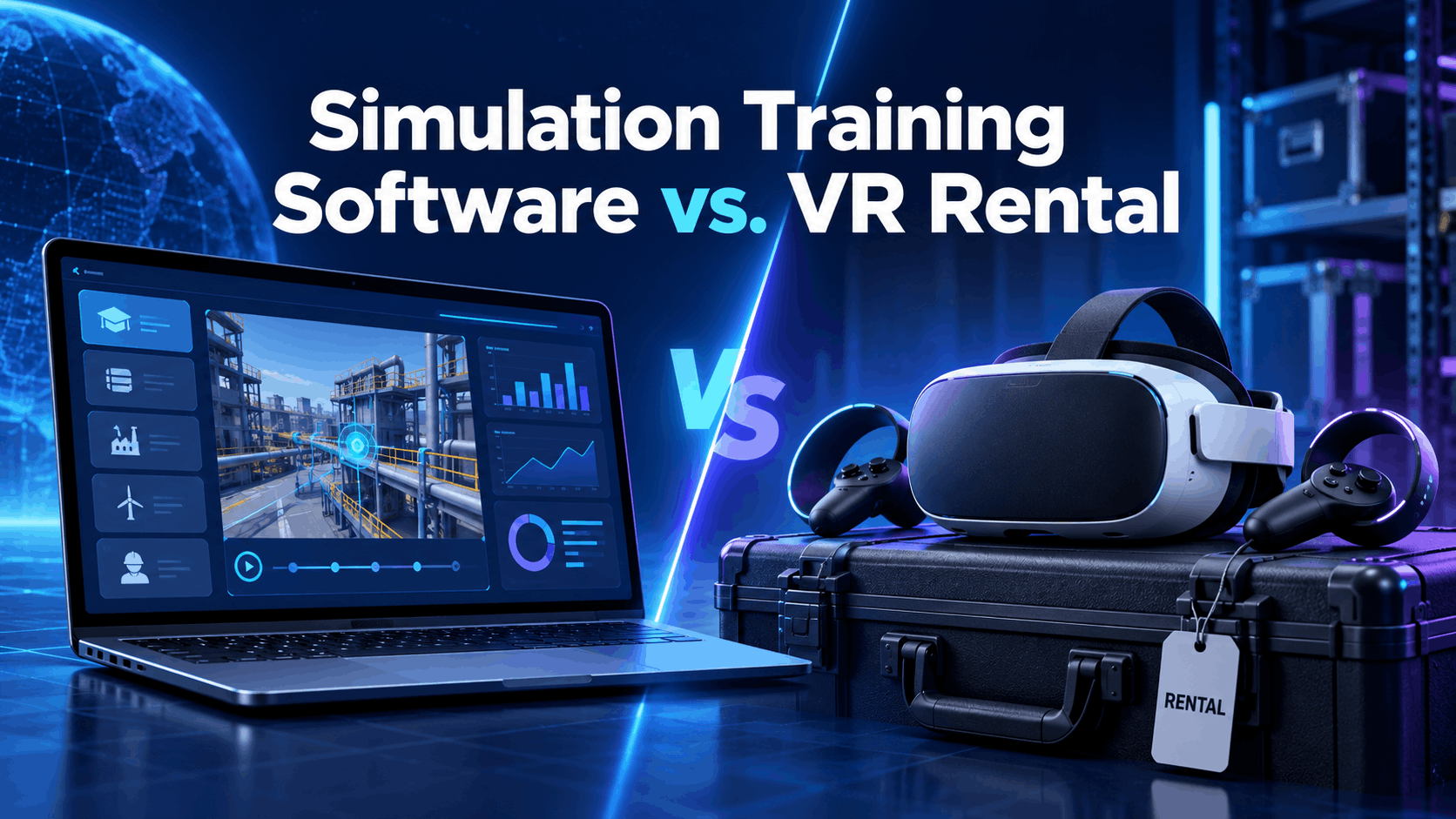
This is not a product listicle. It is a decision guide designed to help you, a skeptical L&D or operations manager, navigate the two primary models for deploying immersive learning: purchasing a software license or using a hardware-plus-content rental service. We will walk through the practical realities of each, map them to your specific use case, and provide a clear framework for choosing the right path for your organization.
What Simulation Training Software Actually Means in a Corporate Context
The term ‘simulation training software’ covers a wide range of tools—from browser-based scenario builders to fully immersive VR environments running on dedicated headsets. Before evaluating any platform or rental solution, L&D leaders and operations managers need a working definition that maps to their actual deployment constraints, not a vendor’s marketing framing. This section establishes that definition and sets up the core decision the rest of the guide addresses.
The Spectrum: From Screen-Based Simulations to Immersive VR Environments
At its core, simulation training is any technology that replicates real-world conditions for skill-building or compliance purposes. This is not a concept limited to virtual reality (VR). The spectrum of tools includes:
- Screen-Based Simulations: These are often delivered as modules within a Learning Management System (LMS), interactive videos, or desktop applications. They are effective for practicing software workflows or navigating branching conversation scenarios.
- Immersive Simulations: These use VR headsets, augmented reality (AR) glasses, or mixed reality (MR) to place the user directly within a simulated environment. This approach is gaining significant traction in corporate L&D and operations.
The growth in immersive simulation training for employees is driven by measurable results. Studies consistently show that VR training leads to significantly higher knowledge retention compared to traditional methods. One study found that VR training can result in 75% retention, a figure dramatically higher than the 5% to 10% associated with standard lectures. This is because immersive learning engages visual, auditory, and kinesthetic pathways, creating stronger neural connections. It allows employees to learn by doing in a risk-free environment, which is especially critical for safety and hazard training.
A key point of confusion for buyers is that the search term simulation training software often conflates the content (the training scenario) with the delivery mechanism (the hardware and platform). This guide will treat them as separate components of your decision.
Who Is Actually Buying Simulation Training Tools and Why
The teams evaluating these solutions are not technology purists; they are business leaders with operational problems to solve.
- L&D Leaders: At mid-market and enterprise companies, L&D teams are exploring
VR training simulation for corporate teamsto make onboarding, compliance, and leadership development more engaging and effective. They are often tasked with proving the ROI of new training modalities. - Operations and Safety Managers: In sectors like manufacturing, logistics, and field service, these managers need to conduct OSHA-aligned hazard simulation without shutting down production lines or exposing workers to real danger.
Simulation training for manufacturing safetyis a primary driver of adoption. - HR and Training Coordinators: These professionals need scalable training solutions that don’t require a dedicated IT team to manage. The logistical burden of device management is a major concern.
- Event and Enablement Teams: For sales kickoffs, product demos, or team-building sessions at conferences, these teams need a temporary, high-impact training solution.
Two Models for Deploying Simulation Training: Software License vs. Hardware-Plus-Content Rental
When most people search for simulation training software, they assume the answer is a SaaS platform with an annual license. That model works in some contexts, but it carries procurement timelines, IT dependencies, and content development costs that many teams can’t absorb. A second model—renting configured VR hardware with preloaded simulation content—has emerged as a faster, lower-friction path for companies that need to run training programs without building an internal immersive tech stack.
The Software License Model: What It Includes and What It Requires
This is the traditional approach to enterprise software acquisition. It’s built for long-term, large-scale deployment.
- Typical Components: The license usually provides access to an authoring tool or a library of pre-built content, an LMS integration layer for tracking, and a device management platform. Some vendors also offer content development as a professional service.
- What the Buyer Must Provide: The buyer is responsible for sourcing and purchasing compatible hardware (like VR headsets or PCs), ensuring the IT infrastructure can support device management, and either developing content internally or funding a custom development project. This is all paid for on top of ongoing annual license fees.
- Timeline Reality: The path from decision to deployment can be long. Procurement, legal review, IT security approval, content development, and pilot setup can easily take 3-6 months before a single employee completes a simulation.
- Best Fit: This model is best suited for large organizations that already have an existing fleet of VR hardware, a dedicated L&D technology team, and a multi-year strategic commitment to immersive training at scale.
The Hardware-Plus-Content Rental Model: What It Includes and What It Requires
This model is built for speed, flexibility, and operational simplicity. It addresses the need for how to deploy simulation training without a software license.
- Typical Components: A rental package includes standalone wireless VR headsets (e.g., Meta Quest 3) that arrive fully configured and preloaded with industry-specific simulation scenarios. Nationwide delivery, return logistics, and optional on-site event support are also standard.
- What the Buyer Must Provide: The buyer simply needs a clear use case, a deployment date, and a logistical point of contact. No internal IT team, hardware procurement, or content development is required.
- Timeline Reality: Rental packages can be deployed nationwide in a matter of days, not months. This makes them a viable solution for time-sensitive training needs, annual compliance events, or short-notice pilot programs.
- Best Fit: This model is ideal for companies running a first-time pilot, a one-time safety event, a trade show session, or a recurring training program that doesn’t justify the capital expense and management overhead of a full software license and hardware purchase. As a concrete example, IGIVU offers curated rental packages with preloaded manufacturing safety and OSHA-aligned scenarios, allowing companies to launch training immediately.
The Hybrid Path: Using Rental to Validate Before You Buy
The two models are not mutually exclusive. Many savvy organizations use the rental model to de-risk a larger investment in a software platform.
A rental-based pilot program allows L&D leaders to generate hard data—completion rates, user engagement scores, and even preliminary incident reduction numbers—before committing to a multi-year software license. This evidence-based approach transforms the conversation with procurement and finance from a request based on industry hype to a business case grounded in internal results.
A pilot can be structured simply:
- Define a specific training scenario and cohort.
- Select a rental package with preloaded content that matches the scenario.
- Run the training over a defined period (e.g., 30 days).
- Measure the outcomes against pre-pilot benchmarks.
- Use the results to build a business case for a permanent program.
Matching Simulation Training to Your Use Case: A Practical Framework
The right simulation training software vs VR headset rental decision depends on three variables: the training scenario, the deployment environment, and your team’s timeline and budget. This section maps common corporate use cases to the model that fits them best.
Manufacturing Safety and OSHA Compliance Simulation
- Use Case: The goal is to simulate hazardous conditions—like equipment lockout/tagout, confined space entry, or fall risks—without exposing workers to actual danger.
- Why Immersive VR Excels: The sense of physical presence and spatial awareness in VR activates a more realistic stress response, making the training more memorable and effective than screen-based modules. Studies show that VR-trained employees demonstrate significantly better hazard awareness and procedural adherence.
- Model Fit: For many companies, the hardware-plus-content rental model is a perfect fit. Services like IGIVU’s preloaded
simulation training for manufacturing safetyscenarios allow a company to meet OSHA training goals without the lengthy and expensive process of custom content development. - Deployment Consideration: Standalone wireless headsets are crucial in a factory or warehouse, as they eliminate the trip hazards and logistical constraints of tethered, PC-based VR systems.
- For more details, a dedicated manufacturing safety VR rental guide can provide specific deployment advice.
Sales Enablement and Product Demo Simulation
- Use Case: Training sales representatives to demonstrate complex products, handle customer objections, or practice consultative selling skills in a simulated environment.
- Model Fit: The rental model offers a distinct advantage for event-based training. A company can rent 50 headsets for a national sales kickoff or 10 for a major trade show booth, deploying the training exactly when and where it’s needed without purchasing hardware for every rep.
- Scenario Types: These can range from virtual product walkthroughs to interactive conversations with AI-powered customer avatars.
Onboarding and Soft Skills Training
- Use Case: Immersive scenarios can simulate a company’s workplace culture, guide employees through difficult conversations (e.g., DEI or conflict resolution), or teach role-specific procedures.
- Model Fit: This can go either way. An organization running continuous, weekly onboarding cohorts at a large scale may find a software license model more cost-effective over the long term. However, for quarterly onboarding classes or for a team piloting a new soft skills curriculum, the rental model provides a faster and more flexible starting point.
Field Service and Operations Training with AR
- Use Case: Technicians learn to service equipment, follow complex, step-by-step procedures, or identify parts in the field using augmented reality overlays.
- Why AR?: Unlike VR, which places the user in a fully virtual world, AR glasses overlay digital information onto the user’s real-world view. This is ideal for tasks where the technician needs to be hands-free and see the actual equipment they are working on.
- Model Fit: AR hardware is often more specialized and expensive than VR headsets. An AR glasses rental allows an operations team to pilot a field service training or remote assistance program without a massive capital investment in a device fleet.
- For a deeper dive, consider IGIVU’s AR glasses for business deployment guide.
Deployment Reality: What L&D Leaders and Operations Managers Need to Plan For
A simulation training program fails most often not because the technology doesn’t work, but because the deployment wasn’t planned for the real-world environment. This section covers the practical constraints that determine success or failure.
Hardware Considerations: Standalone vs. Tethered, VR vs. AR
- Standalone Wireless VR: Headsets like the Meta Quest 3 have become the enterprise standard for a reason: they are self-contained and require no connection to a PC. This makes them easy to deploy in conference rooms, on warehouse floors, or at remote sites.
- Tethered VR: These headsets connect to a powerful PC and can offer higher graphical fidelity. However, they are impractical for most corporate training scenarios due to cost, space requirements, and lack of portability.
- Augmented Reality (AR): AR glasses are the right choice when the trainee must see and interact with their physical environment, such as in equipment maintenance or surgical training.
- The Rental Advantage: With a rental program, the hardware arrives pre-configured and ready to use, eliminating on-site IT setup and configuration headaches.
Content: Preloaded Scenarios vs. Custom Development
This is one of the most significant hidden costs in simulation training.
- Preloaded Scenarios: Using a library of existing, industry-specific scenarios (e.g., manufacturing safety, OSHA compliance, hazard communication) allows for immediate deployment. This is the fastest way to launch a program and is a core component of the rental model.
- Custom Development: Building a custom VR training simulation is a major undertaking. Timelines typically range from 8 to 20 weeks, and costs can run from $15,000 for a simple scenario to well over $100,000 for a complex, highly interactive simulation. This cost and time commitment is often a non-starter for pilot programs.
- The Smart Path: Always evaluate if your training objective can be met with a preloaded scenario before committing to the time and expense of custom development.
Logistics: Delivery, Setup, and On-Site Support
The operational details of managing a fleet of headsets are often underestimated.
- Delivery: A key service of rental providers is nationwide delivery of fully kitted packages, removing the logistics burden from your internal team.
- Setup and Support: For large-group training or events with first-time VR users, optional on-site support staff is critical. These facilitators can manage headset distribution, assist users, and ensure the session runs smoothly.
- Hygiene and Charging: When running back-to-back sessions, you must plan for headset cleaning and battery charging. Rental programs often include hygiene supplies and multi-device charging stations to manage this.
Measuring Outcomes: What Data to Collect from a Simulation Training Program
To justify continued investment, you must measure what matters.
- Baseline Metrics: Completion rates and time-on-task are fundamental data points available from most platforms.
- Safety Training ROI: Track incident rates (e.g., OSHA recordables) before and after the simulation program is implemented. A reduction in incidents provides a powerful ROI story.
- Sales Training ROI: Measure business metrics like conversion rates, demo quality scores, or time-to-first-sale for the cohort that went through the simulation.
- Compliance Training ROI: The primary metric is documented completion records, which are essential for audit purposes by bodies like OSHA. VR platforms can provide granular, time-stamped completion data that is more robust than a paper sign-in sheet.
- For a comprehensive measurement framework, review an enterprise VR training implementation guide.
How to Choose the Right Simulation Training Approach for Your Organization
The decision between a software license and a hardware-plus-content rental is not a technology decision—it is a procurement, timeline, and scale decision. This framework will help you make the right call for your specific situation.
Decision Criteria: When to License Software
- You have an existing VR hardware fleet or have the budget and approval to purchase one.
- You have internal instructional designers who can create custom content or a long-term budget for a development vendor.
- You are running continuous training cohorts (e.g., weekly or monthly) at a scale that justifies a per-seat license fee.
- You have an IT team with the resources to manage device enrollment, software updates, security, and LMS integration.
- Your training program has a roadmap of 12 months or longer with clearly defined ROI targets.
Decision Criteria: When to Rent Hardware with Preloaded Content
- You need to deploy a simulation training program in less than 30 days.
- You are piloting immersive training for the first time and need to build an internal business case before seeking a larger investment.
- Your training need is event-driven (e.g., an annual safety day, a sales conference, a product launch) rather than continuous.
- You do not have dedicated IT resources to manage a fleet of VR headsets.
- Your training need aligns with an existing library of preloaded content, such as
VR simulation training softwarefor manufacturing safety or OSHA compliance. - You want to avoid a large capital expenditure (CapEx) and prefer a predictable operational expense (OpEx) model.
Getting Started with Simulation Training: A Practical First Step
Whether you are evaluating simulation training software for the first time or seeking a faster deployment path, the most effective starting point is a structured pilot. A defined cohort, a specific scenario, a measurable outcome, and a clear timeline will yield the evidence you need to make a smart long-term decision.
Structuring a 30-Day Simulation Training Pilot
A rental-based model is perfectly suited to support this kind of focused, short-term initiative.
- Define the Training Objective: What specific skill, behavior, or compliance task are you targeting? (e.g., “Reduce errors in the lockout/tagout procedure.”)
- Select a Cohort: Choose a manageable group of 10-50 participants for the pilot.
- Choose the Scenario: Leverage a preloaded, industry-specific simulation to get started immediately. Defer custom content development until the pilot validates the approach and secures a budget.
- Schedule Logistics: Work with a rental provider like IGIVU to handle the nationwide delivery of pre-configured headsets and any on-site support you might need.
- Collect Data: Track completion rates, gather qualitative feedback from participants, and measure the impact on the performance or safety metric you defined in step one.
- Build the Business Case: Use the pilot’s results to demonstrate the value of immersive training to leadership, justifying a scaled program or a future software license investment.
Frequently Asked Questions (FAQs)
What is simulation training software and how does it differ from VR training?
Simulation training software is a broad term for any tool that lets users practice real-world tasks in a virtual environment. This can include screen-based applications. VR training is a type of immersive simulation that uses a headset to place the user inside a 360-degree virtual world, offering a higher level of presence and realism.
Can I run simulation training without purchasing VR headsets?
Yes. A hardware-plus-content rental model allows you to run VR training simulation for corporate teams by providing pre-configured headsets for a specific duration, such as a one-day event or a 30-day pilot program. This eliminates the need for a large capital purchase.
How long does it take to deploy a VR simulation training program?
Deployment time varies dramatically by model. A software license model often takes 3-6 months due to procurement, IT setup, and custom content development. A VR rental model using preloaded content can be deployed in a matter of days.
What industries use simulation training most effectively?
Industries where workers face high-risk tasks or use complex equipment see the most benefit. This includes manufacturing, construction, logistics, healthcare, and aviation. Simulation training for manufacturing safety is one of the most common and effective use cases.
Is VR simulation training compliant with OSHA training requirements?
Yes, when implemented correctly. OSHA’s standards are performance-based, meaning they define what an employee must learn, not the specific delivery method. VR is a highly effective tool for meeting requirements related to hazard recognition and procedural tasks, especially when paired with documentation of completion and hands-on skill verification where required.
How much does simulation training software cost compared to a VR rental program?
A software license can range from $5,000 to $50,000+ annually, not including the cost of hardware ($500-$3,500 per headset) and custom content ($15,000-$100,000+ per module). A VR rental program is an operational expense, with costs for a pilot program often falling in the $6,000-$9,000 range, inclusive of hardware and content.
What hardware do I need to run simulation training for a corporate event or offsite?
For events, standalone wireless VR headsets like the Meta Quest 3 are the best choice due to their portability and ease of use. A rental provider can deliver a package of these headsets fully configured and ready for your event.
Can I use preloaded VR scenarios for manufacturing safety training without custom content development?
Absolutely. This is a primary advantage of the rental model. Companies like IGIVU offer headset packages preloaded with a library of OSHA-aligned safety scenarios, allowing you to deploy effective training immediately.
What is the difference between VR simulation training and AR-based training for field service?
VR training immerses the user in a completely digital world, which is ideal for practicing dangerous scenarios without risk. AR (augmented reality) training overlays digital information onto the user’s real-world view via smart glasses, which is better for providing hands-free, on-the-job guidance for tasks like equipment maintenance.