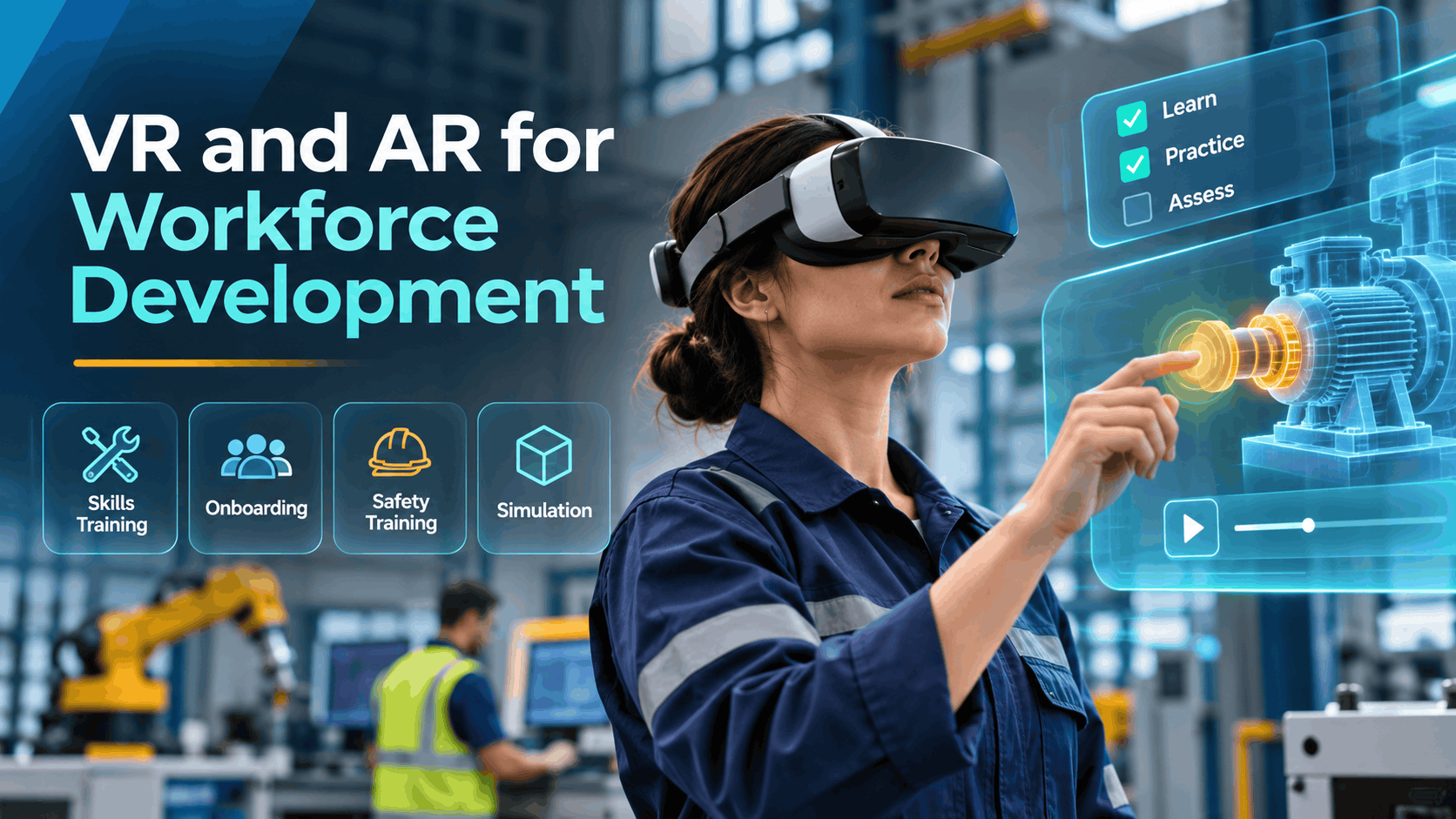
Workforce development programs are under pressure to do more with less reduce time-to-competency, improve compliance documentation, and scale training across distributed teams without proportionally scaling cost. VR and AR have moved from novelty to operational tool for a growing number of organizations, but the decision to adopt them is rarely straightforward.
This guide is written for HR directors, L&D managers, and operations leads who are past the “what is VR?” stage and into the “is this the right tool for our program?” stage. It covers where VR and AR actually fit within a workforce development strategy, what they cannot replace, what deployment realistically costs, and how to move from evaluation to a scoped pilot without overcommitting budget or internal resources.
Where VR and AR Actually Fit in a Workforce Development Program
Workforce development covers a wide range of training objectives safety compliance, onboarding, skills simulation, leadership development, and customer service readiness. VR and AR do not replace all of these. For specific scenarios, however, they outperform traditional methods in measurable ways: higher knowledge retention, faster time-to-competency, and more consistent scenario exposure across large learner populations.
The key is mapping the technology to the right use cases before committing budget. VR and AR are high-leverage tools in specific contexts. In others, they add cost without adding value.
Use Cases Where VR Outperforms Classroom or Video Training
High-stakes scenarios where repetition without real-world risk matters. Safety drills, equipment operation, and emergency response are the clearest fit for VR workforce development training. Learners can repeat a forklift near-miss scenario or a chemical spill response procedure as many times as needed without risk to themselves, colleagues, or equipment. The ability to fail safely — and learn from that failure — is something no classroom or video module can replicate.
Soft skills simulation where learners need to practice conversations and receive feedback. Customer service interactions, conflict de-escalation, and sales conversations are difficult to practice at scale in traditional training environments. Role-play with a human trainer is resource-intensive and inconsistent. VR creates a repeatable, standardized environment where learners practice the same scenario under the same conditions, receive immediate feedback, and can replay the interaction to review their performance.
Onboarding environments where new hires need to navigate physical spaces or workflows before their first day. Virtual reality for workforce development is particularly effective for facility-based onboarding — giving new employees a walkthrough of a manufacturing floor, distribution center, or hospital wing before they arrive. This reduces first-day friction, accelerates orientation, and frees up experienced staff from repetitive facility tours.
Compliance training where documentation of completion and scenario exposure matters. For OSHA-adjacent safety training, harassment prevention, or regulated industry onboarding, VR platforms can log exactly which scenarios a learner completed, how they performed, and when. This creates an auditable record that video completion tracking alone cannot provide.
What VR and AR Cannot Replace in a Workforce Development Program
Being clear about limitations is as important as identifying strengths. Organizations that deploy VR expecting it to solve every training challenge end up with expensive underutilized hardware and skeptical stakeholders.
Hands-on tasks requiring physical dexterity with real tools or materials. VR can simulate a welding procedure or a surgical technique, but it cannot certify physical competency in most regulated trades. The haptic feedback available in consumer and enterprise VR headsets is not yet sufficient to replace the muscle memory developed through actual tool use. VR works well as a pre-practice environment — reducing the time learners spend on expensive equipment during live training — but it is not a substitute for hands-on certification.
Mentorship, coaching, and judgment-based learning. Developing leadership capability, navigating organizational politics, or building professional judgment requires real human feedback loops. VR can create scenarios that surface leadership behaviors, but the coaching conversation that follows needs a human facilitator.
Regulatory certifications that explicitly require in-person demonstration or third-party evaluation. Some certifications — CDL licensing, certain medical credentials, OSHA 30 in specific states — require in-person demonstration or third-party evaluation by statute. VR can support preparation for these certifications, but it cannot substitute for the certification event itself.
Large-group facilitated learning where discussion and group dynamics are the training outcome. If the learning objective is to build team cohesion, surface diverse perspectives, or practice collaborative decision-making, a facilitated group session will outperform VR. Immersive training for workforce development is most effective for individual skill acquisition, not group process work.
The Main VR and AR Formats Used in Workforce Development and How to Choose
Not all VR and AR solutions are built the same way. The format you choose affects cost, deployment complexity, and what training outcomes you can realistically achieve. Here is how the main options compare for workforce development contexts.
Standalone Headset-Based VR Training
Standalone headsets — devices like the Meta Quest series that run without a tethered PC — are the most common format for enterprise VR employee training programs. They offer full immersion, six-degrees-of-freedom movement, and the ability to deploy in any space with sufficient clear floor area.
Best for: Immersive scenario simulation — safety walkthroughs, equipment operation, emergency response, and soft skills practice where full environmental immersion drives the learning outcome.
What it requires: Headset procurement or rental, content development or licensing, and on-site facilitation for group sessions. This is not a plug-and-play deployment for most organizations, particularly at scale.
Headset count planning: The number of headsets you need depends on three variables — learner volume per session, module duration, and whether you can run concurrent sessions. A 15-minute module with 20 learners and a four-hour training window requires at minimum four to six headsets running simultaneously to complete the cohort without overtime.
Space requirements: Plan for a minimum of six by six feet of clear floor space per headset for standing or room-scale experiences. Multi-headset deployments in training rooms require furniture removal and clear sightlines between headsets to prevent learner collisions. Conference rooms with movable furniture are typically sufficient for two to four headsets in a corporate office environment.
WebAR and Browser-Based AR for Skills Training
WebAR runs on smartphones or tablets via a browser link — no headset, no app download, no hardware logistics. The learner points their device camera at a physical object or surface and sees digital overlays layered onto the real environment.
Best for: Procedural overlays, equipment labeling, step-by-step task guidance, and distributed workforces where headset deployment is impractical. AR training for workforce development programs that need to reach field technicians, retail associates, or remote employees at scale is a strong fit for WebAR.
Deployment advantage: Because there is no hardware to ship, configure, or sanitize, WebAR can reach thousands of employees across dozens of locations simultaneously. A link sent via LMS or email is all that is required to initiate the training experience.
Limitations: WebAR is less immersive than headset VR and is not suited for full scenario simulation. The experience quality depends on device camera quality and lighting conditions. It is a strong tool for procedural reinforcement and just-in-time performance support, not for high-stakes scenario practice.
Custom VR Development vs. Rental Content for Training Programs
The build-versus-rent decision is one of the most consequential choices in a VR workforce development program, and it is driven primarily by specificity requirements and learner volume.
Off-the-shelf or rental VR content is faster to deploy and carries a lower upfront cost. Rental libraries typically cover generic safety scenarios (fall protection, fire evacuation, hazardous materials), soft skills modules (customer service, conflict resolution), and general onboarding environments. If your training objective maps to an existing scenario, rental content can be deployed in days and is a practical starting point for organizations piloting VR for the first time.
Custom VR development is built to your specific environment, workflows, equipment, and compliance requirements. A custom module for forklift operation in your specific warehouse layout, with your specific equipment models and your specific safety protocols, will outperform a generic forklift scenario on every training outcome metric. The tradeoff is cost and timeline — custom builds typically require six to sixteen weeks depending on scope and range from $15,000 to $150,000 or more.
The hybrid approach — renting hardware and deploying custom content — is often the most cost-effective path for mid-market organizations running recurring training programs. You avoid the capital expenditure of headset ownership while still delivering training content built to your specific requirements.
What VR Workforce Development Training Actually Costs
Cost is the most common barrier to VR adoption in workforce development — and also the most commonly misunderstood. The range is wide because the variables are wide. A single-event pilot for 20 employees looks nothing like a quarterly program running across 10 locations. Here is a structured breakdown of what drives the price so you can build a realistic budget before requesting a quote.
Cost Drivers for VR Training Programs
Content development is typically the largest line item for organizations building custom programs. Custom VR module development ranges from approximately $15,000 for a single, straightforward scenario to $150,000 or more for multi-scene, branching narrative experiences with high-fidelity 3D environments. Platform choice — Unity, Unreal Engine, or WebXR — affects both development cost and ongoing maintenance requirements. The number of modules, scenario complexity, and whether the content includes voiceover, branching decision trees, or performance scoring all affect the final number.
Hardware costs depend on whether you rent or purchase. Headset rental packages for managed deployments typically run $150 to $500 per headset per day, depending on the headset model, the rental provider, and whether on-site technical support is included. Purchase costs range from approximately $400 for a standalone consumer-grade headset to $3,500 or more for enterprise-grade devices with advanced tracking and enterprise device management capabilities.
Facilitation and staffing adds $500 to $1,500 per day for an on-site technician or facilitator, depending on session size and location. For organizations running recurring programs, a train-the-trainer model — where internal staff are certified to facilitate sessions — reduces this cost significantly after the initial investment.
Hosting and LMS integration covers ongoing fees for cloud-hosted content, analytics dashboards, and connectors to your existing learning management system. Expect $200 to $2,000 per month depending on user volume, the number of modules hosted, and the depth of LMS integration required.
Recurring vs. one-time cost structure: A single training event has a fundamentally different cost structure than a quarterly program. One-time events favor rental models — you pay for what you use and return the hardware. Recurring programs favor content ownership and hardware purchase, where the per-learner cost decreases significantly over time as fixed costs are amortized across more sessions.
How to Estimate Budget for Your Workforce Development Use Case
Start with learner volume and session frequency. These two variables determine whether rental or purchase makes more financial sense. If you are training 50 employees once per year, rental is almost always more cost-effective than purchase. If you are training 500 employees quarterly across five locations, hardware ownership and custom content development will deliver a lower total cost of ownership within 18 to 24 months.
Factor in content shelf life. Safety compliance content tied to regulatory requirements may need annual updates as standards change. Onboarding content changes with organizational structure, facility layouts, and equipment. Build content refresh cycles and associated costs into your program plan from the start — not as an afterthought when the content goes stale.
Use a pilot-first approach to validate before scaling. Most organizations that successfully adopt VR for workforce development start with a single-location pilot at a cost of $5,000 to $20,000 before committing to enterprise rollout. The pilot validates the technology fit, surfaces facilitation friction points, and generates learner feedback data that strengthens the business case for broader investment.
Get a scoped quote before finalizing budget. The variables in VR workforce development pricing are specific enough that a general budget range is less useful than a quote tied to your actual use case, learner volume, and timeline. IgivU provides quotes in under 24 hours — use the quote process to get a scoped estimate before presenting a budget to leadership.
Deploying VR Training at Scale: Logistics, Staffing, and Operational Constraints
The technology is only part of the challenge. Deploying VR training across multiple locations, departments, or employee cohorts introduces operational questions that most vendors do not address upfront. Planning for these constraints before you commit to a program prevents the most common deployment failures.
Headset Count and Session Planning
The most common deployment mistake is underestimating the number of headsets needed to move a cohort through training in a realistic time window.
A practical rule of thumb: one headset per learner per concurrent session. Shared headsets require sanitization time between uses — typically two to five minutes — which reduces throughput and extends session windows. For a 20-person cohort with 15-minute modules, you need at least four to six headsets running simultaneously to complete training in a half-day window, accounting for orientation time, module duration, and headset turnover.
Rental packages can be scaled up or down per event, which makes them particularly useful for organizations with variable cohort sizes across the year. A manufacturing organization that onboards 200 new employees in Q1 and 30 in Q3 does not need to own enough headsets for peak capacity — rental covers the gap.
Staffing and Facilitation Requirements
First-time VR users need three to five minutes of orientation before the training module begins. This is not optional — learners who skip orientation are more likely to experience discomfort, disengage from the content, or require facilitator intervention during the module. Build orientation time into every session schedule.
A single facilitator can manage six to eight headsets simultaneously in a controlled environment where learners are experienced VR users or have completed orientation. For first-time cohorts or high-complexity scenarios, a one-to-four facilitator-to-headset ratio is more realistic.
Remote or distributed deployments require a different staffing model. Shipping headsets to remote locations without on-site support creates significant facilitation risk. A train-the-trainer model — where a local employee is certified to set up hardware, run orientation, and troubleshoot basic issues — is the most scalable approach for organizations with distributed workforces. Some organizations supplement this with remote technical support via video call during the first few sessions at each new location.
Venue and Space Considerations
Minimum six by six feet of clear floor space per headset is required for standing or room-scale VR experiences. This is a hard constraint — learners need to move within the experience without risk of collision with walls, furniture, or other learners. For seated experiences, the space requirement drops significantly, but the immersion level also decreases.
Some venues restrict VR use due to liability or insurance policies. If you are deploying at a hotel, convention center, or third-party training facility, confirm with venue management before booking. This is particularly relevant for safety training programs that involve simulated physical movement.
Lighting conditions affect headset tracking quality. Highly reflective floors, direct sunlight on inside-out tracking sensors, and extremely low-light environments can cause tracking errors that interrupt the training experience. Standard conference room or training room lighting is typically sufficient. Outdoor deployments require additional planning.
Privacy, Data, and Compliance Considerations
VR platforms that collect biometric or behavioral data — including eye tracking, movement patterns, and physiological response indicators — may trigger GDPR or CCPA obligations depending on your jurisdiction and the nature of the data collected. Before deploying any VR training platform, confirm with your legal or compliance team what data is collected, how it is stored, and whether learner consent is required.
Confirm data ownership and storage architecture with your vendor. Learner performance data may be stored on-device, in the vendor’s cloud infrastructure, or both. Understand who owns that data, how long it is retained, and what happens to it if you end the vendor relationship.
For OSHA-adjacent safety training, maintain completion records and scenario exposure logs. VR platforms that generate detailed completion logs — including which scenarios were completed, performance scores, and timestamps — provide a stronger audit trail than video completion tracking. Confirm that your platform’s reporting outputs are compatible with your compliance documentation requirements before deployment.
How to Build a VR/AR Workforce Development Program: A Practical Starting Framework
Most organizations that successfully adopt VR for workforce development start small, validate outcomes, and then scale. The organizations that struggle typically do the opposite — they commit to enterprise rollout before validating fit, encounter facilitation or adoption friction, and lose stakeholder confidence before the program has a chance to prove its value.
Here is a practical four-step framework for moving from evaluation to deployment without overcommitting budget or internal resources upfront.
Step 1 — Define the Training Objective and Learner Profile
Before evaluating any technology, define the specific skill gap or compliance requirement VR will address. Not “training” broadly — a defined scenario. Forklift safety for new warehouse associates. De-escalation skills for customer service representatives. Equipment onboarding for field technicians at a new facility. The more specific the objective, the more accurately you can evaluate whether VR is the right tool and what format will serve it best.
Alongside the objective, define the learner profile: volume, session frequency, geographic distribution, and average technology familiarity. These inputs drive every subsequent decision about format, content, hardware, and deployment model.
Confirm whether the training outcome requires certification, documentation, or completion tracking. This determines the platform requirements and shapes the compliance documentation strategy.
Step 2 — Choose the Right Format and Delivery Model
Use the training objective and learner profile to select between headset VR, WebAR, or a hybrid approach. High-stakes scenario simulation with a centralized workforce points toward headset VR. Procedural guidance for a distributed field workforce points toward WebAR. Some programs benefit from both — headset VR for initial scenario training at a central location, WebAR for on-the-job performance support in the field.
Decide between custom content development and off-the-shelf rental content based on specificity requirements and budget. If your scenario maps to an existing rental module, start there. If your environment, equipment, or compliance requirements are specific enough that a generic module will not serve the learning objective, budget for custom development from the start.
Determine whether you need a managed deployment — where the vendor handles hardware logistics, on-site facilitation, and technical support — or a self-managed model where your team owns the hardware and runs sessions internally. Managed deployment is lower risk for first deployments; self-managed is more cost-effective for recurring programs with sufficient internal capacity.
Step 3 — Run a Pilot Before Full Rollout
A pilot is not a proof-of-concept demonstration for leadership — it is a functional training event with a real learner cohort, measured outcomes, and documented friction points. Run the pilot with one cohort, one location, and one training module. Keep the scope narrow enough that you can execute it cleanly and learn from it clearly.
Measure three things during the pilot: completion rates, learner feedback (both qualitative and quantitative), and facilitation friction points. Completion rates tell you whether the content is engaging and the session logistics are workable. Learner feedback tells you whether the experience was effective and whether first-time VR users encountered barriers. Facilitation friction points tell you what needs to change before you scale.
Use pilot data to refine session scheduling, headset count, and content pacing before committing to enterprise deployment. A pilot that surfaces three facilitation problems is a success — it means you found those problems before they affected 500 employees instead of 20.
Step 4 — Plan for Ongoing Program Management
Assign an internal program owner before the pilot ends. This person is responsible for scheduling, hardware logistics, content updates, and vendor coordination. Without a named internal owner, VR programs tend to drift — headsets sit in storage between events, content goes stale, and the program loses momentum.
Build content refresh cycles into the program plan from the start. Compliance-driven modules tied to regulatory requirements need annual review. Onboarding content needs review whenever facilities, equipment, or workflows change significantly. Budget for content updates as a recurring line item, not a one-time cost.
Establish a vendor relationship that supports rapid turnaround on quote requests and content updates as your program evolves. Your workforce development needs will change — new locations, new compliance requirements, new equipment — and your VR program needs to be able to change with them.
Get a Quote for Your Workforce Development VR Program
IgivU provides quotes for VR and AR workforce development programs in under 24 hours. Whether you are evaluating a pilot for a single training module or planning a multi-location rollout, the quote process starts with your use case, learner volume, and timeline — not a sales call.
Submit your requirements and receive a scoped estimate with pricing options. No commitment required to receive a quote.
Frequently Asked Questions
Can VR training replace in-person safety certification for OSHA compliance?
Not in most cases. VR training can support preparation for OSHA-related certifications and can generate detailed completion and performance logs that strengthen your compliance documentation. However, many OSHA standards and state-level equivalents require in-person demonstration or third-party evaluation that VR cannot substitute for. Use VR to improve learner readiness before certification events, not to replace them.
How many employees can go through VR training in a single day?
It depends on module duration, headset count, and session scheduling. As a practical benchmark: with six headsets running simultaneously and 15-minute modules, you can move approximately 24 learners through training per hour, accounting for orientation time and headset turnover. A full eight-hour training day with that setup can accommodate 150 to 180 learners. Longer modules or smaller headset counts reduce throughput proportionally.
What is the minimum budget to pilot a VR workforce development program?
Most organizations run a meaningful pilot — one cohort, one location, one module — for between $5,000 and $20,000. The lower end of that range typically involves renting headsets and licensing off-the-shelf content. The higher end involves custom content development for a specific scenario. A pilot at this scale generates enough data to build a business case for broader investment without significant financial exposure.
Do we need to buy headsets, or can we rent them for training events?
Rental is a viable and often preferable option for organizations running infrequent training events or piloting VR for the first time. Rental packages for managed deployments typically include headsets, technical support, and on-site facilitation. For organizations running recurring programs across multiple locations, headset ownership typically becomes more cost-effective within 18 to 24 months. The right answer depends on your session frequency and learner volume.
How long does it take to develop a custom VR training module?
Custom VR module development typically requires six to sixteen weeks from kickoff to deployment-ready content, depending on scenario complexity, the number of scenes or branching paths, and the review and approval process on your end. Simpler single-scene modules with linear progression are on the shorter end of that range. Multi-scene branching experiences with high-fidelity 3D environments and voiceover take longer. Off-the-shelf rental content can be deployed in days.
Can VR training integrate with our existing LMS?
Yes, with the right platform. Most enterprise VR training platforms support xAPI (Tin Can) or SCORM standards, which allow completion data and performance scores to flow into major LMS platforms including Cornerstone, SAP SuccessFactors, Workday Learning, and others. Confirm LMS compatibility and integration requirements with your vendor before content development begins — retrofitting LMS integration after the fact adds cost and timeline.
What types of workforce development training are best suited for VR versus AR?
VR is best suited for immersive scenario simulation where full environmental presence drives the learning outcome — safety drills, equipment operation, emergency response, and soft skills practice. AR is better suited for procedural guidance, equipment labeling, and step-by-step task support in real-world environments, particularly for distributed workforces where headset deployment is impractical. Many organizations use both: VR for initial training at a central location, AR for on-the-job performance support in the field.
How do we handle VR training for remote or distributed employees?
For headset-based VR, the most scalable approach for distributed workforces is a train-the-trainer model — certifying local employees at each site to set up hardware, run orientation, and facilitate sessions. Headsets can be shipped to locations on a rotating schedule aligned with training calendars. For truly distributed workforces where headset logistics are impractical, WebAR running on employee smartphones or tablets is a more operationally realistic option that eliminates hardware logistics entirely.
Conclusion
VR and AR are not universal solutions for workforce development — but for the right use cases, they are among the most effective training tools available. High-stakes scenario simulation, soft skills practice, facility-based onboarding, and compliance documentation are areas where immersive training consistently outperforms classroom and video alternatives on the metrics that matter: retention, time-to-competency, and audit-ready completion records.
The decision to adopt VR for workforce development is not primarily a technology decision. It is a program design decision. Start with a defined training objective, validate the format against your learner profile and operational constraints, run a scoped pilot before committing to enterprise rollout, and build the program management infrastructure to sustain it over time.
If you are at the evaluation stage and need a scoped cost estimate before finalizing your budget or presenting a business case to leadership, IgivU can provide a quote in under 24 hours based on your use case, learner volume, and timeline.