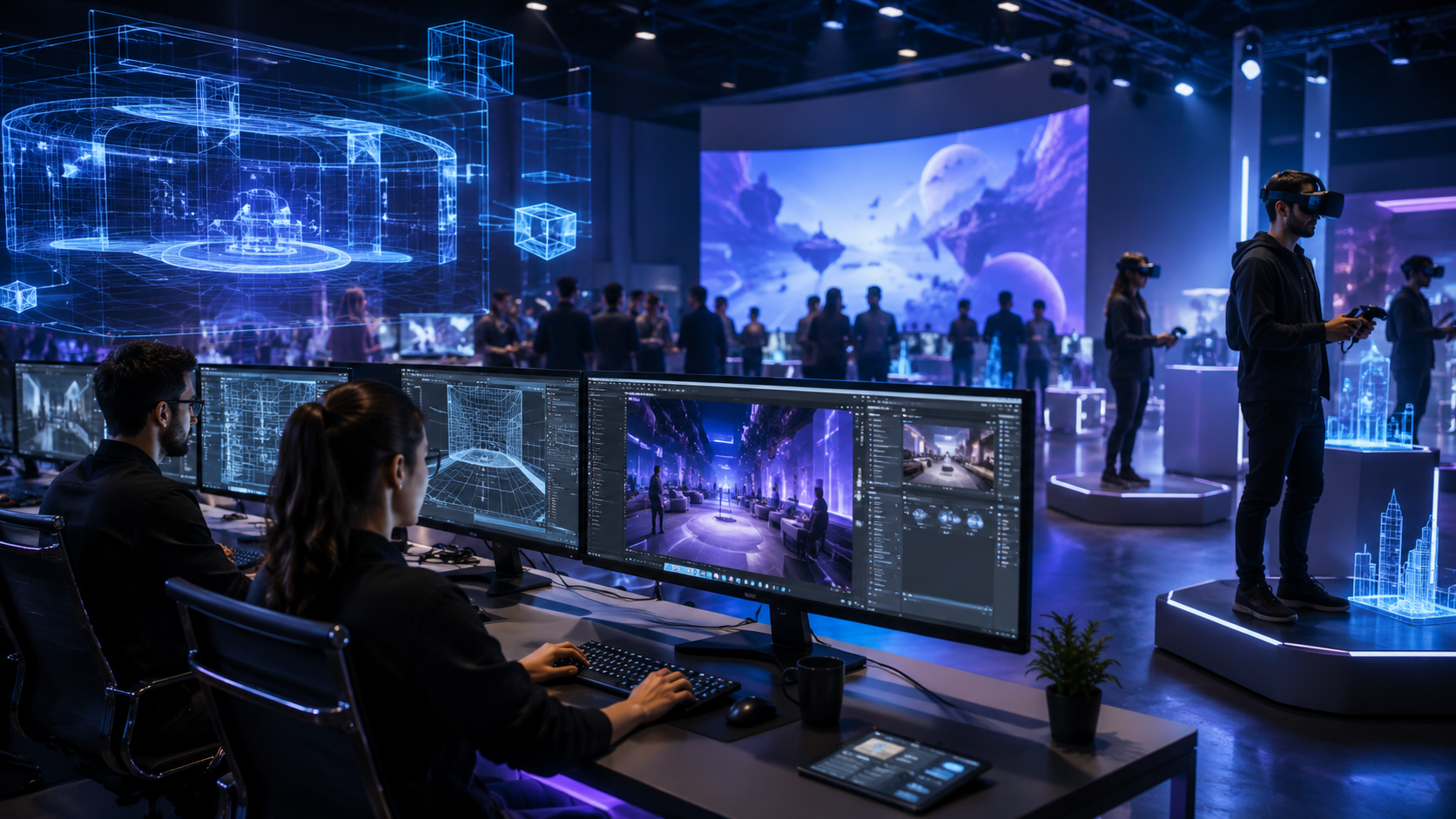
Most VR hardware performance guides open with GPU benchmark tables and refresh rate comparisons. That framing is useful if you’re building a gaming rig. It’s largely irrelevant if you’re running a VR activation at a trade show for eight hours straight. In a live business deployment, performance is about sustained reliability under real conditions, including warm venues, repeated headset handoffs, content running in a loop, and no dedicated IT department on standby.
This guide reframes VR hardware performance around the variables that actually determine whether your activation succeeds or fails in the field. Every performance variable here is grounded in operational reality, whether you’re running a trade show booth, a six-hour training session, or a product launch demo. Spec sheets are the starting point. This guide is what comes after.
Why VR Hardware Performance Is a Deployment Problem, Not a Spec Problem
The Gap Between Spec-Sheet Performance and Event-Day Performance
Manufacturer performance specs are measured in controlled lab conditions, with stable ambient temperature, fresh battery charge, optimized test content, and no thermal history from prior sessions. None of those conditions exist at a convention center with 10,000 attendees, overhead lighting radiating heat, and a booth that’s been running since 8 AM.
The gap between spec-sheet performance and event-day performance is driven by four primary variables.
Thermal throttling is the most consequential and least discussed. When a processor exceeds its thermal threshold, whether it’s a mobile chipset in a standalone headset or a GPU in a PC-tethered rig, it automatically reduces clock speed to prevent damage. The result is a drop in rendering performance, including lower frame rates, visual stuttering, and degraded tracking. Thermal throttling matters more for standalone headsets than tethered rigs because standalone devices have no external heat dissipation. The headset itself is the thermal envelope. In a warm venue, throttling can begin significantly earlier than manufacturer specs suggest.
Battery discharge under load is the second major gap. A standalone headset rated for three hours of battery life is rated under moderate use conditions. During an active demo loop, with continuous rendering, active tracking, and the display at full brightness, real-world runtime is typically 60 to 70 percent of the rated figure. A headset rated for three hours may deliver 90 to 110 minutes of usable runtime during a high-demand event demo. Fleet sizing decisions made from spec-sheet battery ratings will leave you short.
Frame rate consistency versus peak frame rate is the third variable. A headset that hits 90 fps in a benchmark but drops to 45 fps under sustained load is a liability at a live event. Inconsistent frame rates, particularly drops below 72 fps, cause visual judder and, in short-session demo contexts, can trigger motion discomfort in participants who have no tolerance baseline. The relevant metric for event deployments is the minimum sustained frame rate under continuous load across a full event day.
The practical implication is direct. Performance evaluation for business VR deployments must include sustained-load testing under realistic conditions. Vendors who quote hardware specs without referencing sustained performance data are giving you incomplete information.
What “Good Enough” Performance Actually Means for Business VR
Performance requirements vary by content type. Not every VR activation needs the same hardware ceiling.
Minimum viable frame rate thresholds by content type
- 360 video experiences. 60 fps minimum, with 72 fps preferred. Frame rate for pre-rendered video is determined at render time, so hardware demand during playback is low. The primary performance variable is video decode speed and display refresh consistency.
- Interactive pre-baked 3D environments. 72 fps minimum, 90 fps preferred. Frame drops in interactive environments are more perceptible than in passive video because user movement creates visual feedback loops.
- Real-time 3D with dynamic elements. 90 fps minimum. Product configurators, physics-based interactions, and real-time lighting changes require consistent high frame rates to avoid perceptible lag between user input and visual response.
- Unreal Engine real-time scenes. 90 fps minimum on a high-end PC GPU. Dropping below this threshold in photorealistic environments creates an immediate quality perception problem that undermines the purpose of using high-fidelity rendering.
Latency thresholds and motion sickness risk are particularly important for short-session trade show demos. Participants at a trade show booth may be experiencing VR for the first time, have no acclimation period, and are standing in a busy environment with competing sensory input. Motion-to-photon latency above 20 milliseconds increases discomfort risk substantially. For short-session demos, the tolerance for latency-induced discomfort is lower than for long-form training sessions where participants have time to acclimate.
The business cost of performance failure is not abstract. A participant who removes a headset early due to discomfort, lag, or visual stuttering is a lost conversion. That prospect walked away from your product demo with a negative brand impression. At a trade show where each demo slot represents a qualified lead, that has a direct revenue impact.
Standalone vs. PC-Tethered VR: Performance Tradeoffs for Live Deployments
The most consequential hardware decision for any business VR deployment is whether to use standalone headsets or PC-tethered systems. Both categories have legitimate use cases. They perform differently under event conditions in ways that spec sheets don’t capture.
Standalone Headset Performance: Strengths and Sustained-Load Limits
Standalone headsets run on mobile chipsets. The primary business-relevant options include the Meta Quest 3, Meta Quest 3S, and Pico 4. The Snapdragon XR2 Gen 2 in the Quest 3 is a capable processor for its form factor, but it operates within a thermal and power envelope that is fundamentally constrained compared to a desktop GPU.
Performance ceiling. Standalone headsets handle 360 video, moderate interactive experiences, and pre-baked 3D environments reliably when content is properly optimized. They struggle with real-time Unreal Engine scenes at high fidelity and with complex physics simulations. The ceiling is a design constraint appropriate to the form factor. The problem occurs when content demands exceed that ceiling.
Thermal throttling timeline. Under continuous active use, most standalone headsets begin reducing processing speed within 45 to 90 minutes, depending on ambient temperature and content complexity. In a 72°F environment with moderate content, throttling may not be perceptible. In a 78°F convention center running a complex interactive experience, throttling can begin within 30 to 40 minutes and produce visible frame rate degradation. This is the thermal management system working as designed. The operational implication is that rotation schedules must account for it.
Wireless operational advantage. The absence of a tethering cable is a genuine operational benefit at events. Participant handoffs are faster, cable management is eliminated, and staff can assist participants more easily. This advantage should factor into hardware selection, but it comes at a processing cost relative to PC-tethered systems.
Battery swap logistics. For an eight-hour event day, standalone headsets require a rotation system. Active units run until the battery reaches approximately 20 to 30 percent, then move to charging while a fresh unit takes their place. This affects fleet sizing, discussed in the pre-deployment checklist, and requires staff coordination.
Best fit for standalone headsets. 360 video experiences, moderate interactive demos, training simulations with pre-rendered assets, and activations where wireless mobility is an operational priority and content complexity is within Tier 1 or Tier 2.
PC-Tethered VR Performance: Consistency at the Cost of Complexity
PC-tethered systems, including Meta Quest via Link cable, Valve Index, and HTC Vive Pro 2, offload rendering to a dedicated desktop GPU. In rental configurations, this typically means an NVIDIA RTX 3080 or RTX 4080-class card. The performance difference relative to standalone is substantial and consistent.
Frame rate consistency advantage. A properly specced PC rig maintains target frame rates of 90 fps and above across hours of continuous use without the thermal throttling that affects standalone headsets. The PC handles heat dissipation independently of the headset through its own cooling system. The headset itself runs cool because it is doing minimal processing. This is the primary performance advantage of PC-tethered systems for long-duration deployments.
Content ceiling. PC-tethered systems can run real-time Unreal Engine environments, high-polygon product visualization models, complex interactive training simulations with physics and dynamic lighting, and content categories that are simply not viable on standalone hardware. For deployments where visual fidelity is the primary differentiator, such as a product launch showcasing a photorealistic 3D model of a new vehicle or architectural space, PC-tethered VR is the appropriate category.
Failure points introduced. The operational complexity of PC-tethered systems is real. Cable management at the booth requires planning. Participants wearing a headset connected to a PC by a three-meter cable need clear movement boundaries and staff monitoring. PC hardware reliability introduces a failure variable that standalone systems don’t have. A PC crash takes down the entire station. Display cable connections (DisplayPort, USB-C) are a physical failure point that should be checked before every session. Each headset requires a dedicated PC, which affects both cost and booth footprint.
Power requirements. PC-tethered rigs require venue power access and cable runs. A booth running four PC-tethered stations needs to account for the power draw of four high-end gaming PCs in its venue power planning. This is a logistics variable that must be confirmed with the venue and factored into booth design.
Best fit for PC-tethered systems. Product visualization with high-fidelity 3D models, Unreal Engine experiences, long-duration training simulations with complex environments, and activations where visual quality is the primary differentiator and operational complexity can be managed with adequate staffing.
Apple Vision Pro Performance Considerations for Business Events
Apple Vision Pro runs on Apple Silicon. The M2 chip in the unit discussed here represents a different performance architecture than both mobile standalone headsets and PC-tethered systems. Processing power is substantially higher than standalone headsets, and Apple’s thermal management is more sophisticated than mobile chipset implementations, resulting in better sustained performance under load.
Key constraint for events. Apple Vision Pro is not designed for rapid multi-user handoffs. The fit adjustment process is more involved than slipping on a Quest 3. Hygiene protocols require more time. Onboarding a new participant takes longer than with simpler headsets because staff must adjust the headband, confirm display calibration, and walk the participant through the interface. In a high-volume trade show environment, this per-participant overhead becomes a throughput bottleneck.
Best deployment scenario. High-value, low-volume activations where the premium hardware is itself part of the brand statement. Examples include executive briefings, VIP product launches, and premium sales demos where you are hosting ten qualified prospects rather than a hundred booth visitors. In these contexts, the longer onboarding time is acceptable, and the hardware quality reinforces the premium positioning of the experience.
Content ecosystem constraint. Apple Vision Pro does not share the content ecosystem with Meta or PC-tethered platforms. Content must be built or adapted specifically for visionOS. This is a significant production consideration. Existing Meta Quest or PC VR content cannot be directly deployed on Vision Pro without platform-specific development work.
How Content Complexity Determines Hardware Requirements
Hardware performance doesn’t exist in isolation. It is always relative to what the hardware is being asked to render. A Meta Quest 3 running a 360 video is a fundamentally different performance equation than the same headset running a real-time interactive 3D product configurator. Before selecting or renting hardware, content processing demands must be matched to hardware capabilities. Getting this wrong is one of the most common causes of VR activation failure and one of the most preventable.
Content Processing Tiers and Their Hardware Implications
Tier 1: 360 Video (Pre-rendered, Low Processing Demand)
Pre-rendered 360 video is the lowest-demand content category. Frame rate and resolution are determined at render time. The headset’s job is to decode and display the video stream, which does not require rendering geometry in real time. This runs reliably on all current standalone headsets. The performance variables to manage are video decode speed, which affects initial load time, and display refresh consistency. This tier is suitable for any current standalone hardware with adequate storage for the video files.
Tier 2: Pre-baked Interactive 3D (Moderate Demand)
These environments are built with baked lighting and optimized polygon counts. Examples include interactive product demos where users can navigate a space or select options, but where the environment itself is pre-rendered rather than dynamically lit. This content runs on standalone headsets with proper optimization. Performance depends heavily on asset preparation quality. A well-optimized Tier 2 experience runs smoothly on a Quest 3. A poorly optimized one causes frame drops on the same hardware. This tier is where asset optimization becomes a critical variable.
Tier 3: Real-time 3D with Dynamic Elements (High Demand)
This tier includes product configurators that change materials or components in real time, interactive training simulations with physics-based interactions, and environments with dynamic lighting. This tier requires PC-tethered systems or Apple Vision Pro for reliable, sustained performance. Attempting to run Tier 3 content on standalone hardware without significant optimization compromises will produce frame rate drops and thermal throttling within the first hour of operation.
Tier 4: Unreal Engine Real-time Environments (Highest Demand)
Photorealistic real-time rendering includes architectural visualization, automotive product demos, and high-fidelity simulation environments. It requires a high-end PC GPU (RTX 3080 minimum, RTX 4080 preferred for headroom). Standalone headsets cannot run this category at acceptable fidelity. The limitation comes from the thermal and power constraints of mobile chipsets and extends beyond the next product generation.
The practical implication. Content tier must be determined before hardware is selected. Vendors who quote hardware without knowing the content type are guessing. If you receive a hardware recommendation without a content complexity discussion, ask the question directly. What content tier does this hardware reliably support under sustained event conditions?
Asset Optimization as a Performance Variable
Polygon count, texture resolution, and draw calls are the primary optimization levers for standalone headset performance. A 3D product model built for a PC rendering pipeline, with millions of polygons and 4K textures, will not perform acceptably on a standalone headset without optimization. Reducing polygon count, compressing textures, and minimizing simultaneous draw calls are content production tasks. They represent a real production cost that must be budgeted.
Frame rate drops caused by unoptimized assets are frequently misdiagnosed as hardware failure. The headset is performing correctly. It is simply being asked to render more than its processing budget allows. This distinction matters because hardware replacement won’t fix an optimization problem.
Pre-event performance testing with actual production content is the only reliable way to identify optimization gaps before deployment day. Placeholder assets and demo scenes do not give you the same information. If your content developer is providing a “representative demo” for testing rather than the actual event build, that is an incomplete test.
What Actually Fails in the Field: Common VR Hardware Performance Failures at Live Events
Understanding VR hardware performance in theory is useful. Understanding what actually breaks at trade shows, training sessions, and product launches is what separates a reliable activation from an expensive embarrassment. The failure modes below reflect the operational realities of running VR at live events.
Thermal Throttling and Overheating
Convention centers and event venues are frequently warmer than expected, particularly in high-traffic areas where body heat from attendees raises ambient temperature above HVAC setpoints. Overhead lighting, especially in older venues, adds radiant heat. Booth structures with enclosed back walls trap heat around equipment. These conditions directly affect headset thermal management.
Signs of thermal throttling in progress
- Frame rate drops mid-session without any change in content or user behavior.
- Visual stuttering appears that was not present at the start of the day.
- The headset becomes noticeably warm on the front face.
- The display brightness reduces automatically on headsets that use this thermal management measure.
- Tracking degrades in later sessions compared to earlier ones.
Mitigation strategies
- Implement a rotation schedule that gives headsets cooling time between active sessions. For high-demand content in warm venues, 10 to 15 minutes off and charging between 45-minute active cycles is a reasonable starting point.
- Keep headsets out of direct sunlight and away from heat sources, including lighting rigs and PC towers.
- Use a small desk fan directed at the headset charging area to accelerate cooling between sessions.
- For PC-tethered rigs, ensure the PC tower has adequate airflow. Enclosed booth structures can trap heat around the PC, reducing cooling efficiency and increasing the risk of GPU throttling.
Battery Depletion and Power Management Failures
Standalone headsets in active demo loops deplete faster than manufacturer specs suggest. Plan for 60 to 70 percent of rated battery life under continuous event use. A headset rated for 2.5 hours delivers approximately 90 to 105 minutes of reliable runtime in a demanding demo loop.
Fleet sizing implication. For an eight-hour event day with 90 minutes of active runtime and 90 minutes of charge time, each headset can complete approximately 2.5 to 3 active cycles per day. To maintain continuous availability of, for example, four active headsets, the article’s planning range is six to eight units, with four active and two to four charging at any given time.
USB-C charging during use is possible on some standalone headsets and can extend active runtime, but introduces cable management complexity that partially offsets the wireless advantage of standalone hardware. Under heavy processing load, charging during use may not fully offset the discharge rate. The headset may continue to deplete, just more slowly.
PC-tethered systems eliminate battery concerns for the headset but introduce PC power supply reliability as a variable. Use uninterruptible power supply (UPS) units for critical activations. A power fluctuation that would otherwise crash a PC mid-demo can be managed with a UPS.
Wireless Interference and Connectivity Failures
Convention centers are high-RF environments. Dozens of exhibitors running simultaneous Wi-Fi networks, Bluetooth devices, and wireless AV equipment create interference that affects wireless PC streaming protocols (Meta Air Link, Virtual Desktop) and can degrade standalone headset connectivity for cloud-based content.
Wired tethering eliminates wireless interference as a variable. In dense RF environments, this is a significant reliability advantage that should factor into the standalone versus tethered decision alongside processing performance.
If using wireless PC streaming, use a dedicated 5 GHz Wi-Fi 6 router at the booth rather than relying on venue Wi-Fi. Position the router within line of sight of the headset operating area. Test connectivity during setup before the event opens.
Standalone headsets running locally sideloaded content are not affected by wireless interference for content delivery. This is a meaningful reliability argument for pre-loading content onto standalone headsets, particularly in convention center environments where wireless conditions are unpredictable.
Software Crashes and Content Stability
Hardware performance failures at live events are frequently software failures. Common causes include memory leaks that accumulate over hours of continuous operation, unhandled exceptions triggered by edge-case user interactions, or content that was tested for 30 minutes but never stress-tested under sustained loop conditions.
The four-hour loop test rule. Test your content in loop mode for a minimum of four hours before deployment. Crashes that occur after two hours of continuous use will not surface in a 30-minute QA session. Memory leaks in particular are time-dependent. They accumulate gradually and may not produce visible symptoms until well into an event day.
Headset management software, such as MDM solutions for Meta Quest fleet management, allows remote restart, content relaunch, and device monitoring across a fleet without requiring staff to physically interact with each headset. For multi-headset activations, this capability is operationally essential.
Recovery protocol. Staff should know how to restart a headset, relaunch the content application, and return a participant to the beginning of the experience within 60 seconds. If your recovery protocol takes longer than 90 seconds, it needs to be simplified. Practice it before the event.
How to Evaluate VR Hardware Performance Before You Rent or Deploy
Selecting VR hardware based on spec sheets is a starting point. Before committing to a hardware configuration for a live event or training deployment, use a structured evaluation process that tests performance under conditions that approximate your actual deployment environment.
The Pre-Deployment Performance Checklist
Step 1. Define content tier first.
Confirm whether your experience is 360 video (Tier 1), pre-baked interactive 3D (Tier 2), real-time 3D with dynamic elements (Tier 3), or Unreal Engine real-time (Tier 4) before selecting hardware. This single step eliminates the most common hardware mismatches.
Step 2. Run a sustained-load test.
Run your actual production content on the target hardware for a minimum of three hours continuously. A demo scene or placeholder is insufficient. Monitor frame rate, device temperature, and battery level at 30-minute intervals. Document the point at which frame rate begins to drop and by how much. This data is your performance baseline.
Step 3. Test in ambient conditions that match your venue.
Performance in a 68°F office does not predict performance in a 78°F convention center booth. If your event is in a warm environment, conduct your sustained-load test in a warm room. If you can obtain the venue’s typical ambient temperature in the event area, use that as your test target.
Step 4. Simulate participant handoffs.
Put the headset on and take it off 20 times in sequence. Confirm that the display wakes reliably after each removal, the guardian boundary resets correctly for each new user, and the content returns to the start state without staff intervention. Handoff failures that require staff involvement for every participant create throughput bottlenecks that compound across an event day.
Step 5. Test your recovery protocol.
Deliberately crash the content application and time how long it takes a staff member to restore the experience to a running state without a developer’s help. If it takes more than 90 seconds, simplify the recovery steps. Document the recovery protocol as a laminated reference card at each station.
Step 6. Confirm fleet sizing.
Based on the battery life and charging time data from your sustained-load test, calculate how many headsets you need to maintain continuous availability across your event hours. Dividing event hours by active runtime per cycle and multiplying by the number of active stations gives you the total number of headset cycles required. Use your measured charging time to schedule which units can return to service during the day, then allow a 20 percent buffer for unexpected failures.
Questions to Ask a VR Rental Vendor About Hardware Performance
Before committing to a rental configuration, ask these questions directly. Vendors who can answer them specifically, with data from comparable events, are vendors who have actually deployed hardware at live events.
- What headset models are in your rental fleet, and what firmware version are they running?
- Has this hardware been tested with content of similar complexity to ours? Can you provide performance data from a comparable deployment?
- What thermal management protocol do you recommend for sustained event use? Do you provide rotation schedule guidance?
- Does the rental package include a dedicated router for wireless connectivity, or should we plan for wired tethering?
- What is your support protocol if a headset fails mid-event? Do you provide on-site technical support or replacement units?
- How is content loaded onto the headsets? Is it sideloaded locally or streamed? What are the reliability implications of each approach for our venue?
Matching Hardware Performance to Deployment Scenario
There is no single best-performing VR headset for business events. There is only the right hardware for a specific deployment scenario. The following scenario-based recommendations translate the performance variables covered in this guide into concrete hardware decisions for the most common business VR use cases.
Trade Show Booth with High Participant Volume
Deployment priorities. Fast participant turnover, minimal staff intervention per headset, reliable sustained performance across eight or more hours, and low recovery time when issues occur.
Recommended hardware category. Standalone headsets, such as Meta Quest 3 or equivalent, with content pre-loaded locally, running on a documented rotation schedule. Wireless operation accelerates participant handoffs and reduces staff workload. The processing ceiling of standalone hardware is acceptable when content is scoped to Tier 1 or Tier 2.
Content constraint. Limit to Tier 1 or Tier 2 content for high-volume trade show deployments. Real-time 3D is operationally risky in this context. The combination of thermal throttling risk, higher crash probability, and longer recovery time creates compounding reliability exposure when you are running 50 or more demo sessions per day.
Fleet sizing. Plan for 1.5 times the number of simultaneously active headsets as a starting point for charging rotation. For four active stations, that gives a fleet of six headsets. For eight active stations, it gives twelve. Confirm that your measured charging and runtime cycles support that rotation.
Product Launch or VIP Sales Demo
Deployment priorities. Visual fidelity, premium experience quality, lower participant volume, and brand impression per participant.
Recommended hardware category. A PC-tethered system for Unreal Engine or high-fidelity 3D content. Apple Vision Pro for premium brand positioning where visionOS-compatible content has been developed. The operational complexity of PC-tethered systems is manageable at lower participant volumes, and the visual quality difference justifies it.
Staffing implication. PC-tethered rigs require a dedicated operator per station who can manage cable clearance, assist with headset fit, and execute the recovery protocol if needed. Budget for this in your event staffing plan. It is not optional.
Content tier. Tier 3 or Tier 4 is appropriate for this scenario. This is the deployment context where high-fidelity real-time rendering justifies the operational complexity and cost premium.
Corporate VR Training Session
Deployment priorities. Consistent performance across multiple sessions throughout the day, content reliability over extended use, and participant comfort during sessions that may run 20 to 45 minutes per person.
Recommended hardware category. Standalone headsets for pre-baked training simulations. PC-tethered systems for complex simulation environments with dynamic elements, physics interactions, or branching scenarios that require real-time rendering.
Session length consideration. For training sessions exceeding 45 minutes per participant, thermal management and battery life become critical variables. A standalone headset that begins throttling at 60 minutes is a problem in a 45-minute training session with back-to-back participants. Plan charging rotations with enough headsets to ensure each participant starts with a cool, fully charged unit.
Content stability requirement. Training content must be loop-tested for crash stability with particular rigor. A crash during a trade show demo is disruptive. A crash during a training simulation, particularly one that tracks progress or completion, is a more significant operational failure that may require restarting the entire session. Stability testing for training deployments should run for the full session length multiplied by the number of back-to-back sessions planned.
Frequently Asked Questions
What frame rate should VR hardware maintain for a business event demo to avoid motion sickness?
For short-session trade show demos, where participants have no acclimation period, maintain a minimum of 72 fps consistently, with 90 fps as the target for interactive 3D content. Frame rate drops below 72 fps in interactive environments create perceptible judder that increases discomfort risk, particularly for first-time VR users. For 360 video content, 60 fps is acceptable. The consistency of the frame rate matters as much as the target number. Intermittent drops are more discomforting than a stable lower frame rate.
How long can a standalone VR headset run continuously before thermal throttling affects performance?
Under continuous active use with demanding interactive content, most current standalone headsets, including the Meta Quest 3, begin showing measurable performance reduction within 45 to 90 minutes, depending on ambient temperature and content complexity. In warm venues (above 75°F), throttling can begin in 30 to 40 minutes. For 360 video content with lower processing demand, throttling onset is later. The practical recommendation is to plan rotation schedules around 45-minute active cycles for demanding content in event environments, regardless of what the spec sheet suggests.
Is PC-tethered VR always better performing than standalone VR for business events?
Not always. It depends on the deployment scenario. PC-tethered systems deliver superior sustained frame rate performance and can run higher-fidelity content categories. But they introduce operational complexity, including cable management, PC reliability, power requirements, and dedicated operator staffing. This makes them a worse choice for high-volume trade show deployments where throughput and simplicity are priorities. Standalone headsets are the better operational choice for Tier 1 and Tier 2 content at high-volume events. PC-tethered systems are the better choice for Tier 3 and Tier 4 content at lower-volume, higher-fidelity activations.
How many VR headsets do I need for an eight-hour trade show day to account for charging rotation?
The calculation depends on your active runtime per charge cycle and your charging time. For a standalone headset with approximately 90 minutes of active runtime under event conditions and 90 minutes of charge time to return to full, each headset completes roughly 2.5 to 3 active cycles per eight-hour day. With equal runtime and charging time, four continuously active stations can rotate between two sets of four headsets, with one set active while the other charges. Add a 20 percent buffer for unexpected failures or extended charging times. For high-volume booths with six or more active stations, consult with your rental vendor on fleet sizing before finalizing your booth design.
Can Apple Vision Pro be used for high-volume trade show activations?
Not effectively. Apple Vision Pro is designed for immersive individual use. The fit adjustment process, hygiene protocol requirements, and per-participant onboarding time make it operationally unsuitable for high-volume trade show environments where you need to cycle through dozens of participants per hour. Apple Vision Pro is appropriate for low-volume, high-value activations, including VIP demos, executive briefings, and premium sales presentations, where the per-participant time investment is acceptable and the premium hardware reinforces the brand positioning.
What causes VR frame rate drops at live events and how do I prevent them?
Frame rate drops at live events have four primary causes. These are thermal throttling from sustained processing load in warm environments, unoptimized content that exceeds the hardware’s rendering budget, wireless interference affecting streaming performance, and software memory leaks that accumulate over hours of continuous operation. Prevention requires addressing all four. Implement rotation schedules to manage thermal load, test content optimization before deployment, use wired connections or dedicated routers in high-RF environments, and conduct sustained four-hour loop tests to surface memory-related instability before the event.
Should I use wireless or wired VR at a convention center?
For standalone headsets running locally pre-loaded content, wireless is the right choice. There is no streaming dependency, so RF interference doesn’t affect content delivery. For PC-tethered systems, a wired connection via Link cable or DisplayPort is strongly preferred over wireless streaming in convention center environments. Convention centers are among the highest-RF-interference environments you will encounter, and wireless PC streaming protocols are sensitive to interference. If wireless PC streaming is operationally required, use a dedicated 5 GHz Wi-Fi 6 router at the booth, test connectivity during setup, and have a wired fallback plan.
How do I test VR hardware performance before my event deployment?
Run your actual production content on the target hardware for a minimum of three hours continuously. Monitor frame rate, device temperature, and battery level at 30-minute intervals. Conduct the test in ambient conditions that approximate your venue temperature. Simulate participant handoffs by putting the headset on and taking it off repeatedly, confirming reliable wake and reset behavior. Deliberately crash the content application and time your staff recovery protocol. Calculate fleet sizing from actual battery runtime data instead of spec-sheet figures. This process surfaces the majority of deployment-day failures before they happen in front of attendees.
Conclusion: Performance Is a Pre-Deployment Decision
VR hardware performance for business events is determined weeks before the event, in the decisions you make about content tier, hardware category, fleet sizing, and pre-deployment testing. By the time your activation opens, the performance outcome is largely fixed by the preparation that preceded it.
The variables that determine success, including thermal management, sustained frame rate under load, battery rotation logistics, content optimization, and recovery protocols, are all addressable before deployment day. They require asking the right questions of your hardware vendor, testing under realistic conditions rather than ideal ones, and matching hardware selection to content complexity rather than defaulting to whatever is most familiar or most available.
The cost of getting this right is time and preparation. The cost of getting it wrong is a failed activation in front of the exact audience you needed to impress.
Ready to evaluate VR hardware for your next event deployment? Work with a vendor who can answer specific questions about sustained performance, thermal management protocols, and fleet sizing for your content type and venue conditions. Ask for that information alongside the headset model and day rate. The right hardware configuration for your activation starts with the right conversation before you sign anything.