Why Companies Are Choosing VR Rentals Over Onboarding Software Licenses
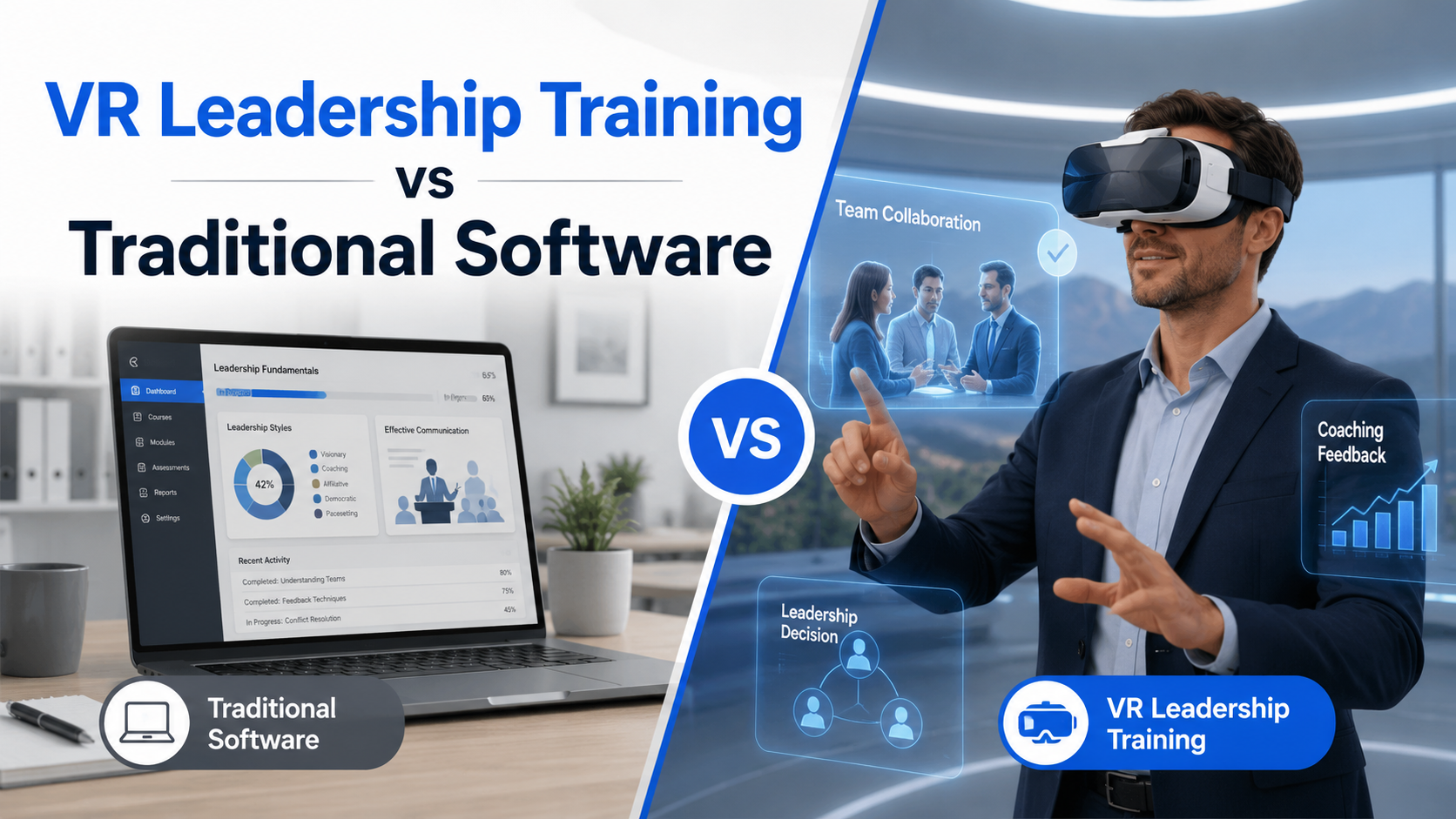
Traditional onboarding software requires annual contracts, IT integration, and hardware purchases before you know if VR actually improves your new hire experience. VR rental packages let you run immersive onboarding sessions immediately – with equipment, content, and setup support included – while you evaluate the impact on retention and time-to-productivity.
The shift toward rental models reflects a fundamental change in how HR departments approach technology investments. Rather than committing significant budget to unproven solutions, forward-thinking L&D teams are using rental periods as extended pilots, gathering real performance data from actual new hires before making long-term decisions.
The Hidden Costs of VR Onboarding Platforms
Enterprise VR platforms present attractive features but often obscure the true investment required for successful implementation. License fees typically range from $50-200 per user annually, but this represents just the beginning of your actual costs.
Hardware requirements add $400-1200 per headset to your initial investment. Consumer-grade devices may seem economical, but they lack the durability and management features necessary for corporate environments. Enterprise headsets include device management tools, enhanced security protocols, and commercial warranties – features that justify the premium but significantly increase upfront costs.
IT integration complexity extends beyond simple software installation. Your technical team must complete security reviews, configure network access, establish user authentication protocols, and ensure compliance with data protection regulations. These tasks typically consume 40-80 hours of specialized IT resources, translating to $4,000-8,000 in labor costs before your first training session.
Content development or licensing fees often surprise budget holders. While platforms provide authoring tools, creating effective VR experiences requires specialized skills. Professional VR content development costs $10,000-50,000 per module, while pre-built content libraries add $1,000-5,000 annually to your subscription costs.
How Rental Packages Solve the Pilot Problem
VR rental packages eliminate the barriers that prevent HR teams from testing immersive training with real employees. Instead of navigating procurement processes and justifying capital expenditures for unproven technology, you can start with a modest operational expense that delivers immediate results.
Testing VR onboarding with actual new hires provides authentic feedback that vendor demonstrations cannot replicate. Rental periods let you observe how different employee demographics respond to immersive training, identify technical challenges in your specific environment, and measure actual learning outcomes rather than relying on industry benchmarks.
Scaling flexibility becomes particularly valuable for organizations with variable hiring patterns. Retail companies hiring hundreds of seasonal workers can rent additional headsets for peak periods without maintaining unused equipment year-round. Growing startups can expand their VR capacity monthly as hiring accelerates, avoiding premature infrastructure investments.
Enterprise-grade headsets arrive pre-configured and ready for immediate deployment. Meta Quest 3 and Pico 4 Enterprise devices include commercial licenses, device management capabilities, and extended warranties – features that would cost thousands in additional fees if purchased separately. Rental packages also include replacement units for equipment failures, eliminating downtime during critical onboarding periods.
Setup support transforms non-technical HR teams into confident VR facilitators. Remote configuration assistance, facilitation training, and real-time technical support ensure successful sessions from day one. This support model proves especially valuable for distributed organizations where local IT resources may be limited.
VR Onboarding Use Cases That Drive Real Results
Leading companies use VR to transform passive orientation into active learning experiences. These specific applications consistently show 40-60% improvement in knowledge retention and 30% reduction in time-to-competency compared to traditional onboarding methods.
The immersive nature of VR creates emotional connections to learning content that traditional methods cannot achieve. New employees don’t just hear about company values – they experience situations where those values guide decision-making. They don’t just read safety procedures – they practice identifying hazards in realistic environments where mistakes have no consequences.
Virtual Facility Tours and Safety Training
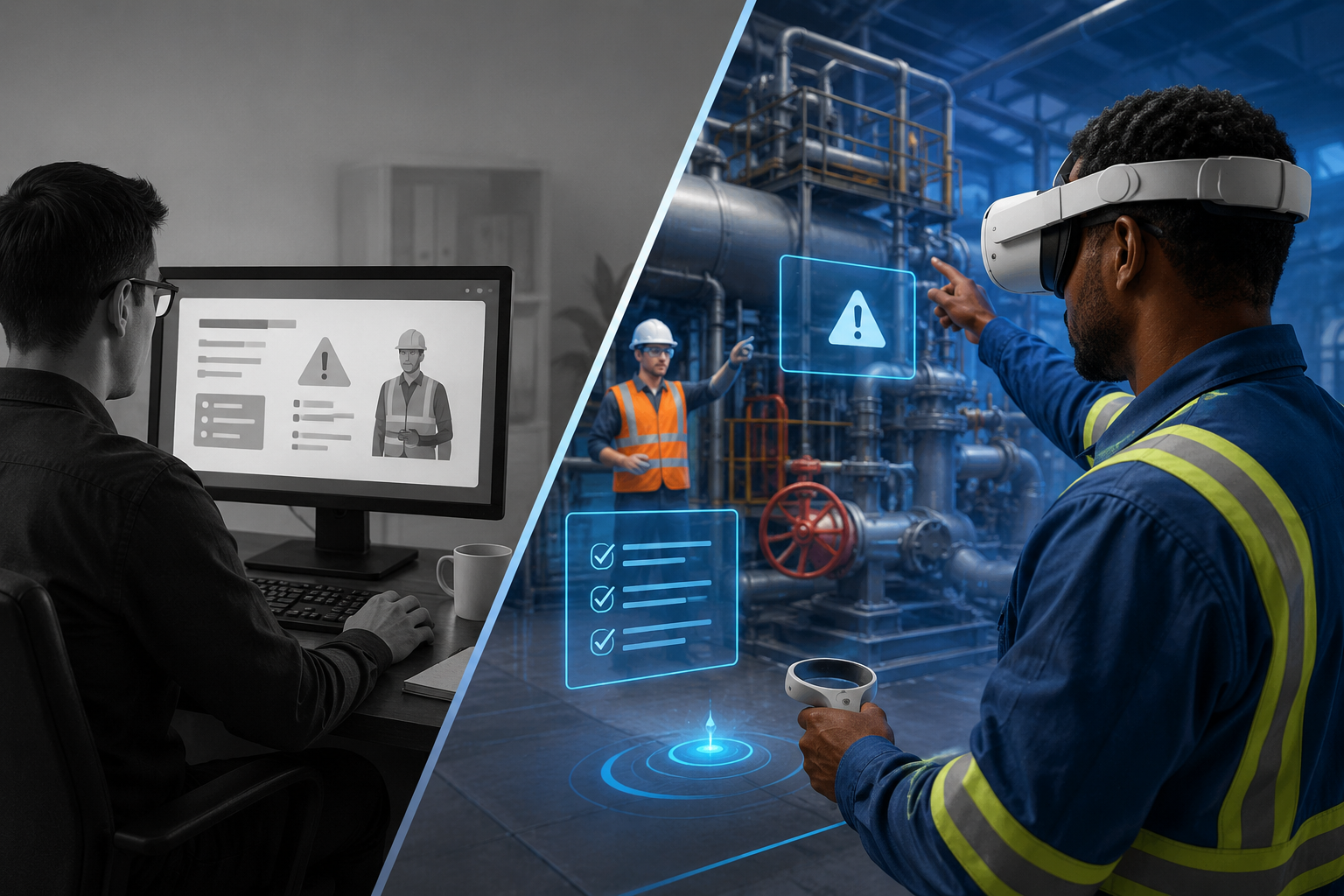
Manufacturing and logistics companies use VR facility tours to familiarize new employees with complex environments before they enter actual work areas. A pharmaceutical manufacturer reduced safety incidents by 45% after implementing VR walkthroughs that highlight hazard zones, emergency exits, and proper protective equipment usage.
Hazard identification training in virtual environments allows new hires to develop situational awareness without exposure to actual dangers. Employees navigate realistic recreations of work areas, identifying potential risks like wet floors, overhead hazards, and equipment blind spots. The immersive experience creates muscle memory and automatic safety behaviors that transfer directly to real work environments.
Equipment operation practice in VR eliminates the production impact of traditional hands-on training. New forklift operators can practice maneuvering in tight spaces, machine operators can learn startup and shutdown procedures, and assembly workers can perfect their technique – all without affecting actual production schedules or risking expensive equipment damage.
Multi-location consistency becomes achievable when every new hire experiences identical VR training regardless of their physical location. A national restaurant chain ensures that employees in Portland receive the same kitchen safety training as those in Miami, maintaining brand standards and regulatory compliance across all locations.
Company Culture Immersion Experiences
360-degree office tours give remote employees a sense of place and belonging typically reserved for in-person staff. New hires explore virtual recreations of headquarters, understanding workspace layouts, locating important resources, and developing familiarity with environments they may not physically visit for months.
Interactive company history and values scenarios move beyond passive video presentations. New employees make decisions in historical situations that shaped company culture, experiencing firsthand why certain values emerged and how they apply to modern challenges. A technology firm recreated its founding garage, letting new hires experience the startup journey that defines its innovation culture.
Meet-the-team experiences with recorded welcomes create personal connections across distributed organizations. Department heads deliver welcome messages in virtual conference rooms, team members share their roles and backgrounds, and new hires begin building relationships before their first actual meeting. This approach proves particularly effective for global teams spanning multiple time zones.
Customer journey simulations viewed from the employee perspective build empathy and service excellence. Retail employees experience shopping from a customer’s viewpoint, healthcare workers understand patient anxiety during procedures, and call center agents feel the frustration of poor service experiences. This perspective shift creates lasting behavioral changes that improve customer satisfaction scores.
Role-Specific Skill Development
Customer service scenario practice with AI avatars provides safe spaces for new employees to develop confidence. Virtual customers present common complaints, unusual requests, and escalating situations that test problem-solving abilities. AI-driven responses adapt to employee actions, creating realistic conversations that prepare staff for actual customer interactions.
Sales pitch rehearsal in virtual meeting rooms helps new sales representatives perfect their presentation skills. They practice with virtual prospects who ask challenging questions, raise objections, and display various personality types. Performance analytics track eye contact, speaking pace, and response quality, providing objective feedback for improvement.
Technical procedure training with haptic feedback creates muscle memory for complex tasks. Medical device companies use haptic gloves to teach assembly procedures, ensuring new technicians develop proper techniques before handling actual products. The combination of visual, auditory, and tactile feedback accelerates skill development and reduces training time by up to 40%.
Soft skills development through branching conversations helps employees navigate interpersonal challenges. New managers practice difficult conversations like performance reviews and conflict resolution. Each decision point branches to different outcomes, demonstrating the consequences of various communication approaches and building emotional intelligence through experiential learning.
Complete VR Onboarding Package Components
A successful VR onboarding program requires more than just headsets. Our rental packages include everything HR teams need to run immersive sessions from day one, with flexibility to adjust as you learn what works for your organization.
The comprehensive nature of rental packages removes technical barriers that often derail VR initiatives. Rather than coordinating multiple vendors for hardware, software, content, and support, organizations receive integrated solutions designed specifically for corporate training environments.
Hardware Selection for Onboarding Programs
Meta Quest 3 headsets excel for standalone experiences without PC requirements. The 128GB storage capacity accommodates multiple training modules, while the Snapdragon XR2 Gen 2 processor delivers smooth performance for complex simulations. Pancake lenses provide crystal-clear visuals across the entire field of view, reducing eye strain during extended training sessions.
Pico 4 Enterprise addresses enhanced data security needs with dedicated business features. Local data processing keeps sensitive information within corporate networks, while centralized device management allows IT teams to deploy updates and monitor usage remotely. The enterprise warranty includes priority support and advance replacement for minimal downtime.
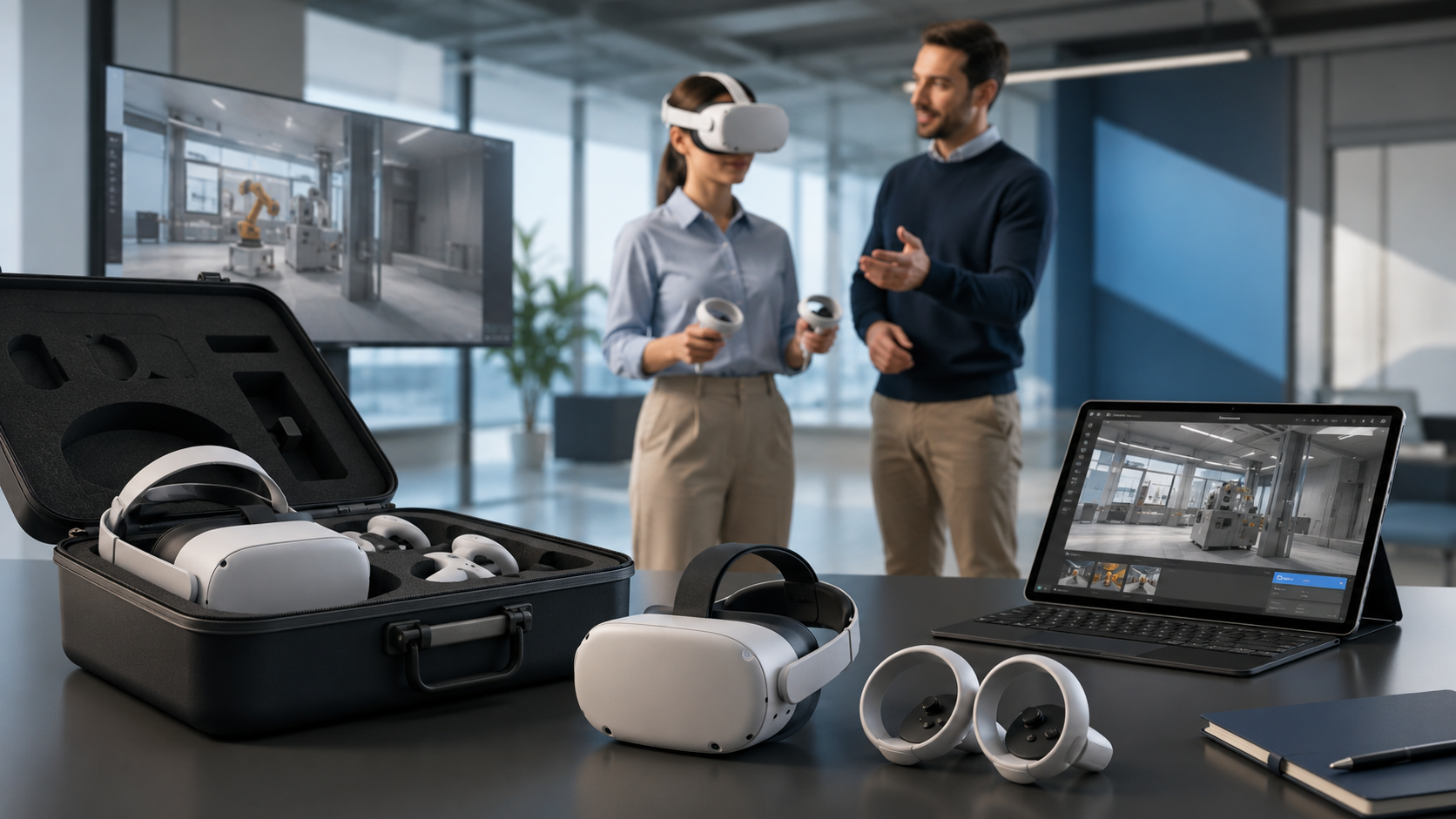
Multi-headset kits for group onboarding sessions include charging stations, transport cases, and synchronization tools. Sessions leader tablets display all participant views simultaneously, allowing facilitators to monitor progress and provide targeted assistance. Wireless routers optimized for VR traffic ensure smooth experiences even with 20+ simultaneous users.
Hygiene covers and cleaning supplies maintain health standards for shared equipment. Disposable face cushions, antibacterial wipes, and UV sanitization cases address employee concerns about sharing headsets. Medical-grade cleaning protocols developed during the pandemic ensure safe equipment sharing without degrading device performance.
Pre-Loaded Onboarding Content Options
Generic workplace safety modules deploy immediately without customization requirements. OSHA-compliant training covers ladder safety, lockout/tagout procedures, and personal protective equipment usage. These modules include assessment components that generate completion certificates for compliance documentation.
Diversity and inclusion training experiences place employees in scenarios that build empathy and awareness. Participants experience workplace situations from different perspectives, understanding how unconscious bias affects decision-making. Interactive scenarios demonstrate inclusive communication techniques and bystander intervention strategies.
Team building and collaboration exercises work for both co-located and distributed groups. Virtual escape rooms require coordinated problem-solving, while collaborative construction challenges build communication skills. These experiences create shared memories that strengthen team bonds regardless of physical location.
Custom content upload support allows organizations to incorporate existing training materials. 360-degree videos captured with specialized cameras integrate seamlessly with interactive elements. PowerPoint presentations convert to immersive experiences where employees move through content spatially rather than clicking through slides.
Support Services Included in Rentals
Initial setup and configuration assistance ensures successful deployment from day one. Technical specialists remotely access headsets to configure WiFi settings, install applications, and create user accounts. This white-glove service eliminates the technical learning curve that delays many VR initiatives.
HR team training on facilitation best practices transforms trainers into VR learning experts. Two-hour virtual workshops cover session planning, troubleshooting common issues, and techniques for managing mixed-reality learning environments. Facilitators learn to balance immersive experiences with group discussions that reinforce key concepts.
Technical support during onboarding sessions provides real-time problem resolution. Support agents monitor session progress, quickly addressing any technical issues that arise. This safety net gives HR teams confidence to run VR sessions independently while knowing expert help remains immediately available.
Usage analytics measure engagement and completion rates across all training modules. Dashboards display time spent in each experience, assessment scores, and replay patterns that indicate confusion. These insights guide content optimization and demonstrate program ROI to stakeholders.
Implementation Timeline: From Rental to First Session
Most HR teams can run their first VR onboarding session within 5-7 business days of ordering rental equipment. This timeline breakdown shows exactly what happens at each stage and how to prepare your team for success.
The accelerated timeline contrasts sharply with traditional software implementations that often require months of planning, procurement, and configuration. Rental packages compress this timeline by eliminating procurement delays, providing pre-configured equipment, and including implementation support.
Days 1-2: Planning and Package Selection
Define specific onboarding objectives that VR will address. Rather than vague goals like “improve engagement,” establish measurable targets such as “reduce time-to-productivity from 30 to 20 days” or “achieve 90% safety procedure retention at 60-day mark.” Clear objectives guide content selection and success measurement.
Choose headset quantity based on cohort size and session structure. Organizations typically need one headset per 3-4 new hires when running sequential sessions, or one per participant for simultaneous group experiences. Factor in backup units for technical issues and cleaning time between users.
Select pre-built content that aligns with immediate training needs while planning custom uploads for company-specific materials. Generic safety and soft skills modules provide immediate value while you develop or convert proprietary content. This hybrid approach delivers quick wins while building toward comprehensive programs.
Schedule facilitator training to coincide with equipment arrival. Virtual training sessions work well for basic facilitation skills, while on-site workshops better serve organizations planning complex multi-user experiences. Include backup facilitators to ensure coverage during absences.
Days 3-5: Equipment Delivery and Setup
Pre-configured headsets arrive via tracked shipping with signature requirements. Each device includes quick-start guides, charging cables, and hygiene supplies for immediate use. Rental companies typically ship Monday for Thursday delivery, allowing setup before week’s end.
Remote support specialists guide initial configuration via video call. They assist with WiFi connection, account creation, and initial content downloads. This collaborative approach ensures proper setup while building internal expertise for ongoing management.
Test runs with HR team members identify potential issues before new hires arrive. Practice sessions reveal optimal room layouts, lighting requirements, and session timing. Team members experience the content firsthand, preparing them to answer questions and provide context during actual sessions.
Comfort adjustments and user profiles accommodate different head sizes and interpupillary distances. Creating preset profiles for common adjustments speeds up equipment distribution during actual sessions. Document these settings for consistent experiences across multiple facilitators.
Day 6+: Running Your First VR Onboarding
Hardware orientation for new hires requires just 15 minutes but prevents most technical issues. Cover proper headset positioning, controller functions, and boundary awareness. Demonstrate lens cleaning and adjustment procedures that optimize visual clarity.
Immersive content sessions typically run 45-60 minutes to maintain engagement without causing fatigue. Structure sessions with 15-minute modules separated by brief discussions. This pacing allows processing time while preventing the disorientation that longer sessions can cause.
Debrief discussions immediately following VR experiences reinforce learning and address questions. Facilitate conversations about how virtual scenarios relate to actual job responsibilities. These discussions transform individual experiences into shared learning that strengthens team cohesion.
Feedback collection through surveys and focus groups guides program optimization. Ask specific questions about content relevance, technical issues, and suggested improvements. New hire perspectives prove invaluable for refining experiences that resonate with your workforce.
Cost Comparison: VR Rental vs Software Purchase
The economics of VR onboarding depend on your hiring volume, budget cycle, and long-term training strategy. This breakdown helps you model the actual costs for your specific situation.
Understanding total cost of ownership requires looking beyond sticker prices to include hidden expenses, opportunity costs, and risk factors. Rental models shift these calculations by converting capital expenditures to operational expenses while reducing implementation risks.
Rental Model Cost Structure
Weekly rentals ranging from $200-400 per headset include enterprise hardware, pre-loaded content, and technical support. Short-term rentals work well for specific hiring events or pilot programs testing VR effectiveness. The higher per-day cost provides maximum flexibility for uncertain requirements.
Monthly rates of $600-1000 offer better economics for ongoing programs. Volume discounts starting at 5 headsets reduce per-unit costs by 15-20%. Quarterly commitments unlock additional savings while maintaining flexibility to adjust quantity based on hiring forecasts.
No upfront capital investment preserves budget for other HR initiatives. Operating expense treatment simplifies approval processes and allows mid-year program launches without waiting for capital budget cycles. This flexibility proves particularly valuable for organizations with conservative technology investment policies.
Pausing rentals during slow hiring periods eliminates waste from unused resources. Seasonal businesses can scale VR capacity with workforce fluctuations. Companies experiencing hiring freezes can suspend programs without write-offs from purchased equipment.
Software Platform Total Cost of Ownership
Platform licenses ranging from $5,000-50,000 annually depend on user counts and feature sets. Entry-level platforms provide basic authoring tools and content libraries. Enterprise platforms add advanced analytics, system integrations, and custom development support. Multi-year contracts offer discounts but reduce flexibility to switch solutions.
Hardware purchases of $400-1200 per headset represent just initial costs. Factor in replacement cycles every 2-3 years as technology advances and devices wear out. Accessories like spare controllers, charging stations, and carrying cases add 20-30% to hardware budgets.
IT integration consuming 40-80 hours of technical resources translates to $4,000-8,000 in labor costs. Security reviews, network configuration, and user provisioning require specialized expertise. Ongoing maintenance adds 10-15 hours monthly for updates, troubleshooting, and user support.
Hidden costs emerge throughout implementation. Content development or licensing, facilitator training, and program management often double initial budget estimates. Storage and insurance for expensive equipment add ongoing operational expenses.
Break-Even Analysis for Your Program
Calculate cost per new hire by dividing total program costs by participant numbers. Rental models typically cost $150-300 per new hire for month-long onboarding programs. Purchased systems require 50-100 participants to achieve similar per-person costs, assuming two-year equipment lifecycle.
Factor in pilot period learnings that improve program effectiveness. Rental flexibility allows rapid iteration based on feedback. Purchased systems lock in technology choices that may prove suboptimal. The option value of maintaining flexibility often justifies rental premiums.
Consider seasonal hiring fluctuations when modeling costs. Organizations hiring 100 employees in summer and 20 in winter waste resources maintaining year-round VR capacity. Rental models match costs to actual usage, improving overall program economics.
Account for technology refresh cycles that affect long-term costs. VR hardware advances rapidly, with major improvements every 18-24 months. Rental models provide automatic upgrades to latest equipment. Purchased systems require additional capital investments to maintain competitiveness.
Measuring VR Onboarding Success
Track these specific metrics during your rental period to build the business case for expanded VR training or to optimize your existing program. Most organizations see measurable improvements within the first 30 days.
Comprehensive measurement strategies combine quantitative performance data with qualitative experience feedback. This dual approach provides complete pictures of program impact, supporting data-driven decisions about program expansion or modification.
Quantitative Performance Metrics
Time to productivity measurements compare days until full performance between VR-trained and traditionally-trained employees. Track specific milestones like first successful customer interaction, independent task completion, or quality score achievement. VR-trained employees typically reach productivity benchmarks 20-30% faster.
Knowledge retention scores at 30, 60, and 90-day intervals demonstrate learning durability. Assessment results show VR-trained employees retain 75-80% of safety procedures after 90 days, compared to 45-50% for traditional training. These improvements translate directly to reduced incidents and compliance violations.
Safety incident rates for new employees provide concrete ROI calculations. Organizations report 35-45% fewer safety incidents among VR-trained employees during their first six months. Each prevented incident saves $4,000-50,000 in direct and indirect costs, quickly justifying program investments.
Training completion rates reach 95% for VR programs compared to 60-70% for traditional e-learning. The engaging nature of immersive experiences maintains attention and motivation. Higher completion rates ensure all employees receive critical information, reducing liability risks.
Qualitative Experience Indicators
New hire satisfaction scores average 4.6/5.0 for VR onboarding versus 3.8/5.0 for traditional programs. Employees appreciate innovative training approaches that demonstrate organizational investment in their development. Positive onboarding experiences improve both retention and recruitment through enhanced employer branding.
Manager assessments reveal VR-trained employees arrive better prepared for job responsibilities. Supervisors report spending 25% less time on remedial training and correction. New hires demonstrate greater confidence and require less hand-holding during initial assignments.
Peer integration metrics show VR-trained cohorts develop stronger team bonds. Shared virtual experiences create common references and inside jokes that accelerate social integration. Remote employees particularly benefit from immersive experiences that substitute for in-person interactions.
Employer brand impact extends beyond direct participants. Candidates increasingly expect innovative onboarding experiences. Organizations using VR training report 15-20% increases in offer acceptance rates and improved Glassdoor reviews specifically mentioning progressive training approaches.
Frequently Asked Questions
How many VR headsets do I need for employee onboarding?
Calculate one headset per 3-4 new hires for sequential sessions or one per participant for simultaneous experiences. Consider your typical cohort size, session structure, and cleaning time between users. Most organizations start with 4-6 headsets for pilot programs.
Can we use our own training content with rental headsets?
Yes, rental headsets support custom content upload through standard file formats. 360-degree videos, interactive applications, and converted presentations integrate seamlessly. Technical support includes assistance with content optimization and deployment.
What happens if a headset breaks during the rental period?
Rental agreements include replacement units for equipment failures not caused by negligence. Providers typically ship replacements within 24 hours of reported issues. Accidental damage protection options cover drops, spills, and other mishaps.
How do we handle hygiene concerns with shared VR equipment?
Rental packages include disposable face cushions, antibacterial wipes, and cleaning protocols. UV sanitization cases provide additional disinfection between users. Medical-grade hygiene standards developed during COVID-19 ensure safe equipment sharing.
Can remote employees participate in VR onboarding from home?
Yes, headsets can ship directly to remote employees with return labels for rental conclusion. Cloud-based content delivery enables consistent experiences regardless of location. Virtual facilitation tools allow trainers to guide sessions remotely.
What’s the minimum rental period for testing VR onboarding?
Most providers offer one-week minimums for pilot programs. However, 30-day rentals provide better value and sufficient time for meaningful evaluation. Extended pilots of 60-90 days generate statistically significant performance data.
Do you provide facilitator training for HR teams?
Rental packages include virtual facilitator training covering setup, session management, and troubleshooting. Two-hour workshops prepare HR teams to run independent sessions. Ongoing support remains available throughout rental periods.
How does VR onboarding work for employees who wear glasses?
Modern VR headsets accommodate most prescription glasses with adjustable eye relief. Prescription lens inserts provide optimal experiences for strong prescriptions. Rental packages include various accommodation options to ensure universal accessibility.
VR rental packages offer HR and L&D teams a low-risk path to transforming employee onboarding through immersive experiences. By eliminating capital requirements, technical barriers, and long-term commitments, rentals enable rapid testing and iteration of VR training programs with actual new hires.
The flexibility to scale with hiring needs, access to enterprise-grade equipment, and comprehensive support services make rentals ideal for organizations exploring VR’s potential. Whether running focused pilots or managing variable workforce requirements, rental models provide the adaptability modern HR departments need.
Success metrics from organizations using VR rentals demonstrate significant improvements in time-to-productivity, knowledge retention, and employee satisfaction. These measurable outcomes, combined with the ability to pause or adjust programs based on results, make rentals the pragmatic choice for evidence-based HR teams.
Ready to transform your employee onboarding with VR? Start with a 30-day rental pilot to experience the impact of immersive training on your new hires. Contact our team to discuss your specific onboarding challenges and receive a customized rental package recommendation that includes everything needed for successful implementation. Request your pilot program quote today and join leading organizations already seeing 40% improvements in new hire performance through VR onboarding.