Why VR Product Demonstrations Convert 3x Better Than Traditional Demos
Trade show attendees spend an average of 8 seconds at most booths. VR product demonstrations change that dynamic entirely, creating 5-15 minute immersive experiences where prospects actively engage with your product instead of passively watching. Here’s what the data shows about VR demo performance at events.
The Attention Economy at Trade Shows
The modern trade show floor presents a paradox: more booths competing for less attention. Traditional demonstrations struggle to break through the noise, with attendees making snap judgments before moving to the next display.
VR demonstrations flip this script entirely. Average booth dwell time increases from 8 seconds to 5.7 minutes when VR is present. This 42x increase in engagement translates directly to deeper product understanding and stronger brand recall.
Memory retention tells an even more compelling story. Attendees remember 90% of VR experiences after one week, compared to just 20% retention for traditional product demonstrations. This dramatic difference stems from VR’s ability to engage multiple senses simultaneously while requiring active participation rather than passive observation.
Lead quality metrics from VR-enabled booths consistently outperform traditional setups:
- 87% of VR demo participants provide complete contact information
- 62% request follow-up meetings within 48 hours
- 3.2x higher conversion rate from lead to opportunity
- 41% shorter sales cycles for VR-engaged prospects
What Makes VR Demos Different
Active participation fundamentally changes how prospects interact with your product. Instead of watching a sales representative operate equipment or click through software, attendees directly manipulate virtual products, experiencing features firsthand. This hands-on engagement creates emotional investment and personal connection with your solution.
VR eliminates the logistics nightmare of transporting large products to events. Industrial manufacturers demonstrate 50-ton presses in 10×10 booths. Real estate developers showcase entire developments without scale models. Medical device companies let surgeons practice procedures without bringing operating rooms to convention centers.
The memorability factor cannot be overstated. In a sea of banner stands and brochure racks, VR creates Instagram moments. Attendees photograph colleagues wearing headsets, share experiences on LinkedIn, and become voluntary brand ambassadors. One automotive parts manufacturer tracked 3,400 social media mentions from a single trade show VR activation—more than their previous five events combined.
VR Demo Hardware: Rental Packages vs Purchase Decisions
Most companies need VR equipment for 3-5 trade shows per year, making rentals the practical choice. Here’s how to select the right headset configuration for your product demo needs, including setup requirements and booth space considerations.
Headset Selection for Product Demos
Meta Quest 3 dominates trade show floors for good reason. Completely wireless operation eliminates trip hazards in crowded booths. The 2064×2208 per-eye resolution clearly displays product details, while the Snapdragon XR2 Gen 2 processor handles complex demonstrations without external computers. Hand tracking enables natural interaction without controllers—critical when cycling through multiple users quickly. Typical rental packages include 4-8 Quest 3 units for $800-1,500 per day.
Pico 4 Enterprise excels in managed deployment scenarios. Kiosk mode locks devices to your demo application, preventing attendees from accessing other content. Remote management tools let technical staff monitor all headsets from a central tablet, identifying issues before they impact demonstrations. The enterprise focus means better support documentation and longer warranty coverage. Expect $900-1,600 daily rental rates for multi-unit packages.
Apple Vision Pro commands attention at premium B2B events. The 23 million pixel display system showcases architectural visualizations and medical imaging with unprecedented clarity. Passthrough capabilities let demonstrators maintain eye contact while guiding experiences. The premium positioning itself becomes a talking point, signaling innovation leadership. Limited availability means booking 60-90 days ahead, with daily rentals starting at $500 per unit.
Multi-headset packages address high-traffic booth scenarios. A typical configuration includes 6 primary units, 2 backup devices, charging stations, and hygiene supplies. Package deals often reduce per-unit costs by 30-40% compared to individual rentals.
Booth Setup Requirements
Each VR station requires a 6×6 foot minimum footprint. This accounts for the user’s standing position, arm movement radius, and a safety buffer preventing collisions with booth furniture or other attendees. Mark boundaries with floor decals or raised platforms to create natural barriers.
Power planning prevents mid-demo failures. Each headset charging station draws 65W, tablets for queue management need 20W, and spectator displays require 150-300W. Calculate 500W per VR station minimum, then add 50% buffer capacity. Request dedicated 20-amp circuits when possible, avoiding daisy-chained power strips that create failure points.
Guardian boundaries—the virtual walls preventing users from walking into physical objects—need careful calibration for trade show environments. Set boundaries 18 inches inside physical booth edges, accounting for arm extension during demonstrations. Use passthrough mode during setup to verify alignment with actual booth dimensions.
Queue management transforms from afterthought to essential infrastructure. Position check-in tablets at booth entrances, route waiting attendees to secondary engagement areas, and display estimated wait times prominently. Smart booth designs create natural flow patterns that maximize both VR stations and traditional display areas.
Rental Package Components
Pre-loaded demo content eliminates on-site technical challenges. Professional rental companies configure all devices before shipping, test content compatibility, and include backup storage devices with redundant copies. Verify content specifications 14 days before events to allow troubleshooting time.
Hygiene supplies have evolved from nice-to-have to mandatory. Standard packages include:
- 100 disposable face cushions per headset per day
- Medical-grade cleaning wipes (70% isopropyl alcohol)
- Microfiber lens cloths (never use alcohol on lenses)
- UV-C sanitization cases for overnight cleaning
- Spare foam replacements for extended events
Backup headsets prove invaluable when Murphy’s Law strikes. The industry standard recommends one backup per four primary units. These reserves handle battery failures, software glitches, or accidental damage without disrupting demonstration flow.
On-site technical support ranges from basic phone assistance to dedicated technicians. Phone support suffices for experienced teams running simple demos. Complex multi-user experiences or first-time VR deployments benefit from on-site technicians who handle setup, troubleshooting, and teardown. Premium support packages include pre-event training sessions and real-time remote monitoring.
Creating Your VR Product Demo Experience
The most effective VR product demonstrations last 3-5 minutes and focus on one key product benefit. Whether you’re showcasing industrial equipment, real estate properties, or software platforms, the demo structure remains consistent.
Demo Content Development Paths
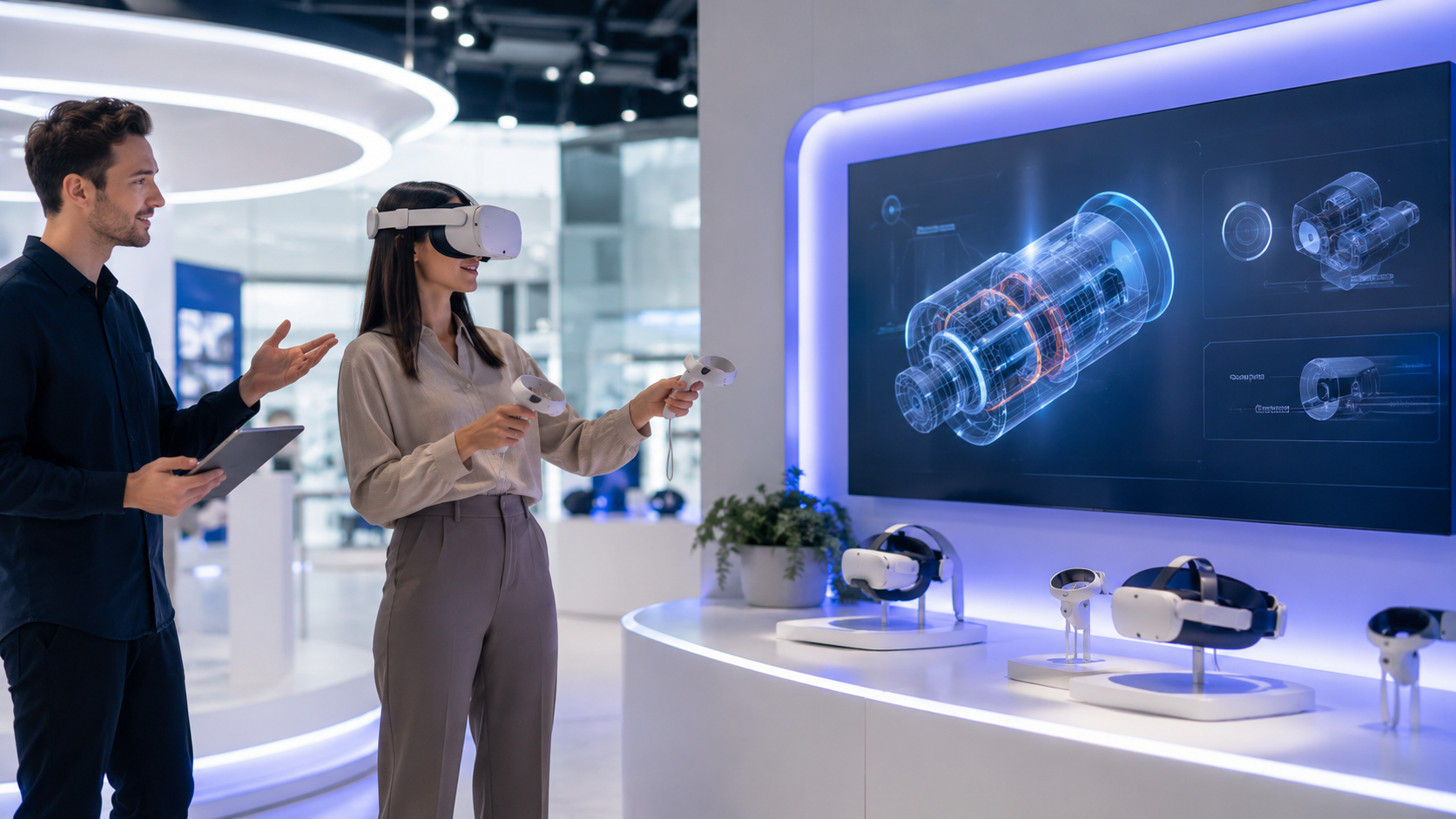
360-degree product tours leverage existing CAD files for rapid deployment. Engineering teams export STEP or IGES files, which VR developers convert into interactive experiences within 2-3 weeks. Users examine products from all angles, trigger animations showing internal mechanisms, and access specification overlays. Manufacturing companies report 70% cost savings compared to shipping physical prototypes to events.
Interactive simulations justify higher development costs through engagement metrics. Attendees operate virtual equipment, adjusting settings and observing results in real-time. A packaging machinery manufacturer created a simulation where users adjust conveyor speeds, seal temperatures, and cutting positions to optimize throughput. The hands-on problem-solving generated 4x more qualified leads than static demonstrations.
Virtual showrooms maximize limited booth space by displaying entire product lines. Attendees teleport between product categories, comparing specifications and visualizing different configurations. Furniture manufacturers showcase 500+ SKUs in a single headset. Automotive suppliers demonstrate parts compatibility across vehicle platforms. The browsing behavior data collected informs follow-up conversations and identifies specific interest areas.
Training simulations serve double duty as product demonstrations and value propositions. Medical device companies let surgeons practice procedures, simultaneously demonstrating product features and proving training program quality. Software companies guide users through workflow optimizations, showing both interface functionality and productivity gains.
Demo Script Templates
The 30-second orientation prevents frustration for VR newcomers:
- “Place the headset on your head like a baseball cap, then tighten the rear dial”
- “You’ll see controllers in your virtual hands—squeeze the grip buttons to grab objects”
- “If you feel disoriented, close your eyes for a moment or remove the headset”
- “I’ll guide you verbally through the experience”
The 2-minute guided experience delivers core value propositions:
- 0:00-0:15: Environmental orientation (“You’re standing in our Cleveland manufacturing facility”)
- 0:15-0:45: Primary feature demonstration (“Watch how the automated quality control system identifies defects”)
- 0:45-1:30: Interactive segment (“Try adjusting the tolerance settings yourself”)
- 1:30-2:00: Benefit reinforcement (“This precision reduces waste by 34% industry-wide”)
The 1-minute free exploration encourages discovery:
- Provide simple navigation instructions
- Highlight interactive elements with glowing outlines
- Include information hotspots for self-guided learning
- Monitor externally to answer questions in real-time
The 30-second call-to-action captures momentum:
- “Let me show you the ROI calculator on this tablet”
- “Which feature would impact your operations most?”
- “I’ll email you the recording of your session”
- “Our solutions engineer can demonstrate your specific use case next week”
Content Production Timeline
8-week custom VR experience timeline:
- Weeks 1-2: Requirements gathering and storyboarding
- Weeks 3-4: Asset creation and 3D modeling
- Weeks 5-6: Interactive development and animation
- Week 7: Testing and revisions
- Week 8: Deployment preparation and device configuration
2-week 360 video demo timeline:
- Days 1-3: Location scouting and shot planning
- Days 4-5: 360-degree video capture
- Days 6-10: Post-production and stitching
- Days 11-12: Platform integration
- Days 13-14: Testing and optimization
Same-day pre-built demo setup:
- Hour 1: Select from industry template library
- Hour 2: Customize branding elements
- Hour 3: Replace generic content with company-specific assets
- Hour 4: Test on target hardware
- Hour 5: Deploy to event headsets
Operating VR Demos at Trade Shows
Running VR demonstrations at a busy trade show requires different logistics than in-office demos. From managing headset batteries to handling hygiene concerns, here’s the operational playbook developed from hundreds of event activations.
Staffing and Training
The two-person minimum staffing model divides responsibilities effectively. The demo guide focuses entirely on creating exceptional experiences, narrating features, answering technical questions, and ensuring comfort. The queue manager handles appointment scheduling, captures lead information, engages waiting prospects with secondary materials, and manages crowd flow.
The 15-minute staff training covers essential operations:
- Powering on devices and launching demo applications
- Adjusting IPD (interpupillary distance) for visual comfort
- Recognizing and responding to motion discomfort signs
- Resetting guardian boundaries when tracking fails
- Switching between multiple demo experiences
Common troubleshooting scenarios require practiced responses. When tracking fails, guide users to look at their hands, triggering controller re-centering. If displays appear blurry, adjust IPD settings before assuming hardware issues. When batteries die mid-demo, seamlessly swap to backup units while maintaining conversation flow.
Hand-off protocols maintain professionalism during busy periods:
- Demo guide signals completion with predetermined gesture
- Queue manager approaches with sanitization supplies
- Demo guide introduces next prospect while cleaning commences
- Smooth transition maintains booth energy and prevents awkward gaps
Session Management
Appointment scheduling versus walk-up demonstrations depends on event dynamics. High-value B2B events benefit from pre-scheduled 15-minute blocks, ensuring decision-makers receive undivided attention. Consumer-focused activations thrive on walk-up accessibility, creating buzz through visible activity.
Spectator screens transform waiting from liability to opportunity. Mirror the VR view on large displays, allowing multiple attendees to observe simultaneously. Add commentary explaining what users experience, turning individual demos into group presentations. One software company reported 40% of leads came from spectators who never wore headsets themselves.
Wait time management requires proactive communication:
- Display current wait times prominently
- Offer appointment scheduling for later returns
- Provide abbreviated experiences during peak periods
- Create secondary engagement activities for queued attendees
Lead capture between sessions maximizes data collection:
- Badge scanning during headset adjustment
- Voice recording consent for session capture
- Post-demo surveys on provided tablets
- Business card collection in branded containers
Daily Operations Checklist
Morning preparation (7:00 AM – 8:00 AM):
- Charge all headsets to 100% (overnight charging degrades batteries)
- Clean lenses with microfiber cloths and appropriate solution
- Test each demo start-to-finish, verifying all interactions
- Calibrate guardian boundaries for current booth configuration
- Stock hygiene supplies at each station
- Brief team on daily goals and special appointments
Hourly maintenance:
- Wipe exterior surfaces with antibacterial wipes
- Swap batteries at 30% charge levels
- Reset play areas if guardian boundaries drift
- Empty trash receptacles containing used hygiene supplies
- Log demonstration count and technical issues
- Rotate staff positions to maintain energy
Evening shutdown (6:00 PM – 7:00 PM):
- Complete deep sanitization using UV-C cases
- Charge all devices at 60% for optimal battery health
- Backup demonstration data to cloud storage
- Document technical issues for vendor support
- Prepare next day’s appointment schedule
- Secure equipment in locking cases
Measuring VR Demo ROI
VR product demonstrations generate measurable results beyond traditional booth metrics. Track these KPIs to justify the investment and optimize future activations.
Engagement Metrics
Demo completion rates indicate content effectiveness. Industry benchmarks show 85% completion for well-designed experiences, dropping to 60% for demos exceeding 5 minutes. Track abandonment points to identify problem areas—sudden drops often indicate motion discomfort triggers or confusing interactions.
Session duration varies by product complexity but follows predictable patterns:
- B2B enterprise software: 7-10 minutes optimal
- Consumer products: 3-5 minutes maximum
- Industrial equipment: 5-7 minutes with interaction
- Real estate tours: 10-15 minutes for serious buyers
Repeat demonstration requests signal genuine interest. Prospects returning for second experiences convert at 4x standard rates. Create abbreviated “deep dive” content for return visitors, focusing on specific features discussed during follow-up conversations.
Social sharing amplifies event investment. Track:
- Booth photos featuring VR headsets
- LinkedIn posts mentioning the experience
- Twitter threads discussing demo content
- Instagram stories from the booth
- User-generated content hashtags
Lead Quality Indicators
Contact information capture rates reach 87% for VR participants versus 34% for traditional booth visitors. The extended engagement creates natural conversation opportunities, reducing resistance to sharing details.
Post-demo survey responses provide qualification data:
- Purchase timeline (immediate, quarterly, annual)
- Budget authority confirmation
- Specific feature interests
- Competitive solutions under consideration
- Preferred follow-up methods
Follow-up meeting acceptance rates demonstrate relationship strength. VR-engaged prospects accept meetings at 62% rates compared to 23% for traditional leads. The shared experience creates conversation anchors (“Remember when you adjusted the pressure settings in VR?”) that personalize outreach.
Opportunity creation velocity accelerates significantly:
- Traditional demo to opportunity: 47 days average
- VR demo to opportunity: 18 days average
- Attributed pipeline value: 3.2x higher per lead
- Close rates: 28% vs 11% traditional
Cost Comparison Analysis
VR rental costs compare favorably to physical product transportation:
- Shipping 10-ton industrial equipment: $15,000-25,000 per show
- VR rental package with demos: $3,000-5,000 per show
- Savings: 70-80% per event
Setup time reductions improve staff utilization:
- Traditional booth construction: 8-12 hours
- VR station setup: 1-2 hours
- Labor cost savings: $2,000-4,000 per event
- Reduced drayage and storage fees: $1,500-3,000
Lead cost calculations justify premium investment:
- Traditional booth cost per lead: $185-250
- VR-enabled booth cost per lead: $95-140
- Cost per qualified lead: $385 traditional vs $195 VR
- Cost per closed deal: $4,200 traditional vs $1,850 VR
Multi-show rental packages reduce per-event costs:
- Single event rental: $5,000
- 3-event package: $12,000 ($4,000 per event)
- 5-event annual package: $17,500 ($3,500 per event)
- 10-event enterprise agreement: $30,000 ($3,000 per event)
Industry-Specific VR Demo Applications
Different industries leverage VR product demonstrations in unique ways. Here’s how leading companies in various sectors structure their virtual demos for maximum impact.
Manufacturing and Industrial
Factory floor walkthroughs eliminate travel barriers for international prospects. A German automation company creates virtual tours of their Stuttgart facility, allowing trade show attendees to observe production lines in operation. The experience includes ambient factory sounds, worker movements, and real-time production metrics overlays.
Heavy machinery operation simulations let operators test equipment without risk. Excavator manufacturers create scenarios where users dig trenches, load trucks, and navigate obstacles. The haptic feedback in controllers simulates resistance when hitting different soil types. Operators immediately understand control responsiveness and precision advantages.
Safety feature demonstrations prove compliance and innovation. Users trigger emergency stops, observe guard mechanisms, and experience lockout procedures firsthand. One conveyor manufacturer shows pinch-point elimination through transparent overlays, helping safety managers visualize risk reduction.
Custom configuration tools close deals at events. Prospects specify dimensions, select materials, and choose options while seeing real-time 3D updates. The configured model exports directly to CRM systems, accelerating quote generation. Average deal size increases 34% when customers participate in configuration.
Real Estate and Architecture
Virtual property tours at trade shows reach geographically dispersed buyers. Developers showcase properties across multiple cities from single booths, eliminating the “I wish I could see your Chicago properties” objection. Tours include neighborhood context, transportation overlays, and time-of-day lighting changes.
Pre-construction visualization sells units before groundbreaking. Buyers walk through unbuilt spaces, experiencing natural light patterns and view corridors. The ability to visualize furniture placement and explore different finish packages accelerates purchase decisions. One developer sold 60% of units at a single trade show using VR tours.
Interior customization demos differentiate commodity products. Prospects select flooring, cabinetry, and fixtures while standing in virtual spaces. The immediate visual feedback eliminates imagination gaps that delay decisions. Custom home builders report 50% reduction in change orders after implementing VR selection tools.
Neighborhood and amenity showcases extend beyond unit features. Virtual walks through planned communities show parks, retail areas, and recreational facilities. Lifestyle visualization proves particularly effective for retirement communities and resort properties. Prospects spend 12 minutes average exploring community features.
Healthcare and Medical Devices
Surgical procedure simulations demonstrate device benefits without OR access. Surgeons perform virtual procedures using actual hand movements, experiencing ergonomic advantages and precision improvements. One orthopedic implant manufacturer reduced in-person demonstration requests by 70% after implementing VR demos.
Medical device training demos prove education quality. Hospital administrators evaluate training programs by experiencing sample modules, understanding how their staff will learn new equipment. The demonstration of training capabilities often becomes the differentiator in competitive evaluations.
Patient experience walkthroughs humanize medical technology. Radiologists see patient perspectives during MRI scans, understanding claustrophobia concerns addressed by new designs. The empathy-building aspect resonates with healthcare professionals focused on patient satisfaction scores.
Clinical trial data visualization makes complex results accessible. Instead of static charts, physicians explore 3D data representations showing treatment efficacy across patient populations. Interactive filtering lets viewers focus on relevant subgroups. The intuitive understanding accelerates adoption decisions.
Software and Technology
3D data visualization demos transform abstract concepts into tangible experiences. Cybersecurity companies show network traffic as flowing particles, with threats appearing as distinctive colors. Database companies demonstrate query optimization through spatial representations of data relationships. The visual metaphors make technical advantages immediately apparent.
Virtual workspace tours showcase remote collaboration capabilities. Prospects experience virtual offices, attending simulated meetings and accessing digital whiteboards. The firsthand experience of presence and engagement overcomes skepticism about virtual collaboration effectiveness.
Cybersecurity threat simulations create urgency through experience. IT managers witness ransomware attacks spreading through virtual networks, observing containment mechanisms in action. The visceral experience of watching systems fail motivates immediate action more effectively than statistics.
Platform integration demonstrations prove interoperability claims. Users see data flowing between systems, with visual representations of API calls and transformation processes. The transparency builds confidence in integration capabilities that traditional diagrams cannot achieve.
Frequently Asked Questions
How much space do I need for a VR product demonstration booth?
Each VR station requires a minimum 6×6 foot footprint for safe operation. A standard 10×10 booth accommodates one VR station plus reception area. A 10×20 booth supports two simultaneous demonstrations with comfortable queuing space. Island exhibits can support 4-6 stations with proper traffic flow design.
Can multiple people experience the same VR demo simultaneously?
Yes, through synchronized multi-user experiences. Up to 8 headsets can share the same virtual space, allowing team demonstrations or competitive scenarios. Each user sees others as avatars, enabling collaborative problem-solving or guided group tours. This approach works particularly well for training demonstrations and team-based product evaluations.
What happens if someone gets motion sick during a demo?
Motion sickness affects approximately 15% of first-time VR users. Prevention strategies include shorter experiences, teleportation-based movement instead of smooth locomotion, and maintaining stable horizon lines. Keep folding chairs nearby for recovery, provide water bottles, and train staff to recognize early symptoms like excessive swallowing or pallor.
How do I capture leads during a VR demonstration?
Integrate lead capture throughout the experience workflow. Scan badges during headset adjustment, use voice commands to capture contact information within VR, display QR codes at experience conclusion for mobile form completion, and position staff tablets for immediate post-demo surveys. Most companies achieve 85%+ capture rates through multi-touch approaches.
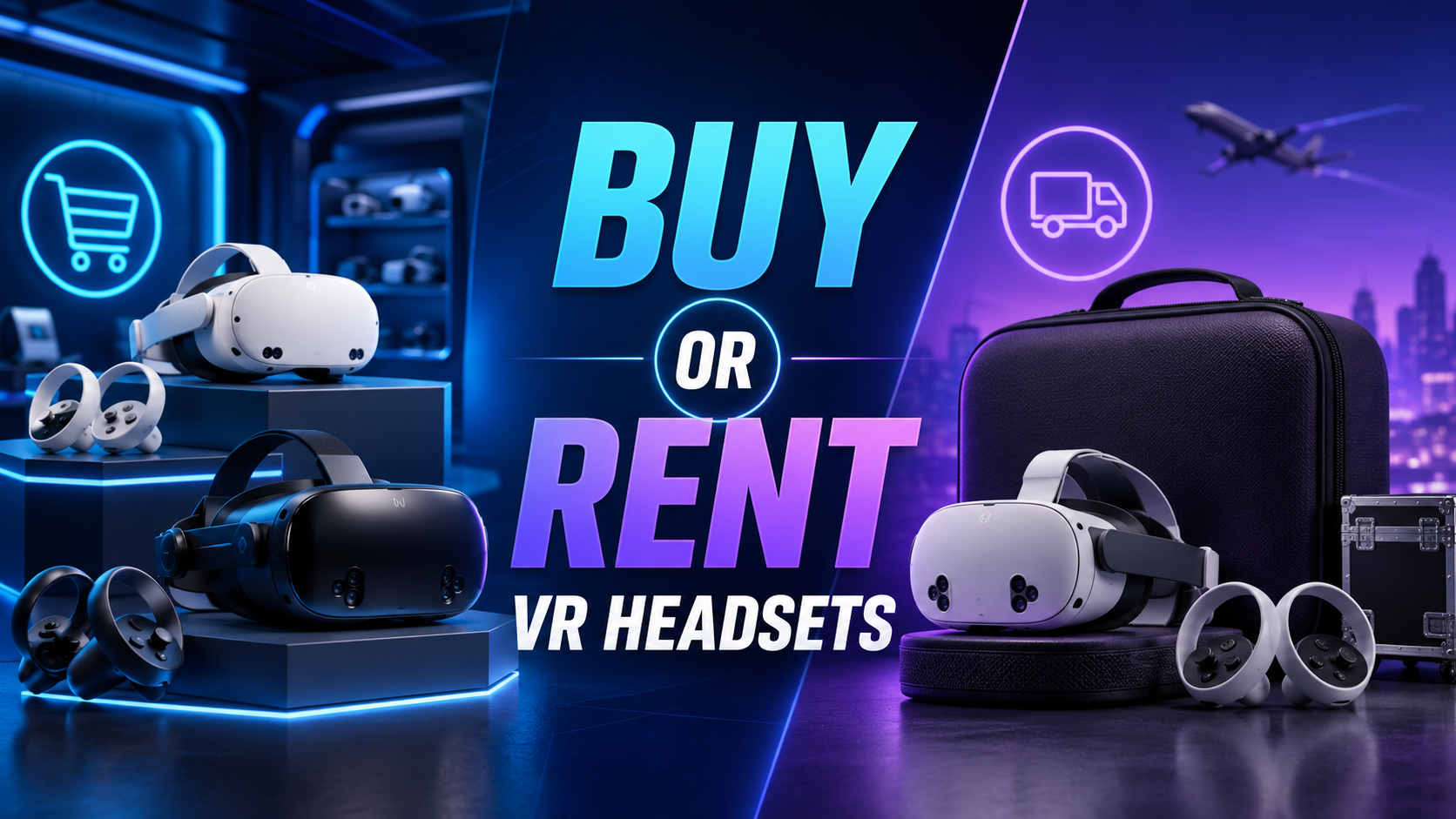
Should I rent or buy VR equipment for trade shows?
Rent if attending fewer than 8 events annually. Purchase considerations include equipment depreciation (headsets become obsolete within 18-24 months), storage and maintenance costs between events, and technical support requirements. Rental provides latest hardware, professional support, and eliminates transport logistics.
How far in advance should I book VR rental equipment?
Book 45-60 days ahead for major trade shows, 30 days for regional events. Premium equipment like Apple Vision Pro requires 60-90 day advance booking. Rush orders within 2 weeks incur 25-50% premiums and limit equipment selection.
Can I use my existing product videos in VR?
Standard 2D videos display on virtual screens within VR but don’t leverage immersive capabilities. Converting existing content requires 360-degree recapture or 3D reconstruction. However, 2D videos work effectively as supplementary content within broader VR experiences, providing context or technical specifications.
What’s the typical cost for VR demo rental packages?
Daily rental rates range from $800-2,500 depending on equipment tier and quantity. Weekly rentals (5 days) typically cost 3x daily rates. Package deals including multiple headsets, support, and content loading start around $3,000 per event. Enterprise agreements covering multiple events reduce per-show costs by 30-40%.
Do I need technical staff to run VR demonstrations?
Basic demonstrations require no specialized technical knowledge after initial 15-minute training. Complex multi-user experiences or custom applications benefit from dedicated technical support. Most rental companies offer remote support included in base packages, with on-site technicians available for $1,500-2,500 per day.
How do I handle hygiene concerns with shared headsets?
Implement medical-grade sanitization protocols including disposable face cushions replaced between users, antibacterial wipes for exterior surfaces, UV-C sanitization overnight, and visible cleaning between sessions to build confidence. Display hygiene protocols prominently and provide hand sanitizer stations at demo areas.
Conclusion
VR product demonstrations represent a fundamental shift in trade show engagement strategy. The data is unequivocal: longer engagement times, higher lead quality, and accelerated sales cycles justify the investment in virtual reality technology for event marketing.
Success requires thoughtful planning across hardware selection, content development, booth operations, and staff training. The companies achieving 3x conversion improvements approach VR demonstrations as complete experience systems rather than technology additions.
The rental model makes VR accessible for companies of all sizes, eliminating capital investment barriers while providing access to latest hardware. Combined with decreasing content production costs and growing attendee familiarity with VR, the technology has moved from novelty to necessity for competitive trade show presence.
As you plan your next trade show or brand activation, consider starting with a single VR station at a regional event. Test engagement metrics, refine your demonstration flow, and build internal expertise before scaling to larger deployments. The companies dominating trade show floors in 2025 will be those who master immersive product demonstrations today.
Ready to transform your trade show results? Contact VR demonstration specialists to discuss your specific product needs and receive customized recommendations for your next event. Whether showcasing industrial equipment, software platforms, or consumer products, VR demonstrations deliver measurable ROI that justifies the investment and differentiates your brand in crowded exhibition halls.