Virtual reality has evolved from tethered, complex setups to streamlined wireless solutions that transform how businesses approach training, events, and customer engagement. This comprehensive guide examines the technical requirements, deployment strategies, and decision factors for implementing wireless VR headsets in professional environments.
What Makes VR Headsets Truly Wireless for Business Deployment
Wireless VR headsets eliminate cables, external sensors, and PC connections through inside-out tracking and onboard processing. For business events and training programs, this means faster setup, portable deployment, and the ability to run multiple headsets simultaneously without infrastructure requirements.
The shift to wireless technology represents more than convenience—it fundamentally changes the economics and logistics of VR deployment. Where traditional VR setups required dedicated spaces with mounted sensors and high-performance computers for each user, wireless systems can transform any conference room, trade show booth, or training facility into a VR environment within minutes.
Inside-Out Tracking vs External Base Stations
Inside-out tracking uses cameras mounted directly on the headset to map the environment and track movement, eliminating the need for external sensors or base stations. Four to five wide-angle cameras continuously scan the surroundings, creating a real-time 3D map of the space while tracking the headset’s position and controller movements.
This technology provides several deployment advantages for business use:
Instant Setup: Users simply put on the headset and define their play area by looking around and drawing boundaries with the controller. The entire process takes under 60 seconds per device, compared to 15-30 minutes for external sensor calibration.
Portability: Headsets can move between rooms, buildings, or cities without recalibration. The system adapts to new environments automatically, making them ideal for traveling training programs or multi-venue events.
Scalability: Multiple headsets can operate in the same space without interference, as each device independently tracks its position. This enables simultaneous training sessions for 10-20 participants in a single room without the complex sensor arrangements required by outside-in tracking systems.
Lighting Flexibility: Modern inside-out tracking works in various lighting conditions, from bright conference rooms to dimmed event spaces, though extreme darkness or direct sunlight can affect performance.
Standalone Processing Requirements
Wireless VR headsets achieve independence through integrated processors, typically Qualcomm’s Snapdragon XR2 or XR2+ chipsets. These mobile-derived processors balance performance with power efficiency, enabling 2-3 hours of continuous use while maintaining visual quality suitable for professional applications.
The Snapdragon XR2, found in most current business-grade wireless headsets, delivers approximately 2 teraflops of GPU performance—comparable to a PlayStation 4. This processing power supports:
- 90Hz refresh rates at 2K per eye resolution
- Real-time hand tracking without controllers
- Simultaneous rendering for mixed reality passthrough
- Complex training simulations with multiple interactive elements
However, standalone processing imposes content limitations. Photorealistic architectural visualizations or complex CAD models may require simplified versions compared to PC-powered alternatives. Training simulations must optimize polygon counts and texture resolutions to maintain smooth performance.
Battery life becomes a critical consideration for full-day events. Most wireless headsets provide 2-3 hours of active use, necessitating rotation strategies or hot-swappable battery solutions for continuous operation. Planning for 1.5x the number of batteries as simultaneous users ensures uninterrupted experiences throughout an 8-hour event.
Wireless VR Setup Requirements for Events and Training
Deploying wireless VR at scale requires understanding space requirements, network considerations, and multi-headset management tools that differ significantly from single-user consumer setups.
Professional deployment involves coordinating physical logistics, technical infrastructure, and content distribution systems that must work reliably under event conditions. Unlike controlled office environments, venues present unique challenges from WiFi limitations to varying room configurations that require adaptive deployment strategies.
Physical Space and Safety Boundaries
Space planning for wireless VR depends on the experience type and simultaneous user count. Stationary experiences—where users remain in one spot while looking around—require minimum 6×6 foot areas per person. This configuration works well for seated training simulations, 360-degree video presentations, or virtual tours where physical movement isn’t necessary.
Room-scale experiences demand 10×10 foot minimum spaces per user, with 12×12 feet preferred for comfort and safety. Training simulations involving physical tasks, such as equipment operation or safety procedures, benefit from this additional space. The boundary system prevents collisions, but adequate spacing reduces anxiety and improves immersion.
For events with multiple simultaneous users, add 3-foot buffer zones between play areas. A 30×40 foot conference room can comfortably accommodate 6-8 room-scale stations or 12-15 stationary positions. Mark boundaries with tape or carpet tiles to help staff quickly reset spaces between sessions.
Guardian boundaries—the virtual walls that appear when users approach physical limits—require careful calibration for multi-user environments. Set boundaries 12 inches inside physical walls to account for arm reach and controller extension. For adjacent play spaces, overlap warnings help prevent users from entering each other’s areas.
Consider ceiling height for experiences involving overhead interactions. Standard 8-foot ceilings work for most applications, but industrial training simulations may require 10-foot or higher clearances. Low-hanging fixtures, ceiling fans, and sprinkler heads pose collision risks that boundary systems cannot detect.
Network and Content Distribution
WiFi infrastructure significantly impacts wireless VR deployment success. While headsets can operate offline once content is loaded, initial setup, updates, and cloud-based features require robust connectivity.
WiFi 6 (802.11ax) networks provide optimal performance for wireless VR deployments. Each headset requires approximately 50 Mbps for cloud streaming applications, though local content needs only 5-10 Mbps for telemetry and updates. A dedicated 5GHz network prevents interference from attendee devices and ensures consistent performance.
For venues with limited internet, establish a local network using enterprise-grade access points. A single WiFi 6 access point can support 8-10 headsets for local content delivery. Position access points centrally, elevated 8-10 feet, with clear line-of-sight to play areas.
Content distribution strategies vary by deployment scale:
Direct Installation: For under 10 headsets, manually install content via USB or direct download. This method ensures identical versions across devices but requires 15-30 minutes per headset for large applications.
Network Distribution: Mobile device management (MDM) platforms push content to multiple headsets simultaneously. A local content server reduces internet bandwidth requirements while enabling rapid deployment to 50+ devices.
Streaming Solutions: Cloud or local server streaming eliminates preloading but requires consistent 50+ Mbps per headset. Implement local caching servers for frequently accessed content to reduce bandwidth demands.
Multi-Headset Management Systems
Managing multiple wireless VR headsets requires specialized software platforms that extend beyond consumer device management. Enterprise VR management systems provide centralized control, monitoring, and content distribution capabilities essential for professional deployments.
ArborXR leads the enterprise VR management space, offering features specifically designed for wireless headset fleets:
- Simultaneous app launching across unlimited devices
- Real-time monitoring of battery levels, connection status, and active applications
- Remote access for troubleshooting without physical device handling
- Kiosk mode to lock devices to specific experiences
- Usage analytics for training completion and engagement metrics
Alternative platforms include ManageXR and Pico’s Business Suite, each offering similar core functionality with platform-specific advantages. These systems typically cost $10-30 per device monthly, justified by reduced setup time and improved reliability.
Device grouping enables different experiences for various user types. Create separate groups for beginner and advanced training modules, or segment by department for customized content delivery. Schedule automatic updates during off-hours to ensure consistent versions without disrupting events.
Remote monitoring capabilities prove invaluable during events. Support staff can identify and resolve issues from a central station rather than interrupting ongoing sessions. Common remote fixes include restarting frozen applications, adjusting volume levels, and clearing guardian boundaries.
Current Wireless VR Headsets for Business Use
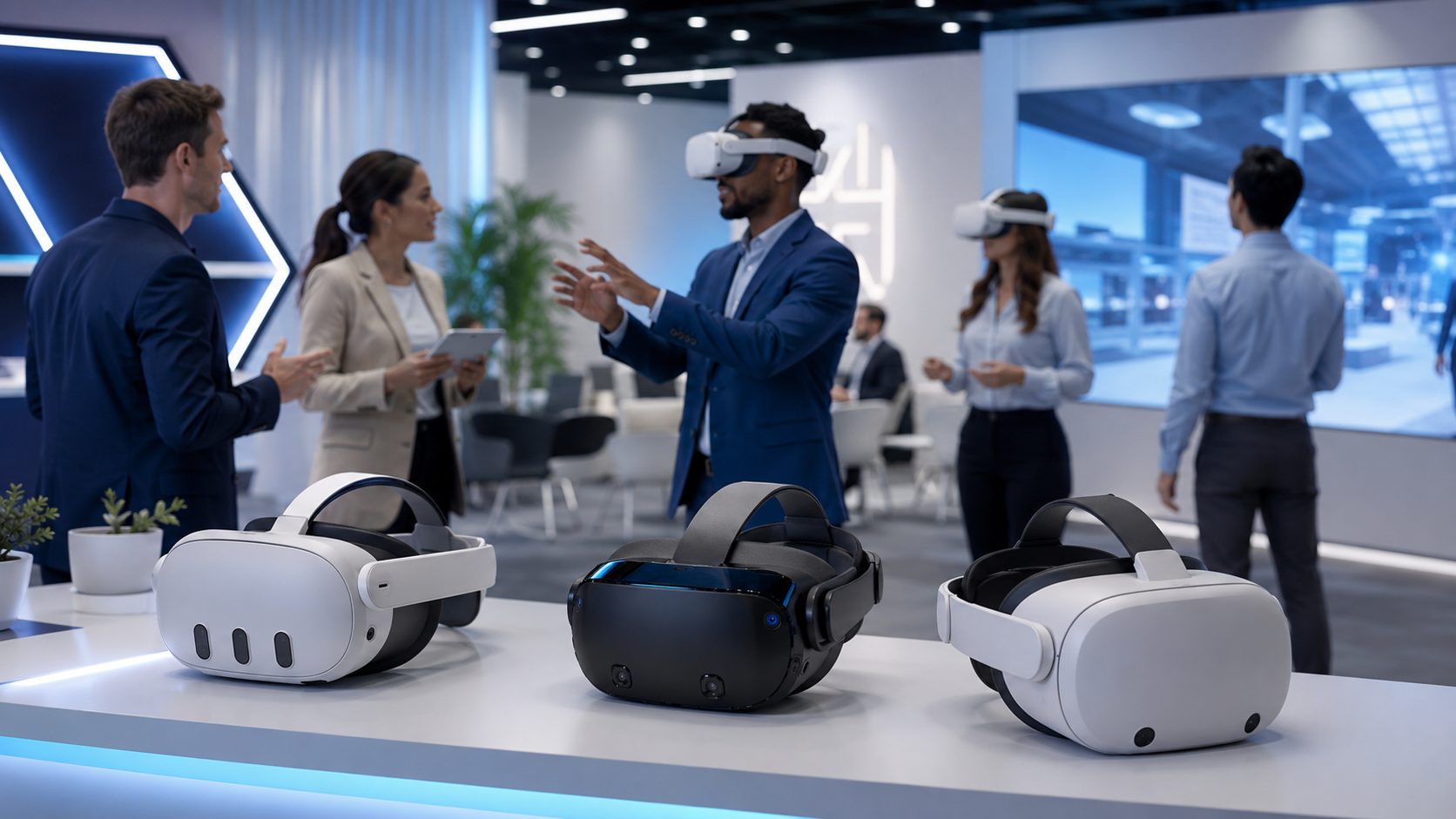
The business VR market has consolidated around three primary wireless platforms, each with distinct advantages for events, training, and brand activations.
The landscape has shifted from numerous experimental products to proven platforms with enterprise support, multi-year roadmaps, and established ecosystem partnerships. This consolidation benefits businesses through improved software compatibility, reliable supply chains, and competitive pricing from scaled production.
Meta Quest 3 and Quest Pro
Meta’s Quest platform dominates the wireless business VR market through a combination of competitive pricing, extensive content library, and robust enterprise features. The Quest 3 ($499) and Quest Pro ($999) serve different business needs while sharing the same software ecosystem.
Quest 3 delivers the latest Snapdragon XR2 Gen 2 processor with 8GB RAM, providing 2.5x the graphics performance of Quest 2. The 2064×2208 per eye resolution with 120Hz refresh rate eliminates screen door effect for text-heavy training materials. Mixed reality capabilities via dual 4MP RGB cameras enable augmented reality training scenarios where virtual elements overlay real equipment.
Quest Pro targets extended wear scenarios with enhanced comfort features including rear-weighted design and improved face gasket ventilation. Eye and face tracking enable more natural avatar representations for remote collaboration, while the charging dock ensures devices remain ready for consecutive sessions.
Quest for Business subscription ($15/device/month) adds enterprise-essential features:
- Device fleet management through Meta’s web portal
- Extended warranty and priority support
- Private app distribution without public store submission
- Single sign-on integration with corporate identity providers
- Enhanced data privacy with processing restricted to device
The Meta ecosystem’s 600+ enterprise applications span training simulations, collaboration tools, and specialized industry solutions. Popular business applications include Immerse for language training, Arthur for remote meetings, and Osso VR for medical procedure training.
Pico 4 Enterprise
Pico Interactive, owned by ByteDance, positions itself as the primary Meta alternative for organizations requiring non-US data handling or operating in regions with Meta restrictions. The Pico 4 Enterprise matches Quest 3’s technical specifications while offering unique advantages for specific deployment scenarios.
The Pico 4 Enterprise features the same Snapdragon XR2 processor but includes 256GB storage standard—double the Quest 3 base model. This additional capacity proves valuable for organizations preloading extensive training libraries or high-resolution 360-degree video content.
Pico Business Suite provides comprehensive fleet management with features tailored for training deployments:
- Scheduled content updates with bandwidth throttling
- Detailed learning analytics with SCORM compliance
- Custom launcher creation for branded experiences
- Local server streaming for sensitive content
- Multi-language support optimized for Asian markets
The platform’s strength lies in flexible deployment options. Organizations can operate entirely offline after initial setup, stream from local servers without internet connectivity, or utilize Pico’s cloud infrastructure based on security requirements.
Pico’s direct enterprise sales model includes deployment support, custom content development partnerships, and volume pricing starting at 50 units. This full-service approach appeals to organizations lacking internal VR expertise.
HTC Vive Focus 3 and XR Elite
HTC targets premium business deployments with the Vive Focus 3 ($1,300) and XR Elite ($1,100), emphasizing reliability and extended operation capabilities over consumer pricing.
The Vive Focus 3’s defining feature is its hot-swappable battery system. The 26.6Wh battery provides 2 hours of use, but the magnetic attachment allows instant swapping without powering down. This enables continuous operation throughout multi-day events—critical for trade show deployments where downtime impacts ROI.
5K combined resolution (2448×2448 per eye) delivers the sharpest text rendering among wireless platforms, essential for detailed technical training or CAD model review. The 90Hz display with 120-degree field of view maintains immersion during extended sessions.
XR Elite adds convertible form factor flexibility, transforming from standard headset to glasses-style viewer by removing the rear battery cradle. This modular design suits varied use cases from full immersion training to lightweight AR overlays for field service.
Vive Business Suite provides enterprise management capabilities:
- Centralized device management with role-based access control
- Custom environment creation for branded experiences
- Advanced analytics with individual progress tracking
- Integration with existing learning management systems
- White-glove deployment service for large implementations
HTC’s business ecosystem emphasizes specialized professional applications. Vive Sync enables architectural review sessions with CAD import capabilities. Virti provides healthcare training scenarios with haptic feedback integration. The smaller application library targets quality over quantity for specific industry needs.
Wireless VR Content Deployment Strategies
Getting custom training modules, brand experiences, or event content onto wireless headsets requires choosing between preloading, streaming, or hybrid approaches based on your use case.
Content deployment represents the most critical yet often underestimated aspect of wireless VR implementation. The method chosen impacts setup time, experience quality, update flexibility, and total deployment cost.
Preloaded Content on Rental Units
Preloading content onto rental headsets before delivery provides the most reliable deployment method for events and temporary installations. This approach eliminates venue connectivity dependencies while ensuring consistent experiences across all devices.
The preloading process typically requires 3-5 business days for rental providers to install, test, and configure custom content. Factor this lead time into project timelines, especially for content requiring multiple revision cycles. Most rental companies include one content update in base pricing, with additional updates costing $25-50 per change.
Content licensing requires careful consideration for rental deployments. Ensure agreements explicitly permit installation on third-party rental equipment. Some software vendors require per-device licenses even for temporary use, adding $10-50 per headset to rental costs. Negotiate site licenses or event licenses to reduce per-unit expenses for large deployments.
Version control becomes critical when preloading content across multiple devices. Implement clear naming conventions including version numbers and build dates. Document specific build requirements, such as language settings or module selections, to ensure consistent configuration across all units.
For events spanning multiple days or locations, consider partial preloading strategies. Install core applications and frameworks on all devices, then use quick-deploy packages for session-specific content. This approach balances reliability with flexibility for dynamic event programs.
Preloaded content advantages include:
- Zero dependency on venue infrastructure
- Consistent performance regardless of user load
- Simplified troubleshooting with known configurations
- Reduced setup time at event location
- Predictable user experience without connectivity variables
Cloud Streaming for Dynamic Content
Cloud streaming enables real-time content updates, personalization, and analytics collection but requires robust internet infrastructure and introduces latency considerations.
Streaming architectures vary from fully cloud-based solutions to edge servers positioned at event venues. Full cloud streaming leverages platforms like Amazon AWS or Microsoft Azure to deliver content from geographically distributed content delivery networks (CDNs). This approach provides global scalability but requires 50-100 Mbps per headset for acceptable quality.
Edge server deployments position content servers at or near the event venue, reducing latency and bandwidth requirements. A single high-performance laptop can stream to 8-10 headsets over local WiFi, eliminating internet dependencies while maintaining dynamic content advantages. This hybrid approach costs $2,000-5,000 for hardware but provides reliability for mission-critical deployments.
Implement adaptive streaming protocols that adjust quality based on available bandwidth. Start streams at lower resolution while buffering higher quality assets in the background. This technique prevents initial loading delays while optimizing final experience quality.
Consider fallback mechanisms for connectivity interruptions:
- Cache frequently accessed content locally on each headset
- Implement progressive download for large assets
- Design experiences that gracefully degrade without breaking immersion
- Provide offline mode for core functionality
Streaming enables powerful capabilities unavailable with preloaded content:
- A/B testing different experience versions
- Real-time instructor guidance and annotation
- Dynamic difficulty adjustment based on user performance
- Centralized analytics collection across all sessions
- Instant updates without device handling
Renting vs Buying Wireless VR Headsets for Business
The decision between renting and purchasing wireless VR equipment depends on usage frequency, content requirements, and internal technical capabilities.
This decision impacts not just immediate costs but long-term strategic flexibility, support requirements, and content development approaches. Organizations must evaluate total cost of ownership beyond hardware expenses to make informed decisions.
When Renting Wireless VR Makes Sense
Rental strategies excel for specific use cases where flexibility, support, and risk mitigation outweigh ownership benefits.
One-Time Events and Trade Shows: Trade show deployments exemplify ideal rental scenarios. A 3-day event requiring 10 Quest 3 headsets costs approximately $2,000-3,000 to rent versus $5,000+ to purchase. Rental includes shipping, setup support, and equipment insurance—critical for high-traffic environments where damage risk increases.
Pilot Programs: Organizations exploring VR training benefit from rental pilots before committing capital. A 90-day pilot with 5 headsets costs $3,000-4,500, enabling thorough evaluation of training effectiveness, user adoption, and technical requirements. This investment prevents costly mistakes from premature platform selection or underestimating support needs.
Seasonal or Cyclical Needs: Businesses with periodic training cycles—such as annual safety certification or quarterly onboarding—optimize costs through scheduled rentals. Using equipment 4 weeks annually costs $2,000-3,000 in rental fees versus $5,000+ for purchase plus storage and maintenance.
Technical Support Requirements: Rental agreements typically include technical support ranging from phone assistance to on-site technicians. For organizations lacking dedicated IT resources, this support proves invaluable. On-site support for a 100-person training event costs $500-1,000 when included with rental versus $2,000+ for independent contractors.
Content Preloading Services: Rental providers handle content installation, testing, and configuration—tasks requiring 30-60 minutes per device for internal staff. For 20 headsets, this represents 10-20 hours of technical work eliminated from event preparation.
Equipment Refresh: Technology advancement makes 2-year refresh cycles common for VR hardware. Renting ensures access to latest equipment without depreciation losses or disposal logistics. Quest 2 units purchased for $299 in 2021 now have minimal resale value despite functioning adequately.
Building an Internal Wireless VR Program
Organizations using VR more than 8-12 times annually typically benefit from ownership, assuming available technical resources and content development capabilities.
Break-Even Analysis: Calculate total annual rental costs including equipment, support, and shipping. Compare against purchase price plus estimated support expenses. Most organizations reach break-even at 8-12 uses annually for basic deployments, or 15-20 uses when including full support services.
Consider a typical scenario: 10 Quest 3 headsets for monthly training sessions:
- Annual rental: $2,000 x 12 months = $24,000
- Purchase cost: $5,000 + $2,000 accessories = $7,000
- Annual support: $3,000 (0.25 FTE at $50,000 salary)
- Total first-year ownership: $10,000
- Savings: $14,000 (58% reduction)
IT Infrastructure Requirements: Internal programs require dedicated IT resources for device management, content deployment, and troubleshooting. Allocate 0.25-0.5 FTE for managing 10-20 headsets, scaling to 1.0 FTE for 50+ device fleets.
Essential IT capabilities include:
- MDM platform administration
- Network configuration and troubleshooting
- Content sideloading and version management
- Hardware maintenance and RMA processing
- User training and documentation creation
Content Development Workflows: Owning equipment enables rapid iteration on custom content without rental coordination delays. Establish development pipelines including:
- Content creation tools and licenses ($5,000-20,000 annually)
- Testing protocols across device variations
- Version control systems for build management
- Distribution mechanisms to production devices
- Analytics integration for usage tracking
Storage and Maintenance: Physical logistics often surprise first-time buyers. Each headset requires:
- Protective case ($50-100)
- Charging station or cables
- Hygiene supplies (disposable face covers, cleaning wipes)
- Secure storage with ventilation
- Inventory tracking system
Budget $100-150 per headset annually for accessories, replacement parts, and hygiene supplies. Implement quarterly maintenance schedules including firmware updates, deep cleaning, and battery conditioning.
Wireless VR Support Requirements
Running wireless VR experiences requires on-site technical support capabilities that vary based on audience familiarity and content complexity.
Support readiness determines the difference between smooth deployments and frustrated users. Even reliable wireless systems require knowledgeable staff to handle inevitable technical issues and user questions.
Staff Training for Basic Troubleshooting
Training non-technical staff to handle common issues reduces dedicated support needs while improving response times. A 2-hour training session enables event staff to resolve 80% of typical problems without escalation.
Common Wireless Connectivity Issues: Train staff to recognize and resolve WiFi-related problems:
- Headset showing “No Internet Connection”: Toggle WiFi off/on, forget and rejoin network
- Slow or stuttering performance: Check connected device count, move closer to access point
- Content failing to download: Verify network credentials, check firewall settings
- Multiple headsets losing connection simultaneously: Restart router, check for interference
Provide laminated quick reference cards with network names, passwords, and basic troubleshooting steps. Include QR codes linking to video tutorials for complex procedures.
Boundary and Tracking Resets: Inside-out tracking occasionally requires recalibration:
- “Tracking Lost” messages: Move to better-lit area, clean cameras with microfiber cloth
- Boundary not appearing: Hold Oculus button (Meta) or System button (Pico/Vive) to reset
- Play area shifted: Redraw guardian boundary using controller
- Controllers not tracking: Replace batteries, re-pair through settings menu
Create physical boundary markers using tape or mats to quickly restore play areas after resets. This eliminates guesswork and ensures consistent spacing between users.
Battery Management: Develop systematic battery rotation procedures:
- Label headsets and batteries with matching numbers
- Maintain 1.5x battery inventory for continuous operation
- Implement 15-minute warning system before swaps
- Use charging station with status indicators
- Document battery health and replacement schedules
Train staff to recognize low battery warnings (red LED, in-headset notifications) and perform hot swaps without disrupting experiences. Practice battery changes while users wear headsets to minimize discomfort.
Vendor Support Options
Professional support services range from basic phone assistance to dedicated on-site technicians, with costs scaling based on event complexity and risk tolerance.
On-Site Technician Services: Dedicated technicians cost $500-1,500 per day but provide immediate problem resolution and proactive system monitoring. Technicians handle:
- Pre-event setup and testing
- Real-time troubleshooting without disrupting sessions
- Content updates between sessions
- Hardware replacement from backup inventory
- Post-event reporting and recommendations
For high-stakes deployments—executive training, investor demonstrations, or large public events—on-site support provides insurance against technical failures impacting business outcomes.
Remote Support Through MDM: Management platforms enable remote assistance without physical presence. Support technicians can:
- View device status and diagnostic information
- Restart applications or entire headsets
- Adjust settings and configurations
- Push content updates or patches
- Guide on-site staff through physical interventions
Remote support costs $100-300 per event or $500-1,000 monthly for unlimited assistance. This option balances cost with capability for organizations with basic on-site technical skills.
Pre-Event Setup Services: Professional setup services ($500-2,000) ensure optimal configuration before events begin:
- Network testing and optimization
- Content installation and verification
- Boundary configuration for venue layout
- Staff training on basic operations
- Documentation of setup for future reference
This investment prevents day-of discoveries that delay event starts or compromise experience quality.
Frequently Asked Questions
How long do wireless VR headset batteries last during events?
Most wireless VR headsets provide 2-3 hours of continuous use on a single charge. The Meta Quest 3 averages 2.2 hours, Pico 4 Enterprise delivers 2.5 hours, while HTC Vive Focus 3 provides 2 hours but supports hot-swappable batteries for unlimited operation. Plan for 1.5 hours of usable time to account for battery degradation and high-intensity applications. For all-day events, maintain a 2:1 ratio of batteries to simultaneous users, allowing one set charging while another is in use.
Can wireless VR headsets work without internet?
Yes, wireless VR headsets can operate completely offline once content is installed. Download applications and updates while connected to WiFi, then switch to airplane mode for deployment. Offline operation eliminates connectivity variables and reduces setup complexity at venues with limited internet. However, some features require connectivity: social/multiplayer experiences, cloud save synchronization, and real-time analytics collection. Design experiences with offline fallbacks for critical functionality.
What’s the maximum number of wireless headsets that can run simultaneously?
Physical space typically limits simultaneous users before technical constraints. A single WiFi 6 access point supports 30-40 headsets for offline content or 8-10 for streaming applications. In a typical 2,000 square foot event space, safely accommodate:
- 15-20 stationary users (6×6 feet each)
- 8-10 room-scale users (10×10 feet each)
- 6-8 users for movement-intensive experiences (12×12 feet each)
For larger deployments, implement multiple access points with non-overlapping channels and consider time-slotted sessions to maximize throughput.
Do wireless VR headsets need gaming PCs?
No, wireless VR headsets contain integrated processors that run applications independently. However, optional PC connections via USB-C or wireless streaming enable advanced use cases:
- High-fidelity CAD visualization exceeding mobile processor capabilities
- Development and testing of custom applications
- Access to PC VR content libraries
- Extended battery life through USB power delivery
For business deployments, 95% of training and event applications run natively without PC requirements.
How do you sanitize wireless VR headsets between users?
Proper sanitization ensures hygiene without damaging equipment. Use UV-C sanitization boxes (30-60 seconds per headset) or alcohol-based wipes (70% isopropyl) on non-porous surfaces. Key sanitization points:
- Replace disposable face covers between every user ($0.50 each)
- Wipe head straps, controllers, and exterior surfaces
- Clean lenses with dry microfiber only—never liquids
- Allow 30 seconds drying time before next use
- Maintain sanitization logs for health compliance
Budget 2-3 minutes between users for complete sanitization. For high-traffic events, maintain 1.5x headset inventory to enable thorough cleaning without delays.
Can custom company training be loaded onto rental wireless headsets?
Yes, most rental providers offer custom content installation services. Provide content 3-5 business days before delivery for testing and configuration. Requirements typically include:
- APK files for Android-based headsets (Quest, Pico)
- Developer certificates for sideloading
- Clear installation and configuration instructions
- License agreements permitting third-party installation
Costs range from included with rental to $50-100 per unique application. Some providers offer developer accounts for direct deployment, enabling last-minute updates without additional fees.
Conclusion
Wireless VR headsets have matured into reliable business tools that eliminate the complexity barriers previously limiting enterprise adoption. The combination of inside-out tracking, standalone processing, and enterprise management platforms enables deployments from small training sessions to large-scale events without specialized infrastructure.
Success with wireless VR requires matching technology choices to specific use cases rather than pursuing universal solutions. Organizations hosting occasional events benefit from rental strategies that include support and risk mitigation. Those with regular training needs justify ownership through reduced per-use costs and content development flexibility.
The key decision factors extend beyond hardware specifications to encompass content deployment methods, support requirements, and total cost of ownership. By understanding these interconnected elements, businesses can design VR programs that deliver measurable value while avoiding common implementation pitfalls.
As wireless VR technology continues advancing with improved battery life, higher resolutions, and more sophisticated tracking the fundamentals of successful deployment remain constant: careful planning, appropriate support resources, and alignment between technical capabilities and business objectives.
Ready to implement wireless VR for your next training program or business event? Start with a pilot rental to validate your use case, then scale based on proven results rather than theoretical benefits. Whether you ultimately choose rental or purchase, wireless VR’s combination of immersion and practicality makes it an increasingly essential tool for modern business engagement.