What Is Unreal Engine VR and Why Event Marketers Should Care
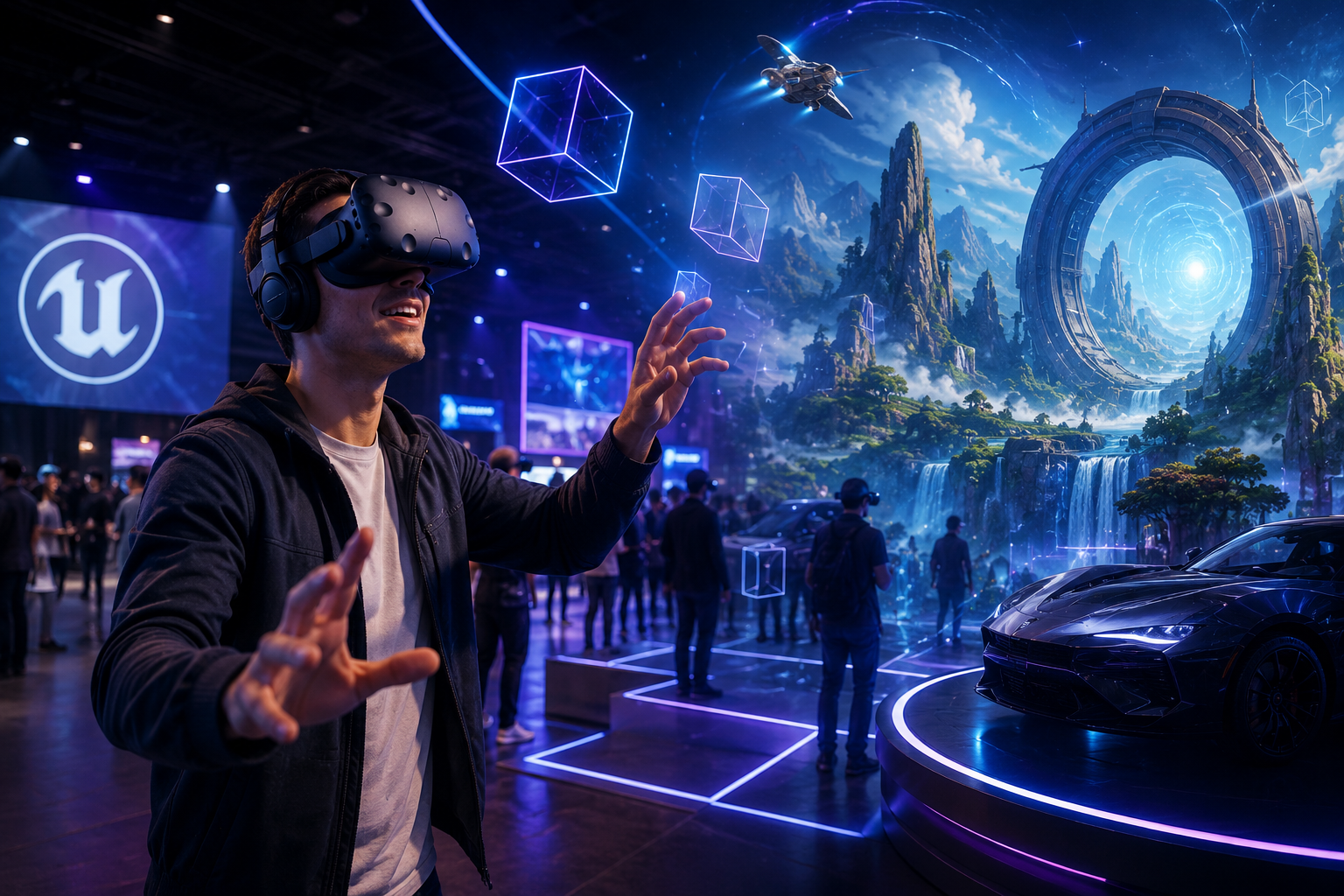
Unreal Engine powers many of the high-fidelity VR experiences you’ll encounter at trade shows, brand activations, and corporate training sessions. Understanding its capabilities helps you make informed decisions about custom content development versus off-the-shelf experiences for your VR rental needs.
Unreal Engine’s Role in Professional VR Content
Unreal Engine stands as the leading real-time 3D creation platform in the VR industry, commanding approximately 48% of the enterprise VR development market. Originally developed for gaming, it has evolved into the go-to solution for businesses requiring photorealistic virtual experiences.
Major brands choose Unreal for VR activations because of its unmatched visual fidelity. BMW uses Unreal Engine to create virtual showrooms where customers can configure and explore vehicles in stunning detail. Nike leverages the platform for immersive product launches that showcase materials and textures with unprecedented realism. These aren’t simple 360-degree videos, they’re fully interactive environments where users can manipulate products, change lighting conditions, and experience spatial audio.
The platform’s photorealistic rendering capabilities make it ideal for product showcases where detail matters. Unreal Engine’s real-time ray tracing produces accurate reflections on glossy surfaces, realistic fabric textures, and convincing metallic finishes. For luxury brands or technical products where material quality is a selling point, this level of visual accuracy becomes a competitive advantage.
Cross-platform deployment represents another crucial advantage for event marketers. A single Unreal Engine project can deploy to Meta Quest Pro, PICO 4 Enterprise, HTC Vive Focus 3, and PC-based headsets like the Varjo Aero. This flexibility means your investment in custom content isn’t locked to a single hardware ecosystem essential when VR hardware evolves rapidly and rental availability varies by region.
Unreal Engine VR vs Unity VR for Business Applications
The choice between Unreal Engine and Unity for business VR applications impacts your project’s visual quality, development costs, and hardware requirements.
Visual fidelity differences become immediately apparent in side-by-side comparisons. Unreal Engine excels at photorealistic rendering with minimal optimization effort. Its built-in post-processing effects, advanced material editor, and Nanite virtualized geometry system produce cinema-quality visuals out of the box. Unity can achieve similar results but typically requires more custom shader work and third-party plugins, increasing development time and cost.
Development cost implications vary based on project scope. Unreal Engine projects typically cost 15-25% more than Unity equivalents due to longer development cycles and higher expertise requirements. However, this premium often pays for itself through reduced iteration time on visual polish. An Unreal developer can achieve broadcast-quality visuals in weeks that might take months in Unity.
Performance on rental-grade hardware presents different challenges for each platform. Unreal Engine VR experiences generally require more powerful GPUs—RTX 3070 minimum for comfortable performance, RTX 4080 recommended for complex scenes. Unity experiences often run acceptably on RTX 2070 hardware, making them more suitable for large-scale deployments where hardware costs multiply.
Content portability across headset models favors Unity slightly. Unity’s lighter performance requirements mean experiences can more easily scale from high-end PC VR down to standalone Quest 2 hardware. Unreal Engine content often requires separate optimization passes for different performance tiers, though Unreal Engine 5’s World Partition and Nanite systems have improved this situation considerably.
Custom Unreal Engine VR Development: Costs, Timelines, and When It Makes Sense
Before commissioning custom Unreal Engine VR content for your event or activation, understand the investment required and scenarios where custom development delivers ROI versus using existing experiences from VR rental packages.
Typical Development Costs for Event VR Experiences
Simple product showcase experiences typically range from $15,000 to $40,000. These include single-product demonstrations with basic interactivity, users can rotate objects, change colors or configurations, and trigger simple animations. A furniture retailer might commission this level of experience to showcase a new product line, allowing users to place items in virtual room settings and swap fabrics or finishes.
Interactive brand experiences requiring $40,000 to $100,000 investment incorporate narrative elements, multiple scenes, and complex user interactions. Picture a automotive brand creating a virtual test drive experience with realistic physics, multiple vehicle models, and various driving environments. These experiences often include gamification elements, leaderboards, and social sharing features that extend engagement beyond the headset.
Multi-user training simulations represent the highest investment tier at $75,000 to $250,000. These applications support multiple simultaneous users, instructor oversight capabilities, and detailed analytics tracking. A manufacturing company might develop collaborative maintenance training where technicians practice procedures together in virtual space, with every action logged for compliance reporting.
Several factors significantly affect development costs. Multiplayer functionality adds 30-40% to base development costs due to networking complexity and synchronization requirements. Custom 3D asset creation—especially for complex machinery or architectural spaces—can consume 40-50% of the total budget. Integration with existing enterprise systems (CRM, LMS, analytics platforms) typically adds $15,000-$30,000 to the project scope.
Development Timeline Considerations
Basic experiences require a minimum of 8-12 weeks from concept approval to deployment-ready build. This timeline assumes existing 3D assets, standard interaction patterns, and no significant technical innovations. Week 1-2 covers concept refinement and technical planning. Weeks 3-6 focus on core development and asset integration. Weeks 7-10 handle testing, optimization, and bug fixes. The final weeks address deployment preparation and documentation.
Complex activations extend timelines to 4-6 months. Multi-scene experiences with custom assets, sophisticated interactions, and brand-specific UI requirements need additional development phases. Asset creation alone can require 6-8 weeks for photorealistic product models or architectural environments. Animation and interaction programming add another 4-6 weeks. Performance optimization for event hardware often requires 2-3 weeks of dedicated effort.
Rush timelines increase costs by 40-60% and often compromise quality. Compressed schedules eliminate iteration cycles that refine user experience and visual polish. Testing phases get shortened, increasing the risk of showstopping bugs during live events. Developer overtime and additional team members drive up costs while coordination overhead reduces efficiency.
Testing and optimization phases prove critical for event deployment success. Unlike consumer VR applications that can patch post-launch, event experiences must work flawlessly on day one. Plan 2-3 weeks for hardware compatibility testing across your target headset models. Allocate another week for stress testing under event conditions—running continuously for 8-10 hours, handling rapid user turnover, and maintaining performance in challenging lighting or network conditions.
When to Invest in Custom vs Rent Existing Content
Multi-event usage justification typically requires at least 5-7 deployments to offset custom development costs. Calculate total rental costs for comparable off-the-shelf experiences across your event calendar. If you’re spending $3,000-$5,000 per event on VR rentals with generic content, custom development becomes cost-effective around the sixth deployment. Factor in content updates and maintenance—budget 10-15% of initial development costs annually for updates and compatibility fixes.
Brand-specific storytelling requirements often necessitate custom development regardless of cost calculations. When your VR experience needs to communicate unique value propositions, showcase proprietary processes, or create emotional connections with your brand narrative, generic content won’t suffice. A pharmaceutical company demonstrating a novel drug delivery mechanism or a fashion brand recreating their flagship store experience requires custom-built content.
Proprietary product visualization needs drive many custom development decisions. If you’re launching products not yet public, demonstrating confidential configurations, or showcasing intellectual property that can’t appear in rental content, custom development becomes mandatory. Industrial equipment manufacturers often face this scenario when demonstrating machinery at trade shows before market release.
Budget allocation strategies should balance impact and reach. Consider developing one flagship custom experience for major trade shows while using rental packages with existing content for smaller regional events. This hybrid approach maximizes your hero experience’s impact while maintaining presence across multiple touchpoints. Allocate 60-70% of your VR budget to the custom flagship experience and reserve 30-40% for rental packages and supporting activations.
Running Unreal Engine VR at Events: Hardware Requirements and Setup
Unreal Engine VR experiences often demand more powerful hardware than casual VR content. Here’s what you need to know about equipment requirements when planning VR activations with Unreal-powered content.
Hardware Specifications for Smooth Performance
Minimum GPU requirements start at RTX 3070 or AMD RX 6800 XT for acceptable performance with Unreal Engine VR content. These GPUs deliver stable 72fps in moderately complex scenes with dynamic lighting and real-time reflections. However, for showcase experiences with maximum visual fidelity, RTX 4080 or RTX 4090 GPUs ensure consistent 90fps even in demanding scenarios. CPU requirements are less stringent—Intel i7-10700K or AMD Ryzen 7 3700X provide sufficient processing power for most experiences.
PC-based versus standalone headset limitations create important trade-offs. PC-tethered setups with RTX 4080 GPUs can render photorealistic environments with complex lighting, volumetric effects, and high-resolution textures. Standalone headsets like Quest Pro or PICO 4 Enterprise must significantly reduce visual complexity—simplified shaders, baked lighting, reduced polygon counts, and compressed textures. The Snapdragon XR2+ chip in Quest Pro delivers approximately 1/20th the rendering power of an RTX 4080.
Meta Quest Pro and PICO 4 Enterprise handle Unreal content better than consumer alternatives through several advantages. Both feature improved cooling systems that maintain performance during extended sessions. Their enterprise-focused firmware includes performance optimization modes that prioritize frame rate stability over battery life. The Quest Pro’s 12GB of RAM (versus 6GB in Quest 2) allows more complex scenes without aggressive memory management. PICO 4 Enterprise’s DisplayPort connection option enables PC-quality streaming with minimal compression artifacts.
Cooling and power considerations become critical for all-day event use. Gaming laptops throttle performance after 30-45 minutes without adequate cooling. Invest in laptop cooling pads with active ventilation or use desktop workstations with quality case airflow. Plan for 20-30% performance degradation over an 8-hour event day due to thermal throttling. Position equipment away from direct sunlight and ensure ambient temperature stays below 75°F. Calculate power requirements carefully—a high-end VR station pulls 600-800 watts continuously. Verify venue power capacity and bring surge protectors rated for your total load.
Setup Complexity and Support Needs
PC-to-headset connection requirements vary significantly by headset model. Varjo Aero needs DisplayPort 1.4 and USB 3.0 connections, limiting laptop compatibility. Quest Pro works with single USB-C cable for both data and power, simplifying cable management. HTC Vive Focus 3 supports wireless streaming but requires dedicated Wi-Fi 6 router for stability. Plan cable runs carefully—15-foot cables maximum for DisplayPort, 25 feet for active USB extensions. Test all connections before event day as cable quality significantly impacts tracking stability.
Play area and tracking setup for room-scale experiences demands careful planning. Unreal Engine room-scale experiences typically require minimum 10×10 foot spaces, with 15×15 feet optimal for comfortable movement. Inside-out tracking headsets like Quest Pro need consistent lighting—avoid direct sunlight, mirrors, and blank white walls that confuse tracking algorithms. For precise tracking in challenging environments, consider SteamVR lighthouse systems despite additional setup complexity.
On-site technical support recommendations depend on deployment scale and experience complexity. Single-station activations need one technician per 2-3 stations for smooth operation. Complex multi-user experiences require dedicated technical staff per station plus floating support. Train support staff on common troubleshooting: guardian boundary resets, tracking loss recovery, and performance monitoring. Create quick reference guides for common issues—USB connection problems solve 40% of support tickets.
Backup equipment planning for mission-critical activations follows the N+1 rule—one backup for every three active stations. Maintain complete backup stations (PC, headset, cables) for instant swapping. Keep spare batteries for wireless headsets, backup controllers, and replacement facial interfaces. Store backup equipment in climate-controlled areas to ensure immediate readiness. Pre-load all software and test backup systems daily before event opening.
Popular Unreal Engine VR Experiences for Business Events
These proven Unreal Engine VR applications work well for corporate events, trade shows, and brand activations, available through VR rental providers without custom development costs.
Architectural and Real Estate Visualization
Unreal Engine’s Twinmotion revolutionizes property walkthroughs with one-click VR export from architectural models. This tool converts BIM models from Revit, ArchiCAD, or SketchUp into photorealistic VR experiences within hours, not weeks. Real estate developers use Twinmotion VR to sell properties off-plan, achieving 35% higher pre-construction sales rates compared to traditional renderings.
Pre-built architectural visualization templates accelerate deployment for common scenarios. The Unreal Engine Marketplace offers professional apartment, office, and retail space templates starting at $200-$500. These templates include optimized lighting setups, material libraries, and interaction systems. Customization involves swapping furniture models, adjusting materials, and modifying layouts—tasks achievable in days rather than weeks of custom development.
Customization options without full development include material swapping systems, time-of-day lighting changes, and furniture placement tools. Many templates support runtime customization where users change wall colors, flooring materials, and fixture styles in VR. These systems use Unreal’s material instancing to maintain performance while offering thousands of combinations. Advanced templates include measurement tools, annotation systems, and screenshot capture for client presentations.
Hardware package recommendations for real estate events prioritize visual quality over portability. Pair RTX 4070 Ti workstations with Varjo Aero headsets for maximum visual fidelity—clients can read fine print on virtual contracts and see accurate material textures. For mobile presentations, Quest Pro with streaming from gaming laptops provides acceptable quality with easier transport. Budget $2,500-$3,500 per station for purchase or $400-$600 daily for rentals including setup support.
Product Configuration and Visualization
Automotive configurators built in Unreal set the standard for product visualization. Brands like McLaren, Audi, and Genesis use Unreal-powered configurators that render photorealistic vehicles with accurate paint reflections, interior materials, and lighting conditions. These experiences go beyond static displays—users can open doors, adjust seats, activate headlights, and even hear engine sounds synchronized with rev animations.
Industrial equipment demonstrations leverage Unreal’s physics simulation for realistic operation. Caterpillar’s VR experiences let operators control virtual excavators with accurate hydraulic movement and terrain interaction. Siemens uses Unreal to demonstrate turbine assembly procedures where technicians practice complex maintenance tasks. These applications reduce training costs by 60% while improving retention rates by 75% compared to traditional methods.
Consumer product interaction experiences showcase products impossible to bring to events. Samsung’s Unreal-powered VR experience lets users explore television features by entering the screen to experience HDR color spaces and spatial audio. Cosmetics brands create virtual try-on experiences with realistic skin shading and product application physics. These experiences generate 3x longer engagement times than physical displays while eliminating inventory logistics.
Integration with existing CAD models streamlines content creation for technical products. Unreal’s Datasmith plugin imports native CAD formats from SolidWorks, CATIA, and Creo while preserving assembly structures and metadata. The automated optimization process reduces polygon counts by 70-90% while maintaining visual quality through normal mapping and LOD generation. This workflow enables engineers to update VR experiences directly from design changes, ensuring marketing materials always reflect current specifications.
Training and Simulation Applications
Safety training scenarios in Unreal Engine reduce workplace accidents by 43% according to industry studies. Construction companies use VR to train workers on scaffold assembly, fall protection, and hazard recognition. These experiences include realistic physics for falling objects, accurate tool operation, and consequence simulation for incorrect procedures. Trainees who complete VR safety training demonstrate 65% better hazard identification in real-world assessments.
Medical procedure simulations leverage Unreal’s precise interaction systems for surgical training. Osso VR’s Unreal-based platform trains orthopedic surgeons with haptic feedback and anatomically accurate models. Training scenarios include rare complications and edge cases difficult to encounter during traditional residency. Surgeons trained in VR complete procedures 29% faster with 6x fewer errors compared to traditional training methods.
Equipment operation training eliminates expensive equipment downtime for training purposes. Walmart uses Unreal VR to train forklift operators, reducing equipment damage by 70% among new operators. Airlines train ground crews on aircraft pushback procedures without occupying actual gates. These simulations include failure scenarios, weather conditions, and time pressure impossible to replicate safely in real training.
Soft skills and scenario-based learning applications address interpersonal challenges. Strivr’s Unreal-based platform trains retail employees on customer service scenarios with AI-driven customer responses. Diversity training simulations place users in different perspectives to build empathy and understanding. Sales teams practice pitch delivery with virtual audiences that provide non-verbal feedback. These applications show 40% improvement in skill transfer compared to role-playing exercises.
Evaluating Unreal Engine VR Content Quality
Not all Unreal Engine VR content is created equal. Use these criteria to assess whether a VR experience will deliver the impact you need for your event or activation.
Visual Fidelity and Performance Indicators
Frame rate consistency targeting 90fps remains the gold standard for comfortable VR experiences. Unreal Engine’s built-in VR performance profiler shows frame timing graphs identifying bottlenecks. Look for experiences maintaining 11.1ms frame times (90fps) with less than 2ms variation. Dropped frames cause judder that triggers motion sickness—more than 5% dropped frames makes experiences unusable for public events.
Texture quality and lighting realism separate professional content from amateur attempts. High-quality Unreal experiences use 2K or 4K textures for hero assets with proper mip-mapping for performance. Dynamic lighting should include accurate shadows, ambient occlusion, and global illumination without performance penalties. Check for texture pop-in during movement and shadow flickering that breaks immersion.
Anti-aliasing and visual comfort require careful balance in VR. Temporal Anti-Aliasing (TAA) reduces shimmer but can introduce blur during movement. Multi-Sample Anti-Aliasing (MSAA) provides sharper results but demands more GPU power. Professional experiences implement custom anti-aliasing solutions optimized for their content. Evaluate text readability, edge stability on thin objects, and absence of pixel crawling on distant objects.
Load times and scene transitions impact event throughput significantly. Initial load times should stay under 30 seconds to maintain user engagement. Scene transitions must complete within 5 seconds to prevent disorientation. Implement fade-to-black transitions rather than hard cuts to reduce motion sickness. Pre-load adjacent scenes during gameplay to eliminate loading screens that break immersion.
User Experience and Accessibility
Intuitive controls for first-time VR users determine activation success rates. Professional Unreal experiences implement progressive disclosure—starting with simple point-and-click interactions before introducing complex controls. Hand tracking on Quest Pro and PICO 4 eliminates controller learning curves for non-gamers. Successful experiences achieve 90% task completion rates without verbal instruction.
Comfort options to prevent motion sickness expand your potential audience. Implement teleportation alongside smooth locomotion with adjustable speed settings. Provide static reference frames like cockpits or vehicle interiors during movement. Include comfort vignetting that reduces peripheral vision during acceleration. Offer stationary modes for sensitive users—studies show 15-20% of users experience VR discomfort regardless of content quality.
Session length optimization for event throughput requires careful pacing. Design experiences for 3-5 minute sessions to maximize visitor throughput while delivering meaningful engagement. Include natural break points where users can exit gracefully without feeling rushed. Implement automated reset systems that return to attract mode after inactivity. Calculate throughput carefully—5-minute experiences plus 2-minute changeover allows 8-9 users per hour per station.
Spectator view options for audience engagement multiply your activation’s reach. Unreal’s Spectator Screen mode renders a separate view for external displays, showing third-person perspectives or picture-in-picture composites. Mixed reality capture using green screens creates compelling social media content. Asymmetric multiplayer modes let spectators participate via tablets or phones. These features transform single-user VR into group entertainment that attracts crowds.
Working with VR Rental Providers on Unreal Engine Content
Partner effectively with VR rental companies to ensure your Unreal Engine content runs flawlessly at your event. Here’s what to discuss with your rental provider.
Key Questions for Your Rental Provider
Hardware compatibility with your Unreal build requires detailed verification. Confirm exact GPU models—RTX 3070 and RTX 3070 Ti have different performance profiles that affect content behavior. Verify driver versions as Unreal Engine often requires specific NVIDIA driver branches for optimal VR performance. Check Windows versions and build numbers since Windows 11 introduces scheduling changes affecting VR performance. Request benchmark results from your exact content on their hardware.
Previous experience with similar content complexity indicates provider capability. Ask for case studies of comparable Unreal Engine deployments they’ve supported. Request references from clients who ran photorealistic content or multi-user experiences. Experienced providers maintain Unreal Engine expertise on staff rather than treating all VR content identically. They should understand concepts like forward rendering, instanced stereo, and VR-specific optimizations.
On-site support capabilities for troubleshooting separate professional providers from equipment renters. Confirm technician familiarity with Unreal Engine error messages and crash logs. Verify their ability to modify configuration files, adjust scalability settings, and diagnose performance bottlenecks. Professional providers bring diagnostic tools like GPU-Z, FrameView, and Unreal’s Session Frontend for real-time troubleshooting.
Content testing and validation processes prevent event-day surprises. Require pre-event testing sessions where your exact build runs on actual event hardware for extended periods. Document performance metrics including frame rates, temperatures, and memory usage. Test all interaction paths and edge cases that could cause crashes. Establish acceptance criteria for visual quality, performance consistency, and stability before approving deployment.
Content Delivery and Setup Coordination
File transfer and installation procedures require advance planning for large Unreal projects. Packaged Unreal builds often exceed 10-20GB, requiring hours to transfer over standard internet. Ship content on encrypted SSDs via overnight courier for security and speed. Provide detailed installation instructions including directory paths, prerequisite software, and registry modifications. Include automated installation scripts to reduce human error during setup.
License management for commercial content needs careful attention. Unreal Engine’s royalty-free license for linear content simplifies event usage, but verify your specific agreement. Third-party marketplace assets may restrict commercial use or require additional licensing. Implement license servers for multi-station deployments to manage concurrent usage. Document all license keys, activation procedures, and support contacts for rapid resolution of licensing issues.
Pre-event testing requirements should span multiple days before your event. Schedule load-in two days early for complex deployments to allow thorough testing. Run overnight stress tests to identify memory leaks or thermal issues. Conduct full dress rehearsals with actual users to verify workflow and timing. Test failure scenarios—practice hot-swapping equipment, recovering from crashes, and handling network outages.
Day-of setup timeline and responsibilities require military precision. Allocate 2-3 hours for initial hardware setup and cable management. Budget 1 hour for software installation and configuration per station. Reserve 2 hours for testing and optimization before doors open. Clearly assign responsibilities—who handles Windows updates, who configures VR boundaries, who validates content functionality. Create setup checklists with sign-offs to ensure nothing gets missed during morning rush.
Frequently Asked Questions
Can Unreal Engine VR content run on standalone Meta Quest headsets?
Yes, but with significant limitations. Unreal Engine content must be specifically optimized for Quest’s mobile processor through polygon reduction, texture compression, and simplified shaders. PC-quality Unreal experiences won’t run natively on Quest. However, Quest Pro and Quest 3 support high-quality PC streaming via Quest Link cable or Air Link wireless streaming, enabling full-fidelity Unreal content with a connected gaming PC.
How much does it cost to develop a custom Unreal Engine VR experience for a trade show?
Trade show experiences typically cost $40,000-$80,000 for professional quality. Basic product showcases start around $25,000, while complex multi-user experiences can exceed $150,000. Costs depend on experience duration, number of interactive elements, custom asset requirements, and development timeline. Rush delivery for upcoming shows adds 40-60% to base costs.
What’s the difference between Unreal Engine 4 and Unreal Engine 5 for VR?
Unreal Engine 5 introduces Nanite virtualized geometry and Lumen global illumination, enabling film-quality visuals. However, these features currently don’t support VR’s forward rendering pipeline, limiting UE5’s advantages for VR development. UE5 offers improved World Partition for large environments and better performance profiling tools. Most VR developers continue using UE4’s mature VR feature set until UE5’s VR support fully matures.
Do I need gaming PCs to run Unreal Engine VR at my event?
High-fidelity Unreal Engine VR requires gaming-grade PCs with RTX 3070 GPUs minimum. However, optimized content can run on standalone headsets like Quest Pro or PICO 4 Enterprise without PCs. Consider your quality requirements—photorealistic product visualization demands gaming PCs, while stylized training content might work standalone. Gaming laptop rentals cost $200-$300 daily, while desktop workstations run $300-$500 daily including setup.
How long does it take to develop custom VR content in Unreal Engine?
Simple experiences require 8-12 weeks minimum from concept to deployment. Complex multi-scene experiences need 4-6 months. Factor additional time for asset creation (2-4 weeks), testing and optimization (2-3 weeks), and deployment preparation (1 week). Rush timelines are possible but compromise quality and increase costs significantly. Plan development to complete 2-3 weeks before your event for final testing.
Can existing CAD models be imported into Unreal Engine for VR viewing?
Yes, Unreal’s Datasmith plugin imports native CAD formats from SolidWorks, CATIA, Creo, and other major platforms. The import process preserves assembly structures, metadata, and material assignments. However, CAD models require optimization for VR performance—automated tools reduce polygon counts by 70-90% while maintaining visual quality. Budget 1-2 weeks for CAD-to-VR conversion including optimization and interaction programming.
Unreal Engine VR represents a powerful tool for creating memorable brand experiences and effective training solutions at events and activations. The platform’s photorealistic rendering capabilities and cross-platform deployment options make it ideal for showcasing products, training employees, and engaging audiences in ways traditional media cannot match.
The decision between custom Unreal Engine development and rental solutions depends on your specific needs, budget, and event frequency. Custom development makes sense for brands requiring unique storytelling, proprietary content, or frequent deployments. For one-off events or standard use cases, professional VR rental packages with existing Unreal content provide excellent value without development risks.
Success with Unreal Engine VR at events requires careful attention to hardware requirements, setup complexity, and support needs. Partner with experienced VR rental providers who understand Unreal Engine’s specific requirements and can provide the technical expertise necessary for flawless execution.
As VR technology continues evolving and costs decrease, Unreal Engine VR experiences will become increasingly accessible for events of all sizes. The key is starting with clear objectives, realistic budgets, and trusted partners who can guide you through the technical complexities to deliver impactful experiences.
Ready to explore Unreal Engine VR for your next event? Contact professional VR rental providers to discuss your objectives and explore available content options. Whether you need a simple product demonstration or a complex multi-user training simulation, the right partner can help you leverage Unreal Engine’s capabilities to create unforgettable experiences that drive real business results.