Virtual reality deployments for business applications require more than just unboxing headsets and pressing power buttons. From trade show activations to enterprise training programs, professional VR setup services have become essential for ensuring smooth, reliable experiences that deliver on business objectives without technical disruptions.
VR Setup Service Tiers and Business Applications
VR setup services range from basic hardware configuration to comprehensive deployment management. The right service tier depends on your event scale, technical expertise, and whether you’re running a one-time activation or ongoing training program. Most businesses underestimate the complexity of multi-headset synchronization and content preloading, which is why professional setup services have become standard for corporate deployments.
Basic Setup: Hardware Configuration and Testing
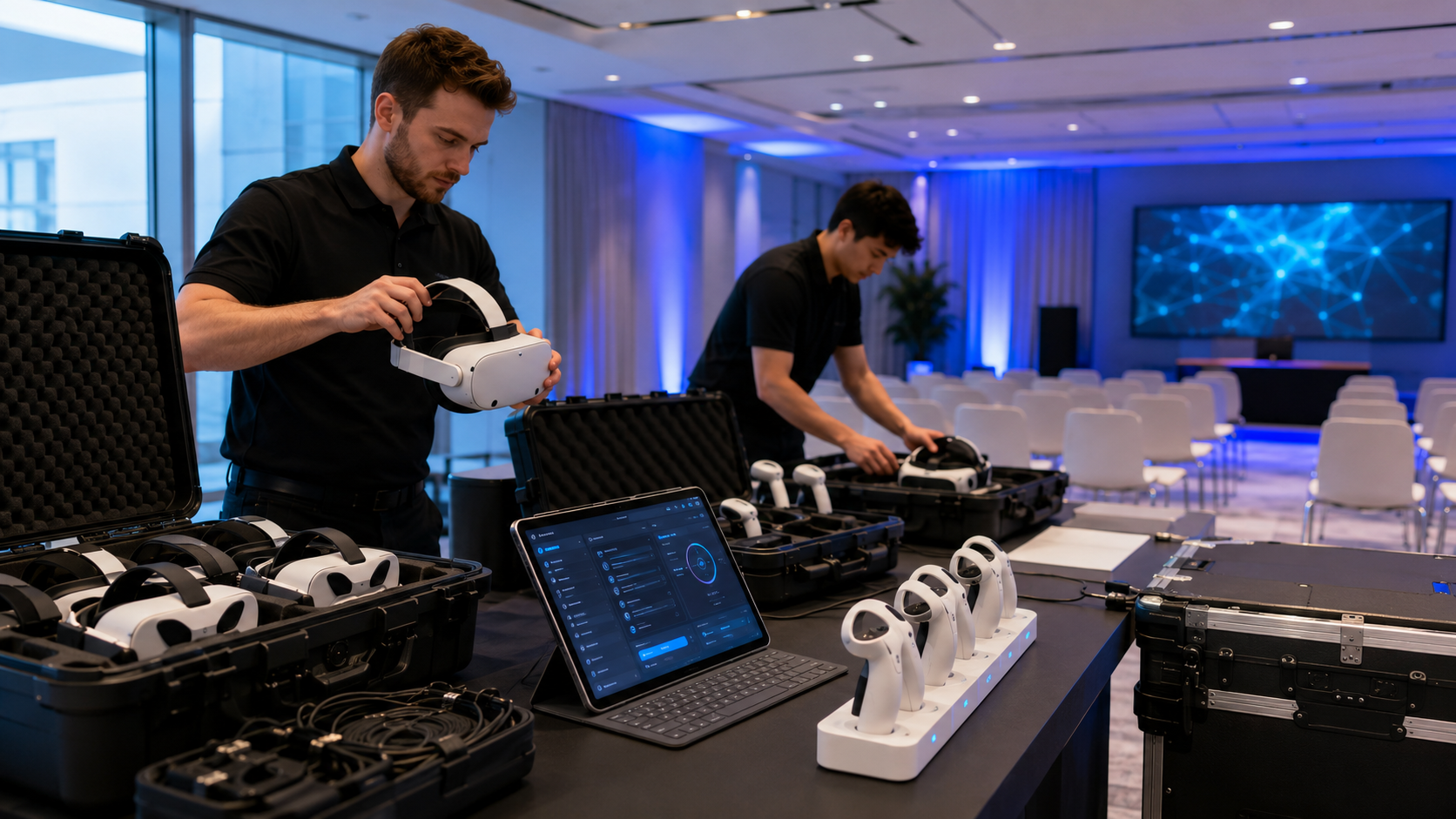
Basic VR setup service focuses on getting hardware operational and ready for use. This tier typically includes firmware updates across all headsets, ensuring devices run the latest software versions with current security patches and performance optimizations. Account provisioning creates user profiles or enterprise accounts, configuring privacy settings and age restrictions as needed.
Wi-Fi optimization forms a critical component of basic setup, with technicians configuring headsets to connect to the appropriate network bands and adjusting streaming quality settings based on available bandwidth. For Meta Quest devices, this includes enabling Air Link or configuring dedicated routers for PC VR streaming applications.
Guardian boundary configuration ensures safe play areas within venue spaces. Technicians map out physical boundaries, adjust sensitivity settings for different flooring types, and create consistent play zones across multiple headsets. This standardization prevents users from experiencing different boundary behaviors when switching between devices.
Basic troubleshooting and spare unit preparation round out this service tier. Technicians test each headset for common issues like controller tracking problems, audio output failures, or display anomalies. Spare units receive identical configuration to enable quick swaps if hardware issues arise during deployment.
Standard Setup: Content Loading and Multi-Unit Sync
Standard setup services address the complexities of content management and multi-device coordination. Sideloading custom applications becomes necessary when deploying proprietary training software or branded experiences not available through official app stores. Technicians handle the technical requirements of developer mode activation, ADB command execution, and APK installation across device fleets.
Multi-headset synchronization enables group experiences where participants share virtual spaces or progress through training modules together. This requires configuring network settings for local multiplayer, establishing host-client relationships, and ensuring time synchronization across devices. For training scenarios, this might involve setting up instructor-led sessions where one user can guide multiple participants through exercises.
Kiosk mode configuration locks devices to specific experiences, preventing users from accessing system settings or other applications. This proves essential for public deployments where devices cycle through multiple users. Technicians configure auto-launch settings, disable system UI elements, and implement password-protected admin modes for staff access.
Network setup for cloud-based content delivery optimizes streaming performance for applications that pull assets from remote servers. This includes configuring CDN endpoints, implementing caching strategies for frequently accessed content, and establishing failover procedures for network interruptions.
Full-Service Setup: Managed Deployment and Support
Full-service VR setup provides comprehensive deployment management from initial planning through post-event analysis. Pre-event site surveys assess venue infrastructure, identifying potential issues with power distribution, network capacity, or physical space constraints. Technicians document existing conditions and recommend modifications to support successful deployment.
Custom play area mapping goes beyond basic Guardian boundaries to create optimized spaces for specific experiences. This might involve designing asymmetric play areas that maximize available space, creating separate zones for different experience types, or implementing advanced safety features like soft boundaries that warn users before they reach physical limits.
On-site technician support during live events ensures immediate response to technical issues. Technicians monitor device performance, manage battery swaps, assist users with headset adjustment, and troubleshoot any software or hardware problems that arise. They also handle hygiene protocols between users, managing cleaning stations and ensuring proper sanitation procedures.
Post-event data collection and analytics setup captures usage metrics, user feedback, and performance data. Technicians configure analytics platforms to track session duration, completion rates, error logs, and user behavior patterns. This data proves invaluable for measuring ROI and optimizing future deployments.
Setup Requirements by Deployment Type
Different VR deployments require distinct setup approaches. A trade show booth needs rapid reset capabilities and lead capture integration, while a training program requires user progress tracking and LMS connectivity. Understanding these requirements upfront determines both the setup service level and the hardware configuration needed.
Event and Trade Show Setup
Trade show VR deployments operate under unique constraints of high throughput and limited setup time. Quick-swap battery systems become essential for maintaining continuous operation across 8-12 hour show days. Setup services implement rotation schedules with multiple battery packs per headset, establishing charging stations that can replenish batteries during brief downtimes.
Hygiene station integration addresses health concerns when devices pass between numerous users. Professional setup includes positioning cleaning stations strategically, stocking appropriate sanitization supplies, and training booth staff on proper cleaning protocols. UV sanitization boxes might be configured for deeper cleaning during breaks.
Lead capture app configuration transforms VR experiences into qualified lead generation tools. Setup services integrate lead forms into experience flow, configure data capture fields to match CRM requirements, and establish secure data transfer protocols. This might include QR code scanning for quick registration or RFID badge reading for automatic attendee identification.
Backup headset rotation and hot-swap procedures ensure continuous operation despite hardware failures. Technicians preconfigure backup units with identical settings, establish swap protocols that minimize downtime, and create troubleshooting decision trees for booth staff to follow when issues arise.
Training Program Setup
Enterprise training deployments require robust user management and progress tracking capabilities. Learning management system integration connects VR experiences with existing training infrastructure, enabling automatic grade recording, prerequisite checking, and completion certification. Setup services configure API connections, map VR metrics to LMS gradebooks, and establish data synchronization schedules.
User authentication and progress tracking setup creates individual learner profiles that persist across sessions. This includes configuring single sign-on (SSO) integration with corporate directories, implementing role-based access controls for different training modules, and establishing cloud save systems for maintaining progress across devices.
Breakout room configuration for multiple groups enables parallel training sessions within the same facility. Setup services implement network segmentation to prevent cross-talk between groups, configure instructor dashboards for monitoring multiple rooms simultaneously, and establish communication channels between instructors and participants.
Instructor view and monitoring dashboard setup provides trainers with real-time visibility into participant activities. This includes configuring spectator cameras that show individual participant views, setting up analytics dashboards that track performance metrics, and implementing intervention tools that allow instructors to provide assistance within virtual environments.
Permanent Installation Setup
Permanent VR installations in corporate training centers or experience venues require infrastructure designed for long-term reliability. Dedicated router and network isolation creates a robust network environment separate from corporate IT systems. Setup services configure enterprise-grade networking equipment, implement quality of service (QoS) rules for VR traffic prioritization, and establish network monitoring for proactive issue detection.
Charging station and storage solution design addresses the daily operational needs of permanent installations. This includes specifying commercial-grade charging cabinets with ventilation and cable management, implementing asset tracking systems for device inventory, and creating maintenance schedules for battery health optimization.
Remote management portal configuration enables IT teams to monitor and maintain VR systems without physical presence. Setup services implement mobile device management (MDM) solutions, configure remote desktop access for troubleshooting, and establish automated alert systems for hardware failures or performance degradation.
Scheduled content updates and maintenance windows ensure systems remain current without disrupting operations. Technicians configure automatic update schedules during off-hours, implement staged rollout procedures for testing new content, and establish rollback protocols for problematic updates.
Technical Specifications and Infrastructure Planning
Professional VR setup starts with infrastructure assessment. Most venues lack the Wi-Fi density for multiple headsets streaming simultaneously, and power distribution often requires additional planning. Setup services include these technical evaluations to prevent day-of failures that can derail an entire event or training session.
Network Requirements and Optimization
Bandwidth calculations for concurrent headset use determine whether existing infrastructure can support planned deployments. Each Quest 3 streaming PC VR content requires 100-200 Mbps for optimal quality, while standalone experiences need 25-50 Mbps for cloud asset streaming. Setup services calculate aggregate bandwidth requirements and identify potential bottlenecks.
The choice between 5GHz and 6GHz bands significantly impacts performance for Quest 3 deployments. While 6GHz offers less congestion and higher throughput, it requires Wi-Fi 6E compatible infrastructure and has shorter range. Setup services evaluate venue capabilities and recommend optimal frequency allocation based on device density and physical layout.
Access point placement for optimal coverage requires careful planning to eliminate dead zones while minimizing interference. Technicians use heat mapping tools to identify optimal mounting locations, configure transmit power levels to reduce overlap, and implement band steering to distribute devices across available spectrum.
VLAN configuration for security and traffic isolation protects corporate networks while ensuring VR traffic receives appropriate prioritization. Setup services implement separate network segments for VR devices, configure firewall rules for necessary services, and establish guest network isolation for public events.
Power and Charging Infrastructure
Power draw calculations for charging stations prevent circuit overloads that could shut down entire deployments. A single Quest 3 draws up to 18W when charging, meaning a 20-headset deployment requires nearly 400W of continuous power. Setup services calculate total power requirements including accessories, displays, and support equipment.
Circuit load distribution for large deployments often requires coordination with venue facilities teams. Technicians identify available circuits, calculate existing loads, and recommend power distribution strategies that prevent overloads. This might involve bringing in temporary power distribution units or coordinating with electricians for additional circuit installation.
Battery bank solutions for venues with limited outlets provide flexibility in deployment locations. Setup services specify appropriate capacity based on usage patterns, configure smart power management for optimal battery life, and implement monitoring systems to track remaining runtime.
Quick-charge station setup between sessions maximizes device availability during brief breaks. This includes implementing fast-charging protocols where supported, creating rotation schedules that ensure fully charged devices are always available, and establishing battery health monitoring to identify degraded units requiring replacement.
Space Configuration and Safety Zones
Minimum play area dimensions vary significantly by experience type. Room-scale experiences require at least 2m x 2m per user, while seated experiences can operate in much smaller spaces. Setup services evaluate available space against experience requirements and recommend optimal configurations that maximize capacity while maintaining safety.
Physical barrier and floor marking requirements depend on venue type and local regulations. Professional setup includes specifying appropriate barrier types, creating high-visibility floor markings that don’t interfere with tracking, and implementing safety signage that meets accessibility standards.
Spectator viewing area setup and display mirroring enhance the experience for non-participants. Technicians configure casting solutions that display VR content on external screens, establish viewing areas that don’t interfere with play spaces, and implement audio solutions that allow spectators to hear experience audio without disrupting participants.
Emergency stop procedures and safety briefing stations ensure rapid response to incidents. Setup services implement emergency stop buttons accessible to staff, create clear evacuation procedures for users in VR, and establish safety briefing stations where participants receive orientation before entering experiences.
Service Pricing Models and Cost Factors
VR setup service pricing varies from flat-rate basic configuration to comprehensive per-event management fees. Understanding the cost structure helps you budget appropriately and avoid surprise charges for additional support or equipment modifications during your deployment.
Hourly vs Project-Based Pricing
VR technician hourly rates typically range from $75-$150 in major markets, with specialized expertise commanding premium rates. Factors affecting hourly rates include technician certification level, specific platform expertise, and local market conditions. Emergency or rush service often incurs 50-100% premiums over standard rates.
Project pricing makes sense for well-defined deployments with clear scope boundaries. A standard 10-headset training room setup might range from $2,500-$5,000 depending on complexity, while a 50-headset trade show deployment could reach $15,000-$25,000 including on-site support.
Travel fees and on-site minimums significantly impact total costs for smaller deployments. Most providers charge portal-to-portal travel time plus mileage or actual travel expenses. Minimum billing increments of 4-8 hours are common for on-site work, making bundled services more economical for smaller deployments.
After-hours and weekend premium rates typically add 25-50% to base pricing. Events requiring setup outside normal business hours or support during weekends should budget accordingly. Some providers offer flat-rate event packages that include these premiums.
Bundled Service Packages
Setup services bundled with equipment rental often provide better value than separate procurement. Rental providers typically include basic setup in their base rates, with standard and full-service options available for additional fees. A typical bundle might include equipment rental, basic setup, and remote support for 20-30% less than purchasing services separately.
Multi-event discount structures reward ongoing relationships with reduced rates for subsequent deployments. Volume discounts typically start at 10% for 3+ events and can reach 25% for annual contracts with monthly deployments.
Retainer agreements for ongoing support provide predictable costs and guaranteed availability. Monthly retainers ranging from $2,000-$10,000 might include a set number of support hours, priority response times, and discounted rates for additional services.
Training program semester pricing aligns costs with academic schedules. Universities and training organizations can expect semester packages ranging from $10,000-$50,000 depending on equipment count, support level, and usage frequency.
Vendor Selection and Service Evaluation
Not all VR setup services offer the same expertise or support depth. Evaluating vendors requires understanding their hardware expertise, industry experience, and support availability. The right partner depends on whether you need basic configuration or strategic deployment consulting.
Key Vendor Capabilities to Assess
Hardware platform certifications indicate vendor expertise with specific VR systems. Look for Meta for Business partners, HTC Vive certified providers, or Pico Enterprise specialists depending on your platform choice. Certified partners receive advance training on new features and have direct escalation paths to manufacturers.
Industry-specific deployment experience matters for specialized applications. Healthcare training providers understand HIPAA compliance requirements, while automotive vendors know CAD integration needs. Request case studies and references from similar deployments to verify relevant experience.
Geographic coverage and response times determine service availability for your locations. National providers offer consistency across multiple sites but might lack local market knowledge. Regional specialists provide faster response times but may not support multi-city deployments.
Remote support capabilities reduce costs and improve response times for many issues. Evaluate whether vendors offer remote diagnostic tools, screen sharing for VR troubleshooting, and remote configuration management. Strong remote capabilities can resolve 60-70% of issues without on-site visits.
Service Level Agreements and Support Terms
Response time guarantees vary significantly by service tier and urgency level. Critical production issues might guarantee 2-hour response, while standard requests receive next-business-day service. Understand how vendors classify issues and what response times apply to each category.
Replacement equipment provisions ensure continuity when hardware fails. Some vendors maintain local spare inventory for immediate replacement, while others rely on overnight shipping from central warehouses. For mission-critical deployments, verify spare equipment availability and replacement procedures.
Liability coverage and insurance requirements protect both parties from unexpected losses. Vendors should carry general liability insurance of at least $1-2 million, professional liability coverage for errors and omissions, and equipment coverage for damage during setup. Request certificates of insurance naming your organization as additional insured.
Data security and privacy compliance becomes critical for enterprise deployments. Vendors handling corporate data should demonstrate SOC 2 compliance, sign appropriate NDAs and data processing agreements, and implement security measures including encrypted data transmission and secure storage protocols.
Setup Service vs DIY: Decision Framework
The decision between professional setup service and internal deployment depends on frequency of use, technical complexity, and risk tolerance. While DIY setup saves money for simple deployments, professional services become essential as you scale to multiple headsets or mission-critical applications.
When Professional Setup Makes Sense
First-time VR deployments without internal expertise benefit from professional guidance to avoid common pitfalls. Setup services provide knowledge transfer during initial deployments, helping organizations understand requirements for future installations. The cost of professional setup often proves less than the hidden costs of failed DIY attempts.
High-stakes events where failure isn’t an option justify professional setup investment. Product launches, investor demonstrations, and executive training sessions can’t afford technical disruptions. Professional services provide redundancy, rapid response, and experienced troubleshooting that internal teams can’t match.
Complex multi-headset synchronized experiences require specialized knowledge of networking, timing protocols, and software configuration. Attempting DIY setup for 20+ headset deployments often results in synchronization issues, network congestion, and poor user experience that damages VR program credibility.
Deployments requiring custom content or integration need professional expertise to navigate technical requirements. Setup services understand API integration, custom launcher configuration, and enterprise system connectivity that general IT staff might not possess.
Building Internal Setup Capabilities
Training requirements for internal teams vary based on deployment complexity and platform choice. Basic setup competency requires 16-24 hours of hands-on training, while advanced deployment skills need 40-60 hours plus ongoing practice. Factor training costs and time investment when evaluating DIY approaches.
Documentation and runbook development creates institutional knowledge for consistent deployments. Professional services can provide customized documentation including step-by-step setup guides, troubleshooting flowcharts, and escalation procedures. This documentation investment pays dividends for organizations with recurring deployment needs.
Hybrid models with vendor backstop support balance cost savings with risk mitigation. Organizations might handle routine setup internally while maintaining service contracts for complex deployments or emergency support. This approach reduces costs while ensuring professional help remains available when needed.
Gradual transition from full-service to self-service makes sense for organizations with growing VR programs. Start with full professional setup, transition to assisted setup with vendor oversight, then move to independent deployment with on-call support. This progression builds confidence and capabilities while maintaining safety nets.
Frequently Asked Questions
How much does professional VR setup service typically cost?
Professional VR setup service costs range from $500-$1,500 for basic single-day configurations to $10,000-$25,000 for full-service multi-day event deployments. Factors affecting price include headset count, setup complexity, on-site support requirements, and geographic location. Most providers offer tiered pricing with basic setup at $50-$75 per headset, standard setup at $100-$150 per headset, and full service at $200-$300 per headset plus daily support fees.
What’s included in basic VR setup vs full-service deployment?
Basic VR setup includes hardware configuration, firmware updates, Wi-Fi connection, and Guardian boundary setup. Standard setup adds content loading, multi-device synchronization, and basic troubleshooting. Full-service deployment encompasses site surveys, infrastructure assessment, custom configuration, on-site technical support, real-time troubleshooting, and post-event analytics. The service level should match your event criticality and internal technical capabilities.
Can VR setup services handle custom enterprise applications?
Yes, professional VR setup services routinely handle custom enterprise applications. This includes sideloading proprietary APKs, configuring enterprise authentication, integrating with corporate systems, and implementing custom launchers or kiosk modes. Vendors with enterprise experience understand security requirements, deployment workflows, and testing procedures for custom applications.
How far in advance should I book VR setup services for an event?
Book VR setup services 4-6 weeks in advance for standard deployments, or 8-12 weeks for large-scale or complex installations. This timeline allows for site surveys, infrastructure modifications, content testing, and equipment procurement if needed. Rush service is often available with 1-2 weeks notice but incurs premium pricing and might limit equipment options.
Do setup services include content licensing and app installation?
Setup services typically include installation of content you’ve already licensed, but not the licenses themselves. Technicians can advise on licensing requirements, facilitate bulk purchases, and manage license deployment across devices. Some providers offer bundled packages that include both setup services and content licensing for common applications.
What happens if equipment fails during my event with setup service?
Professional setup services include contingency planning for equipment failures. On-site support packages provide immediate troubleshooting and replacement from spare inventory. Remote support options offer diagnostic assistance and overnight replacement shipping. Service level agreements specify response times and replacement procedures, with critical events receiving priority support.
Can setup services integrate VR with existing AV systems?
Yes, VR setup services regularly integrate with existing AV infrastructure. This includes configuring wireless casting to displays, routing audio through house sound systems, implementing video switching for multiple headset views, and synchronizing VR content with lighting or other show control systems. Technicians coordinate with venue AV teams to ensure seamless integration.
Do I need setup service for rental equipment or just purchased hardware?
Setup services benefit both rental and purchased equipment deployments. Rental equipment often arrives with basic configuration, but still requires venue-specific setup, content loading, and testing. Purchased hardware needs initial configuration plus ongoing maintenance setup. The complexity of your deployment, not ownership model, determines setup service needs.
Professional VR setup services have evolved from luxury to necessity as businesses deploy virtual reality for training, events, and customer engagement. The complexity of modern VR deployments from network optimization to multi-headset synchronization demands specialized expertise that most internal IT teams don’t possess.
Selecting the right service tier requires honest assessment of your technical capabilities, deployment complexity, and risk tolerance. While basic setup might suffice for simple demonstrations, mission-critical deployments justify full-service support. The cost of professional setup pales compared to the reputational damage and lost opportunities from failed VR experiences.
As VR technology continues maturing and use cases expand, setup services will become increasingly sophisticated. Organizations that partner with experienced providers position themselves to leverage VR’s full potential while avoiding the technical pitfalls that derail amateur deployments.
Ready to ensure your VR deployment succeeds? Contact professional VR setup services to discuss your specific requirements and receive customized recommendations for your next event or training program. Whether you need basic configuration or comprehensive deployment management, the right setup partner transforms VR from technical challenge to business advantage.