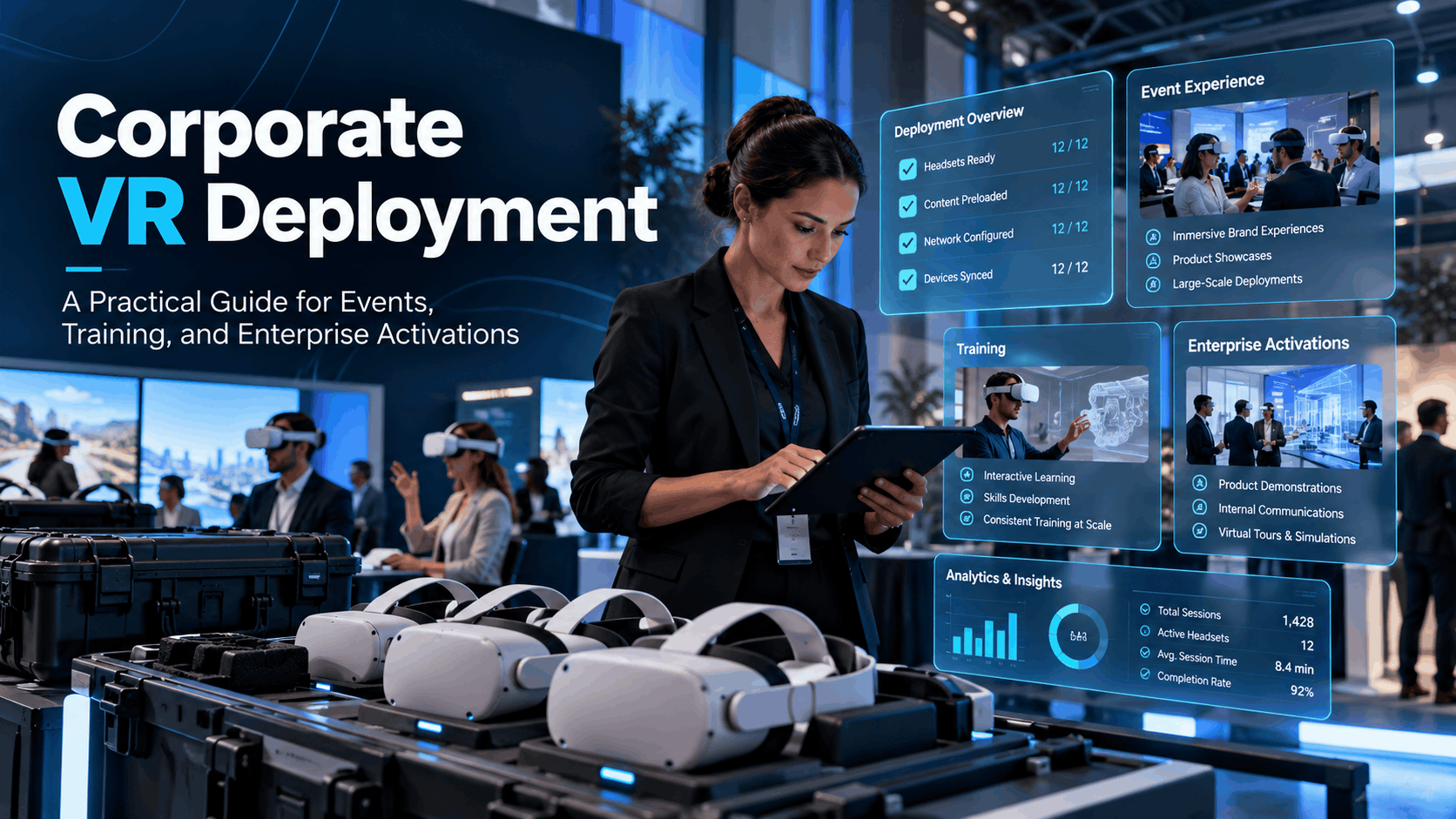
Most guides on corporate virtual reality focus on the technology headset specs, software platforms, and market projections. But buyers searching for ‘corporate VR deployment’ aren’t looking for a product review. They need to figure out how to get VR headsets configured, delivered, and running for a specific event, training program, or activation. They have a deadline and a team that has likely never done this before.
This guide reframes deployment as an operational discipline, not a technology decision. It’s built to answer the questions that actually matter: how many devices do you need, what content should be on them, who manages them, and how does it all get where it needs to go?
The Three Deployment Models: Owned, Rented, and Hybrid
Every corporate VR initiative falls into one of three hardware models, each with distinct costs and management requirements.
- Owned Hardware: Buying a fleet of headsets involves a high upfront cost and requires internal IT resources for storage, maintenance, updates, and device management. This model makes sense for permanent, high-frequency programs, like dedicated training labs used daily.
- Rented Hardware: Renting is the most common starting point for mid-market and enterprise companies. It eliminates the capital expense and the burden of storage and maintenance, making it ideal for events, trade shows, product launches, and periodic training sessions. This approach offers access to the latest technology without the risk of owning rapidly aging equipment.
- Hybrid Model: A growing number of companies are adopting a hybrid approach. They invest in creating their own custom VR content but load it onto rented hardware for deployment. This gives them control over the brand experience without the operational headache of managing a device fleet.
IGIVU’s rental service is designed for the rented and hybrid models. We provide standalone VR headsets that are shipped to your location, fully configured and preloaded with either your custom content or our library of curated training and event scenarios.
Why Standalone Wireless Headsets Changed the Corporate Deployment Equation
Early corporate VR relied on tethered, PC-powered headsets that demanded gaming PCs, complex cable management, and significant floor space. This setup was impractical for most corporate environments.
The arrival of powerful, self-contained standalone headsets like the Meta Quest series has been a game-changer. These devices run content independently, require no external hardware, and can be set up in minutes by non-technical staff. The freedom from cables and external sensors dramatically reduces clutter and improves user mobility. For corporate deployments, this means a single event coordinator can manage a fleet of 10-20 headsets without needing a dedicated IT team on-site. The shift to wireless has made large-scale, temporary VR deployments feasible for the first time.
For detailed pricing and setup information on one of the most popular enterprise headsets, see our Meta Quest 3 rental guide.
Matching Your Use Case to the Right Deployment Configuration
Corporate VR deployment is not one-size-fits-all. The right configuration depends entirely on your goal. The setup for a 500-person trade show is operationally different from a 20-person safety training cohort or a 10-city product launch roadshow. Before you choose hardware or content, map your use case to the key deployment variables: headset count, content type, session length, audience turnover, and on-site support needs.
Events and Brand Activations
- Operational Demand: High headset turnover is the defining characteristic. Attendees typically cycle through short experiences (3-5 minutes).
- Configuration: To prevent long queues that kill engagement, you need enough headsets to meet demand. As a rule of thumb, a 4-hour activation with 200 attendees and 4-minute sessions requires at least 8-10 headsets running simultaneously.
- Content: Experiences must be self-guided or easily facilitated by brand ambassadors. There is no time for complex onboarding on a busy trade show floor.
- On-Site Reality: Hygiene management is a critical operational task, not an afterthought. Plan for a steady rotation of cleaning headsets with lens wipes and swapping disposable face gaskets between users.
For activations where headsets are not feasible, consider using AR filters for social sharing to reach a broad audience.
Corporate Training Programs
- Operational Demand: Training deployments usually involve smaller groups (10-30 learners) engaging with longer, more complex content (15-45 minutes).
- Configuration: The focus is on learning outcomes, not throughput. VR training provides a safe, controlled environment for employees to practice skills and learn from mistakes without real-world consequences.
- Content: Preloaded, industry-specific scenarios can significantly reduce development time. IGIVU offers a library of modules for manufacturing safety and OSHA-aligned compliance training. For many companies, this is the fastest path to deployment.
- On-Site Reality: Many compliance programs require tracking and reporting. Confirm if you need Learning Management System (LMS) integration before selecting a content platform.
To learn more, explore our complete corporate VR training implementation guide and our brief on OSHA VR training deployment.
Sales Demos and Product Launches
- Operational Demand: These are typically one-to-one or small-group presentations, often conducted by a sales representative in a client’s office.
- Configuration: A small kit of 1-3 headsets is usually sufficient. Portability is key; the entire setup must fit in a backpack and be ready to use in under five minutes.
- Content: The VR experience is a direct reflection of your brand. It must be a polished, high-fidelity product visualization or interactive demo. This is a sales tool designed to create a lasting impression and help clients make informed decisions.
- On-Site Reality: Sales representatives should focus on the client, not on device management. A rental partner that provides nationwide delivery and pre-configuration ensures any team member can deliver a flawless demo without technical expertise.
Team Experiences and Internal Events
- Operational Demand: Team-building activities, such as collaborative VR games or shared virtual exploration, are lower stakes than client-facing activations but still require logistical planning.
- Configuration: Multiplayer content requires a local network setup to connect the headsets. You’ll need to plan for headset count, facilitation, and adequate physical space.
- Content: The goal is engagement and creating a memorable shared experience. A wide range of off-the-shelf games and social VR platforms can be used for this purpose.
- On-Site Reality: These events are a good opportunity to use room-scale setups, which allow users to walk around freely within a larger tracked area. For details on the spatial and technical requirements, see our room-scale VR setup guide.
Hardware Selection for Corporate Deployments: What Actually Matters
Choosing a VR headset for a corporate deployment isn’t about finding the most powerful device; it’s about finding the most deployable one for your specific context. For business use cases, operational reliability and ease of use matter far more than raw processing power. Instead of focusing on consumer-centric “best of” lists, evaluate hardware against the variables that impact real-world rollouts.
Key Hardware Variables for Corporate Buyers
- Battery Life: Most standalone headsets offer 2-3 hours of active use. The Meta Quest 3, for example, provides about two hours of runtime for demanding games or mixed reality apps. For full-day events, this necessitates a clear plan for rotating headsets onto charging stations or using external battery packs to extend session times.
- Onboarding Friction: How quickly can a first-time user put on the headset and start the experience? For events, simpler is always better. Features like automatic IPD (inter-pupillary distance) adjustment and intuitive controllers reduce the time staff spend fitting and explaining the hardware.
- Fleet Management: The ability to manage devices at scale is crucial. Enterprise-grade Mobile Device Management (MDM) software allows IT teams to remotely push content updates, monitor device health, and lock headsets into specific applications, which is essential for large or distributed deployments.
- Content Compatibility: Before committing to a hardware platform, confirm that your desired VR content is built to run on it. Cross-platform compatibility between major headset ecosystems like Meta and Pico is possible but not always guaranteed.
- Form Factor: Comfort is key to adoption. Lighter headsets can reduce user fatigue in short brand activations, while more ergonomic and balanced designs are better for longer training sessions. Look for features like wipeable cushions for easy hygiene.
When to Consider AR Instead of VR
Sometimes, full immersion is not the right goal. Augmented Reality (AR) keeps the user grounded in their physical environment while overlaying digital information, making it a powerful tool for different use cases.
- AR Use Cases: AR is ideal for tasks where situational awareness is critical. It excels in field service, logistics, and complex assembly, where a technician needs to see the real world but also needs hands-free access to schematics, instructions, or remote expert guidance.
- VR Use Cases: VR is the right choice when full immersion is the objective. It’s built for simulations that are too dangerous, expensive, or difficult to replicate in reality, such as safety training, surgical practice, or product visualizations that require a sense of presence.
- Events & Activations: For large-scale events, AR filters on mobile devices can offer broader reach without the logistical overhead of managing a headset fleet.
IGIVU provides both VR and AR rental solutions. The correct choice is driven by the use case, not a preference for one technology over the other.
Content and Configuration: What Goes on the Headsets Before They Ship
The headset is just the delivery vehicle. The success of a corporate VR deployment is determined by the content loaded onto it and how that content is configured for the specific audience and environment. These decisions must be made long before the hardware arrives on-site.
Preloaded Scenarios vs. Custom Content
- Preloaded Scenarios: For common use cases like safety and compliance training, rental partners like IGIVU offer preloaded, industry-specific scenarios. This is the fastest and most cost-effective path to deployment, eliminating content development time and cost.
- Custom Content: Bespoke content is necessary when your use case is unique to your product, brand, or internal processes. However, custom development adds significant lead time and cost. A typical enterprise VR experience can take anywhere from 6 weeks to 12 months to develop, with costs for interactive training modules often ranging from $100,000 to $200,000.
- 360° Video: For many event and brand activation scenarios, 360° video is a faster and more affordable content format than fully interactive, computer-generated (CG) VR. While it doesn’t allow for true interaction, it provides a powerful sense of presence and is highly effective for virtual tours and narrative experiences.
Configuration Checklist Before Headsets Leave the Warehouse
A properly configured headset is ready to use out of the box. An unconfigured one creates delays and frustration on-site.
- Content Preloaded & Tested: The specified content must be loaded and tested on every single headset in the fleet, not just a sample unit.
- Kiosk Mode Enabled: For public-facing events, headsets should be locked into a single application (kiosk mode). This prevents users from accidentally exiting the experience and getting lost in system menus, ensuring a seamless and foolproof experience. Many headsets offer a gaze-based menu for controller-free navigation in this mode.
- Guardian System Configured: The virtual boundary system (Guardian) should be pre-set for the intended use—either a room-scale boundary for standing experiences or disabled entirely for seated ones.
- Auto-Launch Settings: The experience should be set to start automatically when the user puts on the headset. This eliminates the need for staff to navigate menus and launch the app for each guest.
- Fleet Management & Labeling: Each headset and its corresponding controllers should be clearly labeled to keep track of the inventory during a busy event.
- Ancillaries Included: The shipment must include all necessary charging cables, carrying cases, and hygiene supplies (like disposable face covers and lens wipes).
- Support Contact Confirmed: A single point of contact at the rental partner should be confirmed for any day-of troubleshooting needs.
Logistics: Getting VR Hardware to Your Event or Training Site
Logistics is the most common point of failure for corporate VR deployments. The technology can be perfect, but if the hardware arrives late, isn’t configured correctly, or the on-site team doesn’t know how to set it up, the initiative will fail. Smooth execution depends on meticulous logistical planning.
Nationwide Delivery and Lead Times
- Standard Lead Time: For a fully configured VR rental package, the standard lead time is typically 5-7 business days from content confirmation to delivery. Plan your internal content approval process to accommodate this timeline.
- Rush Deployments: While rush orders are often possible, they increase costs and operational risk. It’s always best to build in a buffer.
- Arrival Window: Schedule the hardware to arrive 1-2 days before the event. This provides a critical window for on-site testing, troubleshooting, and familiarizing staff with the equipment.
- Receiving Location: Confirm the specific delivery address and receiving hours, especially for hotels and convention centers, which often have strict loading dock procedures. Ensure someone is authorized and available to sign for the shipment.
On-Site Setup and Staffing
- On-Site Support: For activations involving 10 or more headsets, having dedicated on-site support is strongly recommended. This can be a trained internal team member or a technician provided by your rental partner.
- Vendor-Provided Technicians: IGIVU offers optional on-site event support. A professional technician manages headset rotation, charging, hygiene, and any real-time troubleshooting, freeing up your team to focus on engaging with guests. The cost for a professional technician can range from $500 to $1,500 per day for basic setup to several thousand for full-service support at a large event.
- Internal Staffing: If using your own staff, equip them with a one-page quick-start guide that covers: how to power the headset on and off, how to restart a frozen experience, how to clean the headset between users, and a direct line for technical support.
- Space Requirements: Plan your floor space carefully. A standing, room-scale VR experience requires a minimum clear area of about 6.5 by 6.5 feet (2 by 2 meters) per user to allow for safe movement. Seated experiences can be deployed in a much more compact footprint.
Return Logistics and Post-Event Wrap
- Return Process: Rental packages should include pre-paid return shipping labels. Your responsibility is to pack the headsets back into their original protective cases and schedule a pickup with the designated courier.
- Damage Documentation: Before shipping, photograph the condition of the headsets and cases to document their state upon return.
- Post-Event Reporting: Request a post-event usage report from your rental partner. Analytics platforms can track data like the total number of sessions, average session duration, and which content was most popular, providing valuable data for calculating ROI and planning future deployments.
Measuring Deployment Success: What to Track and How to Report It
Corporate VR deployments are no longer just about novelty; they are expected to deliver measurable business outcomes. The key performance indicators (KPIs) you track will depend on the use case, but you must build your measurement framework into the deployment plan from the start.
Event and Activation Metrics
The goal of a VR activation is typically brand engagement and creating a memorable experience.
- Total Sessions Completed: Tracked via headset logs, this is your primary measure of reach.
- Average Session Duration: A key proxy for the quality of engagement. Longer sessions suggest the content is compelling.
- Queue Length / Dwell Time: If attendees are consistently waiting more than a few minutes for a turn, it’s a strong signal that you need more headsets for the next event.
- Lead Capture: If the VR experience concludes with a call-to-action (like a QR code scan or an email sign-up), track the conversion rate.
- Social Amplification: Monitor event hashtags and social media mentions to gauge brand recall and audience sentiment.
Training and L&D Metrics
For learning and development, success is measured by knowledge transfer and performance improvement.
- Completion Rate: What percentage of the training cohort successfully completed the entire VR module?
- Knowledge Assessment: Compare pre- and post-training assessment scores to get the clearest indicator of learning effectiveness. Studies have shown VR learners can be up to four times faster to train than in a classroom and feel 275% more confident applying their skills.
- Time-to-Competency: Measure how quickly employees reach proficiency compared to traditional training methods.
- Safety and Compliance: For OSHA and other safety programs, the ultimate metric is a reduction in incident rates over time. VR training data can provide verifiable proof that an employee has completed required procedural training. Research has shown that knowledge retention from VR can be as high as 75%, compared to just 10% from traditional methods.
For guidance on improving these metrics over time, learn more about our VR optimization services.
How to Build a Repeatable Corporate VR Deployment Program
A one-off VR event is a proof of concept. The real operational and financial benefits emerge when you create a repeatable deployment program that can be scaled across multiple events, training cohorts, or office locations.
Standardizing Your Deployment Package
The key to scalability is standardization. Define a default package—including headset count, content configuration, and logistical processes—that can be replicated without starting from scratch for every new request. Work with your rental partner to create a standing order template. This ensures consistent configuration, predictable costs, and faster turnaround times. Document your on-site setup process in a simple guide so any team member can execute it, regardless of their prior VR experience. Finally, establish a content update cadence to determine how often the VR experience needs to be refreshed to remain relevant.
Scaling Across Locations and Teams
A scalable program allows for simultaneous deployments in multiple cities, a major advantage for national sales meetings, product roadshows, or multi-site training rollouts. This is made possible by a rental partner with a robust nationwide delivery network.
To manage this effectively, centralize your content management. This allows updates to be pushed to all devices in the field from a single dashboard. Designate an internal VR deployment owner who is responsible for the vendor relationship, the content library, and the master deployment calendar. This single point of contact streamlines communication and ensures consistency across all initiatives.
As enterprise adoption of VR continues to grow, building a scalable internal program is becoming a source of significant competitive advantage. For more on this trend, see the latest VR market overview for 2025.
Conclusion: Deployment is the Strategy
Successful corporate VR is not about having the latest headset. It’s about having a reliable, repeatable, and measurable deployment model. From selecting the right hardware for your use case to ensuring every device is perfectly configured on arrival, the details of execution are what separate a frustrating tech demo from a transformative business tool.
By treating deployment as a core operational discipline, you can unlock the true potential of immersive technology for your events, training programs, and brand activations.
Ready to deploy VR without the logistical headaches? Contact IGIVU today for a custom rental quote and let our deployment experts build a plan that works for you.
Frequently Asked Questions (FAQs)
How many VR headsets do I need for a corporate event?
For a typical 4-hour event with 3-5 minute experiences, a good rule of thumb is one headset for every 20-25 attendees you expect to participate. For a 200-person event, plan for 8-10 headsets to keep wait times manageable.
What is the typical lead time for a corporate VR rental deployment?
Standard lead time for a configured rental package is 5-7 business days. This allows for content loading, testing, and shipping. Rush orders are often possible but may incur extra fees.
Can I use my own VR content with a rental package?
Yes. This is known as a hybrid deployment model. You provide the VR application, and the rental partner loads it onto the headsets, handles all configuration, and manages the logistics.
Do I need on-site technical support for a VR deployment?
For small deployments (under 5 headsets), trained internal staff can often manage the event. For larger activations (10+ headsets), professional on-site support is highly recommended to manage battery life, hygiene, and troubleshooting, ensuring the event runs smoothly.
What is the difference between standalone and tethered VR for corporate use?
Standalone VR headsets (like the Meta Quest 3) are self-contained and wireless, making them easy to deploy in any environment. Tethered VR requires a connection to a powerful PC, making it less portable and more complex to set up, which is generally impractical for corporate events.
How do I track ROI from a corporate VR deployment?
For training, measure metrics like knowledge retention, time-to-competency, and reduction in error or incident rates. For events, track user engagement, session duration, lead conversions, and social media mentions.
Can VR be deployed for compliance and OSHA training programs?
Yes. VR is highly effective for safety and compliance training, as it allows employees to practice procedures in a safe, simulated environment. VR training logs can also serve as documentation that employees have completed required training modules.
What happens if a headset breaks during my event?
Reputable rental providers include provisions for hardware issues. This may involve shipping a backup unit or having an on-site technician who can immediately swap out a malfunctioning device. Always clarify the support and replacement policy before signing a rental agreement.