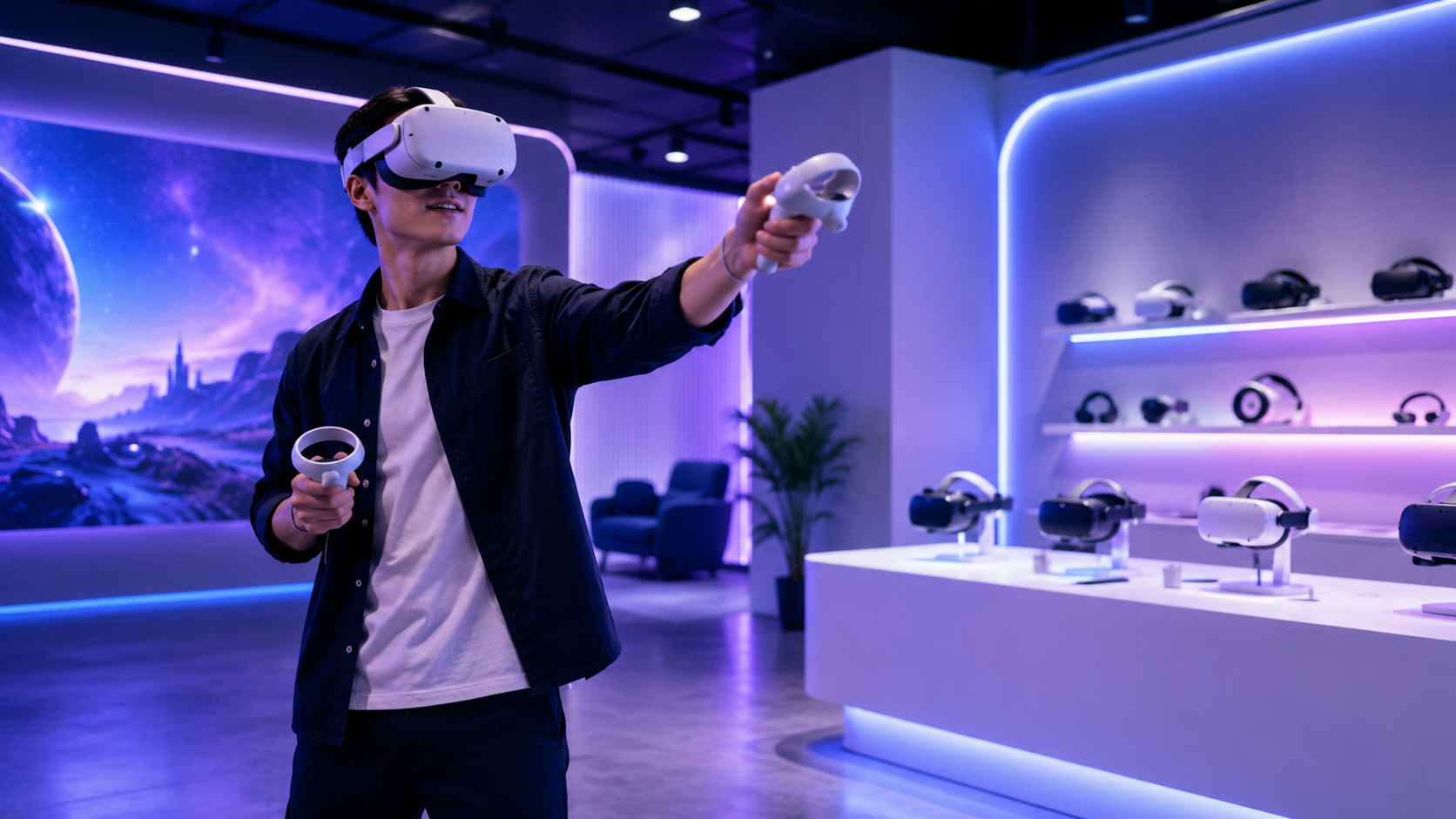
Late October is when most holiday party plans go from “we should do something” to signed contracts. If you’re the one planning this year’s company party, you’ve probably already booked the venue and the caterer. The part that’s still open is usually the hardest: what will people actually do once they’ve eaten?
We put VR headsets in front of corporate crowds across the country, and holiday parties are where VR fits best. Here’s how to use it well, what it takes, and how to plan it without the stress.
Quick answer: The best corporate holiday party entertainment ideas give guests something easy to join, fun to watch, and quick to rotate through. A staffed VR station does all three: short turns of a few minutes, gameplay cast to a big screen, and no skill needed. For large groups, plan several stations, a clear play zone for each, and a friendly attendant.
Why are companies rethinking holiday party entertainment in 2026?
Because employees are showing up again, and planners want them to have more to do than stand around with a drink. Attendance and budgets are both rising, and the trend is toward hands-on, inclusive activities.
Here’s what the latest research says:
- More people are coming. ezCater’s 2025 Workplace Holiday Party Trends Report found that 82% of employees planned to attend their company’s holiday celebration, up from 70% the year before, and 51% of businesses were increasing party budgets (ezCater).
- Standing around is the real problem. The same report found Gen Z employees are 60% more likely to worry about standing alone at a work party. An activity gives everyone an easy reason to talk.
- People want to take part, not just watch. Event producers list participatory entertainment, experiential activities, and alcohol-optional celebrations among the top 2026 corporate holiday party trends (Bash Creative).
- Prime dates go early. Tagvenue’s 2026 Work Social Index (UK data) put the median booking lead time for Christmas parties at 87 days (Tagvenue). If your party is in mid-December, you’re already inside that window.
What are the best corporate holiday party entertainment ideas for large groups?
For a big group, the best options run on their own, let people drop in and out, and give the room something to gather around. Here’s how the common choices compare.
| Entertainment idea | Works for large groups? | Good for introverts? | Fun to watch? | Watch-outs |
|---|---|---|---|---|
| DJ / dance floor | Yes | Not always | Somewhat | Slow to start; many guests never join in |
| Team trivia | Yes, in teams | Yes | Somewhat | Needs a strong host and a set time |
| Photo booth | Yes | Yes | Not really | Fun, but over in seconds |
| Casino tables | Medium | Medium | Yes | Rules can put off some guests |
| Staffed VR stations | Yes, with several stations | Yes (play or just watch) | Yes, when cast to a screen | Needs floor space and an attendant per station |
VR isn’t meant to replace your DJ or your trivia round. It’s the thing people do between them. It fills the awkward first hour, gives the quiet folks something to try, and gets people talking (“Did you see Dana in the rhythm game?”).
How does a VR station actually work at a holiday party?
A guest walks up, an attendant fits the headset and explains the controls in under a minute, the guest plays a short game, and everyone else watches on a nearby TV. Then the next person goes.
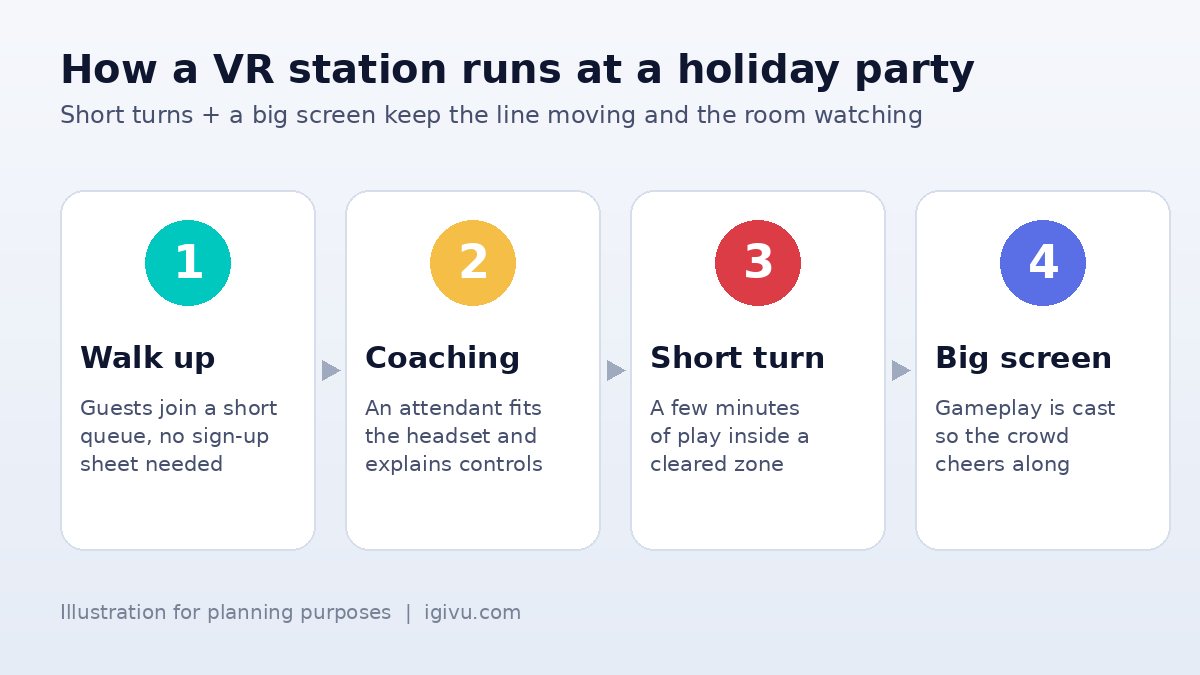
A few things make it work in a crowded room:
- Short turns. Pick games where a turn lasts a few minutes. Short turns keep the line moving and give more people a go.
- Cast to a screen. When gameplay shows on a TV, the people in line become the audience. That’s where the laughing and cheering comes from.
- A real person running it. An attendant handles fitting, cleaning, charging, and the guest who’s never worn a headset before. It’s the difference between a station that stays busy and one that sits empty.
- Party-friendly content. Choose games people understand in seconds: sports, rhythm, fishing, casual arcade. Our XR experience library includes group-friendly titles like Eleven Table Tennis, Real VR Fishing, and Keep Talking and Nobody Explodes, a co-op game where one person defuses a bomb while teammates read the manual.
Can people play VR in party clothes or after a drink?
Yes, as long as you pick standing or seated games and keep an attendant at the station. Skip anything with lots of running or crouching, keep play zones clear of tables and drinks, and let the attendant politely skip anyone who’s had too much to play safely.
How much space and how many headsets do you need?
Each station needs a clear, open play zone plus room for a short line and a screen. Base your headset count on headcount and how long the activity window lasts, not on wanting one per guest.
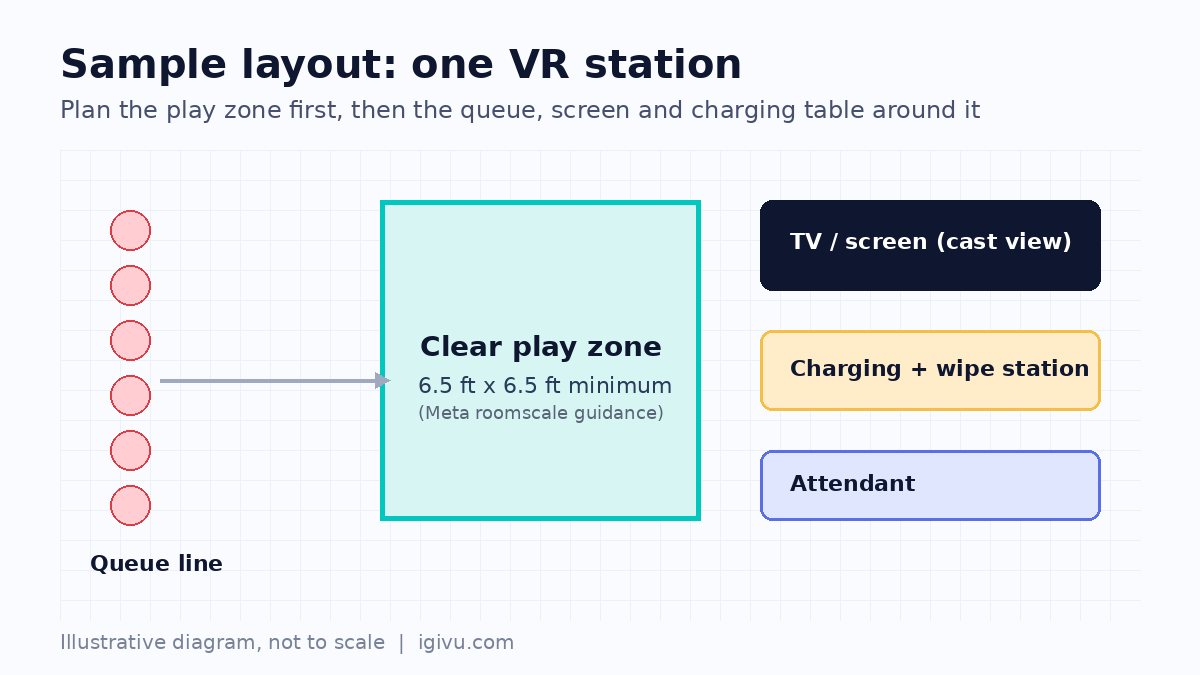
- Play zone: Meta recommends at least 6.5 x 6.5 feet of unobstructed space for roomscale play, and stationary mode uses a default 3 x 3 foot boundary for seated or standing use (Meta Quest Help). In tight offices or restaurant private rooms, standing or seated games are the smart choice.
- Headcount math: Work out how many turns one station can handle in your time window. For example, a station running roughly 3-minute turns (including handoff) gets through about 20 turns an hour. Compare that with your expected guest count, remembering that not everyone will want to play.
- Power and Wi-Fi: Plan an outlet near each station for the charging table and the casting screen. If your venue’s Wi-Fi is shaky, tell your provider early.
- Hardware: Standalone, wireless headsets like the Meta Quest line are the usual pick for parties because there are no cables or PCs to manage. See our Meta Quest rental options. For an executive dinner or client appreciation event where you want a high-end, premium feel, Apple Vision Pro rentals are an option.
Should you rent VR with on-site staff or self-run it?
For most holiday parties, have someone on-site, either from your provider or a trained member of your team. Self-running works for small, tech-comfortable teams. Large mixed-age crowds go better with a dedicated attendant.
When you rent VR headsets from IGIVU, they arrive pre-configured with content loaded, sanitized, and tested, 2 to 3 days before your event, with a return label included. Every rental includes free damage insurance and 24/7 support before, during, and after the event, and on-site tech support is available if you’d rather not run the station yourself. For more on staffing, see our guide to live VR support for events.
What about remote and hybrid teams?
IGIVU ships pre-configured headsets anywhere in the US, so if your team is spread across offices, mention every location when you request a quote and we’ll plan the package around it.
How do you plan a VR holiday party without the stress?
Lock in the date, headcount, and floor plan first, then pick the content. Everything else follows from those three things.
- Confirm the basics: date, venue, guest count, and the time window for the activity.
- Measure the room: mark where each play zone, line, and screen will go, away from the bar and the buffet.
- Choose the format: a free-play lounge, a leaderboard tournament with a final on the big screen, or both.
- Pick the content: short, easy, crowd-friendly games. Add one co-op game for teams who want to play together.
- Decide on staffing: on-site support, or self-run with a trained point person.
- Book early: December weeknights and Fridays fill fast, so request your quote now.
Planning a team event outside the holidays too? Our guide to VR rental for corporate team building covers year-round formats, and our VR rental cost guide walks through budgeting.
Frequently asked questions
Is VR a good idea for a corporate holiday party?
Yes, for most groups. VR gives guests a low-pressure activity that’s fun to play and fun to watch, which helps people mix. It works best with short games, a screen showing the action, and an attendant running each station.
How far in advance should we book VR for a December holiday party?
As early as you can. Tagvenue’s UK data shows a median 87-day lead time for Christmas party bookings, and the best December dates go first. Request a quote as soon as you know your date and headcount. IGIVU replies in under 24 hours.
How much space does a VR station need?
For games where people move around, Meta recommends at least 6.5 x 6.5 feet of clear space per player. Seated or standing games need less. Leave extra room for a short line, a screen, and a charging table.
Can we use VR in our office instead of a venue?
Yes. A conference room, cafeteria, or open floor works well if you can clear a play zone, have power nearby, and set up a TV for casting. Headsets are wireless, so there’s no PC setup.
Is VR safe for guests who have never tried it?
Yes, with the right setup. An attendant fits the headset, explains the controls, and keeps the play zone clear. Choose comfortable, low-motion games for first-timers, and anyone can stop at any time.
Do you rent VR for holiday parties outside Dallas?
Yes. IGIVU is headquartered in Dallas and ships pre-configured headsets anywhere in the US, with on-site support available.
Ready to plan a holiday party your team will talk about in January?
IGIVU has served 3,000+ organizations with VR and AR for events, training, and brand activations. Tell us your date, headcount, and venue, and we’ll send a tailored VR package with clear pricing in under 24 hours.
Get your free holiday party VR quote or email [email protected].