Why Emergency Response Teams Are Switching to VR Training
Traditional emergency drills disrupt operations, lack realism, and struggle to replicate high-stress scenarios. VR emergency response training delivers repeatable, measurable crisis simulations without real-world risks or operational shutdowns. Here’s what’s driving adoption and why rental programs make more sense than purchasing for most organizations.
The Retention Problem with Traditional Emergency Training
Emergency response skills deteriorate rapidly without practice. FEMA research indicates that participants retain only 20% of classroom-based emergency training after 30 days, dropping to just 10% after 60 days without reinforcement. This skill decay creates dangerous gaps in organizational preparedness, particularly for low-frequency, high-impact events.
Live drills present their own challenges. Coordinating a single fire evacuation drill costs organizations an average of $15,000-$25,000 in lost productivity, with larger facilities experiencing even higher disruption costs. These drills typically last 30-45 minutes but require hours of planning, coordination with local emergency services, and post-drill administrative work.
More critically, traditional training methods cannot safely replicate truly dangerous scenarios. You can’t fill a building with actual smoke, simulate an active shooter situation with realistic stress levels, or practice chemical spill responses without creating genuine hazards. This limitation leaves response teams unprepared for the psychological and physiological demands of real emergencies.
How VR Creates Muscle Memory for Crisis Response
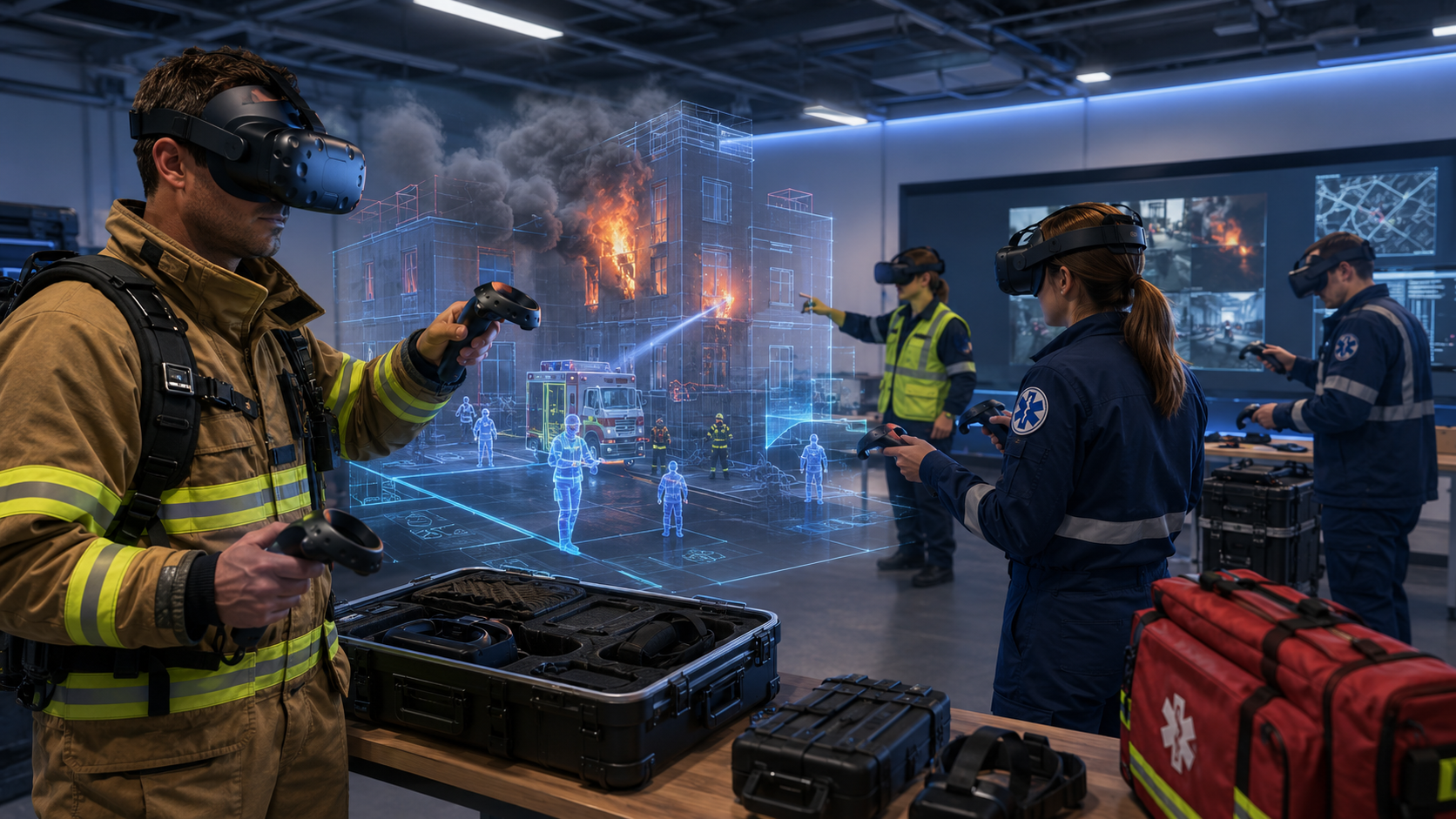
Virtual reality emergency training addresses these limitations through stress inoculation—the process of building resilience by exposing trainees to controlled, escalating levels of stress. VR simulations trigger genuine stress responses through immersive visual, auditory, and sometimes haptic feedback, allowing responders to practice decision-making under pressure without actual danger.
The repeatability of VR scenarios ensures consistent training standards across all personnel. Unlike live drills where variables change with each iteration, VR delivers identical baseline scenarios that can be adjusted for difficulty or complexity. A new employee receives the same foundational training as a 20-year veteran, creating organizational consistency in emergency response protocols.
Performance tracking capabilities transform subjective drill observations into objective data. VR systems capture response times, movement patterns, decision points, and protocol adherence automatically. Training coordinators can identify specific weaknesses—like consistently missing secondary evacuation routes or improper fire extinguisher techniques—and address them through targeted retraining.
Emergency Scenarios You Can Train with VR Rentals
From active shooter response to hazmat incidents, VR simulations cover the full spectrum of emergency preparedness. Each scenario type requires different hardware configurations and content libraries—here’s what’s available through rental programs and which packages work best for each training need.
Fire Evacuation and Building Emergency Training
VR fire evacuation training places participants in smoke-filled environments where visibility decreases progressively, forcing them to navigate using emergency lighting, exit signs, and tactile cues. These simulations include dynamic fire spread patterns, blocked exits, and injured colleagues requiring assistance, creating complex decision scenarios that test both individual knowledge and leadership capabilities.
Multi-floor evacuation scenarios present unique challenges that traditional drills rarely address effectively. Participants must choose between elevators and stairwells, navigate around obstacles, and make real-time decisions about helping others versus self-evacuation. The simulation tracks whether users check doors for heat, stay low in smoke, and follow proper stairwell descent protocols.
Fire extinguisher operation modules teach the PASS technique (Pull, Aim, Squeeze, Sweep) with physics-based fire behavior. Users learn to identify fire classes, select appropriate extinguishers, and maintain proper distance while suppressing flames. Advanced simulations include electrical fires, chemical fires, and scenarios where extinguisher use is inappropriate, teaching critical judgment alongside mechanical skills.
For group training sessions, organizations typically need one headset per 3-4 participants when running 2-hour training blocks. A 50-person department requires 12-15 headsets to complete training within a single day, with participants rotating through 20-minute scenarios while others observe and debrief.
Active Threat and Security Response
Active threat scenarios train the Run-Hide-Fight protocol endorsed by the Department of Homeland Security, but with nuance and complexity impossible in traditional tabletop exercises. Participants experience the confusion of initial threat recognition, make split-second decisions about evacuation versus sheltering, and practice barricading techniques using virtual furniture and equipment matching their actual workplace.
De-escalation training places users in confrontational situations before they become violent, teaching verbal and non-verbal communication techniques to defuse tension. These scenarios include workplace violence precursors, customer aggression, and mental health crises, with AI-driven characters responding differently based on trainee approach, tone, and body language.
Law enforcement coordination simulations prepare civilian responders to interact effectively with arriving police units. Participants practice providing clear location information, describing threats accurately, and following law enforcement commands during building clearing operations. These scenarios emphasize the critical handoff period when professional responders arrive and assume incident command.
Privacy considerations require special attention for active threat training. Rental agreements should include encrypted content delivery, local-only data storage options, and clear protocols for scenario footage handling. Many organizations require NDAs for rental providers and restrictions on scenario details that could reveal security vulnerabilities.
Medical Emergency and First Aid Response
CPR and AED training in VR incorporates haptic feedback controllers that simulate chest compression resistance, teaching proper depth and rhythm. The virtual patient responds physiologically to intervention quality—poor compressions result in continued deterioration, while proper technique shows improvement in virtual vital signs. This immediate feedback accelerates skill development compared to static mannequin training.
Mass casualty triage scenarios overwhelm participants with multiple injured victims requiring rapid assessment and prioritization. Trainees must apply START (Simple Triage and Rapid Treatment) or similar protocols, making difficult decisions about resource allocation while managing their own stress responses. The simulation tracks both accuracy and speed, identifying whether responders can maintain protocol adherence under pressure.
Bleeding control simulations teach tourniquet application, wound packing, and pressure point techniques with realistic anatomy and blood flow physics. Users learn to identify arterial versus venous bleeding, apply appropriate interventions, and monitor patient response. These modules integrate with Stop the Bleed curricula, providing standardized training aligned with national initiatives.
Medical VR training typically requires higher-end headsets with hand tracking capabilities for precise manipulation tasks. Rental packages should include haptic gloves or controllers for realistic tactile feedback during procedures. Organizations often combine VR modules with physical mannequin practice, using virtual training for cognitive skills and physical props for muscle memory development.
Natural Disaster and Severe Weather Response
Earthquake scenarios simulate building shaking, falling debris, and structural damage, training participants to Drop, Cover, and Hold On while identifying safe zones. Post-earthquake modules include building damage assessment, utility shutoff procedures, and search and rescue operations in unstable structures. The simulation varies intensity from minor tremors to major events, building confidence progressively.
Tornado and severe weather responses focus on rapid shelter decisions and post-storm hazard navigation. Participants learn to distinguish between watch and warning conditions, identify appropriate shelter locations for different building types, and coordinate shelter-in-place procedures for large groups. Post-tornado scenarios include downed power lines, gas leaks, and structural instabilities requiring careful navigation.
Flood response training covers both flash flood escape and sustained flood management. Scenarios include vehicle escape from moving water, swift water hazard identification, and contamination risks in standing flood water. Building-specific modules can incorporate actual floor plans and elevation data, teaching personnel exactly where water will accumulate first and which areas remain safe longest.
Multi-site coordination exercises connect teams across different VR sessions, simulating emergency operations center activation and inter-facility communication during regional disasters. Participants practice information sharing, resource allocation, and unified command structures while physically separated, mirroring real disaster response conditions.
Setting Up VR Emergency Training Sessions: Logistics and Requirements
Running effective VR emergency response training requires more than just headsets. You need space planning, session scheduling, content curation, and participant onboarding processes. Here’s the complete implementation checklist for organizations using rental equipment.
Space and Equipment Requirements
VR emergency training requires minimum 6×6 foot clear spaces per participant for seated experiences, expanding to 10×10 feet for room-scale scenarios involving physical movement. Emergency evacuation simulations work best with larger spaces allowing natural walking, though guardian boundary systems prevent collisions. Organizations often use conference rooms, training centers, or temporarily cleared office spaces.
Power infrastructure needs careful planning for multi-headset deployments. Each VR station requires 2-3 outlets for headset, computer, and auxiliary equipment. Sessions with 10+ simultaneous users may require additional circuit capacity or power distribution units. Rental providers typically include power strips and extension cords, but facilities should verify electrical capacity beforehand.
Network connectivity affects content delivery and performance monitoring. While many VR training scenarios run locally after initial download, instructor monitoring tools and multi-user simulations require stable internet. Bandwidth requirements range from 10 Mbps per headset for basic scenarios to 50 Mbps for high-fidelity simulations with real-time collaboration features.
Equipment sanitization between users requires UV-C sanitization boxes or alcohol-based wipes rated for electronics. Each participant needs fresh face cushions or hygiene barriers, particularly important for emergency training where stress responses increase perspiration. Rental packages should include sanitization supplies for the full rental period, with clear protocols for cleaning between sessions.
Session Structure and Participant Flow
Optimal group sizes vary by scenario complexity and available equipment. Fire evacuation training works well with 8-12 participants per session, allowing paired observations and discussions. Active threat scenarios benefit from smaller 4-6 person groups, providing more individual practice time and detailed debriefing. Medical emergency training typically uses 2-3 person teams, mimicking real-world response partnerships.
Rotation schedules for large departments require careful planning to minimize operational disruption. A 200-person organization might schedule 20-minute VR scenarios with 10-minute transitions, processing 18 participants per headset during an 8-hour training day. Staggered start times prevent bottlenecks, with participants completing pre-briefings while others are in VR.
Briefing protocols should cover VR comfort techniques, scenario objectives, and safety procedures. First-time users need 5-10 minutes of orientation covering headset adjustment, controller operation, and motion sickness prevention. Experienced users can skip to scenario-specific briefings focusing on learning objectives and performance metrics.
Debriefing sessions immediately following VR experiences capture insights while memories remain vivid. Instructors review performance data, discuss decision rationale, and connect virtual experiences to real-world protocols. Group debriefs allow peer learning, with participants sharing different approaches to the same scenarios.
Instructor Training and Facilitation
VR control interfaces allow instructors to monitor multiple participants simultaneously, viewing individual perspectives or overhead tactical views. Instructors can pause scenarios for teaching moments, trigger specific events, or adjust difficulty in real-time based on participant performance. These tools require 2-3 hours of training for basic proficiency, with advanced features requiring additional practice.
Scenario customization options let organizations modify generic content for facility-specific training. Instructors can upload floor plans, adjust exit locations, and place virtual obstacles matching actual building layouts. Some platforms allow recording custom audio instructions or adding organization-specific signage and equipment to scenarios.
Real-time performance monitoring displays participant stress indicators, completion percentages, and protocol adherence scores on instructor dashboards. Heat maps show movement patterns, identifying whether participants check all rooms during searches or consistently miss certain areas. This data guides immediate coaching and identifies systemic training gaps.
Learning Management System (LMS) integration streamlines administrative tasks through automatic grade passback and completion tracking. SCORM-compliant VR platforms sync with existing corporate training systems, eliminating duplicate data entry. API connections can trigger certificate generation, compliance notifications, and follow-up training assignments based on VR performance.
VR Rental Packages for Emergency Response Training
Emergency training programs have different needs than ongoing corporate use cases. You might need equipment for quarterly drills, annual compliance training, or one-time assessments. Here’s how to structure rental agreements that align with emergency preparedness schedules and budgets.
Quarterly Drill Programs
Three-to-five day rental windows accommodate departmental rotations while minimizing costs. Organizations typically schedule Monday delivery, Tuesday-Thursday training, and Friday return, paying for one week while using equipment for three intensive training days. This structure processes 100-150 participants per quarter using 10-15 headsets, maintaining skills between annual live drills.
Pre-loaded scenario packages eliminate content setup time, with rental units arriving ready for immediate use. Emergency response packages typically include 8-10 scenarios covering fire, medical, active threat, and severe weather events. Content licenses remain active for the rental period, allowing unlimited participant runs without per-use fees.
Setup and teardown support reduces IT burden on internal staff. Rental providers offer remote assistance for initial configuration, on-site setup for large deployments, and troubleshooting support throughout the rental period. Some packages include a technician for the first training day, ensuring smooth operations and training internal facilitators.
Cost comparisons reveal significant savings versus hardware purchase for quarterly use. A 15-headset purchase costs $45,000-$75,000 plus annual software licenses, maintenance, and storage. Quarterly rentals of the same equipment cost $8,000-$12,000 annually, including all software, support, and equipment refresh. Organizations need 3-4 years of quarterly use to justify purchase over rental.
Annual Compliance Training Rentals
Two-to-four week rental periods support organization-wide annual training requirements. Extended rentals reduce per-day costs while providing flexibility for makeup sessions and schedule conflicts. A 500-person organization can complete mandatory emergency response training within three weeks using 20 headsets, including buffer time for absences.
Bulk headset configurations create economies of scale for large deployments. Rental providers offer discounts for 20+ unit rentals, with some including spare units for backup. Bulk packages often include charging carts, reducing overnight preparation time for multi-day training events.
Compliance reporting features generate documentation required for regulatory audits. VR platforms track individual completion times, assessment scores, and skill demonstrations. Reports export in formats accepted by OSHA, Joint Commission, and state regulatory bodies, with digital signatures and timestamp verification.
Multi-location shipping coordination supports distributed organizations through centralized rental agreements with staggered delivery schedules. A company with five facilities can rent 100 headsets total, deploying 20 to each location on rotating schedules. This approach maintains consistent training standards while reducing shipping costs and equipment idle time.
Pilot Programs and Assessments
Short-term rentals enable program evaluation without long-term commitments. One-week pilots with 5-10 headsets cost $2,000-$4,000, providing sufficient data to assess training effectiveness, participant acceptance, and operational feasibility. Pilot feedback guides decisions about expanded implementation or alternative approaches.
Mixed hardware testing reveals optimal configurations for specific training needs. Pilots might include standalone headsets for basic scenarios, PC-tethered systems for high-fidelity simulations, and haptic accessories for medical training. This variety identifies the best cost-performance balance before committing to specific platforms.
Vendor-neutral content compatibility testing ensures scenarios work across different hardware platforms. Organizations can evaluate content from multiple providers, assessing quality, relevance, and customization options. This approach prevents vendor lock-in and identifies the best content libraries for specific training objectives.
Transition planning from rental to purchase becomes clearer after pilot programs. Organizations can calculate actual usage rates, identify optimal fleet sizes, and negotiate purchase agreements based on proven requirements rather than estimates. Many rental providers offer rent-to-own options, applying portion of rental fees toward eventual purchase.
Measuring Emergency Training Effectiveness with VR Analytics
VR training generates performance data that traditional drills can’t capture. From response times to decision accuracy, every action in the simulation creates measurable outcomes. Here’s how to use VR analytics to improve emergency preparedness and demonstrate training ROI.
Key Performance Metrics for Emergency Response
Evacuation route completion times reveal whether participants can exit buildings within acceptable windows. VR tracking shows exact paths taken, time spent at decision points, and whether participants checked for alternate routes when primary paths were blocked. Analytics identify employees who consistently take longer, indicating need for additional training or physical accommodations.
Emergency procedure sequencing accuracy measures whether responders follow protocols in correct order. The system tracks whether participants pull fire alarms before evacuating, check doors before opening, or attempt to use elevators during fires. Sequence errors highlight training gaps or unclear procedures requiring clarification.
Stress response indicators correlate physiological measures with performance degradation. Advanced VR systems track head movement patterns, controller grip pressure, and response latency as proxy stress measures. Participants showing high stress indicators with poor performance may benefit from additional stress inoculation training.
Team coordination effectiveness emerges through multi-user scenario analytics. The system measures communication frequency, role assumption patterns, and collaborative problem-solving success rates. Teams with poor coordination metrics receive targeted training on incident command structures and communication protocols.
Compliance Documentation and Reporting
Automated training completion certificates generate immediately upon scenario completion, including participant name, date, scenario details, and performance score. Digital certificates include verification codes and QR links to detailed performance reports, preventing falsification while reducing administrative burden.
OSHA and regulatory compliance tracking ensures organizations meet training frequency and content requirements. The system maintains matrices showing which employees completed required training, when recertification is due, and whether performance met minimum standards. Automated alerts notify supervisors of upcoming expiration dates.
Individual performance reports track improvement over multiple training sessions, identifying learning curves and skill retention rates. Employees can access their own reports, seeing specific areas for improvement and comparing their performance to anonymized peer benchmarks. This transparency encourages self-directed practice and improvement.
Team performance aggregation reveals organizational preparedness levels and systemic training needs. Heat maps show which departments excel at specific scenarios and which struggle consistently. These insights guide resource allocation, identifying where additional training investment yields greatest safety improvements.
Getting Started: Your First VR Emergency Training Session
Ready to pilot VR emergency response training? Here’s the step-by-step process from initial planning through post-training evaluation, including timeline, budget considerations, and stakeholder communication strategies.
Pre-Rental Planning Checklist
Priority scenario identification begins with risk assessment and compliance requirements. Review your emergency response plan, identifying highest-probability events and greatest-impact scenarios. Survey department heads about perceived training gaps and recent near-miss incidents. Select 3-4 scenarios for initial pilot, balancing variety with focused learning objectives.
Participant group selection should represent diverse roles and experience levels. Include emergency response team members, floor wardens, and general staff. Mix VR-experienced employees with complete newcomers to assess onboarding requirements. Target 20-30 participants for meaningful pilot data while maintaining manageable logistics.
Budget allocation typically ranges from $3,000-$5,000 for comprehensive pilots including equipment rental, setup support, and basic customization. Factor in staff time for planning, facilitation, and evaluation. Compare against costs of equivalent live training exercises, including productivity loss and external facilitator fees.
IT and facilities coordination requires two weeks lead time minimum. Schedule network capacity testing, identify training spaces, and arrange furniture relocation. Confirm power availability and test circuits under load. Coordinate with IT security for any firewall exceptions needed for VR content delivery or remote support access.
Implementation Timeline
Week 1-2 before training focuses on final preparation and communication. Finalize participant schedules, send calendar invitations with pre-training instructions, and distribute comfort questionnaires identifying motion sensitivity concerns. Create backup plans for participants who cannot complete VR training.
Week of training begins with equipment delivery and setup day. Allocate 4-6 hours for unpacking, charging, and configuring headsets. Test each station with actual scenarios, not just demo content. Brief facilitators on troubleshooting common issues and emergency shutdown procedures.
Training days require structured schedules with buffer time between sessions. Start with 30-minute orientation sessions for first-time users, followed by 20-minute scenarios and 15-minute debriefs. Build in 15-minute breaks every two hours for equipment sanitization and facilitator coordination. End each day with quick participant surveys while experiences remain fresh.
Post-training week involves equipment return, data analysis, and stakeholder reporting. Compile performance metrics, participant feedback, and facilitator observations into executive summary. Schedule follow-up meetings with department heads to discuss findings and next steps. Document lessons learned for future training iterations.
FAQs
How much does it cost to rent VR equipment for emergency response training?
Weekly VR rental packages for emergency response training typically cost $300-$500 per headset, with volume discounts for 10+ units. A standard 10-headset package runs $3,000-$4,000 per week including shipping, setup support, and pre-loaded emergency scenarios. Monthly rentals reduce per-day costs by 40-50%, making them economical for organization-wide training initiatives.
Can VR training replace live emergency drills for compliance purposes?
VR training supplements but doesn’t fully replace live drills for most compliance requirements. OSHA and fire codes still mandate physical evacuation drills, but VR can satisfy training requirements for emergency procedures, hazard recognition, and response protocols. Several states now accept VR training hours toward emergency response certification requirements. Check your specific regulatory framework for VR training allowances.
What’s the minimum number of headsets needed for department-wide training?
A 50-person department needs 8-10 headsets to complete training within one day using rotation schedules. Smaller groups of 20-30 can manage with 5-6 headsets over 1-2 days. The formula is roughly one headset per 5-6 participants for single-day training, or one headset per 10 participants for two-day programs.
How do participants with motion sickness handle VR emergency simulations?
Motion sickness affects 15-20% of first-time VR users but decreases with exposure. Comfort options include teleportation movement instead of smooth locomotion, reduced field of view during movement, and static reference points in peripheral vision. Participants with severe sensitivity can observe scenarios on external monitors or complete alternative training modules.
Can we customize scenarios to match our specific facility layout?
Most VR emergency training platforms support facility-specific customization through floor plan imports and 3D modeling. Basic customization (adjusting exit locations, adding obstacles) takes 1-2 weeks. Full custom scenarios with exact building replicas require 4-8 weeks and additional development costs of $10,000-$25,000 depending on complexity.
What happens if equipment is damaged during training exercises?
Rental agreements typically include damage protection covering normal wear and accidental damage, with deductibles ranging from $250-$500 per device. Intentional damage or gross negligence voids protection. Most providers include 1-2 spare units in large rentals to handle equipment failures without disrupting training schedules.
How long does it take to train instructors on VR emergency simulation systems?
Basic instructor competency requires 2-3 hours of hands-on training covering headset operation, scenario launching, and participant monitoring. Advanced skills like scenario customization, performance analysis, and troubleshooting need an additional 4-6 hours. Most rental providers include remote instructor training or send a technician for the first day of deployment.
Conclusion
VR emergency response training transforms how organizations prepare for crisis situations, delivering measurable improvements in response times, protocol adherence, and team coordination without the disruption and limitations of traditional drills. The data-driven insights from VR analytics reveal training gaps invisible in conventional exercises, while the ability to safely simulate dangerous scenarios builds confidence and muscle memory for real emergencies.
Rental programs remove the primary barriers to VR training adoption—high upfront costs, technology obsolescence, and implementation complexity. Organizations can validate training effectiveness, refine their approach, and build stakeholder buy-in through affordable pilot programs before committing to long-term investments.
The question isn’t whether VR will become standard for emergency response training, but how quickly organizations will adopt this technology to protect their people and assets. With rental options starting at just $2,000 for week-long pilots, there’s no reason to delay exploring how VR can enhance your emergency preparedness program.
Ready to experience the difference VR makes in emergency response training? Contact a VR rental provider today to discuss your specific scenarios, get a customized quote for your organization size, and schedule your pilot program. Most providers offer free consultations to assess your training needs and recommend optimal hardware configurations. Don’t wait for the next emergency to reveal gaps in your training—start building a more prepared, confident response team with VR simulation training.