Virtual reality technology has transformed from a novelty into an essential tool for corporate training, marketing activations, and business events. However, purchasing VR equipment outright often doesn’t make financial sense for one-time events or pilot programs. VR rental packages offer a practical solution, bundling hardware, software, and support into comprehensive solutions tailored to specific business needs.
This guide breaks down everything you need to know about VR rental packages—from small training bundles to large-scale conference deployments. You’ll learn exactly what’s included in different package tiers, current pricing structures, content options, and the logistics of deploying rented VR equipment at your event or training session.
VR Rental Package Types and Business Use Cases
VR rental packages combine headsets, accessories, preloaded content, and support services into turnkey bundles designed for specific business deployments. Understanding package configurations helps you match rental options to your event size, training requirements, and budget constraints.
Small Team Training Packages (5-10 Headsets)
Small VR rental packages typically include 5-10 standalone headsets, making them ideal for focused deployments where quality matters more than quantity. These packages generally feature Meta Quest 3 or Pico 4 Enterprise headsets, chosen for their wireless operation and business-friendly features.
The standard configuration includes individual charging cases for each headset, ensuring equipment stays organized and powered between sessions. Most providers include pre-configured headsets with enterprise mobile device management (MDM) software, allowing centralized control over content and settings.
These packages excel for pilot programs testing VR training effectiveness before larger rollouts. Executive demonstrations benefit from the manageable group size, allowing leadership teams to experience VR applications firsthand without overwhelming logistics. Small team training sessions for 5-10 participants can run continuously throughout a day, with headsets rotating between groups as needed.
Content options typically focus on professional development: leadership simulations, communication workshops, and diversity training modules. Safety training for hazardous environments and equipment operation tutorials are also common applications. Most small packages include 3-5 preloaded experiences relevant to your industry, with options to add custom content for an additional fee.
Event and Activation Packages (10-25 Headsets)
Mid-sized VR rental packages containing 10-25 headsets serve as the backbone of trade show booths, product launches, and brand activations. These packages balance scalability with manageable logistics, allowing multiple attendees to experience VR simultaneously without requiring massive infrastructure.
The standard event configuration includes 20% backup units above your requested quantity—if you need 20 headsets operational, providers typically ship 24 units total. This redundancy ensures technical issues don’t disrupt your event flow. Packages include comprehensive hygiene kits with antibacterial wipes, disposable face cushions (50-100 per headset), and lens cleaning supplies.
Event packages feature specialized accessories for high-traffic environments. Branded face cushions display your company logo while maintaining hygiene standards. Retractable cable management systems prevent trip hazards in booth settings. Quick-swap battery packs keep experiences running without charging downtime.
Staff training materials accompany event packages, including laminated troubleshooting guides, common FAQ sheets, and video tutorials accessible via QR codes. These resources enable your booth staff to manage basic VR operations without technical expertise.
Common applications include virtual property tours at real estate conventions, automotive configurators at auto shows, and immersive product demonstrations at technology conferences. Retail brands use these packages for virtual store experiences, while B2B companies showcase complex products or services that can’t be physically transported to events.
Conference and Large Deployment Packages (25+ Headsets)
Enterprise-scale VR rental packages support conferences, company-wide training initiatives, and multi-location simultaneous events. These packages include 25 to 100+ headsets with comprehensive infrastructure support to ensure smooth operation at scale.
Large deployment packages go beyond just headsets to include complete network infrastructure. Dedicated WiFi 6 routers and access points ensure stable connections for multi-user experiences. Professional-grade charging stations accommodate 10-20 headsets simultaneously, with multiple stations included for packages over 50 units.
These packages often include on-site technician support as a standard feature rather than an add-on. Technicians handle initial setup, monitor performance during sessions, and troubleshoot issues in real-time. For multi-day conferences, technicians manage overnight charging, content updates, and equipment maintenance.
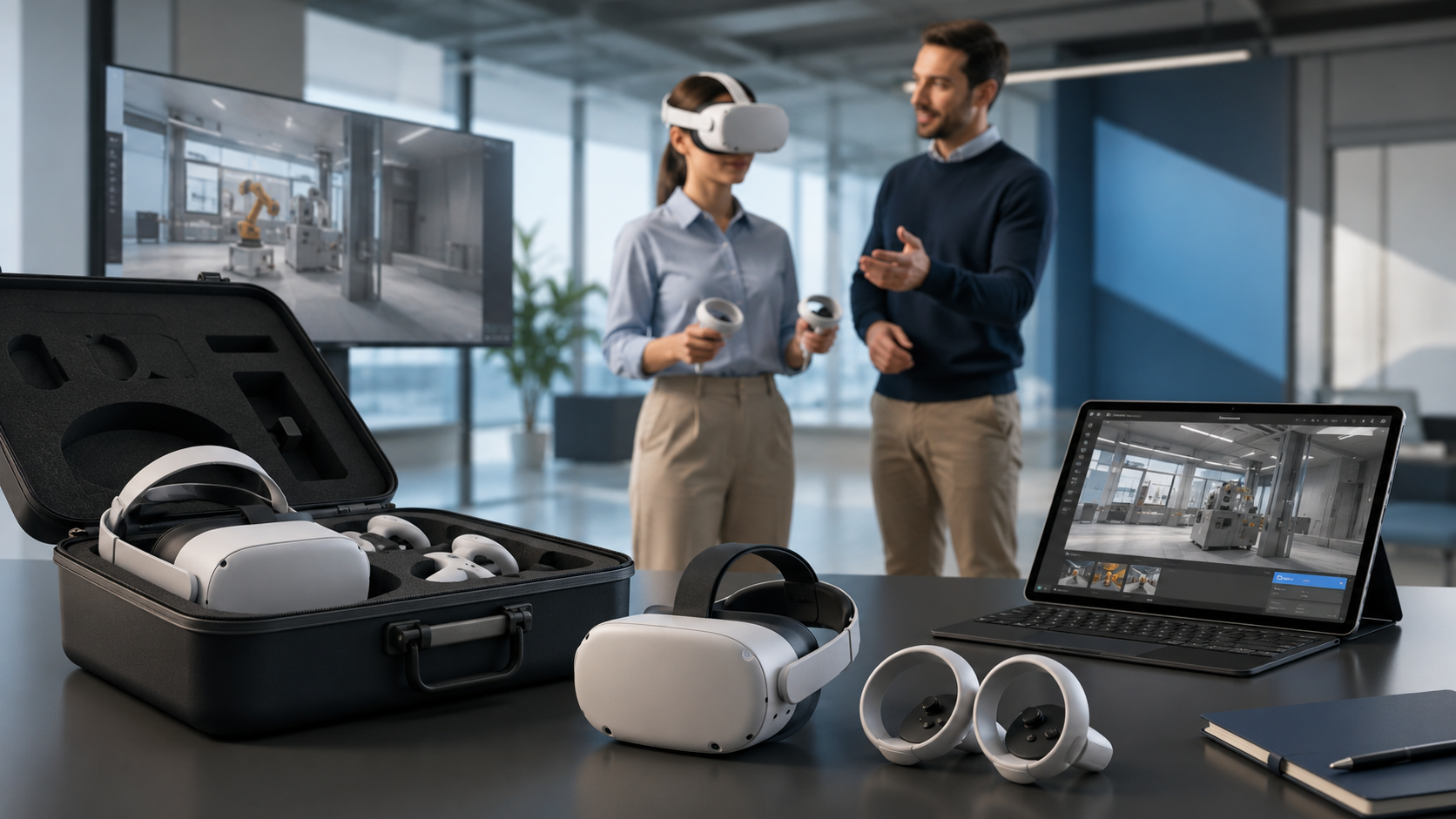
Transportation logistics become critical at this scale. Providers ship equipment in ruggedized rolling cases with custom foam inserts. Each case typically holds 5-10 headsets with accessories, making them manageable for event staff while ensuring protection during transit.
Large packages support sophisticated use cases: synchronized VR presentations for 100+ conference attendees, distributed training sessions across multiple office locations, and massive brand activations at festivals or sporting events. The infrastructure included enables experiences impossible with smaller packages, such as multi-user collaborative environments or competitive VR tournaments.
Package Components and Equipment Lists
Each VR rental package includes core hardware, essential accessories, and optional add-ons. Knowing what’s included versus what costs extra helps you budget accurately and avoid last-minute equipment gaps.
Core Hardware Included in Standard Packages
The foundation of any VR rental package is the headset selection. Meta Quest 3 dominates the rental market with its $499 retail price point, wireless operation, and extensive content library. The 128GB model suffices for most rentals, though 512GB versions are available for content-heavy deployments.
Pico 4 Enterprise headsets appear in business-focused packages, offering enhanced security features and centralized management capabilities. These headsets cost more to rent but provide better data protection for sensitive training content.
HTC Vive Focus 3 units serve specialized applications requiring maximum visual fidelity or specific enterprise features. Their higher rental cost reflects the $1,300 retail price and business-grade construction.
Every headset includes its standard controllers, which vary by model. Quest 3 packages include Touch Plus controllers with improved haptic feedback. Pico 4 Enterprise bundles include tracked controllers with enterprise-grade durability. Spare controllers (typically 10-20% extra) ship with larger packages to handle damage or battery issues.
Charging infrastructure scales with package size. Individual USB-C cables and wall adapters accompany each headset in small packages. Larger deployments include multi-port USB charging hubs that can power 10 devices simultaneously from a single outlet.
Transportation cases protect equipment during shipping and on-site storage. Small packages use soft-sided cases holding 2-3 headsets each. Large deployments ship in pelican-style hard cases with wheels and custom foam inserts.
Essential Accessories and Support Items
Hygiene management represents a critical component of VR rental packages, especially post-pandemic. Standard packages include silicone face cushion covers that create barriers between users and headset foam. These covers can be wiped clean between users with included antibacterial wipes.
Disposable face cushions offer maximum hygiene for high-traffic events. Packages typically include 50 disposable cushions per headset for week-long rentals, with extras available for purchase. Premium packages may include UV-C sanitization cases that disinfect headsets between sessions using ultraviolet light.
Prescription lens adapters accommodate users who wear glasses. Basic packages include universal spacers that create room for glasses inside headsets. Premium packages offer magnetic prescription lens inserts that can be customized to common prescriptions (-4 to +4 diopters).
Audio solutions vary by use case. Standard packages rely on built-in headset speakers for individual experiences. Events requiring privacy include disposable earphone covers or over-ear headphones. Large presentations may include external speakers for spectator audio.
Documentation packages ensure smooth operation. Quick-start guides use visual instructions to walk users through basic setup. Troubleshooting flowcharts help staff resolve common issues without calling support. Experience guides explain controls and objectives for included content.
Optional Add-Ons and Premium Services
On-site technician support represents the most valuable add-on for critical deployments. Technicians arrive 2-3 hours before events to handle setup, remain throughout to manage operations, and pack equipment afterward. Their expertise prevents minor issues from becoming major disruptions.
Custom content services transform generic rentals into branded experiences. Providers can preload your existing VR content, whether Unity builds, Unreal Engine packages, or 360-degree videos. Some offer light customization services, adding logos to existing experiences or creating simple interactive presentations.
Extended warranty protection covers damage beyond normal wear. Standard packages include basic coverage for malfunctions but exclude physical damage. Enhanced protection covers cracked lenses, broken controllers, and liquid damage—critical for public events where equipment faces rough handling.
Network infrastructure upgrades ensure smooth multi-user experiences. Advanced packages include 5G mobile hotspots for locations with poor WiFi. Enterprise deployments may include managed network switches and dedicated VLAN configuration for security.
Premium shipping options accommodate tight timelines. Standard shipping takes 3-5 business days via ground transport. Expedited options include next-day air delivery and white-glove service with inside delivery and setup assistance.
VR Rental Package Pricing Structure
VR rental package pricing depends on headset quantity, rental duration, content requirements, and support level. Most providers use tiered pricing with volume discounts and duration-based rates.
Base Package Pricing by Headset Count
Entry-level 5-headset packages start at $1,500-2,000 per week for Quest 3 configurations with standard accessories. This pricing includes basic hygiene supplies, charging cables, and 3-5 preloaded experiences. Upgrading to Pico 4 Enterprise or HTC Vive Focus 3 headsets adds $500-1,000 to the weekly rate.
10-headset packages designed for events range from $2,500-4,500 weekly. The price variation reflects different headset models, accessory bundles, and content options. Event-specific additions like branded face cushions, backup units, and staff training materials are typically included at this tier.
25-headset packages for large deployments start around $5,000 per week for basic configurations. Enterprise packages with 25+ units often reach $10,000-15,000 weekly when including premium headsets, on-site support, and network infrastructure. Volume discounts typically apply beyond 25 units, reducing per-headset costs by 15-25%.
50+ headset rentals enter custom pricing territory. Providers negotiate rates based on specific requirements, deployment complexity, and rental duration. These large packages often cost $15,000-30,000 per week but include comprehensive support services that would cost extra in smaller packages.
Duration-Based Pricing Models
Daily rentals for 1-3 day events typically cost 40-50% of the weekly rate. A 10-headset package priced at $3,000 weekly might cost $1,500 for a 3-day conference. Single-day rentals rarely offer good value, often costing 30-35% of weekly rates due to fixed shipping and processing costs.
Weekly rates serve as the industry baseline. Most providers structure their pricing around 7-day rentals, even if you only need equipment for 5 business days. This standardization simplifies logistics and pricing calculations.
Multi-week discounts incentivize longer rentals. Two-week rentals typically cost 175-180% of single-week rates, saving 10-12.5% versus booking two separate weeks. Three-week rentals often price at 250% of weekly rates, providing 15-17% savings.
Monthly rates benefit training programs and extended pilots. A full month typically costs 3-3.5x the weekly rate, representing 25-30% savings versus week-by-week rental. Quarterly rates for 3-month commitments can reduce costs by 35-40% compared to monthly renewals.
Additional Cost Factors
Custom content development ranges from $500 for simple logo additions to $50,000+ for fully custom experiences. Basic customization includes adding company branding to existing experiences, modifying text or audio, and creating custom menu screens. Full development involves creating unique interactions, environments, and gameplay mechanics.
Content licensing fees apply when using premium training modules or branded experiences. Medical training simulations might cost $50-100 per headset per week. Premium gaming experiences for events could add $25-50 per headset. Enterprise training platforms often require annual licenses starting at $5,000.
On-site technician support typically costs $1,000-2,500 per day depending on location and expertise level. Major metropolitan areas command higher rates due to increased labor costs. Specialized technicians familiar with specific platforms or custom content may charge premium rates.
Shipping costs vary significantly based on package size and destination. Domestic ground shipping for 10 headsets typically costs $200-400 round-trip. International shipping can reach $2,000-5,000 for large packages, with customs and duties adding additional expenses.
Insurance and damage protection beyond standard coverage adds 10-15% to rental costs. This enhanced protection proves valuable for public events where equipment faces increased risk. Some providers offer “zero liability” packages that cover all damage except theft or gross negligence.
Preloaded Content Options for Rental Packages
Most VR rental packages include preloaded content matched to your use case, eliminating the need to purchase licenses or manage installations. Content selection determines both rental cost and deployment complexity.
Training and Education Content Libraries
Soft skills training modules dominate corporate VR rental requests. Leadership simulations place users in challenging scenarios requiring decision-making under pressure. Communication workshops use avatar-based interactions to practice difficult conversations. Diversity and inclusion training creates empathy through perspective-taking experiences.
Technical training content focuses on practical skill development. Equipment operation simulations let workers practice on virtual versions of expensive or dangerous machinery. Safety procedure training recreates hazardous situations without actual risk. Compliance modules ensure consistent training delivery across locations.
Onboarding experiences accelerate new employee integration. Virtual office tours familiarize remote workers with physical locations they may rarely visit. Culture immersion experiences communicate company values through interactive storytelling. Role-specific simulations prepare new hires for job responsibilities before starting work.
Healthcare training represents a specialized category with premium content. Surgical simulations allow practice without cadavers or patients. Patient interaction training develops bedside manner and communication skills. Emergency response scenarios prepare staff for crisis situations.
Marketing and Brand Experience Content
Product demonstrations leverage VR’s immersive capabilities to showcase features impossible to display physically. Automotive companies use VR to let customers explore vehicle interiors, customize options, and experience driving scenarios. Technology firms demonstrate enterprise software through guided virtual tutorials.
360-degree showcases transport users to locations or events. Real estate firms offer virtual property tours allowing remote viewing. Tourism boards create destination experiences promoting travel packages. Event venues provide virtual site visits for planning purposes.
Virtual showrooms extend physical retail spaces into digital environments. Furniture retailers let customers visualize products in their actual rooms using passthrough AR. Fashion brands create virtual fitting rooms with avatar customization. B2B companies build virtual trade show booths accessible year-round.
Brand storytelling experiences create emotional connections with audiences. Companies share founding stories through immersive historical recreations. Sustainability initiatives come alive through virtual factory tours showing eco-friendly practices. Corporate social responsibility programs demonstrate impact through first-person perspectives.
Custom Content Integration Process
File format requirements vary by headset platform. Quest headsets require APK files built with Unity 2021 LTS or newer. Pico devices accept similar formats with minor platform-specific adjustments. Video content needs H.264 or H.265 encoding at specific resolutions and bitrates for optimal playback.
Testing timelines ensure content works properly before events. Providers typically require custom content 5-7 business days before rental start dates. This allows time for installation, testing on actual hardware, and troubleshooting any compatibility issues. Rush testing (2-3 days) incurs additional fees and doesn’t guarantee issue resolution.
Multi-experience deployment requires careful planning for user flow. Menu systems must clearly differentiate between experiences. Load times between applications need consideration for event pacing. User progress tracking may require custom solutions for training applications.
Content management platforms simplify deployment for recurring rentals. Enterprise providers offer cloud-based systems where you upload content once for distribution across multiple rentals. These platforms track usage analytics, manage version updates, and enable remote content swapping during events.
Package Setup and Deployment Logistics
Successful VR rental deployment requires planning for shipping, setup, operation, and return logistics. Understanding the timeline and requirements prevents day-of surprises.
Pre-Event Setup Timeline
Order placement timing directly impacts availability and pricing. Standard packages require 2-3 week advance booking to ensure equipment availability and content preparation. Last-minute requests (less than one week) face limited inventory and rush fees of 25-50%.
Equipment delivery typically occurs 2-3 business days before events. This buffer allows time to inspect equipment, test functionality, and familiarize staff with operation. Earlier delivery extends rental periods and costs but provides peace of mind for critical events.
Content loading and configuration happens 24-48 hours before use. Providers either pre-load content before shipping or provide remote access for last-minute updates. Custom content requires additional lead time for testing and troubleshooting.
Pre-event testing should occur the day before or morning of your event. Run through each experience completely, checking for tracking issues, audio problems, or content glitches. Test backup equipment and practice swapping procedures.
On-Site Setup Requirements
Space requirements vary by VR experience type. Stationary seated experiences need just 3×3 feet per user. Standing experiences with limited movement require 4×4 feet. Room-scale experiences demand 6×6 feet minimum, with 10×10 feet ideal for full movement.
Boundary setup takes 5-10 minutes per headset for room-scale experiences. Use included floor markers to designate play areas. Ensure 2-foot buffer zones between users to prevent collisions. Consider spectator viewing angles when positioning play spaces.
Power infrastructure must support simultaneous charging. Each charging station requires a standard 110V outlet capable of 15 amps. Large deployments need multiple circuits to avoid overloading. Position charging stations away from play areas but accessible for quick battery swaps.
Network requirements depend on experience types. Standalone single-player experiences need no network connection. Multi-user experiences require WiFi 6 or better with 50Mbps per headset. Cloud-streaming content demands stable 100Mbps+ connections with low latency.
Lighting conditions affect tracking quality. Avoid direct sunlight, which interferes with inside-out tracking cameras. Bright, even lighting works best. Dim environments may require supplemental lighting for optimal tracking performance.
Operation and Support During Events
Staff training ensures smooth operation without constant technical support. Basic orientation takes 30-60 minutes, covering headset adjustment, content launching, basic troubleshooting, and hygiene protocols. Hands-on practice with common issues builds confidence.
User onboarding processes streamline the experience for participants. Create standardized briefings covering safety guidelines, control schemes, and experience objectives. Use printed reference cards for complex interactions. Assign staff members as dedicated “VR guides” for first-time users.
Hygiene protocols protect users and equipment. Wipe headsets with antibacterial wipes between every user. Replace disposable face cushions every 4-5 users or when visibly soiled. Allow 2-3 minutes between users for cleaning and adjustment.
Battery management keeps experiences running continuously. Maintain 30% spare headsets on chargers at all times. Swap headsets when battery reaches 20% to avoid mid-experience shutdowns. Use external battery packs for extended sessions without rotation options.
Common troubleshooting covers 90% of issues. Tracking problems usually resolve with boundary reset or improved lighting. Audio issues often stem from volume settings or muted headsets. Controller problems typically fix with re-pairing or battery replacement. Keep troubleshooting guides accessible for quick reference.
Selecting the Right VR Rental Package Provider
Choosing a VR rental provider involves evaluating package flexibility, support quality, equipment condition, and total cost. Key differentiators separate turnkey providers from basic equipment rentals.
Provider Evaluation Criteria
Equipment inventory depth indicates provider capability. Large providers maintain 500+ headsets, ensuring availability even during peak seasons. Check specific model availability—some providers focus on older, cheaper headsets while others stock latest releases exclusively.
Geographic coverage affects shipping costs and support availability. National providers ship anywhere but may lack local support. Regional providers offer better on-site assistance within their coverage areas. International capability matters for global events or multi-location deployments.
Equipment age and condition impact user experience. Ask about refresh cycles—quality providers replace headsets every 12-18 months. Request information about cleaning protocols and refurbishment processes. Newer equipment means fewer technical issues and better performance.
Support infrastructure determines issue resolution speed. 24/7 phone support should be standard for event rentals. Look for providers offering video troubleshooting, remote device management, and on-call technicians. Response time guarantees provide peace of mind for critical deployments.
Content partnerships expand available experiences. Providers with direct relationships with content creators offer better pricing and exclusive experiences. Check whether providers can license specific training platforms or branded experiences you require.
Package Customization and Flexibility
Headset mixing within packages accommodates different use cases. You might need Quest 3 headsets for active experiences and Pico 4 Enterprise for secure training content. Flexible providers allow mixing at minimal additional cost.
Mid-rental modifications support evolving needs. Multi-day events might require different content each day. Training programs could need additional headsets as participation grows. Providers should accommodate changes with 24-48 hour notice.
Scaling options prevent under or over-ordering. Start with conservative quantities and add headsets if demand exceeds expectations. Quality providers maintain local buffer stock for quick deployment. Understand costs and logistics for mid-rental scaling.
Content swapping capabilities enable diverse experiences. Trade shows might showcase different products daily. Training programs could progress through module sequences. Remote content management platforms allow real-time updates without physical access to headsets.
Service Level Agreements and Guarantees
Equipment replacement guarantees ensure event continuity. Providers should commit to replacing dead-on-arrival (DOA) units within 24 hours. For critical events, insist on pre-positioned backup equipment or on-site spare units.
Technical support response times need clear definition. Phone support should connect within 5 minutes during business hours. Emergency support for events might guarantee 15-minute callbacks. On-site support response depends on technician availability and location.
Uptime guarantees provide financial protection for failures. Some providers offer credits or refunds if equipment availability falls below 95%. These guarantees typically exclude user-caused damage but cover equipment malfunctions.
Damage policies clarify financial responsibilities. Standard wear remains provider responsibility. Accidental damage might incur repair fees. Negligent or intentional damage typically triggers full replacement costs. Understand exactly what different protection levels cover.
Data security commitments matter for enterprise deployments. Providers should guarantee data wiping between rentals. Enterprise packages might include dedicated headsets never used by other clients. GDPR compliance and data handling certifications provide additional assurance.
Frequently Asked Questions
What’s typically included in a VR rental package versus rented separately?
Standard VR rental packages include headsets, controllers, charging cables, basic hygiene supplies (wipes and 10-20 disposable cushions per headset), carrying cases, and 3-5 preloaded experiences. Items typically rented separately include on-site technician support, custom content development, premium accessories like prescription lens adapters, extended warranties beyond basic coverage, and specialized networking equipment for multi-user experiences.
How far in advance should I book a VR rental package for an event?
Book VR rental packages 2-3 weeks in advance for best availability and standard pricing. Popular event seasons (September-November, January-March) require 4-6 week advance booking. Last-minute rentals (less than one week) face 25-50% rush fees and limited equipment selection. Custom content integration or large deployments (50+ headsets) need 4-6 weeks minimum lead time.
Can I mix different headset models in one rental package?
Most providers allow mixing headset models within packages, though this may incur a 10-15% premium. Common combinations include Quest 3 for active experiences with Pico 4 Enterprise for secure content, or mixing older Quest 2 units for spectators with Quest 3 for primary users. Ensure mixed models can run your required content, as some experiences are platform-specific.
What happens if VR equipment gets damaged during my rental?
Standard rental agreements include basic coverage for normal wear and minor issues like scratched lenses or worn straps. You’re typically liable for significant damage: cracked lenses ($200-400), broken controllers ($150-200), or liquid damage ($400-800 for full headset replacement). Enhanced damage protection (10-15% additional cost) covers most accidental damage except theft or gross negligence.
Do VR rental packages include someone to run the equipment?
Basic VR rental packages do not include operational staff—you provide personnel to manage equipment. On-site technician support costs an additional $1,000-2,500 per day. Some providers offer “VR event staff” who handle both technical and user experience aspects for $500-1,500 per day. For large deployments, dedicated technical support is often included or strongly recommended.
How many backup headsets should I include in my rental package?
Include 20% backup headsets for critical events—if you need 10 operational units, rent 12 total. Trade shows and public events benefit from 25-30% buffers due to heavy use. Training sessions with controlled environments might only need 10-15% extras. Providers often include some backup units automatically in larger packages.
Can rental packages accommodate custom VR content we’ve developed?
Yes, most providers can preload custom content with 5-7 days advance notice. Submit content as APK files for Quest/Pico headsets or through enterprise deployment platforms. Testing on actual hardware is crucial—budget 2-3 days for troubleshooting. Some providers charge $200-500 for custom content loading, while others include it with premium packages.
What’s the price difference between weekend and weekly VR rental packages?
Weekend rentals (Friday-Monday) typically cost 60-70% of weekly rates, making them poor value for 3-day events. Single-day rentals cost 30-35% of weekly rates due to fixed shipping and processing costs. Weekly rentals offer best value even if you only need equipment for 4-5 days. Consider negotiating if you need equipment Wednesday-Sunday, as this spans traditional rental periods.
Conclusion
VR rental packages have evolved from simple equipment loans into comprehensive solutions that enable businesses to deploy virtual reality experiences without the complexity of ownership. Whether you’re running a small training pilot, managing a trade show booth, or coordinating a company-wide initiative, understanding package configurations, pricing structures, and deployment requirements ensures successful implementation.
The key to maximizing VR rental value lies in matching package specifications to your specific needs. Avoid over-ordering equipment that sits idle, but maintain sufficient buffer stock to handle technical issues. Invest in hygiene supplies and user support to create positive experiences. Most importantly, allow adequate time for planning, testing, and staff training.
As virtual reality continues maturing as a business tool, rental packages provide the flexibility to experiment with new applications without long-term commitments. The providers and packages detailed in this guide represent current market options, but the industry evolves rapidly with new hardware releases and content innovations.
Ready to deploy VR at your next event or training session? Start by defining your objectives, estimating participant numbers, and identifying content requirements. Contact multiple providers to compare packages, pricing, and support options. Request references from similar deployments and test equipment before committing to large rentals. With proper planning and the right rental package, VR can transform your business event from ordinary to unforgettable.