Extended reality (XR) technologies are transforming how businesses engage audiences, train employees, and showcase products. But with enterprise headsets costing thousands of dollars and consumer models becoming obsolete within 18 months, purchasing XR hardware rarely makes financial sense for most organizations. This guide breaks down your rental options across virtual reality (VR), augmented reality (AR), and mixed reality (MR) technologies, helping you select the right equipment and implementation approach for your specific needs.
What XR Hardware Rental Includes: VR Headsets, AR Glasses, and MR Devices
Extended reality (XR) hardware rental spans three technology categories that deliver different types of immersive experiences. Understanding which hardware fits your event or business need starts with knowing what each technology does best and what rental packages typically include.
VR Headset Rental Packages
Virtual reality headsets create fully immersive digital environments that replace your physical surroundings. Current rental inventories center on three device categories: standalone headsets like Meta Quest 3 and PICO 4 that operate without external computers, PC-tethered systems like HTC Vive Pro 2 for high-fidelity experiences, and enterprise-focused models like HTC Vive Focus 3 with enhanced hygiene features and device management tools.
Standalone headsets dominate event rentals due to their portability and simplified setup. The Meta Quest 3, with its Snapdragon XR2 Gen 2 processor and 2064×2208 per-eye resolution, handles most business applications without external hardware. These devices excel at trade show demos, training simulations, and brand activations where quick deployment matters more than maximum visual fidelity.
PC-tethered systems serve specialized use cases requiring exceptional graphics quality or precise tracking. Architectural visualizations, medical training, and automotive design reviews benefit from the increased processing power and higher refresh rates these systems provide. However, they require gaming laptops or desktop workstations, adding complexity and cost to your rental package.
Standard VR rental packages include:
- Headsets with adjustable straps and interpupillary distance settings
- Motion controllers with wrist straps
- Disposable hygiene barriers or silicone face covers (50-100 per headset)
- Charging stations or battery banks for all-day operation
- Protective cases for transport and storage
- Setup guides and troubleshooting documentation
Professional rental providers typically offer tiered support options. Basic packages include remote assistance via phone or video chat. Premium packages add on-site technicians who handle setup, user onboarding, and real-time troubleshooting. For multi-day events, overnight charging and content updates ensure devices remain operational throughout your rental period.
AR Glasses and Smart Display Rentals
Augmented reality glasses overlay digital information onto your view of the physical world, maintaining environmental awareness while adding contextual data, 3D models, or instructional content. The Microsoft HoloLens 2 leads enterprise AR rentals with its 52-degree diagonal field of view and hand-tracking capabilities. Magic Leap 2 offers superior brightness for well-lit environments, while lighter options like Nreal Light (now XREAL) provide basic AR functionality at lower price points.
AR hardware excels at scenarios where users need to remain aware of their surroundings or interact with physical objects. Manufacturing companies rent HoloLens 2 devices for remote assistance, allowing field technicians to receive expert guidance through spatial annotations. Healthcare organizations use Magic Leap 2 for surgical planning, projecting 3D patient data into operating rooms.
Key specifications affecting AR rental decisions include:
- Field of view: HoloLens 2 offers 52°, Magic Leap 2 provides 70°
- Battery life: 2-3 hours active use for most AR glasses
- Weight distribution: Front-heavy designs cause fatigue during extended sessions
- Brightness: 2000+ nits needed for outdoor visibility
- Tracking technology: Inside-out tracking eliminates external sensors
AR rental packages require different accessories than VR:
- Prescription lens inserts for users with corrective eyewear
- External battery packs for extended operation
- Carrying cases with foam inserts for delicate waveguides
- Cleaning kits specifically designed for transparent displays
- QR code markers or spatial anchors for precise content alignment
Content deployment for AR devices involves mobile device management (MDM) platforms. Rental providers pre-configure devices with your applications, eliminating the need for individual app installation. Enterprise features like kiosk mode prevent users from accessing system settings or unauthorized applications.
Mixed Reality Systems for Hybrid Experiences
Mixed reality systems blend physical and digital elements, allowing virtual objects to interact with real environments. Modern MR primarily uses two approaches: dedicated MR headsets with transparent displays, and VR headsets with high-quality passthrough cameras that reconstruct your surroundings digitally.
The Meta Quest Pro and PICO 4 Enterprise represent the passthrough approach, using color cameras to capture your environment while rendering virtual objects within that space. These devices cost less than dedicated AR hardware while providing similar functionality for many use cases. The Quest Pro’s eye and face tracking enables natural avatar interactions for remote collaboration, while PICO 4 Enterprise offers superior battery life and enterprise management tools.
Professional visualization demands drive rentals of high-end MR systems like Varjo Aero and XR-3. The Varjo XR-3 combines human-eye resolution displays (70 pixels per degree) with photorealistic passthrough, enabling automotive designers to evaluate virtual prototypes alongside physical components. These systems require powerful workstations with RTX 4090 or A6000 graphics cards, significantly increasing rental costs.
MR-specific features affecting rental selection:
- Passthrough latency: Under 20ms prevents motion sickness
- Color accuracy: Critical for design and medical applications
- Hand tracking precision: Enables controller-free interactions
- Spatial anchoring: Maintains virtual object positions across sessions
- Depth sensing: Allows virtual objects to occlude behind real ones
Integration capabilities distinguish MR rentals from pure VR or AR options. Mixed reality systems connect with existing presentation infrastructure through HDMI or wireless casting, enabling spectator viewing on external displays. Cloud anchoring services let multiple users share the same mixed reality space, essential for collaborative training scenarios or guided tours.
Choosing Between VR, AR, and MR Hardware for Your Use Case
Each XR technology serves different objectives. VR transports users to entirely digital environments, AR overlays information on the real world, and MR blends both. Your rental decision depends on your audience, venue constraints, and experience goals.
Trade Show and Exhibition Applications
Trade shows present unique challenges: limited booth space, high visitor throughput, and varying technical comfort levels among attendees. VR excels when physical space constraints prevent displaying actual products. A 10×10 booth can showcase an entire factory floor, aircraft interior, or architectural project through VR, impossible with physical displays.
Automotive companies regularly rent 5-10 Meta Quest 3 headsets for auto shows, allowing visitors to experience vehicle interiors, customize configurations, and take virtual test drives. The self-contained nature of VR creates memorable experiences that draw booth traffic, with participants often creating queues that generate additional interest.
AR serves different trade show objectives. Rather than replacing physical products, AR enhances them with additional information layers. Medical device manufacturers rent HoloLens 2 units to demonstrate internal mechanisms of physical products, showing blood flow through artificial hearts or electrical signals through pacemakers. This approach maintains tangible product interaction while adding impossible-to-see details.
Throughput considerations shape technology selection. AR experiences typically process 15-20 users per hour per device, as users can quickly grasp overlaid information without extensive onboarding. VR experiences average 6-10 users per hour due to headset adjustment time, hygiene protocols, and longer immersion periods. For high-traffic events expecting 500+ visitors daily, AR’s efficiency often outweighs VR’s immersion.
Mixed reality combines both approaches effectively. Furniture retailers use Quest Pro passthrough to place virtual products in booth spaces, allowing customization while maintaining spatial context. Visitors see both physical booth elements and virtual additions, creating coherent experiences that bridge digital and physical retail.
Corporate Training and Learning Scenarios
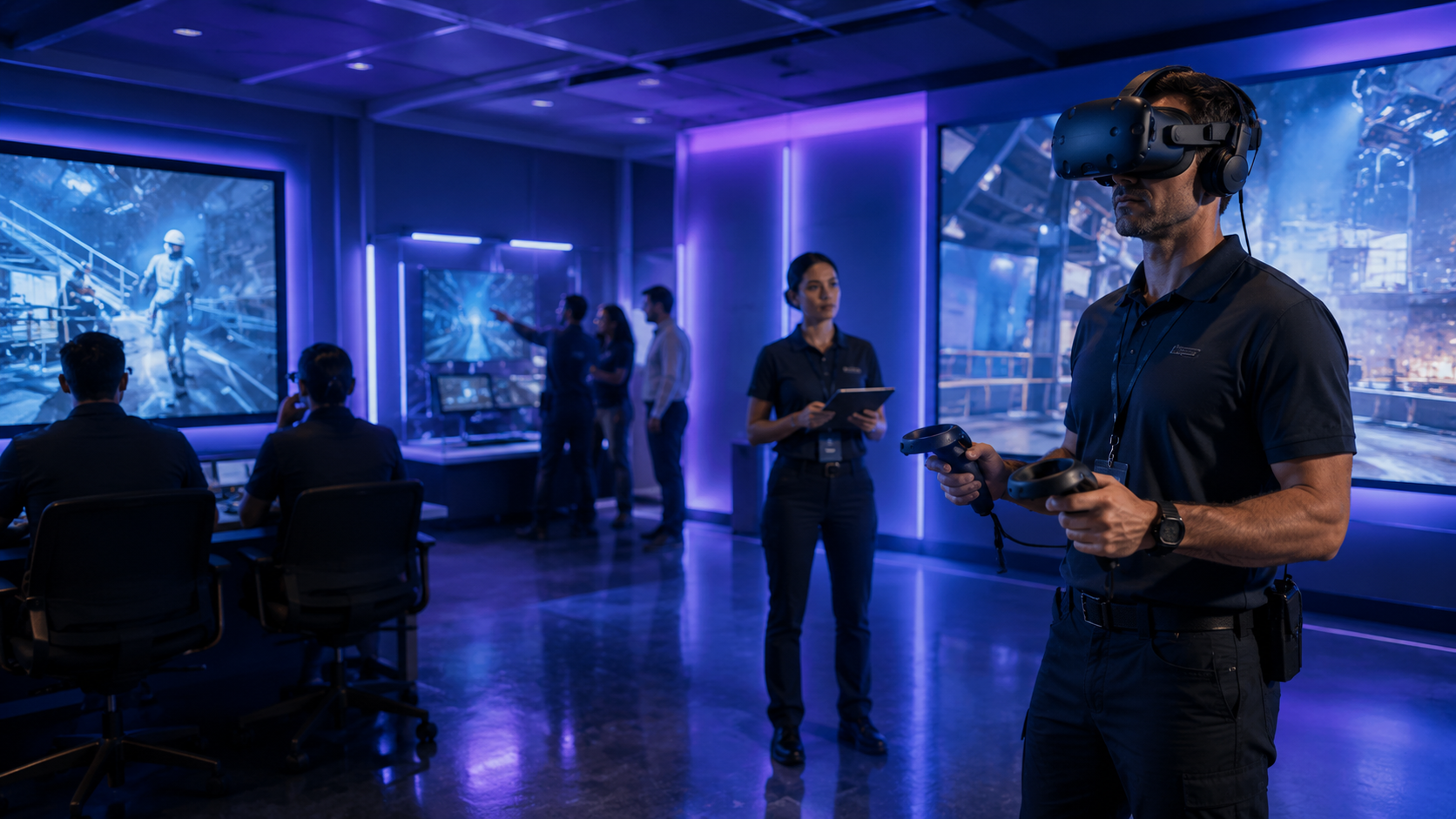
Training applications leverage XR’s ability to simulate expensive, dangerous, or impractical scenarios. VR dominates safety training, creating consequence-free environments for practicing emergency procedures. Oil companies rent VR headsets for offshore platform training, eliminating travel costs and safety risks. A typical training rental includes 10-20 headsets for simultaneous group sessions, with instructors monitoring individual progress through tablet interfaces.
Equipment maintenance training favors AR’s contextual guidance. Technicians wearing HoloLens 2 receive step-by-step instructions overlaid on actual machinery, with spatial arrows pointing to specific components. This approach reduces error rates by 35% compared to traditional manuals, according to Boeing’s wire harness assembly studies. Rental packages for maintenance training include remote assistance software, enabling experts to guide field technicians through complex procedures.
Mixed reality enables collaborative design reviews impossible with single-technology approaches. Engineering teams rent Varjo XR-3 systems to evaluate CAD models at actual scale while maintaining team interaction. Participants see both virtual prototypes and colleague reactions, facilitating natural discussion that pure VR prevents.
Multi-user capabilities vary significantly across technologies:
- VR: Requires identical headsets and network configuration for shared experiences
- AR: Supports asymmetric participation with some users on tablets or phones
- MR: Enables mixed device sessions with VR and AR users in the same space
Session recording needs affect hardware selection. VR platforms like STRIVR include built-in analytics showing head movement, interaction patterns, and completion rates. AR devices typically require third-party recording software, adding complexity but enabling richer documentation. Consider recording capabilities when comparing rental options, as post-training analysis often provides more value than the training itself.
Brand Activation and Marketing Events
Brand activations demand memorable experiences that generate social media engagement and emotional connections. VR creates impossible brand worlds: fashion houses transport customers to virtual runways, beverage brands simulate origin experiences from coffee plantations or Scottish distilleries, and automotive manufacturers offer Formula 1 driving experiences.
Successful VR activations require careful experience design. Sessions should last 3-5 minutes to maintain throughput while delivering complete narratives. Rental providers often include experience designers who adapt existing brand assets into VR-ready content. Custom development typically requires 4-6 weeks lead time and adds $15,000-50,000 to rental costs.
AR activations leverage existing physical touchpoints. Cosmetic brands rent AR mirrors (specialized displays with integrated cameras) for virtual makeup try-ons. Packaged goods companies use smartphone AR through WebAR platforms, eliminating app downloads while enabling product visualization. These approaches scale efficiently, as one AR rental station can trigger thousands of mobile experiences.
Social sharing features drive technology selection. AR naturally creates shareable moments, as users can capture their augmented reality through standard phone cameras. VR requires mixed reality capture systems that composite users into virtual environments, adding technical complexity but creating unique shareable content. Meta Quest 3’s mixed reality capture capabilities make it increasingly popular for social-first activations.
Gamification elements enhance engagement across all XR technologies:
- VR escape rooms with brand-themed puzzles
- AR scavenger hunts revealing product information
- MR experiences combining physical products with digital rewards
- Competitive leaderboards driving repeat participation
XR Hardware Rental Pricing and Package Configurations
XR rental pricing varies by technology type, rental duration, number of devices, and support level. Understanding typical cost structures helps you budget effectively and choose the right package configuration.
Daily, Weekly, and Monthly Rental Rates
VR headset rental rates reflect device capabilities and market positioning. Consumer-grade headsets like Meta Quest 2 rent for $150-250 per day, while Quest 3 commands $200-350 daily. Enterprise VR solutions like HTC Vive Focus 3 or PICO 4 Enterprise range from $300-400 per day, justified by enhanced durability, extended warranties, and device management features.
Weekly rentals offer significant savings, typically priced at 3-4 times daily rates:
- Meta Quest 3: $500-800 per week
- HTC Vive Focus 3: $900-1200 per week
- PICO 4 Enterprise: $800-1100 per week
Monthly rates provide maximum value for extended deployments:
- Consumer VR: $1200-2000 per month
- Enterprise VR: $2000-3500 per month
- PC-tethered systems: $3000-5000 per month including workstation
AR glasses command premium pricing due to limited availability and specialized capabilities:
- Microsoft HoloLens 2: $300-500 daily, $1500-2500 weekly
- Magic Leap 2: $400-600 daily, $2000-3000 weekly
- XREAL Air: $100-150 daily, $400-600 weekly
Volume discounts typically begin at 5 devices, with 10-15% reductions for 5-9 units and 20-30% savings for 10+ devices. Extended rental periods beyond one month often negotiate custom rates based on specific deployment requirements.
Additional fees to budget for:
- Setup and configuration: $500-1500 per event
- Shipping: $50-150 per device depending on distance and timing
- Damage waivers: 10-15% of rental cost for accident protection
- On-site support: $1500-2500 per day for technical staff
- Content customization: $5000-50,000 depending on complexity
Turnkey Event Packages vs Equipment-Only Rentals
Turnkey packages include everything needed for successful XR deployment: hardware, software, setup, support, and breakdown. These comprehensive solutions cost 50-100% more than equipment-only rentals but eliminate technical risks and staff training requirements.
A typical turnkey package for a three-day trade show with 5 VR stations includes:
- 5 Meta Quest 3 headsets with accessories
- Branded kiosk stands with integrated charging
- 2 technical staff for all event days
- Pre-loaded custom content with automatic reset between sessions
- Real-time analytics dashboard for engagement tracking
- Complete setup and breakdown services
Total cost: $15,000-25,000 depending on location and customization level.
Equipment-only rentals suit organizations with internal technical capabilities. You receive configured devices with requested content, setup guides, and remote support access. This approach saves 40-50% compared to turnkey packages but requires dedicated staff for operation.
Self-service rental considerations:
- Staff training time: 2-4 hours for basic operation
- Troubleshooting capabilities: Common issues like tracking loss or battery management
- Backup equipment: Rent 10-20% extra devices for redundancy
- Content switching: Whether staff can change experiences between users
Hybrid models balance cost and convenience. Many providers offer “setup plus” packages where technicians handle initial configuration and training, then hand over operation to client staff. This approach costs 20-30% more than equipment-only but significantly reduces operational risk.
Custom content development adds substantial cost but delivers unique brand experiences. Development pricing depends on complexity:
- 360° video experiences: $5,000-15,000
- Interactive VR applications: $25,000-75,000
- AR product visualizers: $15,000-40,000
- Mixed reality training modules: $50,000-150,000
Consider existing content libraries before commissioning custom development. Many rental providers maintain catalogs of customizable experiences that can be branded with logos, colors, and messaging for 10-20% of custom development costs.
Implementation Logistics: Setup, Support, and Operations
Successful XR hardware deployment requires planning for space requirements, power access, network connectivity, and user flow. These operational details determine whether your rental delivers smooth experiences or technical frustrations.
Venue Requirements and Space Planning
VR deployments need dedicated play areas preventing users from hitting obstacles or other participants. Minimum space requirements vary by experience type: seated experiences need 4×4 feet per station, standing experiences require 6×6 feet, and room-scale experiences demand 10×10 feet or larger. Mark boundaries with physical barriers like stanchions or floor tape, even though headsets display virtual guardian boundaries.
Ceiling height affects tracking quality for both VR and AR systems. Spaces under 8 feet may cause tracking interruptions when users raise their hands. Optimal ceiling heights range from 9-12 feet, providing clearance while maintaining reasonable infrared sensor ranges.
Lighting conditions critically impact AR and MR performance. HoloLens 2 and Magic Leap 2 struggle in direct sunlight, requiring controlled indoor environments or shaded outdoor spaces. Conversely, these devices also fail in complete darkness, needing 50-300 lux minimum illumination. VR headsets with inside-out tracking similarly require moderate, even lighting without dramatic shadows or bright spotlights that confuse computer vision algorithms.
Power infrastructure determines station placement flexibility. Each VR station needs 2-3 outlets:
- Headset charging (when not using battery packs)
- Laptop/PC for tethered systems
- Display monitors for spectator viewing
AR glasses typically operate on battery power but require charging stations for multi-day events. Plan for 2-3 sets of batteries per device, enabling hot-swapping during continuous operation.
Network requirements vary dramatically by use case:
- Standalone VR with pre-loaded content: No network needed
- Cloud-based experiences: 25-50 Mbps per headset
- Multi-user sessions: 50-100 Mbps per headset plus low latency
- Live streaming or recording: 100+ Mbps upload capacity
Many venues’ guest WiFi networks cannot handle multiple XR devices simultaneously. Consider renting dedicated wireless access points or using 5G hotspots for critical deployments.
Staff Training and User Onboarding
Effective staff training prevents most operational issues. Schedule training sessions 1-2 days before events, allowing time for practice and questions. Basic training covers:
- Headset adjustment for different head sizes and interpupillary distances
- Controller pairing and battery replacement
- Launching applications and returning to home menus
- Recognizing and resolving tracking issues
- Hygiene protocols between users
- Emergency stop procedures for user distress
Create standardized onboarding scripts ensuring consistent user experiences. A typical VR onboarding takes 60-90 seconds:
- Hygiene barrier installation (15 seconds)
- Headset placement and adjustment (30 seconds)
- Controller orientation and button explanation (20 seconds)
- Guardian boundary explanation (15 seconds)
- Experience start and initial guidance (10 seconds)
AR onboarding differs significantly, focusing on gesture recognition and voice commands rather than controller usage. Users need instruction on:
- Hand tracking calibration poses
- Air tap and pinch gestures
- Voice command activation phrases
- Gaze targeting for selection
- Field of view limitations
Safety briefings prevent injuries and equipment damage. Cover:
- Motion sickness signs and immediate removal procedures
- Spatial awareness and boundary respect
- Prohibited actions like running or jumping
- Age restrictions and health warnings
- Emergency stop procedures
Document common issues and solutions for quick reference:
- Tracking lost: Check lighting, remove reflective surfaces
- Controllers not responding: Re-pair via headset settings
- Blurry visuals: Adjust IPD and headset position
- Overheating: Allow 5-minute cooldown between sessions
- Network connectivity: Restart router or switch to offline mode
Content Management and Device Administration
Pre-loaded content simplifies event operations but limits flexibility. Most rental providers configure devices with requested applications before shipping, eliminating on-site installation requirements. This approach works well for single-experience activations but constrains dynamic events needing content variety.
Dynamic content switching requires mobile device management (MDM) platforms. ArborXR, ManageXR, and similar services enable remote application deployment, configuration updates, and device monitoring. These platforms add $10-30 per device monthly but provide essential capabilities for multi-day or multi-location deployments.
Key MDM features for rentals:
- Kiosk mode: Locks devices to specific applications
- Remote installation: Deploys new content without physical access
- Usage analytics: Tracks session times and application launches
- Device health monitoring: Battery levels, temperature warnings
- Scheduled updates: Configures overnight content refreshes
Data privacy regulations affect user account management. Many jurisdictions require explicit consent for data collection, particularly when capturing photos or videos within XR experiences. Implement privacy-compliant approaches:
- Anonymous sessions without user identification
- Temporary accounts deleted after each session
- Opt-in data collection with clear consent forms
- Local storage only without cloud synchronization
Post-event analytics provide valuable insights for ROI measurement. Capture:
- Total sessions completed
- Average session duration
- Heat maps showing areas of interest
- Interaction patterns with virtual objects
- Completion rates for multi-step experiences
- User feedback ratings
Export analytics before returning rental equipment, as providers typically reset devices immediately upon return. Request specific metrics during rental booking to ensure proper configuration.
Rental vs Purchase Decision Framework for XR Hardware
While rental makes sense for most events and pilots, some organizations eventually need to evaluate ownership. This decision framework helps you determine when renting remains optimal versus investing in your own XR hardware.
When XR Hardware Rental Makes Business Sense
One-time events and trade shows represent clear rental scenarios. Purchasing XR hardware for annual or bi-annual events wastes capital on depreciating assets that spend most of their lifecycle in storage. Rental ensures access to current-generation hardware with full technical support exactly when needed.
Pilot programs testing XR applications should always begin with rentals. Many organizations discover their intended use case doesn’t match reality: VR training programs may face unexpected user resistance, AR maintenance guides might prove too complex for field deployment, or mixed reality collaboration tools may not integrate with existing workflows. Rental periods of 1-3 months allow thorough evaluation without long-term commitment.
Technology refresh cycles make rental attractive even for regular users. Consumer VR headsets see major upgrades every 18-24 months, with each generation offering significant improvements in resolution, field of view, or tracking capabilities. Enterprise AR glasses evolve on 3-4 year cycles but cost $3,000-5,000 per unit. Renting ensures access to latest capabilities without managing depreciation or disposal.
Seasonal businesses benefit from rental flexibility. Retailers might need AR mirrors during holiday shopping seasons, construction companies require VR safety training during summer hiring peaks, and event agencies need mixed reality systems for conference season. Rental aligns costs with revenue generation periods.
Technical support included with rentals eliminates IT burden. XR hardware requires specialized knowledge for troubleshooting, frequent firmware updates, and careful handling. Rental providers handle all maintenance, repairs, and technical support, valuable for organizations without dedicated XR expertise.
Calculating Total Cost of Ownership vs Rental
Purchase decisions require comprehensive total cost of ownership (TCO) analysis beyond initial hardware costs. A single Meta Quest 3 costs $650 retail, seemingly reasonable compared to $200 daily rental rates. However, TCO includes numerous hidden expenses.
Hardware costs represent only 30-40% of total XR ownership expenses:
- Initial purchase: $650 per Quest 3
- Protective cases: $50-100 per device
- Hygiene supplies: $200-300 annually
- Replacement controllers: $150 per pair
- Extra batteries/charging stations: $100-200
Software and content costs add substantial ongoing expenses:
- Enterprise licenses: $150-500 per device annually
- MDM platforms: $120-360 per device annually
- Content development or licensing: $5,000-50,000 per experience
- Cloud storage and services: $50-200 monthly
IT management overhead often exceeds hardware costs for enterprise deployments:
- Initial setup and configuration: 4-8 hours per device
- Ongoing maintenance: 2-4 hours monthly per device
- Troubleshooting and support: 20-30% of usage time
- Training and documentation: 40-80 hours initially
Calculate break-even points using realistic usage estimates. For Meta Quest 3:
- Purchase TCO Year 1: $650 (hardware) + $300 (accessories) + $300 (software) + $500 (IT labor) = $1,750
- Rental cost equivalent: ~9 rental days at $200/day
- Break-even point: Organizations using VR less than 10 days annually should rent
Enterprise hardware shifts calculations significantly. HoloLens 2:
- Purchase TCO Year 1: $3,500 (hardware) + $500 (accessories) + $1,000 (software) + $2,000 (IT labor) = $7,000
- Rental cost equivalent: ~14 rental days at $500/day
- Break-even point: Organizations using AR less than 15 days annually should rent
Hybrid models optimize costs for organizations with mixed needs. Purchase core devices for regular use while renting additional units for peak capacity. A training company might own 5 VR headsets for weekly sessions but rent 15 additional units for quarterly all-hands training events.
Consider obsolescence risk in purchase decisions. XR hardware depreciates rapidly, with devices losing 40-50% of value within the first year. Meta Quest 2 launched at $399 in 2020 but trades for under $150 used today. Rental eliminates obsolescence risk while ensuring access to current technology.
Making XR Hardware Rental Work for Your Organization
XR hardware rental provides a practical path to implementing immersive technologies without the capital investment, technical complexity, and obsolescence risk of ownership. Whether you’re planning a trade show booth, piloting employee training programs, or creating brand activations, rental offers the flexibility to match technology to specific objectives.
Success with XR rental requires careful planning across multiple dimensions. Select the right technology—VR for full immersion, AR for contextual overlay, or MR for hybrid experiences—based on your use case requirements. Choose rental packages that align with your technical capabilities, opting for turnkey solutions if you lack XR expertise or equipment-only rentals if you have capable staff. Plan implementation logistics thoroughly, from space requirements to user onboarding procedures.
The rental vs. purchase decision ultimately depends on usage frequency, technical capabilities, and risk tolerance. Organizations using XR less than 15-20 days annually should rent, while those with consistent weekly usage may benefit from ownership. Hybrid approaches combining owned core equipment with rental surge capacity often provide optimal flexibility.
As XR technologies continue evolving rapidly, rental becomes increasingly attractive even for regular users. New headsets, improved tracking systems, and enhanced displays appear constantly, making yesterday’s cutting-edge hardware today’s obsolete equipment. Rental ensures you always deploy current-generation technology that delivers the best possible user experience.
Ready to explore XR hardware rental for your next event or initiative? Start by defining your objectives, estimating attendance, and evaluating venue constraints. Contact rental providers 4-6 weeks before your event for optimal equipment selection and pricing. Request demos or pilot rentals to test specific hardware before committing to larger deployments. With proper planning and the right rental partner, XR technologies can transform your events, training programs, and customer experiences without the complexity of ownership.
Frequently Asked Questions
What’s the difference between XR, VR, AR, and MR hardware?
XR (extended reality) is an umbrella term encompassing all immersive technologies. VR (virtual reality) completely replaces your view with digital environments through enclosed headsets. AR (augmented reality) overlays digital information on your real-world view through transparent displays or phone screens. MR (mixed reality) blends physical and digital elements, allowing virtual objects to interact with real spaces through either transparent displays or camera passthrough.
How many XR devices should I rent for a 100-person event?
Device quantity depends on experience duration and event format. For showcase events where all attendees try XR: With 5-minute VR experiences, 3-4 headsets process 100 people in 2-3 hours. With 2-minute AR experiences, 2-3 devices handle 100 people in 2 hours. For workshop formats with simultaneous participation, rent one device per participant. Consider 10-20% spare devices for technical issues or damage.
Can I rent XR hardware internationally?
Most rental providers operate regionally due to shipping costs and import regulations. Large providers like Hartford Technology Rental, Meeting Tomorrow, and Rentex offer international shipping to major markets. Expect additional fees for customs clearance, international shipping insurance, and extended transit times. Local rental partners often provide better pricing and support for international events.
What happens if rented XR equipment gets damaged?
Standard rental agreements include normal wear provisions but charge for negligent damage. Damage waivers, typically costing 10-15% of rental fees, cover accidental damage including cracked lenses, broken straps, and controller damage. Waivers don’t cover loss, theft, or intentional damage. Document equipment condition during delivery and return to avoid disputes.
Do XR hardware rentals include content licenses?
Basic rentals include hardware only—you provide or purchase content separately. Many rental providers offer content packages including popular applications like Beat Saber, Tilt Brush, or enterprise training modules. Custom branded experiences require separate development or licensing agreements. Verify content rights before deployment, as some applications restrict commercial use without proper licensing.
How far in advance should I book XR equipment rentals?
Book at least 3-4 weeks ahead for standard rentals, 6-8 weeks for large quantities or specialized equipment. Holiday seasons, major trade shows, and conference periods see high demand requiring earlier booking. Last-minute rentals may be available at premium prices but limit equipment selection and support options.
Can I test XR hardware before committing to a rental?
Most professional rental providers offer demo programs or pilot rentals. Demos typically include 1-2 devices for 1-3 days at reduced rates or free with eventual rental commitment. Pilot programs run 1-4 weeks, allowing thorough evaluation of hardware and use cases. Testing helps identify technical requirements, user acceptance, and operational challenges before full deployment.